

Whether you’re a business owner or a student, a ransomware attack is the kind of virus that everyone dreads. In this type of attack, the hacker gains access to your data and “encrypts” it, which basically means that he locks your data from being accessed by you, and that lock can only be opened by them through their encryption key.
However, if you are vigilant enough, you can keep yourself safe from these attacks by practicing common sense and constant vigilance. Other than that, you can also get a secure internet service so your network connection doesn’t get compromised. For instance, there are some 5G Internet services that have built-in security features such as Subscriber Concealed Identity (SUCI), which aids in user identity concealment, prevents the tracking of your sessions, and keeps your data integrity in check to protect you from attacks like ransomware and man-in-the-middle attacks.
Besides your internet connection, there are some other practices that you can do to make sure that you keep yourself safe from ransomware attacks and various other types of attacks, as mentioned below:
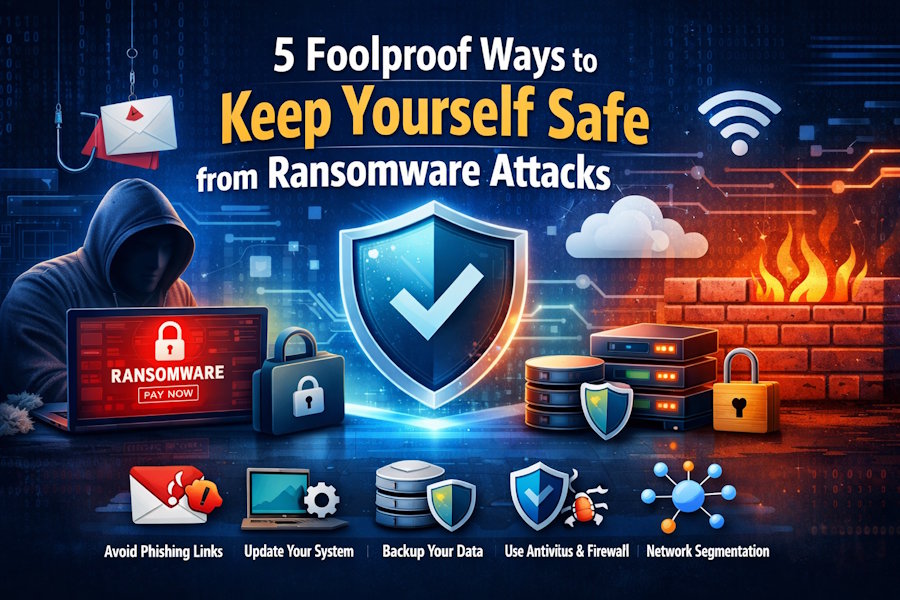
Never Click on an Unverified Link
If you ever go through your email, you’ll see a lot of emails that will have unverified links in them. Some might say that you’ve won the lottery and encourage you to click on the given link, while others might say that your computer’s data is at stake and opening the provided link might be the only way to save it.
However, if you are vigilant enough, you should know that these are the kind of links that you should never open. They may either be phishing links where hackers can gain access to your credentials if you enter them, or they can gain access to your data through the link.
So, always be sure to verify the source before you click on a link so that you can protect yourself from possible cyberattacks.
Keep Your Laptop or PC Up-to-Date
When you update your laptop or PC to the latest software version, you ensure that the update implements security patches to take care of any vulnerabilities and make your computer less susceptible to online attacks. The best way to go about this is to enable automatic updates on your computer.
Once your computer is updated to the latest software, the built-in security system and firewall help to protect your device against any possible ransomware attacks. They will prompt you to stop opening any links from unknown sources and will prevent you from opening files and websites that seem shady.
ALWAYS Keep Your Data Backed Up
You should always make sure that you have a copy of your data backed up. Even if the hacker deletes your data, you will still have access to your data through a copy of it.
However, to ensure utmost security, you must also encrypt your backup. Otherwise, it will be a very embarrassing situation if your backup gets hacked through ransomware.
To make things easier for yourself, keep an encrypted backup on your computer and keep another encrypted backup on an external storage device such as an SSD. This way, no one can take your data away from you since you will have not only one, but two encrypted backups of your data. Remember to work smart, not hard, when it comes to protecting your data.
Keep Your Defenses Up High
You must work on your defenses so that no one can penetrate them. It’s like fortifying your castle with walls built up high, where the castle is your computer and its data, and the walls are your protective measures against attacks.
These defenses typically include firewalls and antivirus software that you must have on your computer at all times. They monitor any suspicious activity at all times and give you prompts to keep you protected from opening malicious links and files. Therefore, it is necessary that you keep your firewall and your antivirus active at all times to ensure security.
Practice Network Segmentation
While this is a slightly technical step to take, it is still one of the best one to keep yourself protected from ransomware attacks. When a ransomware attack takes place, it spreads through your network like wildfire, which is why it is important for you to control the spread as much as you can.
Through network segmentation, you can divide your network into various parts so that the ransomware doesn’t spread to other systems in your network. Every subsystem that you create should have its own security controls and firewalls so that all of them are protected individually.
Here’s a bonus tip before we end it here: You don’t have to install a new antivirus on your computer since Microsoft’s own default security system does a decent job. Just make sure you follow all these steps and keep your antivirus on at all times to ensure maximum security.





