
Preloader
Others
  • Estimated reading time: 1 Minute

How to solve Webmin error NTP time synchronization failed: Missing ntpdate and sntp commands

How to solve Webmin error NTP time synchronization failed: Missing ntpdate and sntp commands

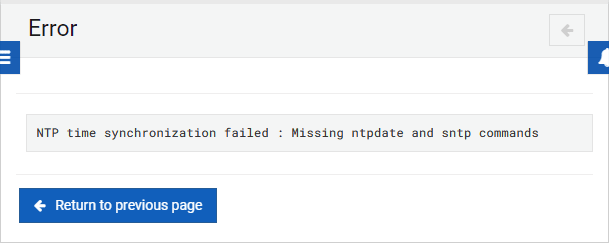
This exception appears when you try to synchronize the time with a remote server through the System Time module of Webmin:
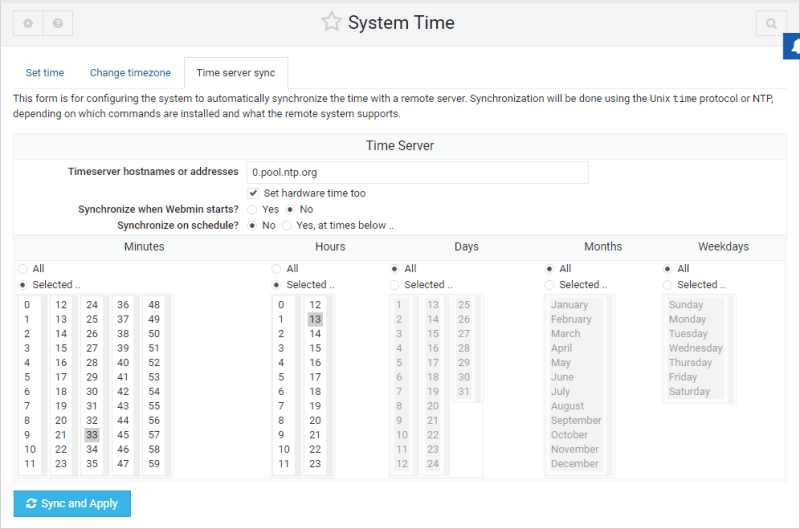
System Time NTP Webmin

And the operative system doesn't have the NTP package available from the CLI. Depending on your operative system, you can easily install with the following command for Debian/Ubuntu:

sudo apt-get install ntp

If you are in CentOS or Redhat based systems, you can install this package with yum:

sudo yum install ntp

After the installation of this package, you may now synchronize using a time server without any problem.

Happy coding ❤️!

Share:
Carlos Delgado

Carlos Delgado

Senior Software Engineer at Corvix. Interested in programming since he was 14 years old, Carlos is a self-taught programmer and founder and author of most of the articles at Our Code World.

Related articles
Best AEO and GEO Agencies for B2B SaaS Companies in 2026
18 Sep, 2026
  • Estimated reading time: 12 Minutes
Master AI Image Editing and Character Creation
18 Sep, 2026
  • Estimated reading time: 6 Minutes
7 Ways AI Sales Coaching Is Changing How Sales Teams Improve
18 Sep, 2026
  • Estimated reading time: 7 Minutes
Why AI Image-to-Video Results Look Wrong and How to Fix Them
17 Sep, 2026
  • Estimated reading time: 7 Minutes
Weekly trending
Best AEO and GEO Agencies for B2B SaaS Companies in 2026
18 Sep, 2026
  • Estimated reading time: 12 Minutes
Master AI Image Editing and Character Creation
18 Sep, 2026
  • Estimated reading time: 6 Minutes
7 Ways AI Sales Coaching Is Changing How Sales Teams Improve
18 Sep, 2026
  • Estimated reading time: 7 Minutes
Our Sponsors

Our blog is proudly supported by industry-leading sponsors.
