

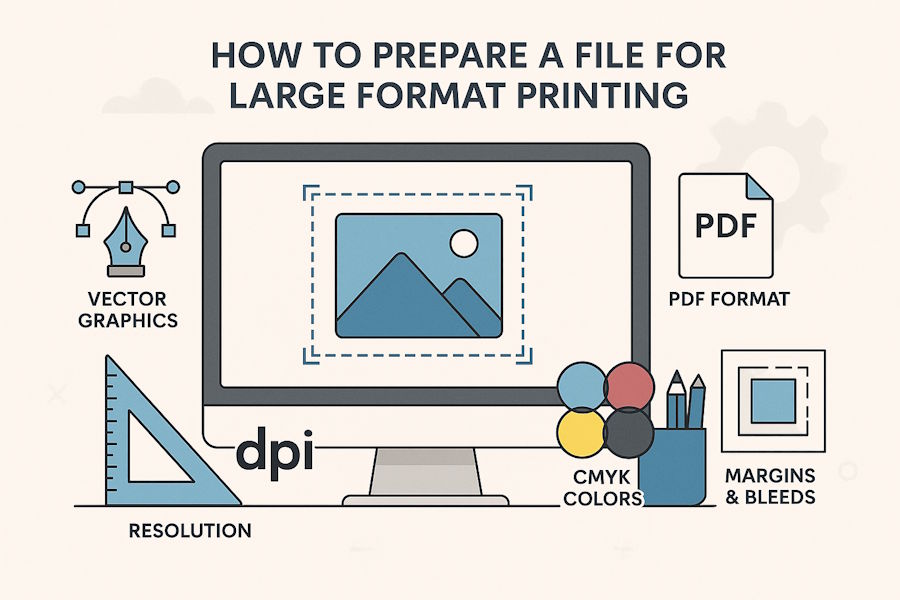
Proper file preparation for large-format printing is key to achieving an aesthetically pleasing result that fully meets the client's expectations. Large-format printing technology allows for printing on any material and in any size.
Using large-format printing technology allows for the creation of photo wallpapers, billboards, posters, flags, advertising banners, and roll-ups. Depending on the needs and specifics of the project, large-format printing can be implemented using various modern printing technologies.
When ordering large-format printing, please follow the instructions of the printing house/company providing large-format printing services.
Below are general guidelines for preparing a file for large-format printing.
Choose the Type of Graphics for Large Format Printing: Vector or Raster?
Two types of graphics are used in large-format printing: vector and raster. Both allow for the presentation of any image, in any color, and in various sizes. It's generally accepted that vector graphics are used as often as possible, whether for flyers, folders, or brochures, or for banners, posters, or roll-ups.
Preparing files for large-format printing starts with choosing an appropriate file format for your design. For this purpose, PDF is widely regarded as the best choice. It offers excellent compatibility virtually any device or software can open PDF files without issues and preserves fonts, images, and layout precisely.
Additionally, PDFs are highly versatile, allowing easy conversion to other formats (such as PDF to DWG, JPEG, TIFF, or EPS) if needed by the print provider, while minimizing the risk of errors during the printing process.
For projects involving letters, logos, and pictograms, large-format printing technology often utilizes vector graphics. Vector graphics, based on mathematical formulas, are flexible and fully scalable, allowing you to freely resize the image while maintaining sharpness and clarity.
Furthermore, vector graphics files are relatively lightweight and easy to transfer. Vector graphics can also be freely edited, and the graphics themselves can be easily converted to another format (e.g., raster graphics). The reverse, i.e., converting raster graphics to vector graphics, is impossible or extremely difficult.
- Vector graphics images are most often saved in PDF format, which can be easily opened by most graphics programs and PDF tools such as SwifDoo PDF. Other popular vector file formats include .svg, .eps, .cdr, and .ai.
- Raster graphics images are most often saved in the following formats: .jpg (JPEG bitmaps). Other popular raster file formats include: .tiff (TIFF bitmap), .png (Portable Network Graphics format), .psd (Photoshop raster bitmap), .gif (CompuServe bitmap), .bmp (Windows bitmap), and .osmac (MACPoint raster bitmap).
Graphics Resolution and File Format for Large Format Printing
When choosing a graphic's resolution, you should consider both the substrate type and printing technology, as well as the final print format. The most common mistake is not matching the resolution to the format size. Large-format print orders assume that the higher the resolution, the better. However, what resolution and file format should you choose for large-format printing?
The rule applies here: the larger the print format, the lower the graphic resolution. Why? This stems from the fact that XXL prints (e.g., billboards) are viewed from a distance, while small prints (e.g., posters placed on bus shelters) are viewed up close.
DPI (dots per inch) resolution refers to the resolution of printing machines and plotters. For small-format printing (e.g., business cards, flyers), graphic design should be approximately 300 dpi. Large-format print design is best based on a 1:10 scale, maintaining the appropriate dpi.
A table suggesting optimal dpi for prints in specific sizes can provide guidance. For example, prints viewed from a distance of less than 100 cm should have a resolution of 300 dpi; prints viewed from a distance of about 1 meter may have a resolution of 150–250 dpi; and materials viewed from a distance of several meters may require a resolution of as much as 40–50 dpi. The same principle still applies here – where possible, use vector graphics, where the resolution parameter is not specified.
Preparing A File for Large Format Printing - Other Aspects
How to prepare a file for large-format printing? Besides format and resolution, here are the most important aspects of this task:
- Colors – for every print (large or small format) we always use CMYK and there are no exceptions, it is one of the most important parameters
- Margins – key graphic elements should be at least 3 mm away from the edges (this is the so-called safe margin, the maintenance of which guarantees full legibility of the graphic)
- Bleeds – the area of the graphic that extends beyond the boundaries of the design and is removed during cutting; including the bleed in the design ensures that the print will reach the edges (it is best to use so-called crop marks in the design).
Summary
Large-format printing is a technique that allows for the creation of items such as photo wallpapers, billboards, posters, and roll-up banners in XXL sizes. Preparing a file for large-format printing should always be done according to the instructions provided by the print provider.
It's essential to determine the appropriate large-format print format and resolution, as well as to use the appropriate color scheme. The file design for large-format printing should also take into account margins and bleeds.

