

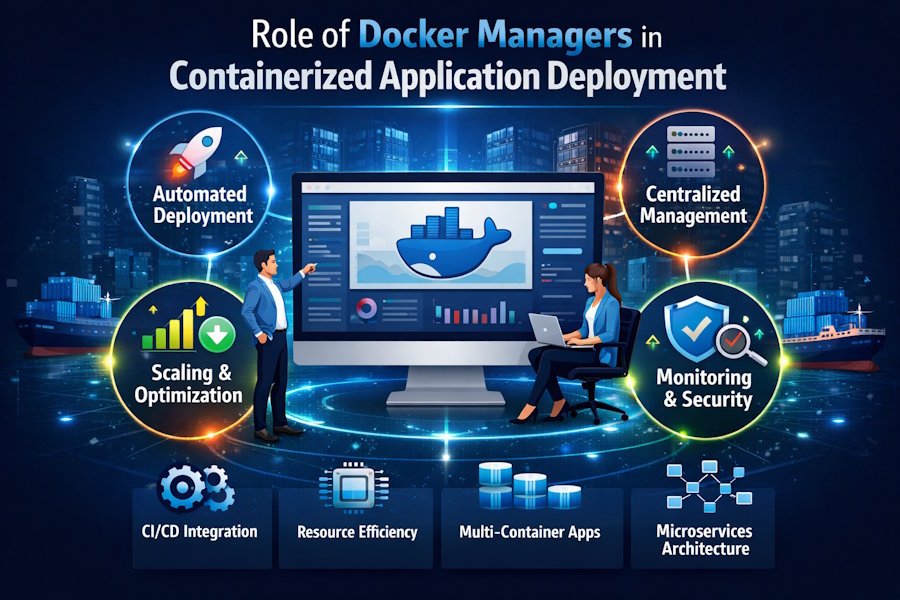
As the modern application landscape accelerates to deliver API services and application developer solutions, the need for fast and reliable application development and deployment increases exponentially. Containerization fills this need by providing the necessary platforms, tools, and workflows required to develop, deploy, and run applications as containers.
With the introduction of Docker, container technology was brought to the masses. Over time, as container technology started to grow in popularity and usage, it became apparent that the need for an easy-to-use container management tool for managing Containerized Applications would be necessary. Docker Managers provide an environment in which developers can utilize the benefits of Docker and container-based application development without having to have extensive technical expertise or knowledge of how to deploy applications using Docker.
What are Containerized Applications?
Containerized Applications are the most effective way to develop and deploy applications because, when packaged together, Containerized Applications are not dependent on one application server or on a specific environment; rather, they can be deployed to any environment and still function properly without issue. Containerized Applications are developed using rapid development and deployment methodology as well as a rapid scaling opportunity.
While Containerized Applications provide many advantages, if they aren't managed properly with the proper tools, managing Containerized Applications can be a very complex process.
What are Docker Managers?
Docker Managers are software programs or platforms that allow developers to use Docker. They provide a programmatic way to manage Containerized Applications. These tools also provide a graphical interface and sufficient automation to eliminate the need to manually run commands to manage Containers. Docker Managers make it easy to deploy, monitor, and scale Containerized Applications.
Streamlining App Deployment
There is a lengthy process involved in manually deploying apps.
The deployment of apps can be sped up using Docker managers. You can create and deploy your applications with just a few clicks by running a container.
It also allows you to create and manage multiple containers on different networks through Docker's centralized architecture.
Automated deployment via Docker managers allows for less human error and quicker release cycles.
Centralized Management of Containers
Managing containers on multiple servers is not easy.
Docker managers allow users to manage their entire set of containers and nodes from one location.
Centralized management provides you with total visibility and control of your managed resources.
Centralized management is important for applications as they grow.
Containers Provide Scalability
Containers are naturally scalable.
With a Docker manager, the process of scaling is made simple. When needed, you can quickly create or delete containers based on demand.
As needed to accommodate unexpected traffic surges, you can create Containers at a very rapid pace.
The ability to automatically scale helps to increase the performance of a given application while maximizing the use of system resources.
Maximum Resource Efficiency and Control
Containers share System Resources.
With the use of Docker Managers, the maximum efficiency of allocating and controlling CPU, memory, and storage can be achieved, especially when containers are deployed on a bare metal server, where direct access to hardware helps reduce overhead and improve performance predictability.
Docker Managers prevent resource over-usage and provide the means to eliminate bottlenecks.
With maximum resource efficiency and control, application deployments can maintain constant stability.
Keeping Track of Your Health and Well-being
Reliability requires monitoring to be effective.
When running applications in containers, administrators use Docker Manager to monitor a container's health, performance, and availability.
The managers can notify the administrator of any critical errors, problems with container performance, or unpredictable events.
By being notified of these occurrences as soon as they happen, administrators can fix them before they affect the end user (reducing downtime) and improve overall customer satisfaction.
Security Management
When an application scales, it has the potential to grow even larger; therefore, security risks will increase.
Similar to monitoring, Docker Manager can provide tools to manage secure access control, secure network access, and private key storage for containers at scale.
Automating CI/CD Workflows
Today's needs for continuous integration (CI) and continuous delivery (CD) workflows are dependent on having the ability to automate all processes needed to build, test, and deploy applications in containers.
By integrating Docker Manager into these CI/CD workflows, automating many of the processes, and speeding up the pipelines and resulting releases, you can increase the quality of your products delivered to market sooner.
Networking and Storage Simplification
Networking & Storage are complicated to manage when dealing with containers and the networks created by containers.
Docker Managers take care of creating networks, connecting services to those networks, and providing volumes to persist container data; therefore, your container data is safe and available to you.
Managing Multi-Container Application(s)
Many applications utilize services on multiple containers.
Docker Managers enable multi-containerised applications.
They outline the workflows and dependencies of services so it is easier to manage complex applications.
Making Collaboration between Teams Easier
With teams working together in deployments, Docker Managers give role-based access to team members.
This allows developers, testers, and Administrators to perform their roles without conflict.
Clearly defined roles allow for better collaboration and accountability.
Saving Time by Reducing the Amount of Work Needed to Manage Containers
Container Management manually increases the workload for your team.
With Docker Managers, most of the mundane work is now automated and only requires team members' attention when there are issues.
As a result, your team has less stress when it comes to operating a deployment and more time available to create innovative features.
Making Server Management Tools Work Together
Both your container environment and your existing servers are still necessary.
In most cases, Docker Managers will use server management software.
For example, with a web hosting control panel, you can manage the domains and SSL along with your container infrastructure.
This makes an integrated system for managing your containers and servers more efficient.
Utilizing Docker Manager Options for Your Projects
The following project types should take advantage of a Docker manager:
- Microservices architecture
- SaaS delivery
- Development and Pre-Production Testing
- Application web scale
The flexibility and capacity for growth available with Docker managers are significant.
Considerations When Using Docker Managers
Docker managers have both challenges and limitations.
All Docker managers require appropriate setup and user learning.
The improper configuration can expose your application to security vulnerabilities or performance problems, but all of these risks can be managed with the proper planning and preparation.
Conclusion
The continued increase in containerized applications means that Docker managers will continue to become smarter and more automated. The use of artificial intelligence solutions for automating Docker manager monitoring and scaling is already emerging.
Docker managers will remain critical components of modern containerized applications.
Managing containerized applications is made easier using a Docker manager, allowing for better control of scaling, security, and management functions.
Container users on a large scale can only benefit from using a Docker manager.

