

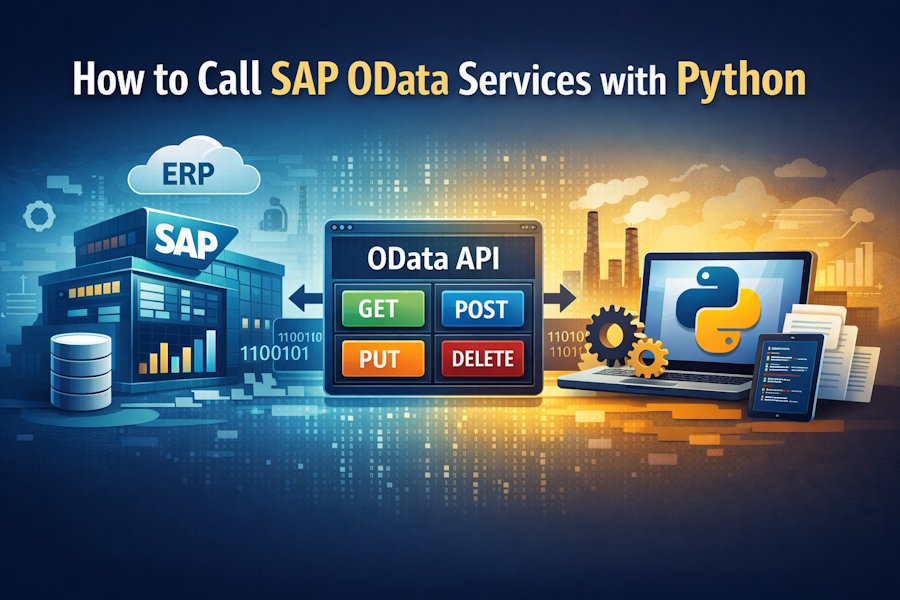
SAP systems are often seen as closed, enterprise-only platforms. In reality, modern SAP systems expose a large part of their functionality through OData services, which makes it possible for external applications, including Python programs, to read and write SAP data in a controlled way.
If you’re a Python developer, this means you don’t need to learn ABAP or work inside SAP to integrate with it. You can interact with SAP using familiar HTTP concepts and standard Python libraries.
This article explains how SAP OData works, how Python fits into the picture, and how to approach an integration safely, without assuming deep SAP knowledge.
What Is SAP OData (in Practical Terms)?
OData (Open Data Protocol) is a REST-based standard that SAP uses to expose business data over HTTP.
In simple terms, SAP publishes business objects (like sales orders, business partners, materials) as URLs. These URLs return JSON or XML.
You interact with them using standard HTTP methods like:
- GET → read data
- POST → create data
- PUT/PATCH → update data
- DELETE → remove data
OData services are commonly provided by SAP S/4HANA, SAP ECC (via SAP Gateway), SAP systems running on SAP BTP technology.
From a Python perspective, SAP OData behaves like any other REST API with a few enterprise-specific considerations.
Why Python Is a Good Fit for SAP OData
Python is rarely used inside SAP systems, but it’s widely used around them, and that’s an important distinction. SAP continues to run core business processes, while Python often sits at the edge, connecting SAP data to the rest of the organisation.
In practice, this shows up in several common scenarios.
Teams use Python to pull SAP data into analytics or reporting pipelines, where it can be combined with data from other systems.
It’s also frequently used to synchronise SAP data with non-SAP applications, automate recurring reports and reconciliations, or prepare SAP data for machine learning and forecasting workflows.
Python works well in these situations because it’s built for integration. Its HTTP libraries make it easy to communicate with REST-based services like SAP OData.
Plus, handling JSON responses is straightforward in Python, which reduces the effort needed to parse and transform SAP data. On top of that, Python fits naturally into data-focused ecosystems, where tools like Pandas and NumPy are already part of everyday work.
What makes Python effective here is that it complements SAP functionality. SAP remains the system of record, enforcing business rules and data integrity, while Python focuses on consumption, processing, and automation outside the core.
The key to making this work smoothly is understanding what SAP expects when its OData services are called, how authentication works, how data is structured, and how usage needs to be controlled. Once those expectations are clear, Python becomes a reliable and flexible way to extend SAP data beyond the ERP.
What You Need Before Making Any Call
Before writing any Python code, you need clarity on a few SAP-side prerequisites.
1. An OData service endpoint
An SAP system exposes OData services at well-defined URLs. These are not universal and depend on system type (ECC vs S/4HANA), service name, and system configuration.
An SAP administrator or functional consultant usually provides the base service URL, which entities are exposed, and which operations are allowed (read-only vs write).
2. Authentication method
SAP does not expose OData services anonymously. Common options include:
- Basic authentication (username/password)
- OAuth 2.0 (common on SAP BTP)
- Technical users with restricted roles
The authentication mechanism determines how your Python code sends credentials, not how the data is queried.
3. Authorisations
Even if the service exists, SAP authorisation rules still apply. A user may be able to call the service but see no data. This is not a Python issue, it’s SAP security working as designed.
How a Python Program Talks to SAP OData (Conceptually)
At a high level, the interaction looks like this:
- Python sends an HTTP request to the OData endpoint
- SAP validates authentication and authorisation
- SAP executes business logic behind the service
- SAP returns structured data (usually JSON)
- Python parses and processes the response
This is no different from calling APIs from platforms like Salesforce or Workday, SAP just has stricter governance.
A Minimal Python Structure (Illustrative, Not System-Specific)
Instead of hardcoding a real SAP URL (which would be misleading), here’s a conceptual structure showing how Python code is typically organised.
import requests

# OData service endpoint (provided by SAP team)
service_url = "https://<sap-system>/sap/opu/odata/<service-name>/"

# Authentication depends on SAP setup
auth = ("USERNAME", "PASSWORD")  # example only

headers = {
    "Accept": "application/json"
}

response = requests.get(
    service_url,
    auth=auth,
    headers=headers
)

if response.status_code == 200:
    data = response.json()
    # Process SAP data here
else:
    # Handle errors
    print(f"Request failed with status code: {response.status_code}")
    print(response.text)
What matters here is not the exact URL, but the pattern:
- HTTP request
- authentication
- JSON response
- error handling
In real projects, authentication and URLs are externalised into configuration files or environment variables.
Querying Data with OData (Without Deep SAP Knowledge)
OData allows filtering and shaping data directly in the request.
Conceptually you can limit returned fields, you can filter records, you can page large datasets.
These operations are expressed as query parameters in the URL, not Python logic.
For example (conceptual only):
?$filter=Status eq 'Open'
&$select=OrderID,Customer
&$top=100
Python simply sends these parameters; it doesn’t need to understand SAP business rules.
Handling Large Datasets Safely
SAP systems are transactional systems. Pulling too much data in one call can slow down the SAP system, trigger timeouts, and violate usage guidelines.
Always use pagination, request only required fields, and avoid full-table reads.
From Python’s perspective, this means looping over multiple requests instead of one massive call.
Writing Data Back to SAP: Proceed Carefully
Calling POST, PUT, or PATCH operations is possible, but requires more discipline.
Why? SAP enforces business rules server-side, invalid data will be rejected, and partial updates can have side effects.
For beginners, it’s recommended to start with read-only scenarios, understand the service metadata, and work closely with SAP functional teams.
This is less about Python skill and more about respecting SAP process logic.
Error Handling: Where SAP Feels Different
SAP error responses are often verbose and structured.
A failed call may include technical error codes, business validation messages, and localisation or language-specific text.
Your Python code should log the full response, not assume all errors are technical, and surface messages clearly to users or logs. This is especially important in automated jobs.
When Python + SAP OData Makes Sense (and When It Doesn’t)
Good fits:
- analytics and reporting pipelines
- data synchronisation
- ML feature extraction
- external system integration
Less ideal:
- high-volume transactional processing
- real-time user-facing workloads
SAP OData is powerful but it’s not meant to replace SAP’s internal execution engine.
Final Thoughts
Calling SAP OData services with Python is not about learning SAP internals. It’s about understanding how enterprise APIs behave and integrating with them responsibly.
If you approach SAP like any other REST API, while respecting its governance, security, and scale, you’ll find that Python fits naturally into SAP-centric architectures.
The key is not clever code, but clear boundaries between Python logic and SAP business rules.

