

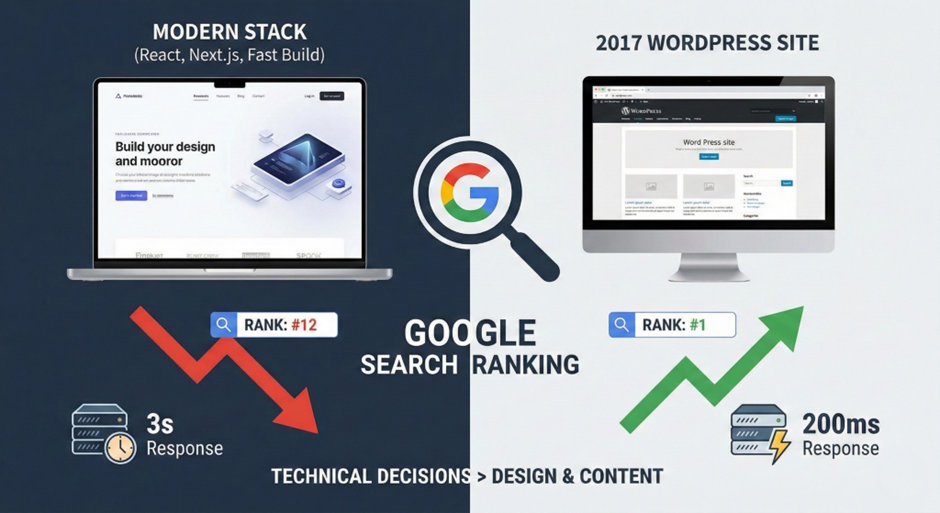
You shipped a clean project. Good architecture, fast build, modern stack. The client is happy with the design. Then three months later they call and ask why a competitor with a WordPress site from 2017 is ranking above them on every keyword that matters.
This happens constantly. The reason is almost always a technical decision made during the build, not a content problem.
The Hosting Decision Nobody Takes Seriously
Most clients default to shared hosting. The server handles hundreds of other sites simultaneously. When Google's crawler shows up, it waits in line. Server response times of two or three seconds are common. Google has a timeout threshold, and slow servers mean fewer pages get crawled per visit.
A VPS with dedicated resources drops response times to under 200ms. Google's crawler gets immediate responses, completes full crawls, and new content gets indexed in days instead of weeks. For clients in competitive local markets, a Fort Lauderdale SEO audit will surface this in the first crawl report because it shows directly in server response time data.
This is one of the higher-leverage decisions in the stack and it almost never comes up during the hosting setup phase of a project.
The Stack Choice That Kills Search Visibility
React, Next.js, Vue, Angular. The default assumption is that server-side rendering or static generation solves the Google crawling problem. Sometimes it does. Often it does not, because the implementation has gaps that only show up in the index coverage report.
Google's crawler runs a two-pass process on JavaScript-heavy pages. The first pass grabs the raw HTML. If the content is there, it gets indexed fast. If the content lives inside components that hydrate after load, Google queues the page for full rendering on a separate, delayed schedule. For new domains or low-priority sites, that delay stretches to weeks.
The 2017 WordPress site serves complete HTML on the first request. Every page, every paragraph, every internal link. Google sees it all immediately. This is why older sites rank above newer, better-built ones more often than anyone expects. Check your JavaScript-rendered pages with curl -A "Googlebot" [url] and compare what comes back to what a browser renders. The difference is often larger than you expect.
Crawl Budget Is a Real Constraint
Google does not crawl every page of every site on every visit. Each site gets a crawl budget based on its authority, server response time, and how efficiently previous crawls went. Burn that budget on redirect chains, duplicate content from URL parameters, or slow server responses and important pages get skipped entirely.
Patterns that waste crawl budget without anyone noticing: session IDs appended to URLs create duplicate pages Google treats as separate content. Faceted navigation on e-commerce sites generates thousands of URL combinations serving near-identical content. Paginated archives with no canonical tags split authority across dozens of thin pages.
None of these are bugs. They work fine for users. They drain crawl budget for months.
The fix for most of them is canonical tags, robots.txt disallowing parameter variations, or noindex on pagination past page two. An hour of configuration that most projects skip because it is not in the feature spec.
Core Web Vitals Look Fine in Staging
Lighthouse scores in development look good. They always do. No network latency, no third-party scripts loading, no real user conditions.
Production is different. Real users on mobile trigger Google's actual CWV measurements. LCP tanks because the hero image is not preloaded. CLS spikes because a font swap causes reflow. INP fails because a tracking script blocks the main thread for 400ms after click.
Google uses field data from the Chrome User Experience Report, not lab data, to evaluate CWV. What performs well in Lighthouse can fail in the field because real users experience the page differently than a headless browser in a controlled test.
Check PageSpeed Insights against the field data tab, not the lab tab. If field data shows red for LCP, the ranking penalty is already happening regardless of what your local Lighthouse run says.
Schema Still Gets Skipped on Most Projects
Schema markup is structured data that tells Google what a page represents. A service page with proper LocalBusiness and Service schema gives Google explicit information: the business name, address, service area, price range, and how this page relates to others on the site.
Without schema, Google infers this from content. Inference is good but not perfect. With schema, Google has structured, unambiguous data it can use for rich results, knowledge panels, and AI overviews.
Implementation takes a few hours on a typical site. It gets skipped because it does not change anything visible, so it falls out of scope on projects trying to hit a deadline. Add it to the default build checklist. Easy to do at launch and painful to retrofit six months later when the client asks why their competitor has star ratings in search and they do not.
What to Add to Every Project Handoff?
Most of these problems are preventable at build time and expensive to fix later.
Verify Google Search Console is set up and ownership confirmed before launch. Check index coverage within the first two weeks and investigate any excluded pages. Confirm canonical tags are on every paginated or parameter-driven URL. Run a crawl with Screaming Frog or Sitebulb to catch redirect chains before they compound. Check field data in PageSpeed Insights, not lab data. Make sure schema is implemented for the primary page types.
Sites that rank well long-term are almost always the ones where someone ran through this at launch rather than waiting for the client to notice something is wrong.

