

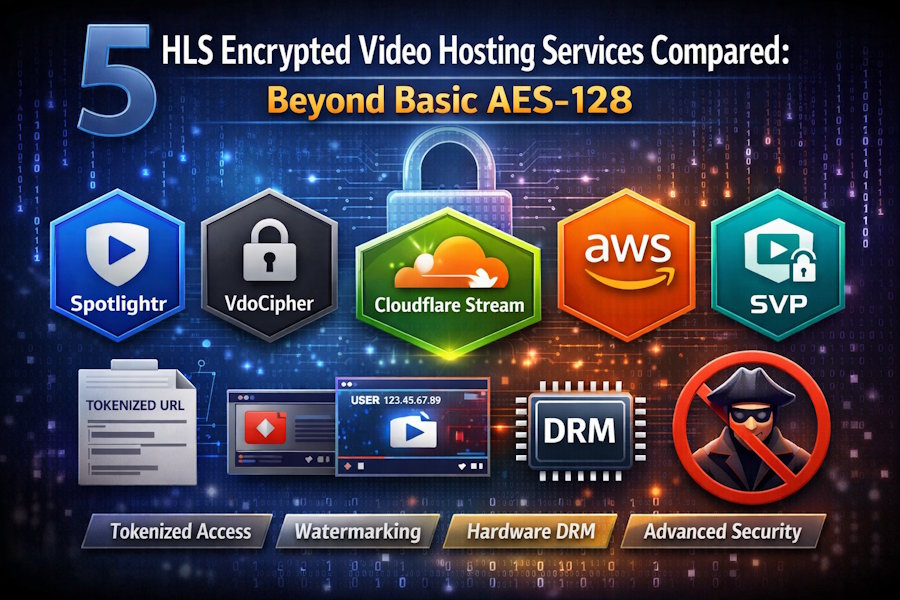
Piracy never sleeps. Lecture series, premium workouts, and internal town-hall streams can leak within hours, leaving the revenue hit on your ledger—not the pirate’s.
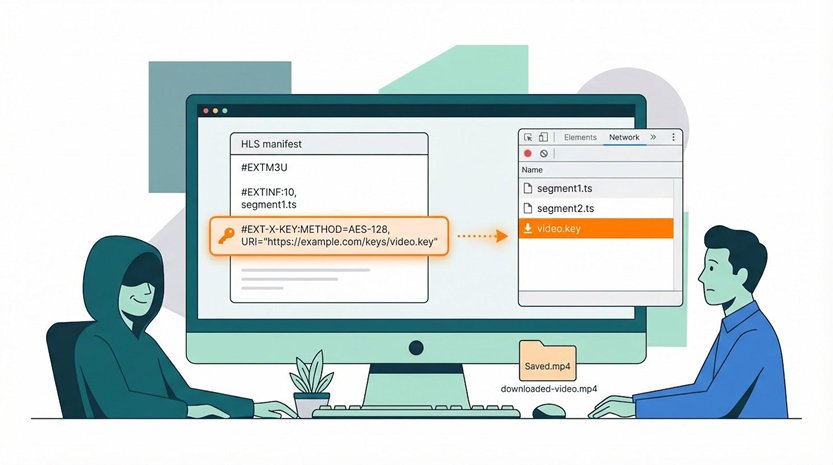
“AES-128 encryption” in a plain HLS playlist once felt safe—until browser dev-tools began fetching the key that sits beside every video chunk, as noted in a 2023 Dolby engineering analysis. Today, tokenised URLs, dynamic watermarks, and hardware-backed DRM raise the bar, and they now cost as little as $13 a month.
This guide compares five platforms that ship those defences out of the box. One standout, Spotlightr, wraps each upload in AES-128, locks playback to your domain, and sweeps an IP watermark across every frame—even on its entry plan. We’ll keep things tight, cite authoritative sources, and finish with clear next steps so your videos earn money, not views on a pirate forum.
Why AES-128 isn’t enough
On paper, 128-bit AES encryption looks unbreakable. The math checks out, and browsers decrypt those HLS segments instantly.
The manifest tells a different story. Each HLS playlist lists the decryption-key URL beside every video chunk. When that link is public, a downloader grabs the key, unlocks the file, and walks away with your content in one click. Dolby engineers put it plainly: “encryption is only as safe as its weakest point, the decryption key” (optiview.dolby.com).
That weak link fuels a cottage industry. Browser extensions, command-line sniffers, and step-by-step tutorials show anyone how to copy an HLS stream once they know where the key lives. With plain AES, the pirate’s hardest task is opening DevTools.
So we raise the bar.
Tokenised URLs expire after a few minutes, blocking replay attacks.
Watermarks stamp a viewer’s email or IP on every frame, making leaks traceable.
Digital-rights management stores the key in device hardware, forcing thieves to break a sandbox instead of fetching a text file.
Each tactic guards the same vulnerable point—the key—from a different angle. Used together they convert a “steal once, share forever” scenario into a short-lived, fingerprinted, high-effort heist. That is the new baseline, and the five platforms we explore next deliver it for you.
How we picked the winners
We started wide, with ten services ranging from household names to cutting-edge newcomers. Then we asked one blunt question: does this platform meaningfully protect the HLS key?
If the answer was no, the vendor dropped off the list. If it was yes, we scored the service on six fronts that matter to you:
- Content protection depth
- Access-control options
- Developer experience
- Performance and global reach
- Pricing clarity and room to grow
- Fit for real-world use cases, not lab demos
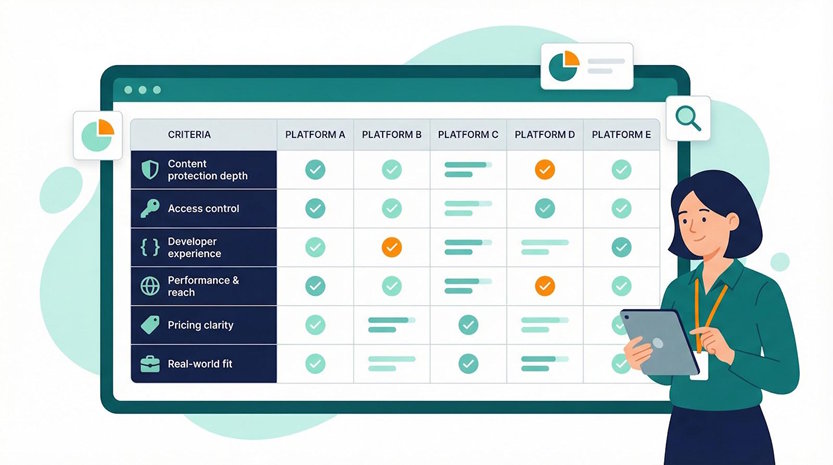
That scorecard left five clear leaders. Together they cover every budget and skill level, from “one-click secure embed” to “DIY AWS fortress.”
Let’s look at the first contender.
Key security features to watch for
Before we rank the platforms, let’s align on the must-have tools in a modern anti-piracy kit.
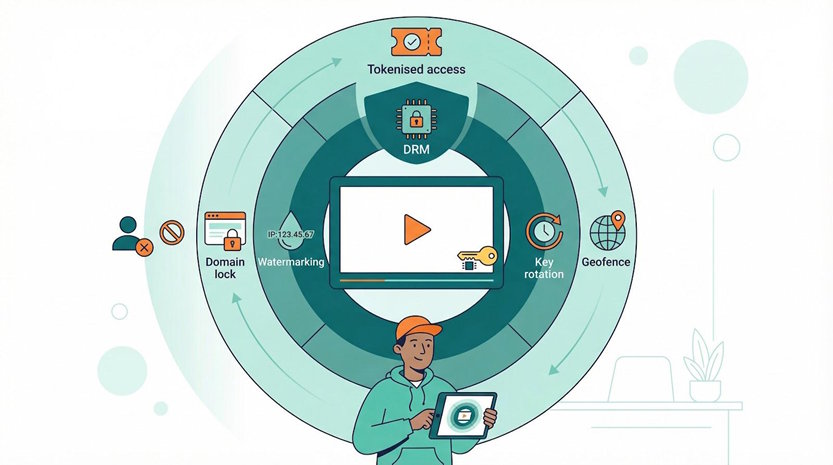
Tokenised access sits at the front gate.
A signed URL or cookie proves a viewer is legit, then vanishes after a short window, so a leaked link dies before it can spread.
Watermarking works in the open.
An email or IP drifting across the frame reminds every user the video is traceable. That quiet psychological nudge stops many leaks before they start.
Digital-rights management handles the heavy lifting.
It stores the decryption key in secure hardware inside the browser or mobile device, leaving ripper software staring at scrambled pixels.
Add fast key rotation, geofence, or domain locks, and you have a layered defence. No single wall is perfect, but together they raise the cost of theft until pirates move on.
These are the features we measured in every service that follows. The leaders mix them in different ways, allowing you to match protection level to budget and developer bandwidth.
Spotlightr: the all-in-one shield for course creators
Spotlightr was built for people like us: trainers, coaches, and indie educators who sell knowledge, not ads, so every security layer sits one click away instead of hiding in an enterprise menu.
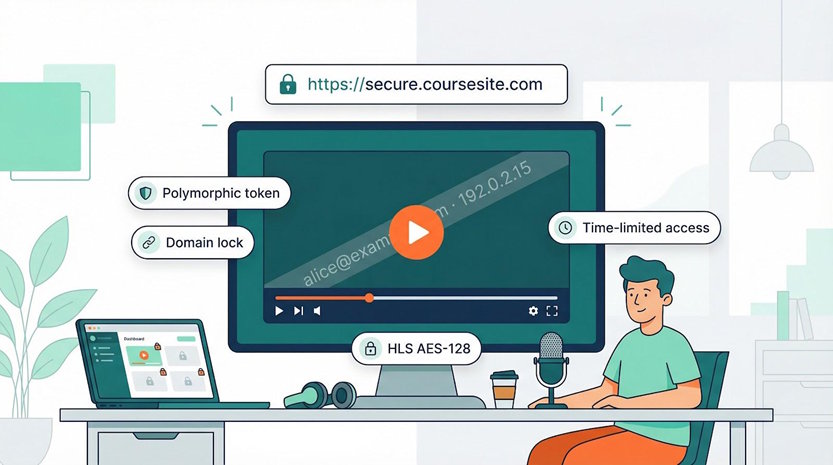
Upload a file and, as the feature list on https://spotlightr.com/ details, the platform instantly wraps it in AES-128 HLS, locks playback to domains you whitelist, and brands every frame with a moving email or IP watermark.
That stream plays only on domains you whitelist, and a moving watermark brands each frame with the viewer’s email or IP. Sharing a screen-recorded copy suddenly feels as risky as posting a passport photo.
Those tactics stop casual rippers cold, yet they stay invisible to honest students.
No browser plug-ins, no licence pop-ups, just a smooth HTML5 player you can recolour to match your brand.
Price tags stay friendly.
The Light plan costs about $13 a month and already includes 50 GB of storage, 200 GB of global CDN bandwidth, and every security feature we just listed.
Move to Pro or Business only when enrolments soar, not because basic protection hides behind a paywall.

Spotlightr Homepage Course Creator Video Hosting Screenshot
Spotlightr also plays nicely with your stack.
A WordPress plug-in drops secure videos into LearnDash or MemberPress in minutes, while a REST API lets developers automate uploads and generate time-boxed embed codes on the fly.
What it does not do is hardware-level DRM.
A determined attacker can still run a screen recorder, and you cannot offer offline downloads inside a native app.
For 99 percent of course creators, the cost-to-pain ratio is perfect. If your catalog rivals Netflix, keep reading. For the rest of us, Spotlightr is the easy win.
VdoCipher: fortress-grade DRM without the enterprise headache
Sometimes “hard enough” is not enough.
If a single leaked video could drain your revenue stream, you move to full digital-rights management, and that is where VdoCipher shines.
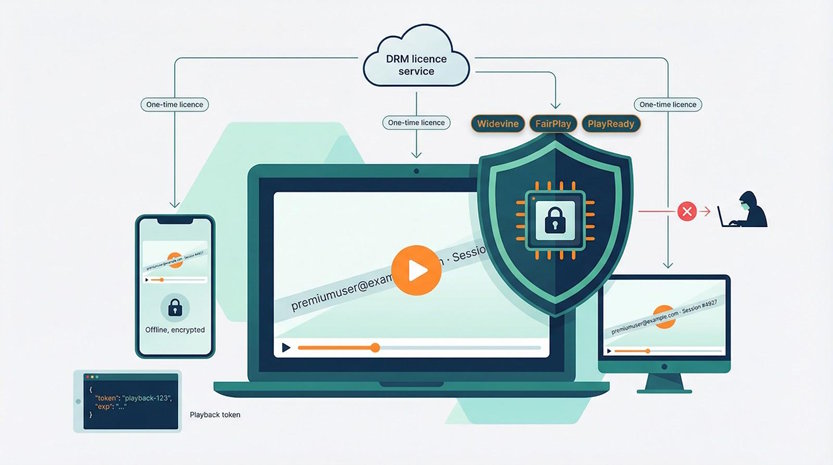
Chrome runs Widevine, Safari handles FairPlay, and Edge supports PlayReady, so the big three DRM engines are covered.
Each viewer’s device receives a one-time licence from VdoCipher, unlocks the key inside secure hardware, and keeps that secret away from browser extensions and command-line rippers.
The platform rotates encryption keys mid-stream, so even a compromised segment reveals only a sliver of content.
A session-specific watermark then glides across the frame, fingerprinting any screen recording with the culprit’s email or IP.
Integration stays light.
Generate a single-use playback token over REST, drop the JavaScript player in your page, and you are done.
Mobile SDKs handle offline viewing too, keeping files encrypted on the device and honouring expiry dates you set.
Peace of mind costs more than plain HLS.
Plans start near $150 a year for 1 TB of egress, then scale with your audience.
For creators selling high-ticket courses or studios pre-releasing films, that premium feels like cheap insurance.
If you need Hollywood-approved security without hiring a Hollywood-size engineering team, VdoCipher is the fastest path.
Cloudflare Stream: API-first security at pay-as-you-go prices
Developers like Cloudflare because the docs rarely make you scroll.
Stream keeps that vibe: upload with a single POST call, and moments later a global CDN, adaptive HLS playlist, and thumbnail set appear in your dashboard.
Security is token driven.
You mint a JSON Web Token that embeds viewer ID, expiry time, and an optional geo rule.
The player attaches that token to every segment request, and Cloudflare rejects freeloaders at the edge.
No token, no video—simple and fast.
Costs read like a coffee shop menu: $5 per 1,000 minutes stored and $1 per 1,000 minutes watched.
No separate egress bill, and no line items for encoding.
At scale, the math often beats self-hosting, especially for teams that value engineering hours higher than pennies per gigabyte.
What you do not get is watermarking or ready-made DRM.
Those layers sit on your shoulders, which is fair because Cloudflare targets builders, not course creators looking for an out-of-the-box UI.
If your team codes daily and wants to own the user experience without owning the infrastructure, Stream fits neatly: flexible enough to extend, automated enough to forget.
DIY on AWS: maximum control, maximum effort
Sometimes the only way to sleep at night is to own every knob in the stack.
AWS lets you do that by weaving S3, MediaConvert, CloudFront, and a sprinkle of Lambda into a home-built fortress.
Here is the high-level flow:
You drop a source file into S3.
MediaConvert slices it into adaptive HLS and encrypts each segment with a key stored in AWS KMS.
CloudFront serves the playlist, but only when the request carries a signed URL or cookie that you minted a few seconds earlier.
A Lambda@Edge function can also check the viewer’s auth token before releasing the decryption key, adding one more barrier for pirates.
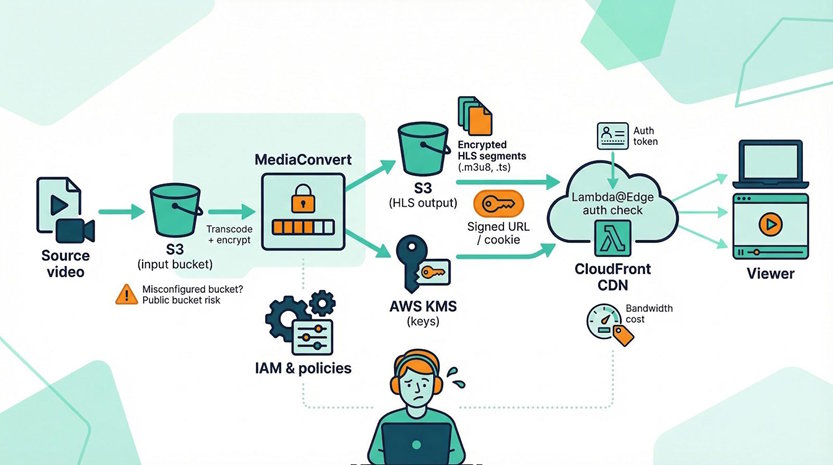
This recipe scales to millions of plays at minimal idle cost because every component is serverless. The learning curve is real, though. Misplace an IAM permission or leave a bucket public, and your handcrafted security unravels fast.
Budget is another variable.
Transcoding and key management stay inexpensive at low volume, but CloudFront bandwidth still runs about 8.5 ¢ per gigabyte in North America.
At scale, that can equal the subscription fee of easier platforms—and you are the support team.
So who should tackle this build?
Teams with DevOps expertise, compliance mandates, or feature needs that no SaaS can match.
If you already speak CloudFormation and value complete flexibility over time to market, DIY on AWS is a satisfying, ironclad choice.
For everyone else, a managed host buys peace of mind for less than the coffee you will drink while debugging Lambda code at 2 a.m.
StreamingVideoProvider: turnkey security for non-coders
Not every team has a developer on call.
StreamingVideoProvider (SVP) meets those groups with a dashboard workflow that still delivers serious defensive muscle.
Upload a video and SVP encrypts it with AES-128, issues a one-time playback token, and checks referrer, IP range, and even country before serving a single byte.
If any test fails, the player shows a polite “access denied” while pirates pound refresh in frustration.
Selling content?
Flip on the built-in pay-per-view toggle.
SVP handles card capture, token delivery, and automatic expiry without a plug-in or a line of code.
Security and monetisation live under one roof, and both arrive in the entry plan.
Pricing starts near $40 a month for 50 GB of storage and 200 GB of bandwidth.
More importantly, every cent is predictable; you will not decode a surprise egress bill at month-end.
The trade-off is polish and power.
The UI feels a touch 2015, and you will not find DRM or forensic watermarking menus.
Yet for small businesses, schools, or event organisers who need hardened streaming without a developer, SVP is secure enough, simple enough, and live in an afternoon.
Honorable mentions
Castr earns a nod for its slick live-plus-VOD dashboard and the same AES-128 plus token playbook we praised in SVP.
Bunny.net Stream surprises on price at about $0.005 per gigabyte and now bundles “MediaCage” tokenised DRM for free users, with full multi-DRM available as an add-on. The feature set is young but evolving quickly, so keep an eye on it.
Brightcove and Kaltura remain the enterprise yardsticks. According to Brightcove’s technical documentation, the platform even enables DRM on low-latency HLS for live sports and news, proving top-tier security no longer slows real-time streams. Budgets, contracts, and onboarding time also sit at enterprise scale, which is why our deep dives focus on leaner tools.
Livepeer rounds out the list for the Web3 crowd. Encrypt content client-side, store it on a decentralised network, and gate playback with a JWT. The approach is innovative, but today it still feels more hack-day than mission-critical.
Use these runners-up as plan B, or inspiration, if the big five do not fit your exact corner of the internet.
Conclusion
Modern HLS security demands more than a static AES-128 key. The five leaders—and their honorable mentions—show that layered defences such as tokenised access, watermarking, and hardware-backed DRM are now affordable and accessible. Match the protection level to your budget and technical bandwidth, and you will trade piracy headaches for sustainable revenue.

