

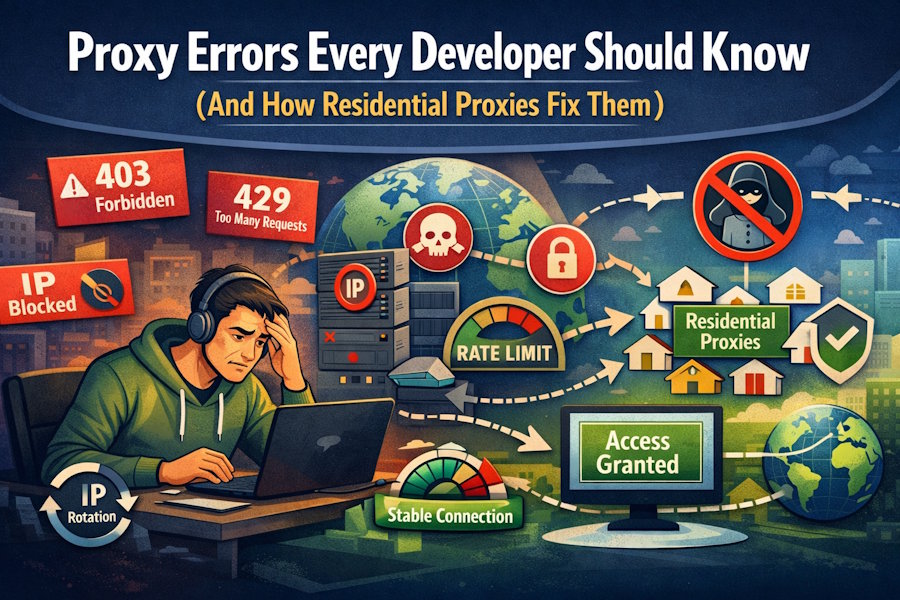
Modern development rarely fails because of syntax. It fails when infrastructure pushes back. A script that works locally can collapse in production once it meets rate limits, IP filters, or geo restrictions. Proxy errors often surface as random disruptions, yet they follow clear patterns. Developers who understand those patterns save time, reduce guesswork, and build systems that hold under pressure.
Why Proxy Errors Aren’t Just “Connection Problems”
A failed request does not always point to broken code or a down server. Many platforms evaluate incoming traffic before it reaches application logic. If the source or behavior raises suspicion, access restrictions follow.
Proxy errors often stem from:
- IP reputation systems that flag automation ranges
- Traffic pattern analysis that detects abnormal frequency
- Geographic access controls tied to policy rules
- ASN filtering that blocks hosting providers
- Automated bot defenses that react instantly.
These checks occur at the network layer. When requests fail, response codes and headers usually reveal more than repeated retries.
403 Forbidden — The Silent Block
A 403 response means the server understood the request but refuses access. IP filtering, bot detection, or geo restrictions usually trigger it. Credentials may be valid, yet the source IP fails security checks.
Many developers blame expired tokens or session issues. In most automation scenarios, IP reputation drives the block.
How Residential Proxies Help
A residential proxy routes traffic through real-user ISP addresses. Websites classify these IPs differently from datacenter ranges, which lowers suspicion.IP rotation distributes requests across multiple addresses. Sticky sessions maintain continuity when needed. This setup improves reliability in filtered environments.
429 Too Many Requests — Rate Limiting
Rate limits protect platforms from abuse and overload. A 429 status indicates that the request volume exceeded an allowed threshold within a defined window.
How Rate Limiting Works
Most systems apply limits per IP address. Some analyze behavior, such as request bursts or identical endpoints in rapid sequence. Time windows vary from seconds to hours. Once a limit triggers, temporary blocking begins until the window resets.
Mitigation Strategies
Effective mitigation requires coordination between application logic and proxy configuration. Developers can adopt several techniques:
- Implement exponential backoff after a 429 response
- Distribute requests across rotating IP addresses
- Control concurrency at the application level
- Track response headers that expose remaining quota.
These steps reduce per-IP pressure and maintain stable access. Thoughtful request pacing supports long-term reliability.
IP Bans and Blacklisting
Repeated violations escalate from soft throttling to outright bans. Blacklisting affects future requests even after traffic slows.
Temporary vs Permanent Bans
Temporary bans block access for a limited duration. Permanent bans attach to IP reputation records and persist across sessions. The latter can cripple automated workflows if the IP pool lacks diversity.
Why Datacenter IPs Get Flagged Faster
Datacenter IPs carry visible hosting ASN ownership and heavy automation traffic. IP intelligence tools classify them quickly, which makes detection easier. A limited static IP pool increases exposure and can accelerate blocking, particularly in shared proxy environments.
Residential IP Distribution as a Defense
Residential networks spread traffic across consumer ISP addresses. This distribution lowers detection risk and reduces repeated subnet activity. Controlled rotation strengthens resilience without overusing individual IPs.
Geolocation Errors and Content Mismatch
Many platforms serve region-specific content. Search results, pricing models, and ad placements change based on location. A mismatched IP can produce inaccurate test results.
Developers may believe the application logic failed when the issue stems from geographic filtering. Access through region-authentic IPs allows accurate validation of localized experiences.
Best Practices for Developers Using Proxies

Proxy configuration deserves the same rigor as application architecture. Clear guidelines reduce reactive debugging.
|
Practice |
Purpose |
Outcome |
|
Monitor HTTP status codes |
Detect early blocking signals |
Faster root cause analysis |
|
Limit concurrent requests |
Prevent rate-limit escalation |
Stable request flow |
|
Use IP rotation wisely |
Distribute traffic load |
Lower detection risk |
|
Enable session persistence when needed |
Maintain continuity |
Fewer authentication resets |
|
Log response headers |
Track quota and filters |
Data-driven adjustments |
Consistent monitoring transforms proxy usage from guesswork into a measurable strategy. Teams that log and analyze network responses build resilient systems.
Debugging at the Network Layer
Application errors draw immediate focus. Network-layer failures hide behind vague messages and inconsistent responses. Developers who evaluate IP reputation, rate limits, and geo restrictions isolate root causes faster. Proxy configuration belongs in system architecture, not as a post-deployment patch. Stable performance starts with intentional IP and routing design.

