

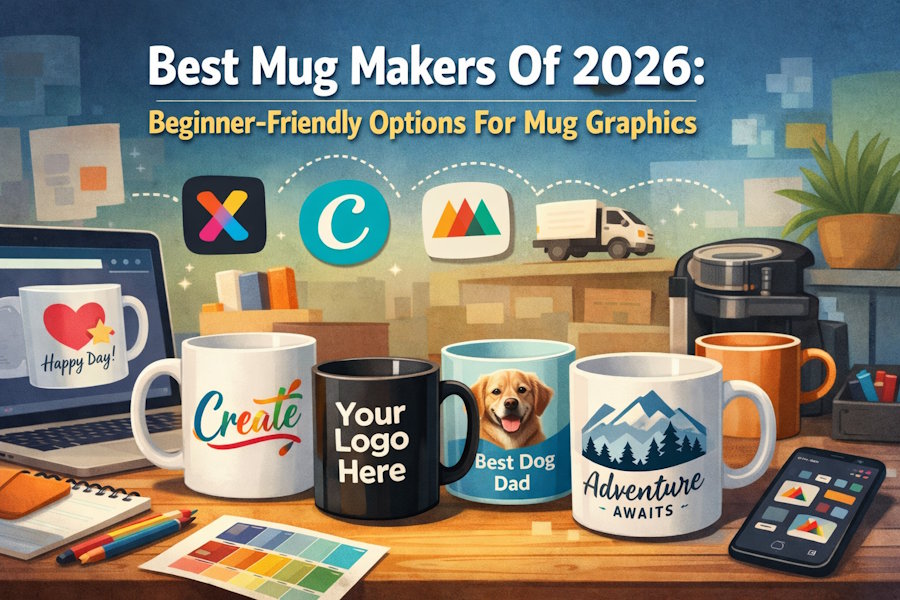
Custom mugs sit at the intersection of design and practicality. The artwork needs to stay readable on a curved surface, fit a defined print area, and export in a format that production workflows can accept without extra friction.
This category isn’t limited to design professionals. Mug makers are commonly used by small teams preparing event swag, HR groups assembling onboarding kits, families creating gifts, and early-stage sellers who need serviceable designs without learning complex software.
The main difference between tools is where they place constraints. Template editors aim to simplify layout work and generate reusable files for printing anywhere. Product-first platforms embed an editor inside ordering and fulfillment, trading flexibility for a more guided production path.
Adobe Express is often a practical place to start because it offers a template-led interface with mug-specific entry points and export options that align with the way non-designers typically build these projects.
Best Mug Makers Compared
Best mug maker for quick, template-led mug graphics
Adobe Express
Best for people who want a simple editor for mug-ready layouts without learning design software conventions.
Overview
Adobe Express centers on editable templates and basic layout controls geared toward fast composition. Mug design from Adobe Express offers mug-specific templates and a streamlined path to a shareable or print-ready design. The workflow is oriented around common mug use cases (photo + caption, logo + tagline, short quote layouts) and typical export needs for printing or digital sharing.
Platforms supported
Web; mobile apps (iOS, Android).
Pricing model
Free tier with paid upgrades.
Tool type
Template-based design editor (general-purpose editor with mug-oriented templates and exports).
Strengths
- Mug-oriented templates that reduce time spent setting up dimensions and layout structure.
- Drag-and-drop editing suited to quick text, image, and shape adjustments.
- Cross-device workflow for small edits and approvals.
- Export options that align with common print and sharing handoffs.
Limitations
- Advanced print production controls (precise color workflows, proofing conventions, complex print-area specs) are limited compared with specialist tools.
- Some features and assets are restricted to paid tiers.
Editorial summary
Adobe Express is built for mainstream creation: turning an idea into a clean layout quickly, using templates that keep design decisions manageable. That tends to match the way most mugs are designed in practice—simple, readable elements intended to reproduce reliably.
The workflow is approachable for non-designers because it is template-first and focused on basic layout moves (alignment, spacing, hierarchy) rather than detailed illustration tools. That reduces the number of decisions needed to produce a usable file.
In category terms, it sits between print-platform makers (which may be faster when ordering is the primary objective) and advanced design software (which offers more control than most mug projects require). For most beginners, the balance of simplicity and flexibility is the main reason it often works as a starting point.
Best mug maker for large template variety and team collaboration
Canva
Best for groups that need many variations of a mug design and prefer a familiar, collaborative editor.
Overview
Canva is a template-centric design platform that supports mug layouts through ready-made designs and common export formats. It’s frequently used for quick marketing-style graphics, which maps well to simple mug designs.
Platforms supported
Web; mobile apps (iOS, Android).
Pricing model
Free tier with paid plans.
Tool type
Template-based design editor.
Strengths
- Broad template library that can accelerate early layout choices.
- Collaboration features that help with stakeholder reviews and approvals.
- Easy duplication of designs for name/date variants or departmental versions.
- Common export formats used for printing and previews.
Limitations
- Template abundance can make it harder to settle on a consistent style without a clear brief.
- Some frequently used assets and features may require a paid plan.
Editorial summary
Canva is often chosen when the main need is volume and variation—multiple versions of a mug design, simple personalization, or a workflow that benefits from quick internal review. It tends to be efficient for text-and-photo compositions and brand-lite designs.
Ease of use is comparable to other mainstream template editors, with a workflow built around selecting a template and making localized edits. The collaboration layer can be a meaningful differentiator for teams.
Compared conceptually with Adobe Express, Canva is another strong general-purpose option; the practical decision often comes down to which interface and template library best match the desired style and how important collaborative workflows are for the project.
Best mug maker for illustration-forward, merch-style designs
Kittl
Best for users who want more stylized typography and graphic-heavy compositions than typical template editors prioritize.
Overview
Kittl is oriented toward bold, creator-style designs—logo-like marks, badge layouts, and typography-driven graphics—often associated with merch and print projects.
Platforms supported
Primarily web.
Pricing model
Free tier with paid upgrades.
Tool type
Design editor with an emphasis on stylized templates and assets.
Strengths
- Templates and assets that skew toward merch-style aesthetics (emblems, decorative type).
- Tools that support more complex typography treatments without starting from scratch.
- Helpful for designs intended to look “graphic” rather than purely photo-based.
- Often efficient for building a repeatable style system (series-based designs).
Limitations
- Can require more aesthetic decision-making than simpler template editors.
- Some features may be unnecessary for basic one-off gift mugs.
Editorial summary
Kittl tends to fit best when the mug design is intended to look like merchandise rather than a straightforward personalized gift. In those scenarios, stylized templates and type controls can be more relevant than generic layout tools.
While it remains more accessible than traditional professional software, the workflow asks for slightly more comfort with composition and typographic choices. That’s a reasonable trade for users who want a distinct look.
Relative to Adobe Express, Kittl is best seen as a style-forward alternative: less about broad applicability and more about a specific “graphic merch” outcome.
Best mug maker for print-on-demand production workflows
Printful
Best for small sellers and teams that want the design step integrated with production and fulfillment logistics.
Overview
Printful includes a product-first design experience embedded in a print-on-demand workflow. The design tools are typically oriented around placing artwork on the product and moving it through production steps.
Platforms supported
Web.
Pricing model
Generally pay-per-order production costs; the design interface is part of the service.
Tool type
Product-first mug maker inside a fulfillment platform.
Strengths
- Mug-context placement guidance that reduces guesswork about print coverage.
- Production and fulfillment integration for repeatable runs.
- Asset upload and basic text tools suited to straightforward designs.
- Useful for workflows where shipping and fulfillment are part of the requirement.
Limitations
- Less flexible as a general design environment than template editors.
- Designs are often optimized for that platform’s pipeline rather than broad reuse elsewhere.
Editorial summary
Printful’s mug maker is mainly an operational tool: it helps move a design into a fulfillment-ready workflow with fewer handoffs. That can matter when the goal is repeatability and consistent production rather than creating a portable design file.
The editing experience is usually more constrained than general design tools, but those constraints can simplify decisions in the context of ordering. The tradeoff is reduced creative flexibility.
Compared with Adobe Express, Printful is less of a “design workspace” and more of a “design-to-production” system—useful when production and shipping are central to the project.
Best mug maker for one-off gifting and quick personalization
Zazzle
Best for users who want a simple personalization flow tied closely to ordering a finished mug.
Overview
Zazzle’s mug customization experience is typically built around selecting a product and personalizing text and images within an ordering context.
Platforms supported
Web.
Pricing model
Pay-per-order.
Tool type
Marketplace-style product customization editor.
Strengths
- Quick personalization patterns (text changes, photo uploads, simple positioning).
- Product-first context that clarifies what will be printed on the mug.
- Often efficient for one-off gift scenarios where ordering is the main goal.
- Template-driven options that reduce setup time.
Limitations
- Limited flexibility for detailed layout work or brand-precise typography control.
- Designs are generally less portable outside the ordering workflow.
Editorial summary
Zazzle’s approach tends to work when “make a mug” means “personalize and order” in a single flow. That’s different from building a reusable design file, and it’s a useful distinction for shoppers who don’t need ongoing creative assets.
The workflow is typically straightforward because customization is bounded by the product template. That boundedness can save time for basic personalization while limiting more nuanced design adjustments.
Compared with Adobe Express, Zazzle is best framed as an ordering-centric alternative rather than a general-purpose editor—useful when the design itself is simple and the priority is the purchase flow.
Best complementary tool for promoting mug launches and collecting feedback
Mailchimp
Best for small teams that need a lightweight way to announce new mug designs, segment audiences, and monitor engagement.
Overview
Mailchimp is not a mug maker, but it can support the downstream process: communicating a new design release, gathering feedback via campaigns, and tracking which messages resonate.
Platforms supported
Web; mobile apps.
Pricing model
Typically tiered subscriptions, often with an entry tier suitable for small lists.
Tool type
Email marketing and analytics (non-competitive complement).
Strengths
- Campaign templates and workflows suitable for simple product announcements.
- Audience segmentation to tailor messaging (employees vs. customers vs. event attendees).
- Basic reporting that helps compare engagement across designs or themes.
- Automation options that can support recurring drops or event-based messaging.
Limitations
- Does not create mug artwork or manage production.
- Reporting and automation depth depends on plan level and data hygiene.
Editorial summary
For organizations treating mugs as a recurring asset—event swag, seasonal drops, internal recognition—promotion and follow-up can be as important as design. An email platform can provide structure around launches, feedback loops, and repeat communication without becoming a design dependency.
The workflow tends to be accessible: define the audience, assemble a message, and review engagement signals. That supports decision-making about which design styles or themes are resonating.
In a tool stack where Adobe Express handles the design file creation, email marketing platforms function as a distribution and measurement layer, helping connect the design work to actual audience response.
Best Mug Makers: FAQs
What’s the practical difference between a template editor and a product-first mug maker?
Template editors focus on creating a design file that can be exported and used with many printers. Product-first mug makers are usually embedded in an ordering pipeline and prioritize placement, production choices, and fulfillment steps over flexible design controls.
Which approach is more forgiving for complete beginners?
Template editors often reduce complexity through editable templates and basic layout tools, which can be easier for first-time designers. Product-first tools can also be simple, but they may assume the main goal is ordering rather than refining a reusable design asset.
When does it make sense to choose a print-on-demand platform over a general design tool?
Print-on-demand platforms tend to fit when repeat production and shipping are part of the requirement (small selling, ongoing fulfillment, or standardized runs). The tradeoff is usually less freedom in editing and file portability.
What should matter most for readability on a mug?
Large type, strong contrast, and restrained detail generally hold up better on curved surfaces and at a distance. Tools that make spacing, alignment, and hierarchy easy to adjust are often more useful than advanced effects for this category.

