


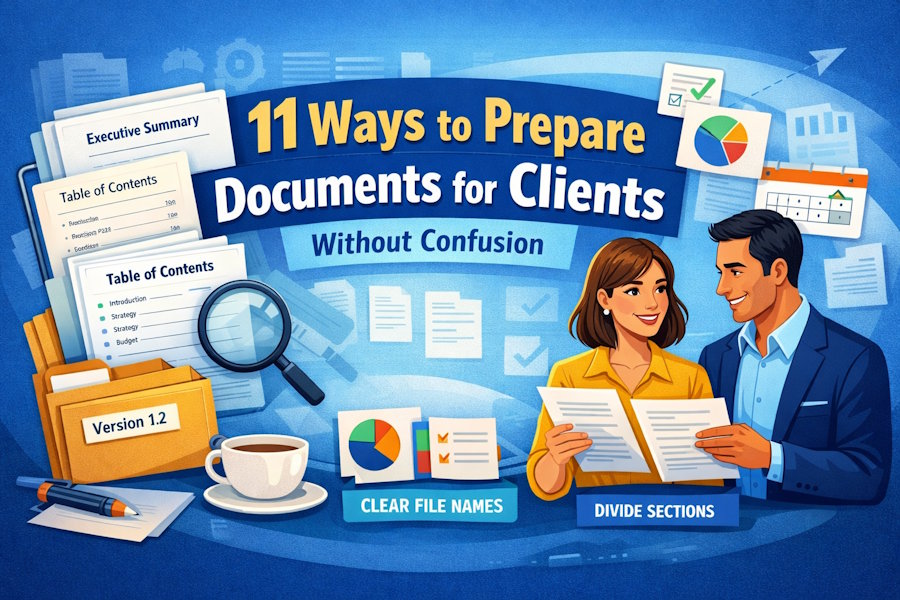
Have you ever delivered a paper to a client and then gotten a lot of emails asking where to find certain information?
You're not the only one. Confusion over documents is a hidden productivity killer that makes client relationships worse, slows down projects, and causes unneeded back-and-forth. Your clients shouldn't require a treasure map to find their way around the items you send.
The good news is? A few sensible measures before the event can help you prevent much of this uncertainty.
Let's look at 11 useful techniques to make client documents that are clear, well-organized, and easy to read. This way, your clients can focus on making decisions instead of figuring out what you delivered.
Why Client Relationships Need to be Clear in Writing
Let's speak about why this is so crucial before we get into the how.
Clients who are confused are clients who are angry. It makes them less sure of your professionalism when they can't find what they need right away. They start to question, "If you can't organize a simple document, how can you handle my complicated project?"
Clear documents do the opposite. They indicate that you are skilled, value your client's time, and pay attention to the little things. They make it easier to make decisions, cut down on misunderstandings, and make working together go more smoothly.
Keep in mind how your client sees things: they have many projects to work on, a lot of vendors to deal with, and not enough time to figure out poorly structured documents. You become the vendor they want to keep dealing with when you make their lives simpler.
1. Make A Cover Page That Clearly States The Purpose Of The Document
Documents, like people, leave a lasting impression.
A well-designed cover page shows your client right away what they're looking at and why it matters. Put the document title, the client's name, the date, your firm's information, and a short summary of what the paper is about.
For example: "Q1 Marketing Strategy Proposal for ABC Corporation." This document tells you how we think you should run your spring campaign, including the budget, timeline, and expected results.
This little step gets rid of the "What is this?" moment and makes it clear what you expect from the start.
Pro Tip: Make branded cover page templates for ongoing clients to make sure your work is always professional and consistent.
2. For Long Documents, Add an Executive Summary.
Your client's CEO generally won't read a 40-page report, but they do need to know the main points.
An executive summary shortens your work to one or two pages that contain the problem, suggestions, projected results, and next measures. It gives busy people who have to make decisions what they need without having to read many details.
Put the summary between the cover page and the table of contents. This way, the people who need to make decisions see it first, and the team members who need to know more can keep reading.
The summary is still beneficial even if the client reads the whole thing.
3. Use File Names That Are Clear and Make Sense.
Your client won't know anything from file names like "Document_Final_v3.pdf."
Pick file names that clearly define what's within and include important information like the client's name, the type of document, and the date. For instance:
"ABCCorp_BrandStrategy_2026-02-26.pdf" or "JohnsonProject_PhaseTwo_Budget.pdf"
This is quite beneficial when clients have to deal with documentation from multiple sources. It's easy to find files later if their names are clear.
If you have more than one version, add version numbers or dates so people don't get confused about which one is the newest.
4. Divide Big Documents Into Logical Parts
Unorganized 200-page papers overwhelm clients.
When writing a huge report, proposal, or manual, divide it into logical parts. It is easy to extract chapters or portions from a PDF using tools like Split PDF.
This enables clients to focus on the sections that matter, lets different people look at the files at the same time, and keeps file sizes small enough to share.
Instead of sending one big proposal, submit distinct files for the executive summary, technical approach, pricing, and case studies, for instance. Everyone receives what they need.
5. Include A Full Table Of Contents With Page Numbers
A solid table of contents makes a large document less scary and easier to find your way around.
List all the main sections and subsections, together with the correct page numbers. Make entries in digital files clickable so that people may go straight to what they desire.
This gives clients a way to see everything and find their way around, which makes things less confusing and makes their experience better.
Include important information; a TOC with only three entries in a 50-page document is unhelpful. Break it down into subsections.
6. Use The Same Formatting And Visual Hierarchy Across
Not only does consistency help with looks, but it also helps with understanding.
Throughout, use the same fonts and styles for headings, spacing, and formatting. Clients can immediately understand the structure when the major headings appear the same and the subheadings follow a pattern.
Make the primary headers bigger and bolder than the subheadings, the body text simple to read, and the key ideas stand out from the rest of the content.
This makes it easier for your brain to work. Customers don't have to guess what different styles signify; they just pay attention to what you say.
To keep things consistent and speed up your work, use document templates with styles already specified. For frequently used paperwork, Docusign templates for business documents can also provide a consistent starting point and make document preparation more efficient.
7. Make Sure You Include Clear Next Steps And Things To Do.
What is one big reason clients get confused? One major reason clients get confused is not knowing what to do next.
There should always be a "Next Steps" or "Action Items" section at the end of every client document. Be clear about what you need from the client, what you'll do next, and when.
For instance:
"Next Steps: Please read sections 3-5 and send us your thoughts by March 5. " After you give us your feedback, we'll make changes to the proposal and set up a follow-up meeting for March 12.
This keeps the process going and prevents long waits.
8. Add Notes to Explain Technical or Complicated Information.
You know what you're talking about. Your client probably isn't.
If your text has jargon or hard-to-understand ideas, include short explanations like footnotes, sidebars, or glossaries.
Don't think that your client knows what words mean that are second nature to you. Telling them what you mean keeps things clear and indicates that you care about their perspective.
This technique is really crucial when you operate in more than one field.
9. Use Pictures To Break Up Text And Make Ideas Clearer
It's hard to understand big blocks of text.
It is easier to find and understand information when it is presented in charts, graphs, diagrams, tables, and pictures. A well-made chart typically gets its point across better than prose.
Visuals also provide natural breaks in documents, making them less scary and more captivating.
Don't use images only for decoration; make sure each one offers value.
10. Give Data, Recommendations, And Conclusions: Some Background
Numbers don't signify anything without context. Recommendations that lack an explanation are ineffective.
When you show data, explain what it means and why it matters. When you suggest something, explain why. Show how you got to your conclusion.
For instance, don't just say, "We think you should spend 30% more on social media."
Instead, say, "We suggest that you raise your social media budget by 30% because your campaigns bring in leads at half the cost of other channels, and you're not spending enough on your most effective acquisition channel right now."
Context helps clients trust you and makes things less confusing.
11. Give Your Contact Information and Offer to Explain
Clients sometimes have questions, even when the paperwork is impeccable.
Make it easy for them to get in touch with you. Your name, email address, phone number, and availability should all be included. Even better, ask them to talk about the document:
"Don't hesitate to reach out with questions." I'm available to discuss any unclear parts this week.
This makes it easier to talk to each other and work together.
When you provide complicated paperwork, think about setting up a follow-up conversation to make sure everything is clear.
Please create a checklist of tasks to complete before drafting a document.
How Can You Stay Consistent With So Many Strategies?
Before emailing any client document, make a list of things to check. Add things like
- Cover page with the aim of the document
- Summary of the executive (for documents longer than 10 pages)
- File name that describes the client and date
- Page numbers in the table of contents
- Consistent formatting and a clear order of importance
- Notes that explain technical terms
- Visuals that are relevant
- Setting the stage for data and suggestions
- Clear future steps and things to do
- Information on how to get in touch and an invitation to ask questions
- A rapid review saves hours of confusion and follow-up.
The Effects Of Clear Documentation
When you always make documents that are clear and well-organized:
- Clients can rapidly grasp your offerings and make decisions, which speeds up projects.
- You spend less time answering questions and more time doing work that you can bill for.
- You show that you care about your clients' time and attention, which makes them happier.
- Your reputation as a professional grows. Clients can tell when it's easier to work with you than with other people.
- Clear documentation keeps you safe by lowering the chances of misunderstandings and scope creep.
- Make your documents clear so you can stand out from the crowd.
You don't need to know how to design well or buy pricey software. All you have to do is put yourself in your client's shoes: What do they want? How can I make it easy to discover and understand? What questions can they have, and how can I answer them right away?
These 11 tactics are not hard, but they do need some thought. Don't think of preparing documents as just an administrative chore; it's also part of client service.
The benefits are immediate: simpler presentations, easier proposals, and projects that start off with less confusion.
Make better documents to build stronger relationships with clients.
Document preparation is really about communicating and showing respect.
When you make information easy to understand, break down complicated ideas, and think forward to what your client could ask, you show them that you value their time and want to make their job easier. That message makes your professional relationship stronger.
Use these tips on your next client document. You will see fewer emails that don't make sense, faster approvals, and more productive interactions that are focused on progress.
Your clients generally get their initial impression of your job from your paperwork. Make sure it is clear, professional, and caring.
FAQs
1. How can I tell whether my client paper is too long or too detailed?
It probably needs an executive summary or should be broken up into sections if it is more than 20 pages long. Ask if each aspect is necessary for your client's choices. Put "just in case" information in appendices or separate references. Ask a coworker who isn't familiar with the project to look it over. If they have trouble finding the main points, it needs to be streamlined. Customers can always ask for additional information, but they can't get back the time they wasted reading.
2. Should I transmit one big document or a bunch of smaller ones?
It all relies on how your client uses the information. Send one document when the information needs to be comprehended as a whole or when someone asks for it. When various people need different parts of a document, when the document is excessively long, or when the file size is a problem, break it up into smaller files. A hybrid approach works well: one main document with parts taken out for certain stakeholders. Always ask what your client wants.
3. How can I find out if my papers are clear?
"Did the document make sense, and was it easy to find your way around?" Do you have any ideas for how to make it better? Most clients like this. Keep an eye on indirect signals, such as how often people ask for explanations or which parts are hard to understand. After big projects, think about doing surveys or asking clients you trust to read drafts to make sure they are clear. This proactive approach helps you become better before problems come up.

