

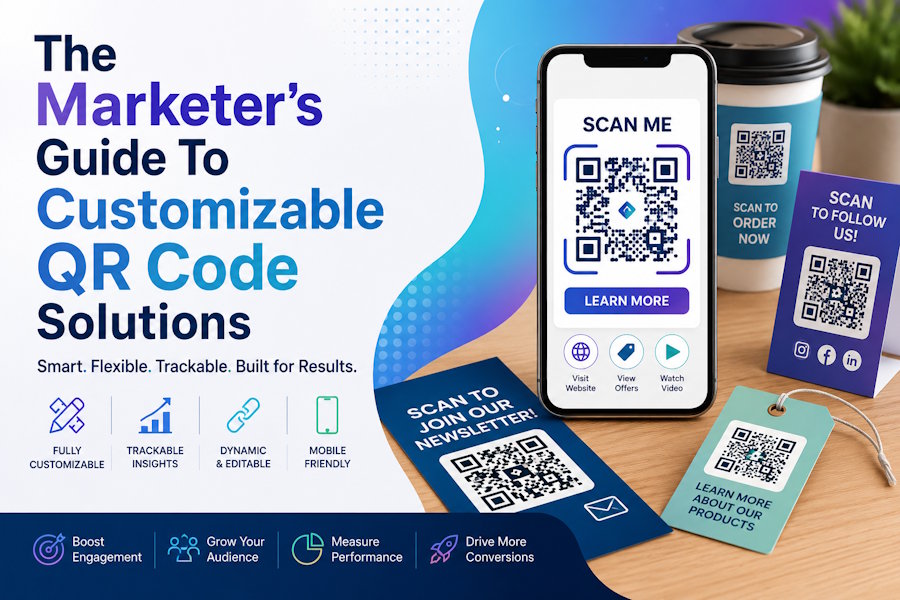
This article is for marketers, small business owners, event planners, and content creators who want to use QR codes in their campaigns but are not sure which tool will give them the right combination of flexibility, branding control, and ease of use. By the end, you will have a clear picture of what the major categories of QR code solutions offer, what questions to ask before committing to one, and which features actually matter for real-world marketing. Whether you are placing QR codes on printed flyers, product packaging, social media graphics, or event signage, this guide will help you make an informed decision.
Why QR Code Customization Matters for Marketing
Not all QR codes are created equal. The standard black-and-white square your phone generates in a pinch will technically work, but it does nothing for your brand. In a marketing context, every touchpoint matters. A QR code that matches your color palette, uses your brand's visual style, and sits cleanly inside a well-designed layout communicates professionalism before a single scan happens.
Beyond aesthetics, customizable QR code tools often differ dramatically in functionality. Some are simple generators that produce a static image. Others offer dynamic codes that can be updated after printing, built-in analytics, and integrations with marketing platforms. Understanding these differences before you choose a tool will save you time, money, and the hassle of reprinting materials when your needs change.
The QR code market has matured considerably. Global QR code payment transactions were estimated to reach $3 trillion in 2025, and marketing use cases have grown just as fast. Businesses of every size are embedding QR codes into menus, packaging, business cards, and digital ads. Choosing the right tool is no longer a minor decision.
The Main Categories of QR Code Solutions
Before comparing individual tools, it helps to understand that QR code solutions generally fall into three broad categories.
Standalone QR code generators are dedicated tools built specifically for creating QR codes. They tend to offer the most customization options, including logo placement, color gradients, dot shape variations, and both static and dynamic code creation. They may or may not include analytics.
Design platform integrations are QR code features built directly into broader creative tools. These are particularly useful for marketers who are already designing their materials in one place and want to generate and embed a QR code without leaving their workflow. The tradeoff is that customization options may be more limited compared to dedicated generators.
Enterprise QR platforms are full-stack solutions aimed at larger organizations. These typically include team collaboration tools, API access, bulk code generation, advanced analytics, and campaign management features. They are priced accordingly and are often more than a solo marketer or small business needs.
8 Criteria to Evaluate Any QR Code Tool
When comparing tools side by side, use these criteria consistently to make sure you are weighing the same factors across every option.
1. Static vs. Dynamic Codes
A static QR code encodes a fixed URL directly into its pattern. Once generated, it cannot be changed. If you print 500 flyers and your landing page URL changes, those codes are permanently broken. A dynamic code stores a short redirect link that you can update at any time without reprinting. For print campaigns, dynamic codes are almost always worth the investment. For one-off digital uses, static codes are usually sufficient.
2. Customization Depth
Look at how much visual control the tool gives you. At a minimum, you want color selection. More advanced tools let you change the shape of the dots, the corner markers, and the overall pattern style. The highest-tier tools allow you to embed a logo at the center of the code. The more your QR code can reflect your visual identity, the more cohesive your marketing materials will look.
3. Template and Design Integration
Some tools generate a code and stop there. Others let you drop that code directly into a flyer, business card, social post, or menu template within the same interface. If you are a non-designer managing your own marketing assets, the ability to design and place the code in one workflow is a significant time saver.
4. Output File Formats
For print materials, you need a high-resolution file, ideally an SVG or high-resolution PNG, so the code stays crisp when scaled up. For digital use, a standard PNG is usually fine. Tools that only export low-resolution JPGs will create problems the moment you try to print anything larger than a business card.
5. Analytics and Scan Tracking
If you are running a campaign and want to know whether people are actually scanning your codes, you need a tool that either includes built-in scan analytics or integrates with a tracking platform. Useful metrics include total scans, unique scans, scan location, device type, and scan time. Without this data, you have no way to evaluate the performance of your QR-driven campaigns.
6. Ease of Use
Not everyone evaluating a QR code tool has a design background. Tools that require no software installation, use a browser-based interface, and guide users through a simple step-by-step process are far more accessible for teams that do not have a dedicated designer. Look for tools that let you generate and customize a code in under five minutes.
7. Pricing and Free Tier Limitations
Many tools offer a free tier, but those tiers vary widely in what they include. Some restrict free users to static codes only. Others watermark downloads or limit the number of codes you can create. Before committing, check whether the free tier includes the specific features you actually need, or whether the paid tier is the real minimum viable product.
Teams that only need to generate standard QR codes or barcodes for product labels, packaging, or gift cards without campaign analytics can often rely on a free barcode generator that covers common formats like QR, EAN, UPC, and Code 128 with no account required.
8. Brand Consistency Across Materials
If you are creating multiple codes for different campaigns or product lines, look for tools that let you save brand assets, reuse code styles, or apply consistent visual settings across projects. This is especially important for businesses managing several marketing channels at once.
Dedicated QR Code Generators: Strengths and Tradeoffs
Standalone QR code generators built specifically for this purpose tend to offer the deepest customization. You can typically adjust every visual element of the code, add a logo, choose from dozens of dot and frame styles, and switch between static and dynamic modes. Many include scan analytics as part of their paid plans, and some offer Google Analytics integration for teams that already use that infrastructure.
The tradeoff is workflow. These tools are not design environments. You generate a code, download it, and then import it into a separate design tool to actually build your marketing material. For teams with an existing design workflow, this is a minor inconvenience. For someone trying to produce everything from a single platform, it adds friction.
Pricing for dedicated generators varies widely. Some offer genuinely useful free tiers with unlimited static code creation. Others are essentially freemium products where the features that matter most, such as dynamic codes and analytics, are locked behind paid plans starting anywhere from $8 to $20 per month.
Design Platform Integrations: Adobe Express as a Solid Option
For marketers who want to create branded QR codes and embed them directly into polished marketing materials without switching between tools, a design platform with a built-in QR code generator is worth serious consideration.
Adobe Express is one strong option in this category. Its QR code maker is built directly into the Quick Actions menu, meaning you can generate a code, customize it, and immediately drag it into a flyer, business card, poster, or social media graphic within the same interface. There is no software to install, and the tool is accessible in any browser, which keeps the barrier to entry low for non-designers.
Three features make it particularly worth considering for marketing use. First, the style and color customization options let you align the code with your brand's visual identity, choosing from different dot patterns, corner marker styles, and colors rather than defaulting to a generic black-and-white square. Second, the template library is extensive, with thousands of professionally designed layouts for marketing materials across every common format. Generating a QR code and placing it into a finished, print-ready flyer can realistically be done in a few minutes. Third, the tool exports in multiple file formats including PNG, JPG, and SVG, giving you flexibility for both digital and print applications.
It is worth noting that Adobe Express generates static QR codes, meaning the embedded URL cannot be changed after creation. This is fine for most digital and short-run use cases, but teams planning long-term print campaigns may want to pair it with a dynamic URL shortener to preserve flexibility. The tool also does not include built-in scan analytics, so if measuring campaign performance is a priority, you will want a separate tracking solution in place.
Enterprise QR Platforms: When You Need More Infrastructure
For larger organizations managing QR codes across dozens of campaigns, locations, or product lines, a full enterprise QR platform may be warranted. These tools typically include bulk code generation via API, team collaboration and user permissions, white-labeled scanning experiences, advanced analytics dashboards, and the ability to create custom landing pages triggered by specific codes.
The value of enterprise platforms is not just customization but campaign management at scale. Being able to update the destination URL of a printed code without reprinting, track scan rates by geography, or A/B test landing pages tied to specific codes is genuinely useful when you are running high-volume campaigns.
The downside is cost and complexity. Enterprise platforms are priced for organizations with corresponding budgets, and the feature depth that makes them powerful also means a steeper learning curve. For a small business or solo marketer, most of the advanced functionality will go unused.
Matching the Tool to Your Use Case
The right tool depends almost entirely on how you are using QR codes and what your team's capabilities look like.
- If you are a small business or solo marketer designing your own materials, a design platform with a built-in QR code generator will likely save you the most time while still producing professional results.
- If you are running print campaigns where the destination URL might change, prioritize tools that offer dynamic codes, even if it means a modest monthly cost.
- If measuring campaign performance is a core requirement, make sure your tool either includes scan analytics or connects to your existing tracking infrastructure.
- If you are managing QR codes across multiple campaigns, locations, or team members, an enterprise solution with centralized management and API access will prevent the chaos of trying to track dozens of manually generated codes.
- If budget is a constraint, identify exactly which features you need before assuming the free tier will cover them. Many free tiers are deliberately limited to push users toward paid plans.
FAQ
Do I need a paid tool to create a branded QR code?
Not necessarily. Several tools offer meaningful customization on their free tiers, including color selection and basic style changes. However, the depth of branding control tends to increase significantly on paid plans. Logo embedding, for instance, is rarely available for free. If your primary goal is brand alignment on a tight budget, a free tier from a design platform that allows color and style customization may be enough for most print and digital marketing applications. Evaluate your specific needs before upgrading.
What is the difference between a static and dynamic QR code, and does it matter for my campaign?
A static QR code has its destination URL permanently baked into the code's pattern. A dynamic code contains a short redirect link that can be updated at any time without changing the code's appearance. For campaigns tied to long-term printed materials, such as packaging, signage, or catalogs, dynamic codes are highly recommended. If the page you are linking to changes, a static code becomes useless and everything bearing it must be reprinted. For short-term digital campaigns where the URL is unlikely to change, a static code is usually sufficient.
How do I know if anyone is actually scanning my QR codes?
The most reliable way is to use a tool that includes built-in scan analytics, or to use a trackable URL as the code's destination. If your QR code tool does not include analytics, you can route traffic through a platform like Google Analytics by creating a tracked URL with UTM parameters before encoding it. This approach works regardless of which QR code generator you use and plugs your QR campaign data directly into your existing marketing analytics. Metrics to track include total scans, unique scans, scan location, device type, and time of scan.
Can I use QR codes effectively in digital marketing, or are they mainly for print?
QR codes are most commonly associated with print, but they have legitimate uses in digital contexts as well. A QR code embedded in an email or digital flyer can be scanned by a second device, which is useful in situations where clicking a link is not convenient. They are also common in video content, presentations, and live event screens where the audience needs a fast way to access a URL without typing it. That said, for purely digital one-device experiences, a standard hyperlink is almost always more convenient for the user.
What should I check before printing a QR code at scale?
Before committing to a large print run, test the code thoroughly. Scan it with multiple devices and camera apps to confirm it resolves correctly. Check that the destination URL is live and mobile-optimized, since most QR code scans happen on smartphones. Verify that the file you are sending to print is high resolution, ideally an SVG or at least a 300 DPI PNG, so the code does not pixelate when scaled up. If you are using a dynamic code, confirm the redirect is active. Also consider placing a short call to action next to the code, such as "Scan for the menu" or "Scan to learn more," since unlabeled codes have lower scan rates.
Conclusion
Customizable QR code solutions range from simple browser-based generators to full enterprise marketing platforms, and the right choice depends on your workflow, budget, and how central QR codes are to your overall strategy. For most small businesses and independent marketers, the ideal tool is one that makes it easy to create branded codes and embed them directly into finished marketing materials, without requiring design expertise or a significant investment.
When evaluating options, focus on the criteria that matter most for your specific use case: static versus dynamic codes, visual customization depth, template integration, output quality, and whether you need scan analytics. No single tool is the right answer for every situation, but any marketer who applies these criteria consistently will be well-positioned to choose a solution that serves their campaigns well over the long term.

