

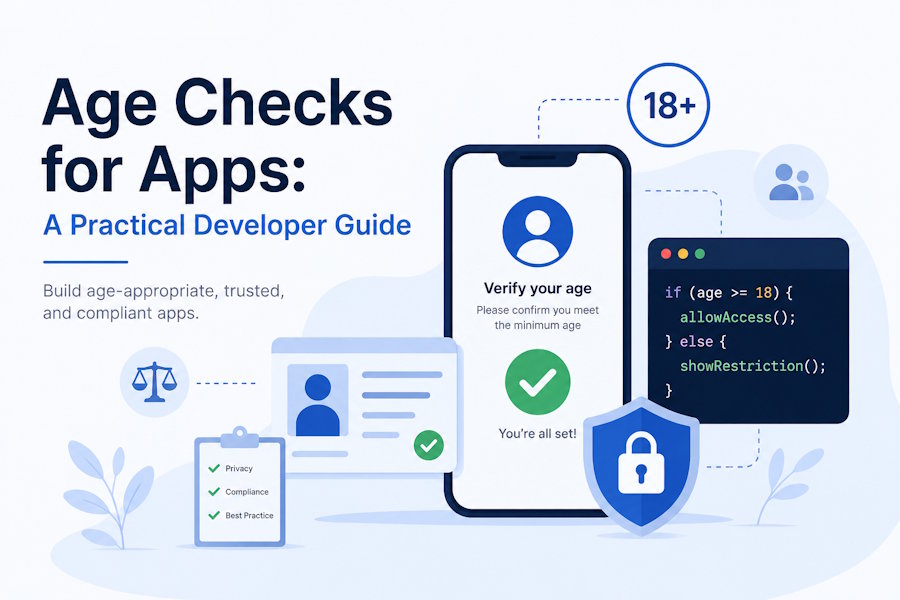
A simple “I am over 18” checkbox doesn’t carry much weight anymore.
Developers building social platforms, marketplaces, gaming apps, AI tools, streaming products, fintech onboarding flows, or community features are being pushed to answer a harder question: how do you keep age-restricted experiences away from minors without collecting more personal data than you need?
That’s where age checks become a product, privacy, and engineering decision. It’s not just a compliance box. It affects onboarding friction, database design, fraud prevention, consent flows, support tickets, and user trust.
The tricky part is balance. Ask for too little, and the age gate is easy to bypass. Ask for too much, and you create privacy risk, conversion drop-off, and a larger attack surface. A better approach starts with matching the level of age checking to the actual risk inside your product.
Start With the Risk, Not the Form Field
Before choosing a technical method, map the parts of your app that actually need age controls. Many teams skip this step and default to one blanket gate for the whole product. That can work for simple products, but it often creates unnecessary friction for users who only need access to low-risk features.
A more practical model is to separate your product into zones. Public help pages, general browsing, or basic account creation may need light age screening. Features such as direct messaging, adult content, paid transactions, gambling-like mechanics, alcohol-related purchases, dating interactions, or user-generated media may need stronger checks. This helps engineering and product teams avoid over-collecting data where it isn’t needed.
For example, a gaming platform might let users browse general game descriptions with a basic age declaration, but require stronger verification before enabling voice chat, mature-rated communities, or in-game purchases. A creator marketplace might allow general discovery while applying stricter checks before a user can view adult categories, message sellers, or upload sensitive content.
This matters because regulators and privacy teams tend to care about proportionality. The U.S. Federal Trade Commission explains that COPPA applies to operators of websites and online services directed to children under 13, as well as services that knowingly collect personal information from children under 13. That doesn’t mean every app needs the same control, but it does mean teams should understand when their product may involve children’s data and design carefully around that risk, as outlined in the FTC’s COPPA rule guidance.
Pick an Age Check Method That Matches the Use Case
There isn’t one best age-checking method for every product. A self-declared date of birth is simple, cheap, and low friction, but it’s weak. Document checks can be stronger, but they add friction and introduce sensitive data handling. Facial age estimation can reduce the need for identity documents in some contexts, but it still needs clear privacy controls, fallback paths, and bias testing. Payment card checks may help for certain purchases, but they don’t always prove the actual user’s age.
A sensible architecture often uses layers. Low-risk features might use self-declaration plus session rules. Higher-risk features might require stronger age assurance before access is granted. Very high-risk use cases may need identity proofing, parental consent workflows, or manual review. The key is to avoid treating every user and every action the same.
For developers, this usually means creating an age policy service rather than hard-coding age checks across controllers and front-end components. The service can evaluate user age status, confidence level, jurisdiction, feature risk, consent state, and expiration rules. That makes the system easier to update when laws, product features, or platform rules change.
Here’s a practical example. Instead of writing logic like if user.age >= 18 across the app, store a structured status such as age_status: verified_adult, age_status: estimated_minor, or age_status: unknown. Then pair it with fields like verification_method, verified_at, region, and expires_at. This gives your team more control. It also avoids messy rewrites when your product expands into new markets.
When a product needs privacy-aware checks, teams may look at methods built around age assurance so they can evaluate whether a user is likely old enough for a feature without turning every age gate into full identity collection. That distinction matters. Proving someone is old enough for a specific action isn’t always the same as proving their full legal identity.
Design the Flow So Users Know What’s Happening
A technically strong age check can still fail as a user experience. If the app suddenly asks for a selfie, ID, or parent email with no context, users may abandon the flow or assume something suspicious is happening. That’s especially true for younger users, parents, and privacy-conscious adults.
The screen before the check should explain what’s being checked, why it’s needed, what data is collected, how long it’s kept, and what happens if the user can’t complete the process. Keep the copy plain. Don’t bury the explanation in a privacy policy link. A short in-flow message usually works better: “We need to confirm you’re old enough to use this feature. This check is used only for age access and isn’t shown on your profile.”
Give users a recovery path. Some people won’t have a government ID. Some won’t want to use biometric checks. Some minors may need a parent or guardian consent route. Some legitimate adults may fail an automated check. If the system blocks them with no appeal or fallback, support teams will inherit the problem.
From an engineering point of view, avoid storing raw verification artifacts unless there’s a clear legal or operational reason. In many products, the app only needs the result, not the underlying document image or biometric data. Store the minimum useful proof: status, method, timestamp, provider response code, and audit reference. If your vendor supports tokenized results or short-lived verification sessions, use them.
NIST’s current digital identity guidance is useful here because it frames identity systems around assurance levels, privacy, fraud resistance, and user experience rather than a single one-size-fits-all check. Developers working on sensitive onboarding flows can use the NIST Digital Identity Guidelines as a reference point when thinking through identity proofing, authentication, and federation choices.
Build Age Controls Into Your Backend, Not Just the UI
Front-end age gates are easy to bypass. Anyone can manipulate local storage, inspect network requests, or call APIs directly if the backend doesn’t enforce the same rules. The front end should guide the user, but the server should make the access decision.
A safer pattern is to treat age status like an authorization attribute. If a user tries to access a restricted endpoint, the backend checks whether the user has the required age status and confidence level. If not, it returns a clear response that routes the user into the correct verification flow. This keeps enforcement consistent across web, mobile, API, and admin surfaces.
For example, a mature-content endpoint might require verified_adult. A teen-safe community feature might allow verified_teen but block estimated_child. A purchase endpoint might require both verified_adult and a payment risk check. The policy can sit in middleware, a permissions service, or an internal rules engine, depending on the size of your app.
Logging is important, but don’t log sensitive details. Your logs should show that an age policy decision occurred, which rule was applied, and whether access was allowed or denied. They should not contain document numbers, face images, exact birth dates, or unnecessary personal details. This protects users and makes incident response less painful.
Also think about cache behavior. If a user’s age status changes, stale tokens or cached permissions shouldn’t keep restricted access open. Short-lived tokens, server-side permission checks, and clear invalidation rules can prevent that. This is especially important when accounts can move between child, teen, and adult statuses over time.
Treat Privacy as a Core Engineering Requirement
Age checks can create a strange privacy problem. To protect minors, apps may be tempted to collect more sensitive data from everyone. That can backfire. The better path is data minimization.
Start by asking what your system truly needs to know. Does it need a full birth date, or only whether the user is over a required threshold? Does it need a stored ID image, or only a signed verification result? Does it need repeated checks, or can the app store a durable age status with an expiration date? These questions should be answered before implementation, not after the database schema is already live.
Security reviews should cover the age-checking flow like any other sensitive feature. Check transport encryption, vendor data handling, retention periods, admin access, breach response, and deletion requests. Make sure internal teams can’t casually view sensitive verification records. Restrict access, audit it, and document who can do what.
Product teams should also avoid dark patterns. Don’t make age checks confusing. Don’t pressure users into sharing more than required. Don’t hide the reason for the check. A clear, respectful flow usually performs better than one that feels forced or vague.
A small implementation detail can make a big difference: separate age verification data from public profile data. A user’s age access status may be necessary for authorization, but that doesn’t mean their exact age belongs in profile responses, analytics exports, customer support views, or marketing tools.
One Clear Takeaway for Developers
Age checks are no longer just a front-end checkbox. They’re part of access control, privacy engineering, and product trust.
The best systems are proportional. They apply stronger checks only where the risk justifies it, keep enforcement on the backend, explain the flow clearly to users, and store as little sensitive data as possible. That gives your app room to grow without turning age verification into a privacy liability.

