

Every content team I know sits on a mountain of unused assets. Blog post hero images, product photography from last season, infographics that performed well on Pinterest, slide decks from webinars that no one watched live. These assets already passed brand approval, already proved their visual quality, and already exist in organized folders. Yet the moment a video is needed for a campaign, the default assumption is that something new must be shot or designed from a blank canvas. That assumption breaks budgets and slows calendars in ways that smaller teams can no longer afford.
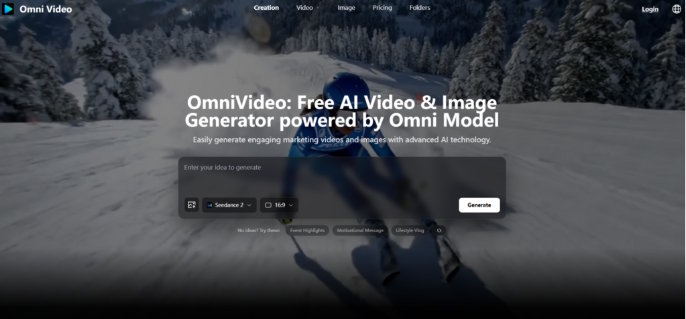
I wanted to test whether a browser-based AI video tool could change that equation by turning existing static assets into video content without any reshooting, redesigning, or external production support. That question led me to Omni Video, a platform built for marketers and small to medium businesses that combines multiple AI models into a single interface. The workflow is minimal: describe what you want in a prompt or upload a reference image, let the system generate several AI-driven variations, and download the one that works. The official page highlights models like Seedance, Sora, Veo, and Nano Banana, all operating behind the scenes while the user stays focused on the creative brief. What follows is a record of what happened when I treated the tool not as a video creator, but as a content repurposing engine.
The Untapped Potential of Existing Brand Assets
Most marketing teams are not short on raw material. They are short on the production bandwidth required to adapt that material into the video formats that algorithms and audiences increasingly demand. The gap between a folder of approved images and a library of usable video clips is a production gap, not a creative gap. AI video generation, when designed around reference images and text descriptions, can close that gap by treating existing visuals as the starting point rather than requiring something entirely new.
Product Photography as the Foundation for Video Variants
I began by uploading a clean product shot taken for a previous e-commerce listing. The image was well-lit, on-brand, and already paid for. My goal was to see whether the platform could generate a series of short video clips that kept the product recognizable while introducing enough motion and context to make the content feel native to video-first platforms.
Adding Motion Without Distorting Brand Identity
The generated results showed a consistent ability to add gentle camera movement, lighting shifts, and environmental suggestions around the uploaded product. In my testing, the core subject remained visually stable across most variations. The AI did not warp the product or introduce unnatural deformations, which is a risk I have seen with other tools. The motion was conservative, more like a subtle product pan than a dramatic fly-through, and for repurposing catalog images into social clips, that restraint worked in my favor.
Selecting the Strongest Outputs From Multiple Options
Because the platform returns several variations per generation, I could quickly scan and select clips that best matched the brand's established visual tone. One variation might have warmer lighting that felt seasonal; another might frame the product slightly differently. The act of curating from a batch of options felt efficient compared to editing a single clip into acceptability. The limitation, as expected, was that fine details such as small text on product packaging did not always render with perfect fidelity. Users with strict packaging requirements should review outputs closely and expect to discard a minority of generations.
Turning Information-Heavy Graphics Into Digestible Video Snippets
Infographics, chart-heavy slide decks, and stat-based social graphics are valuable assets that rarely get a second life. I tested whether Omni Video could take a simple text-and-icon graphic and produce motion-based content that communicated similar information in a more dynamic format.
Describing the Graphic's Core Message in a Prompt
I wrote prompts that referenced the key message of the original graphic without asking the AI to reproduce the exact text. For example, a static graphic about customer growth statistics became a prompt describing a clean, modern visual showing momentum and upward movement with subtle data-visualization cues. The generated videos did not replicate the chart directly, which would have been risky given current text rendering limitations, but they captured the emotional arc of the message in motion.
Using Generated Clips as Openers or Transition Elements
The output worked best as attention-grabbing openers for longer content or as standalone teaser clips. In my testing, the platform's strength was in producing visual mood and thematic coherence rather than precise information replication. The takeaway is that image-to-video repurposing works best when the goal is to translate visual identity and emotional tone into motion, and less well when the goal is to animate exact data points. For the latter, combining AI-generated motion backgrounds with manually added text overlays in a simple editing tool would be the more reliable path.
The Official Three-Step Process Behind the Repurposing Workflow
The platform structures its entire generation experience around three steps that align naturally with a repurposing mindset. Here is how that flow played out when I was working exclusively from existing assets.
Provide a Text Prompt or Upload a Reference Image
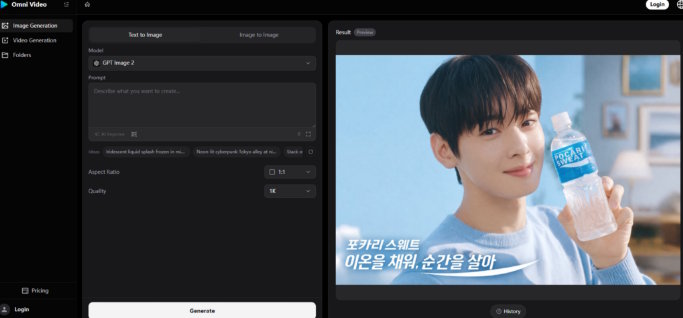
The first step accepts either descriptive language or an image file. For repurposing tasks, this dual-path entry is essential because it lets you anchor the generation to an approved visual while using words to describe the new context you want to create.
Combining an Existing Image With a New Creative Direction
I achieved the strongest results by uploading the asset I wanted to repurpose and writing a prompt that described the video context I wanted to place it in. The image provided visual continuity, and the prompt provided the creative expansion. This combination felt like briefing a designer who already had the source file open.
Starting From Text When No Visual Asset Exists
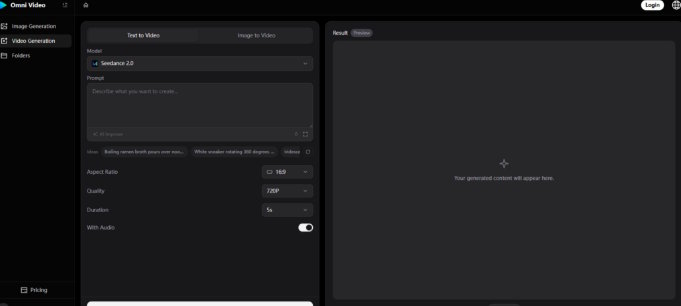
When I had only a concept or a blog post title to work from, text-to-video generation produced serviceable starting points. The outputs were more generic than the image-anchored results, which is expected, but they still offered a faster path to a draft video than any manual production method I have access to.
Click Start and Let the AI Generate Multiple Variations
The second step removes all configuration. One click initiates the generation, and the system returns a set of visual options. There is no parameter tuning, no model selection, no resolution dialogue to navigate.
Why a No-Configuration Flow Supports High-Volume Repurposing
When repurposing assets at scale, every extra click compounds across dozens of generations. The streamlined flow on this platform kept my attention on asset selection and prompt writing, which are the high-value activities, rather than on technical setup. In my testing, the absence of configuration options was not a missing feature but a deliberate design choice that preserved creative momentum.
Review the Generated Options and Download the Best Fit
The platform presents multiple outputs per generation. The user reviews, compares, and downloads the strongest result. This step transforms the workflow from a single-attempt gamble into a curated selection process.
Building a Reusable Clip Library Across Multiple Sessions
Over several generation sessions, I accumulated a set of branded motion clips that shared a consistent visual foundation. These clips can be reused across campaigns, resized for different platforms using the available aspect ratio options, and combined with text overlays as needed. The initial time investment in generation paid ongoing dividends as the library grew.
How Repurposing With AI Compares to Starting From Scratch
The table below evaluates content repurposing approaches across practical dimensions that matter to marketing teams with limited production resources.
|
Repurposing Factor |
Omni Video |
Manual Video Editing of Existing Assets |
Commissioning New Footage |
|
Asset reuse capability |
High; reference images directly guide generation |
High; editor can animate and reframe static assets |
None; every project starts fresh |
|
Turnaround per asset |
Minutes; batch generation supports high volume |
Hours; animation and motion design take time |
Days to weeks; scheduling, shooting, and editing |
|
Brand continuity |
Good; uploaded images anchor visual identity |
Excellent; editor maintains full control |
Variable; depends on shoot consistency |
|
Creative expansion |
Moderate; AI introduces new environments and motion |
High; editor can imagine and execute anything technically feasible |
Unlimited; new creative direction possible |
|
Cost predictability |
Subscription-based with free tier available |
Fixed if in-house; variable if freelance |
High per-project cost; unpredictable overruns |
|
Suitability for existing asset libraries |
Strong; designed for prompt-and-image workflow |
Moderate; requires skilled operator |
Weak; does not leverage existing material |
Limitations That Emerged During Repurposing Tests
Several constraints became apparent during my testing that are important to acknowledge for anyone planning a repurposing workflow.
The quality of generated motion depends heavily on the clarity of the reference image and the specificity of the prompt. Blurry or poorly composed uploads lead to muddy output. Vague prompts produce generic motion that may not suit the brand. This tool rewards preparation.
Text rendering, when I attempted to have the AI include specific words in the video, was inconsistent. Some generations showed legible text; others showed garbled letterforms. For repurposing infographics or stat-based assets, I found it more reliable to treat the AI output as a motion background and add text separately.
The batch-output approach means that not every generated clip will be usable. Curation is necessary, and users should expect to discard some percentage of generations. In my testing, the hit rate was high enough to make the workflow productive, but it was not perfect.
Complex visual transformations that require the AI to radically alter an uploaded image while keeping the subject intact sometimes produced mixed results. Subtle expansions worked well; drastic reimaginings did not.
A New Model for Content Teams With Deep Asset Libraries
Omni Video makes the most sense for teams that already have a reservoir of approved brand visuals and need to convert that static library into a dynamic video presence. The tool removes the technical and budgetary barriers that traditionally prevent such conversion, and it does so in a browser tab with no software to install.
The broader implication is that content repurposing, long discussed as a strategy but rarely executed at scale due to production constraints, becomes genuinely feasible when the production step collapses from hours of manual editing to minutes of AI generation and human curation. This does not eliminate the need for creative judgment. It relocates that judgment to the prompt-writing and selection stages, which are higher-leverage activities for marketing generalists. For teams sitting on underused visual assets, the value is immediate and measurable.

