


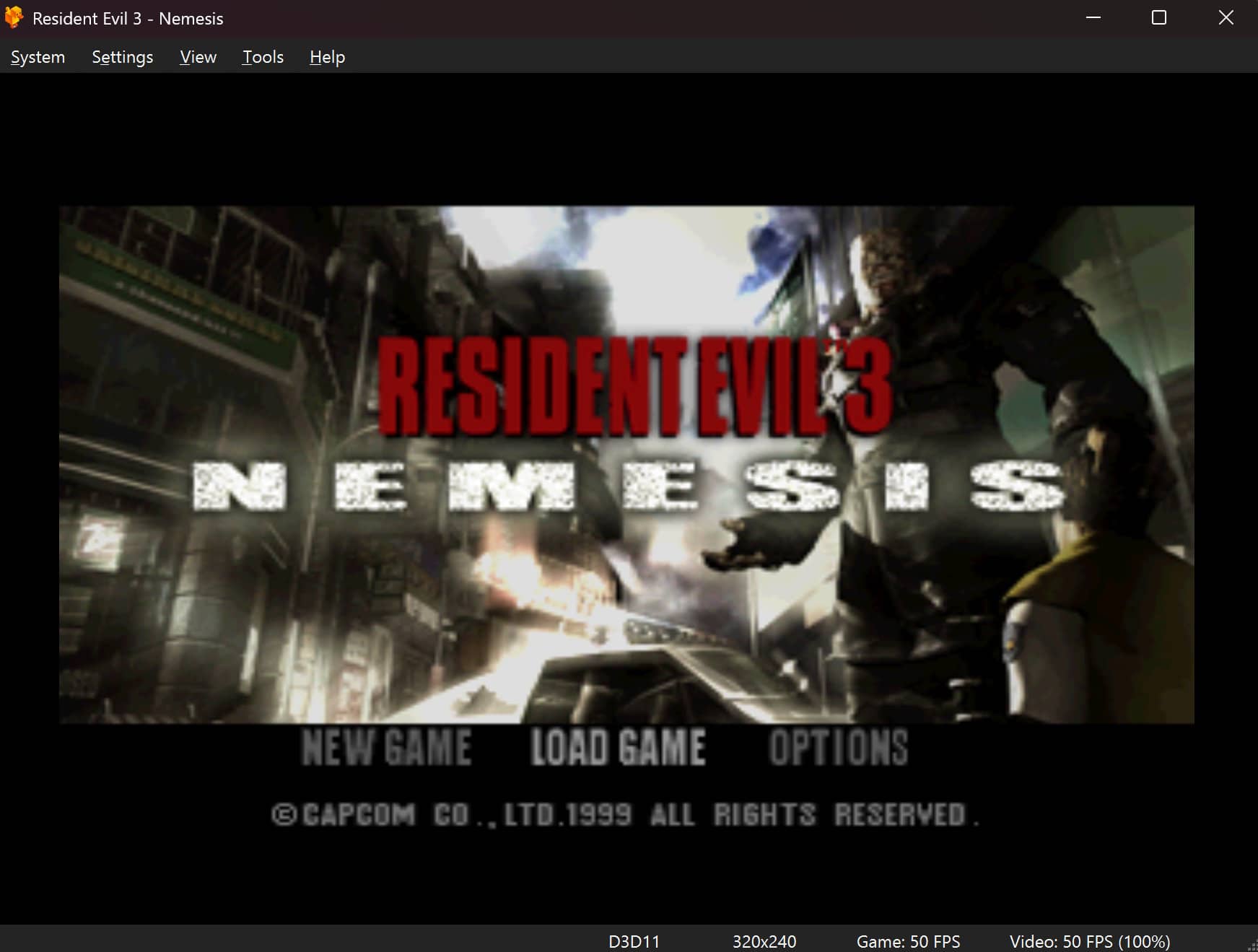
As a Kid, I remember that I was unable to play the games from the PS1 since my family didn't have the resources to buy one. It was complicated to find both the console and games in Colombia at the time. More than three decades after its original release, the original PlayStation remains one of the most influential consoles in gaming history. Its library introduced players to landmark franchises, experimental game design, and a transition into fully realized 3D worlds that defined an entire generation. As original hardware becomes increasingly fragile and scarce, PlayStation 1 emulation has evolved from a niche hobby into an essential tool for preservation, accessibility, and modern gameplay.
Emulating the original PlayStation is technically challenging because the console was made up of several different hardware components that must work together with very precise timing. The system uses a MIPS R3000A CPU, a separate graphics processor (GPU), an audio processor (SPU), and a memory system that relies heavily on direct memory access (DMA). Many PlayStation games depend on exact behavior from these components, including timing quirks that were never officially documented.
Because of this, PlayStation 1 emulators usually follow one of two main approaches. Some focus on speed and ease of use, simplifying certain parts of the hardware to run well on a wide range of systems. Others aim for high accuracy, trying to reproduce the original hardware behavior as closely as possible, even if that requires more processing power. These design choices directly affect game compatibility, performance, and how closely games behave compared to running on real hardware.
In this article, we would like to introduce you to DuckStation, a PlayStation 1 emulator designed with a strong focus on accuracy while still maintaining high performance on modern hardware. Instead of relying on simplified behavior, DuckStation aims to closely reproduce how the original console processes CPU instructions, graphics commands, audio mixing, and hardware timing. At the same time, it includes modern features such as high-resolution rendering, advanced texture filtering, and low-latency audio output.
History of DuckStation
DuckStation began as a personal project with the goal of creating a modern PlayStation 1 emulator that avoided many of the limitations found in older solutions. Early PS1 emulators often relied on plugin-based architectures, where graphics, audio, and input were handled by separate external components. While flexible, this approach frequently led to inconsistent behavior, complex configuration, and uneven accuracy across games.
From its early development, DuckStation took a different direction by using a fully integrated codebase. Core components such as the CPU, GPU, SPU (audio), and timing systems were implemented and maintained within the emulator itself. This design choice allowed tighter control over hardware behavior and made it easier to fix accuracy issues without being constrained by third-party plugins.
Public access to the codebase has allowed for community contributions, rapid bug fixes, and transparent discussion around emulation accuracy and design decisions. Over time, this has helped DuckStation build a reputation as one of the most reliable and technically sound PlayStation 1 emulators available, appealing both to everyday players and to users interested in understanding how the original hardware works under the hood.
How to use Duckstation
Visit the official website for more details or if you're more into the code, visit the official repository on GitHub here.
1. Download the emulator
To download the emulator, visit the official website and choose your platform (Windows, Linux, macOS, or Android). In Windows for example, you will download a ZIP file that contains all the required files to run the emulator. In the case of Windows, you will need VC++ Runtime to be installed first before running.
Once you download it, run the executable and follow the initial wizard.
2. Search for a BIOS file and configure the directory
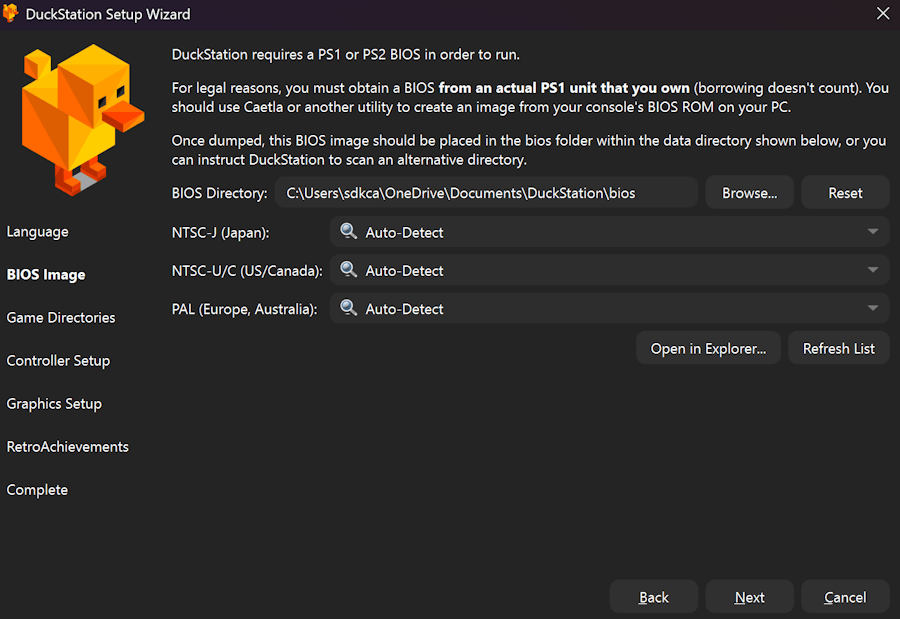
When running the emulator, you will follow a wizard to configure the basic and most important aspects of the emulator. You can configure most of them by yourself, except for the section regarding the BIOS.
DuckStation requires an original PlayStation BIOS because it aims to replicate the console's behavior at a low level with great accuracy. On real hardware, the BIOS is not optional software; it is a core part of the system that runs before any game starts and provides essential services that games rely on. The PlayStation BIOS is responsible for several critical tasks, such as:
-
System initialization
It sets up the CPU state, memory, hardware registers, and interrupt handlers before a game begins execution. -
Hardware services
Many games call BIOS functions for tasks such as memory card access, CD-ROM control, controller input, and basic system calls. These are not reimplemented inside the game itself. -
Timing and behavior accuracy
Some games depend on subtle BIOS behaviors, including delays, return values, and error handling. Replacing the BIOS with a simplified substitute can lead to crashes, soft locks, or incorrect behavior.
For legal reasons, neither Our Code World nor Duckstation can provide you with this asset, so you will need to find one on your own. Once you have the file, which should be called something like SCPH1001.BIN, provide the directory where its stored and continue with the wizard:
3. Search for a game
Now, if you own an original copy of the PS1, you will need to create a dump or if you have another source to obtain the game. This digital representation of original PlayStation 1 CD-ROMs are created to preserve the complete structure of the disc for use in emulation, archival, or modding. These formats can capture not only the game data but also the original track layout, including Red Book audio tracks and, in some cases, subchannel information required by certain titles.
Common examples include:
- BIN/CUE, which is widely supported and highly accurate.
- ISO, which contains only the data track and may omit in-game music; and more advanced formats such as IMG/CCD/SUB or MDF/MDS, which aim to preserve copy protection and disc metadata.
- Another variant is BIN.ECM, where a BIN image is compressed by removing redundant error-correction data to reduce file size; this format must be decoded back to a standard BIN before it can be used.
Overall, disc image formats allow PS1 games to be reproduced digitally with varying levels of fidelity to the original media. Once you have the image of your game and store it in the directory configured for games, you will be able to emulate and play the game.
4. Launch the game
Now, configure the directory of your games in the emulator. Once the emulator recognizes your games, you will be able to launch them by simply double-clicking on its cover:
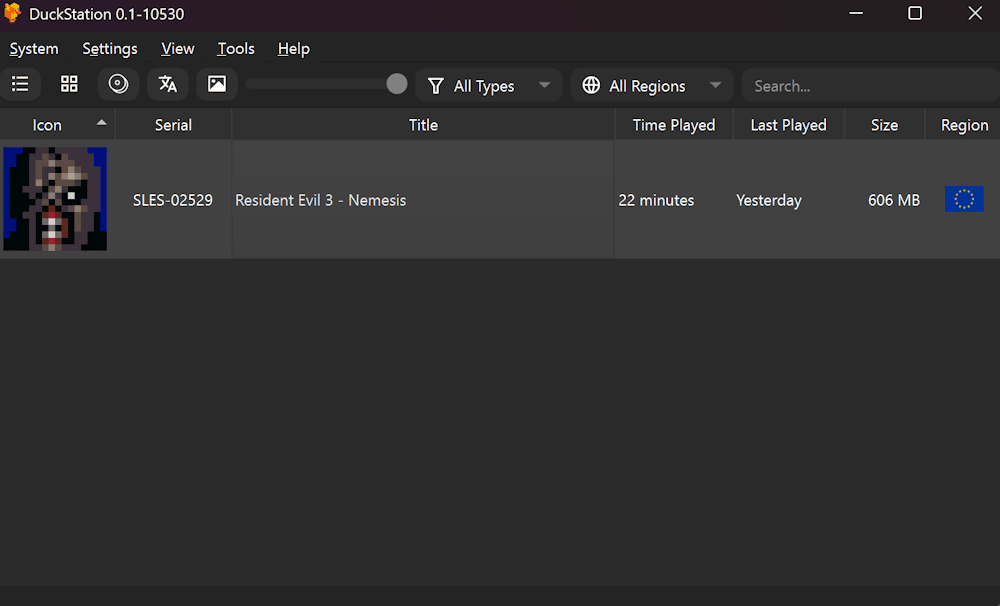
And there you go. You can now play all PlayStation 1 games, whether to relive a sense of nostalgia or to experience titles you did not have the opportunity to play when they were originally released. With the appropriate disc image formats and compatible emulation tools, the PS1 library remains fully accessible today, preserving a landmark era in video game history.
Troubles with libcrypt-protected copies?
If you try to launch your game and you get the following error:
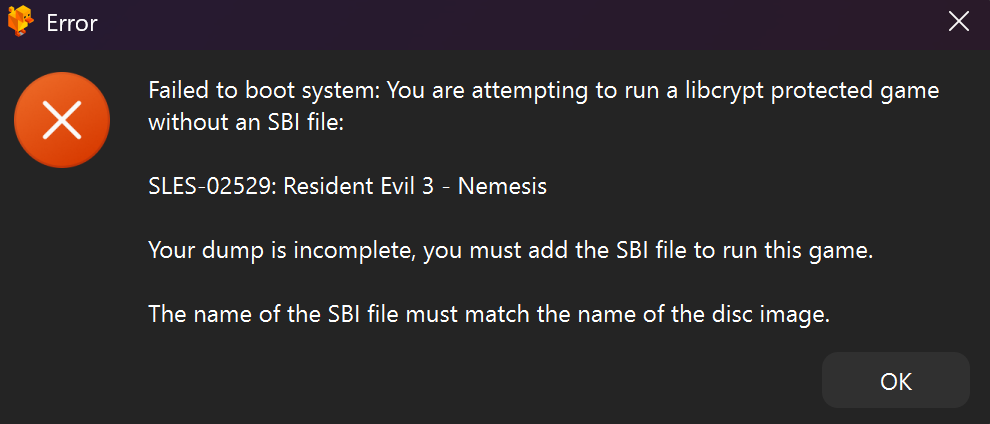
Failed to boot system: You are attempting to run a libcrypt-protected game without an SBI file (your dump is incomplete; you must add the SBI file to run this game). The name of the SBI file must match the name of the disc image.
This happens in DuckStation because the game you are trying to run uses LibCrypt copy protection, and your disc dump is missing the required SBI file. DuckStation aims for accurate emulation, so it enforces copy-protection checks instead of silently bypassing them. Without the SBI:
- The game may crash
- Hang at boot
- Or behave incorrectly later
Common scenarios where this error appears when the game was ripped from:
- ISO only
- BIN/CUE without subchannels
- Downloaded dumps are missing SBI
- Converted formats (e.g., BIN -> CHD) without preserving subchannel data
You will have to find the SBI file for the game (it should have the same name as the image of the game you're trying to emulate). You can find it on the web if you don't have one for each of the games; otherwise, if you configure the emulator in advanced settings not to don't use that file, the game will fail to run properly.

