

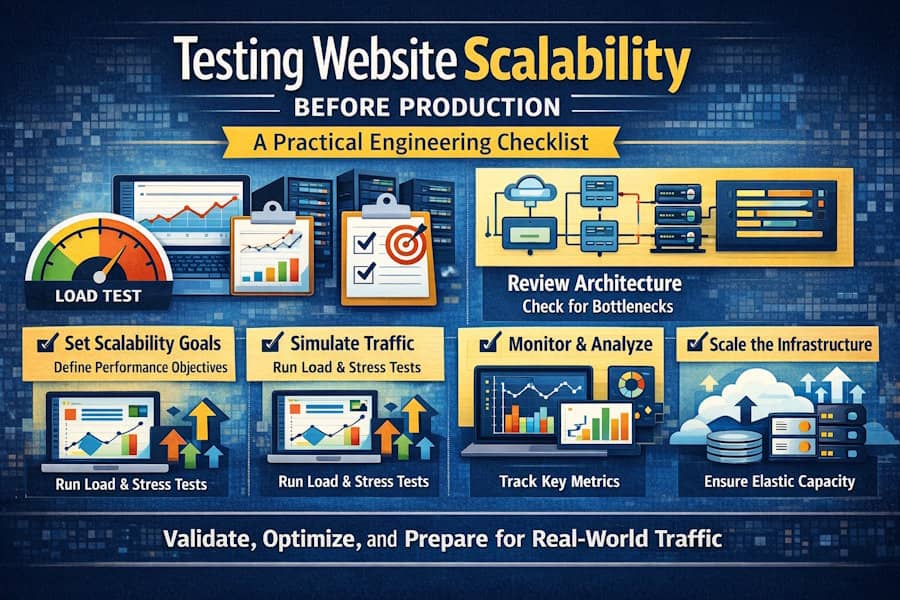
Launching a web application into production without validating its scalability is one of the most common and costly engineering mistakes. Functional correctness alone does not guarantee that a system will survive real world usage, traffic spikes, or long term growth. Scalability testing ensures that your application can handle increased load while maintaining acceptable performance, reliability, and user experience.
This article provides a practical engineering checklist for testing website scalability before production. It focuses on architecture, infrastructure, traffic simulation, monitoring, and failure handling. The objective is operational confidence rather than theoretical perfection.
1. Establish Clear Scalability Goals
Before running any tests, define what scalability means for your system. Vague objectives lead to misleading results.
Key questions to answer:
- How many concurrent users must the system support?
- What is the expected request rate in requests per second?
- What response time is acceptable under peak load?
- What level of error rate is tolerable?
- How much traffic growth is expected in the next 6 to 12 months?
These targets should be documented as Service Level Objectives. Every scalability test should validate whether these objectives are being met.
2. Review Application Architecture for Scalability Constraints
Scalability testing becomes more effective when architectural bottlenecks are addressed early.
Architecture checklist:
- Stateless application layers where possible
- Horizontal scaling support using multiple instances
- Proper session handling with cookies, Redis, or tokens
- Asynchronous processing for long running tasks
- Well defined caching strategy
Common warning signs include in memory sessions tied to a single instance, synchronous blocking I O, and tightly coupled services.
3. Validate Infrastructure Scalability
An application may be well designed but still limited by infrastructure constraints.
Infrastructure checklist:
- Load balancer configured and tested
- Auto scaling rules defined and validated
- Database scaling strategy such as read replicas or vertical scaling
- Correct connection pool configuration
- CDN enabled for static assets
Scaling events should not introduce downtime or data inconsistency.
4. Choose the Right Types of Scalability Tests
Each type of test answers a different question and should be used intentionally.
Load testing validates behavior under expected traffic levels.
Stress testing evaluates system behavior beyond its limits.
Spike testing measures reaction to sudden traffic surges.
Soak testing identifies performance degradation over time.
At a minimum, load and stress testing should be performed before production.
5. Use Realistic Traffic Simulation
Traffic simulations must reflect real user behavior to produce meaningful insights.
Best practices include simulating complete user journeys, mixing read and write operations, randomizing request timing, and respecting authentication flows. Synthetic traffic should never resemble uncontrolled request flooding.
Open source tools commonly used for realistic traffic simulation include Apache JMeter, k6, and Locust.
6. Test in a Production Like Environment
Scalability results are only valid if the test environment closely matches production.
Environment checklist:
- Same server specifications as production
- Identical database engine and version
- Comparable data volume
- Realistic network latency
- Matching configuration values
Testing on underpowered or simplified environments often leads to incorrect conclusions.
7. Monitor the Right Metrics
Without observability, scalability testing becomes guesswork.
Key metrics include response time percentiles, throughput, error rates, CPU and memory usage, database query latency, and cache efficiency. Monitoring tools such as Prometheus, Grafana, or cloud native solutions help correlate performance degradation with resource saturation.
8. Identify and Resolve Bottlenecks Iteratively
Scalability testing should be iterative rather than a one time activity.
Typical bottlenecks include inefficient database queries, missing indexes, thread pool exhaustion, slow serialization, and network saturation. Each optimization should be followed by a new test cycle to validate impact.
9. Test Failure Scenarios Explicitly
A scalable system must fail predictably and recover gracefully.
Failure testing should include database outages, instance termination during load, network latency injection, and rate limit exhaustion. Verify that errors are handled gracefully, alerts are triggered, and recovery mechanisms function as expected.
10. Automate Scalability Tests in CI CD Pipelines
Manual scalability testing does not scale with development velocity.
Automated tests help detect performance regressions early, enforce performance budgets, and provide historical benchmarks. While not all stress tests need to run on every commit, baseline load tests should be automated.
11. Document Results and Decisions
Scalability testing without documentation leads to repeated mistakes.
Document test configurations, discovered bottlenecks, mitigation decisions, known system limits, and capacity assumptions. This documentation becomes invaluable during incidents and future scaling efforts.
Conclusion
Testing website scalability before production reduces uncertainty and risk. A checklist driven engineering approach helps teams identify limits early, validate assumptions, and deploy with confidence.
Scalability is an ongoing process. As systems evolve and traffic patterns change, continuous testing ensures sustainable growth instead of unexpected failures.

