


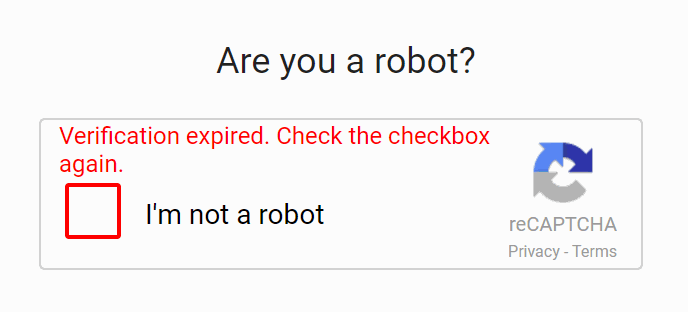
As we saw in previously articles, it is possible to verify when the Google Server returns a response with the information about if the user is a robot or not through a simple callback. Well, sometimes your user may check the reCAPTCHA and the verification will succeed, however the verification will expire after some time and you will need to start over if this occurs. You will be notified if the verification expires:
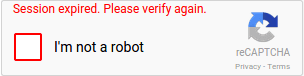
You can be notified when this happens through another callback namely expired-callback. This callback can be added in 2 ways according to the way you work:
With Markup and JS
If you follow the typical implementation of recaptcha, using markup attributes to initialize it, then you can add the expired-callback property with the name of the function that will be executed when the recaptcha expires:
<!-- Google Recaptcha -->
<script src="https://www.google.com/recaptcha/api.js" async defer></script>

<!--
    Div of the recatpcha element with parameters:
    Here you will add the callback when expires as
    `data-expired-callback`
-->
<div class="g-recaptcha" data-sitekey="your_site_key" data-expired-callback="recaptchaExpired"></div>

<script>
    // Define a callback that is executed when the recaptcha has expired
    function recaptchaExpired(){
        alert("Your Recaptcha has expired, please verify it again !");
    }
</script>
With JavaScript rendering
If you don't create your recaptcha via markup automatically with the Google Script, then you can add the callback as a property in the initialization object:
<!-- Google Recaptcha -->
<script src="https://www.google.com/recaptcha/api.js" async defer></script>

<!-- Div of the recatpcha element -->
<div id="id-of-recatpcha-div"></div>

<script>
    // Define a callback that is executed when the recaptcha has expired
    var onRecaptchaExpired = function () {

        alert("Your recatpcha has expired, please verify again ...");
        // You can reset it automatically if you want
        // grecaptcha.reset();
    };

    grecaptcha.render('id-of-recatpcha-div', {
        'sitekey': 'your-site-key',
        'expired-callback': onRecaptchaExpired
    });
</script>
Happy coding !

