

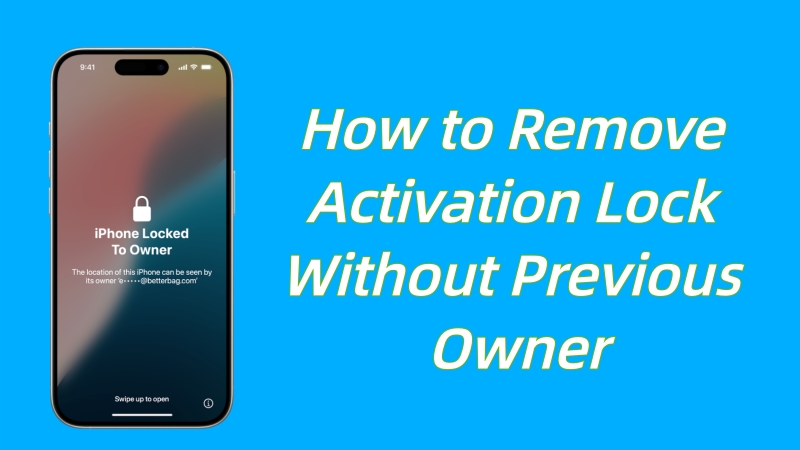
Buying a second-hand iPhone or iPad might be a good choice, but when you see the annoying Activation Lock screen and receive a prompt saying "iPhone Locked To Owner", the situation will get worse. You will find yourself staring at an interface that requires you to enter linked Apple ID and password, but you have no idea about these details. As a result, you end up locking yourself out of the device. If you can't contact the previous owner, don't panic. This guide will explain how to remove activation lock without previous owner, including exploring Apple official support, professional iPhone unlocker, and DNS bypass without a computer.
Solution 1: Ask Apple Official Support
How to remove activation lock without previous owner free? Hopefully, if you are the legal owner of the device and have proof of purchase, you don't need to rely on the previous owner. Apple offers a direct support portal to handle these requests for free. This helps you completely remove the iCloud lock from Apple's servers, allowing you to use the device again.
What You Need:
- The device's Serial Number or IMEI
- Valid Proof of Purchase: A photo of the original sales receipt showing the date, store information, and serial number
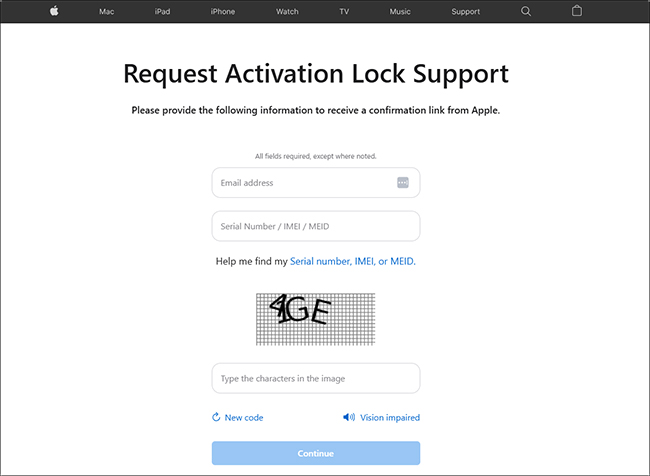
Step 1: Go to the official portal: Activation Lock Support Page.
Step 2: Scroll down and click “For a personally owned device”.
Step 3: Enter your email address and the device's Serial Number/IMEI/MEID.
Step 4: Upload the photo of your proof of purchase when prompted.
Step 5: Submit the request. Apple will review it (usually takes 3–10 days). If approved, the Activation Lock is permanently removed remotely.
Note: If your device is in Lost Mode (reported stolen), Apple will deny the request immediately.
Solution 2: Use Professional TunesKit iPhone Unlocker
Most users buying second-hand devices do not have the original receipt. If you are stuck in this situation, the official Apple method is a dead end. This is where TunesKit iPhone Unlocker becomes the best solution. It is a professional tool designed to bypass the activation screen without a password or previous owner information. It is effective in various scenarios, such as iPhone has been lost, could not activate iPhone, iPhone locked to owner, activation error, forgot iCloud activation credentials, etc.
Why Choose TunesKit iPhone Unlocker?
- No Password Needed: Bypass activation lock even if you have no information about the previous owner.
- High Success Rate: Work well on a wide range of iPhone and iPad models.
- Instant Access: No waiting days for Apple support to reply.
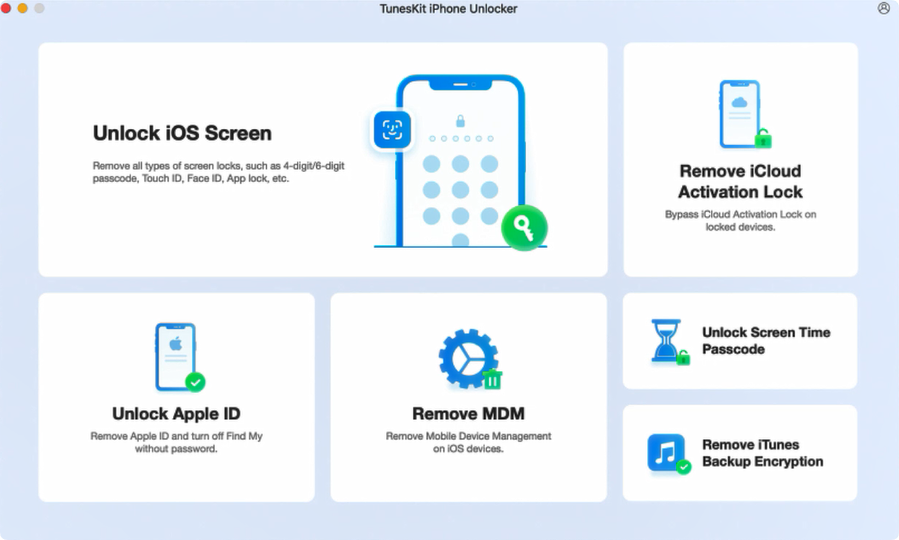
Step 1. Download TunesKit iPhone Unlocker from the official website. Once installed, launch the program and select "Remove iCloud Activation Lock" from the main menu.
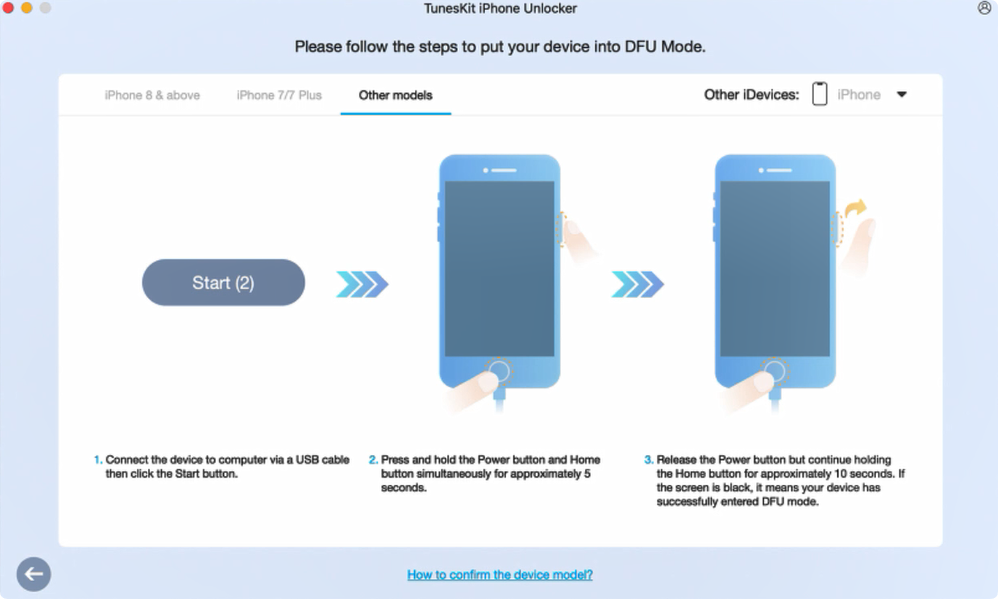
Step 2. Connect your locked iPhone or iPad to the computer using a USB cable. Click the "Start" button. The software will automatically detect your device and place it into recovery mode. Then follow the on-screen instructions to manually boot the device into DFU mode.
Step 3. Once the device is in DFU mode, the program will automatically begin the jailbreaking process. Wait for this to finish.
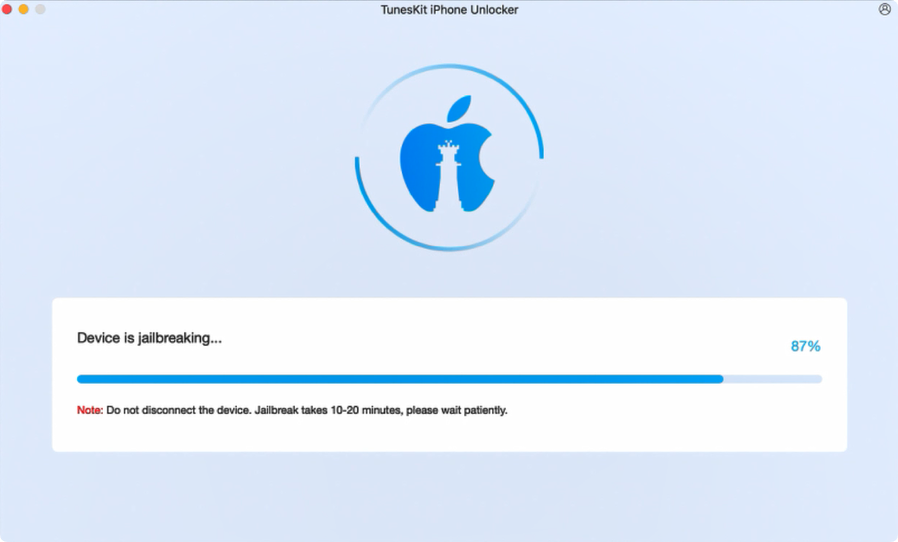
Step 4. After the jailbreak is complete, click "Start Removal". TunesKit iPhone Unlocker will enter reboot the device and place it into Recovery Mode again. After enter DFU mode, this program will start to remove activation lock without previous owner.
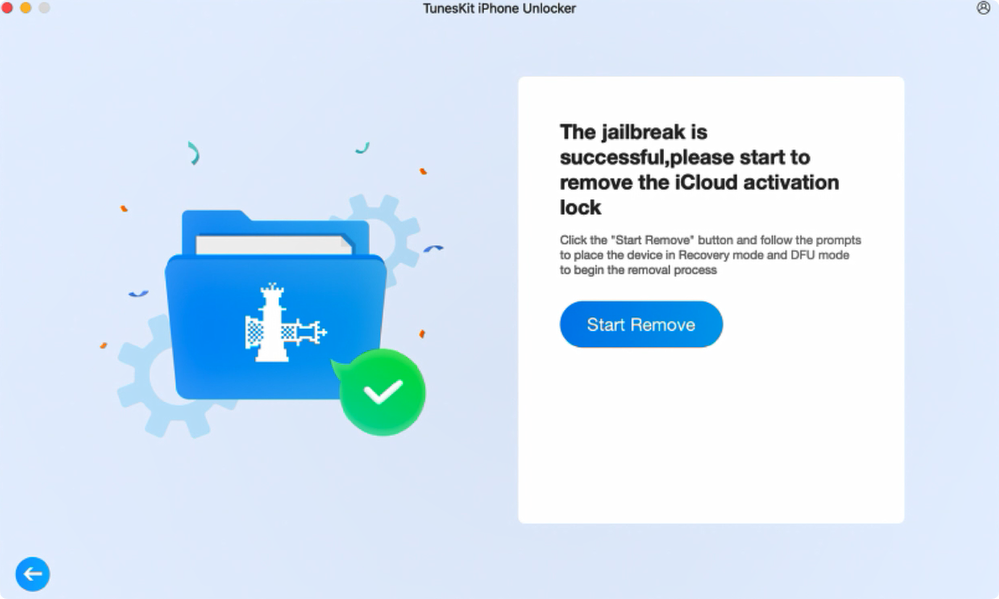
Step 5. Wait a few minutes, the Activation Lock screen will be bypassed on your device. You can now set up and use the device normally for Wi-Fi, apps, and media.
Solution 3: DNS Bypass
How to remove activation lock without previous owner without computer? No worries. If you don't have a computer at hand or just want a quick way to browse the web on an older device, you can try the DNS Bypass method. This technique involves changing the Wi-Fi settings to make the iPhone mistakenly believe it is connected to a virtual server instead of Apple's activation server. This method does not completely remove the device's activation lock, but it allows you to watch videos, play games and browse the web.
Prerequisites:
- Work best on older iOS versions (iOS 12-14)
- Require a Wi-Fi connection
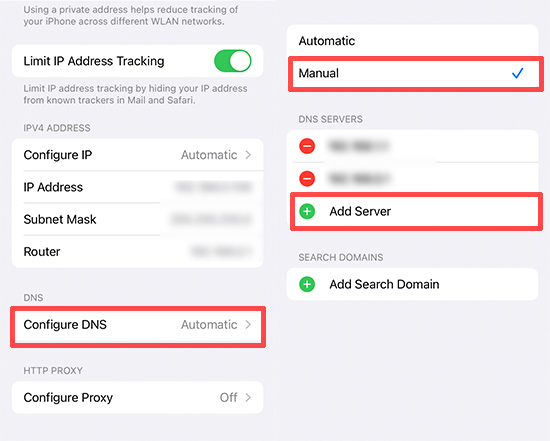
Step 1. Restart the iPad or iPhone. When the device boots up, proceed through the initial on-screen prompts until you reach the Wi-Fi setup screen.
Step 2. Locate your Wi-Fi network in the list. Tap the "i" icon located to the right of the network name.
Step 3. Tap Configure DNS and change the setting from Automatic to Manual.
Step 4. Tap “+Add Server” and enter the specific IP address that corresponds to your current region:
- USA: 104.154.51.7
- South America: 35.199.88.219
- Europe: 104.155.28.90
- Asia: 104.155.220.58
- Australia and Oceania: 35.189.47.23
- Other: 78.100.17.60
Step 5. Save the configuration and connect to the Wi-Fi. Once connected, the device will begin the activation process. Tap the Back button. This should redirect you to a special portal screen, allowing you to bypass the standard lock and access the device.
Frequently Asked Questions (FAQ)
Q1: Can I remove the Activation Lock by resetting the iPhone?
A: No. Factory resetting an iPhone does not remove Activation Lock. In fact, resetting a device is often what triggers the lock in the first place if the Apple ID wasn't removed beforehand.
Q2: Is there a way to remove activation lock without previous owner free?
A: Yes, the only legitimate free method is the official Apple Support request. However, this strictly requires valid proof of purchase.
Q3: Does DNS bypass method remove activation lock permanently?
A: No. The DNS bypass method is a temporary workaround. If you restart the device or leave the Wi-Fi range, you will have to repeat the steps. It is useful for basic tasks but is not an ultimate solution.
Conclusion
Though it seems difficult to remove activation lock without previous owner, but not impossible. If you have the receipt, Apple Support is your top priority. If you are stuck with a second-hand device and lack of credential information, TunesKit iPhone Unlocker offers a reliable, safe, and fast solution to get your device activated again. Choose the method that fits your situation and enjoy your unlocked device.

