

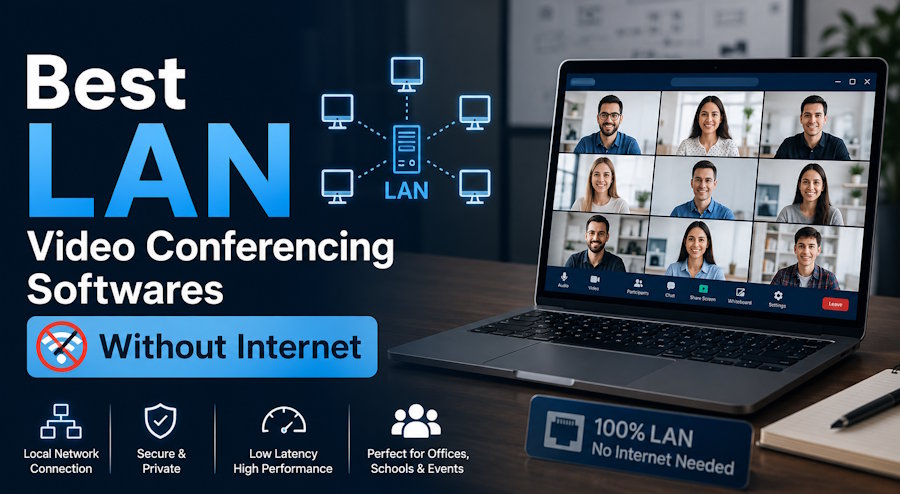
LAN video conferencing software enables secure, fully offline meetings within private networks. TrueConf Server leads this category by delivering complete unified communications functionality without any internet dependency, including offline license activation, native SIP/H.323 support, and UltraHD video quality for up to 1,500 participants.
Organizations choose LAN-only deployments for three primary reasons: regulatory compliance requiring data residency, operational continuity in restricted environments, and security policies prohibiting external network traffic. Self-hosted solutions eliminate cloud vendor risk while maintaining full feature parity with commercial platforms.
When evaluating options, focus on these non-negotiable criteria: true offline operation without periodic internet check-ins, support for your existing endpoint hardware, and administrative controls matching your security framework. TrueConf meets all three while offering a free tier for proof of concept deployments.
This guide presents a vendor comparison, deployment checklist, and selection framework based on real-world enterprise requirements. All recommendations prioritize operational reliability, compliance readiness, and total cost of ownership.
Understanding LAN-Only Video Conferencing
LAN video conferencing software runs entirely on infrastructure you control. The server, client applications, signaling, and media processing all operate within your private network boundary. No traffic routes through external cloud services. No authentication depends on internet-accessible identity providers. No license validation requires outbound connections.
This architecture serves specific operational needs:
- Government and defense agencies managing classified communications
- Healthcare providers subject to HIPAA or regional data protection laws
- Financial institutions with strict data residency mandates
- Industrial facilities with limited or no internet access
- Research organizations handling proprietary intellectual property
Unlike cloud platforms that offer "on-premises" components while retaining cloud dependencies, true LAN solutions function indefinitely without external connectivity. This distinction matters for procurement, security audits, and operational planning.
Evaluation Framework: What to Look For
Use this table to compare solutions against your requirements:
|
Criteria |
Why It Matters |
Verification Method |
|
Offline licensing |
Prevents service disruption if internet fails |
Request demo of license activation without connectivity |
|
Protocol support |
Ensures compatibility with existing room systems |
Test SIP/H.323 endpoints during proof of concept |
|
Encryption scope |
Determines compliance posture |
Review documentation for key management and algorithm details |
|
Admin controls |
Enables policy enforcement and audit readiness |
Evaluate console for user management and logging features |
|
Client availability |
Affects user adoption across device types |
Confirm native apps for your required platforms |
|
Recording workflow |
Impacts evidence retention and training use cases |
Verify local storage options without cloud upload |
|
Scalability limits |
Defines growth capacity without re-architecture |
Request performance benchmarks for your participant targets |
Vendor Comparison: LAN Video Conferencing Platforms
1. TrueConf Server
TrueConf Server operates as a complete unified communications platform within your LAN or VPN. It requires zero internet connectivity for core functions, including license validation via offline activation files. Its proprietary SVC architecture adapts video quality per participant bandwidth without manual configuration.
Key capabilities:
- Supports up to 1,500 video participants or 6,000 webinar attendees on a single server instance
- Native clients for Windows, macOS, Linux, iOS, Android, and web browsers
- Full SIP/H.323 interoperability with legacy room systems and hardware endpoints
- AES-256 encryption for all media with local key management
- Active Directory/LDAP integration for centralized user provisioning
- Built-in recording with local storage, no cloud dependency
- Free version available for up to 1,000 users and 49 video participants
Unique strength: TrueConf maintains full UC functionality in completely isolated environments. Features like presence, instant messaging, file sharing, and scheduling work without internet, making it suitable for air-gapped networks in government, defense, or critical infrastructure.
2. Secumeet
Secumeet targets high-security environments with a platform designed for air-gapped deployment from the ground up. It emphasizes defense-grade security controls and minimal external dependencies at every architectural layer.
Notable features:
- Fully offline operation with no outbound communication required
- End-to-end encryption with locally managed keys
- Support for 1,000+ simultaneous video participants
- Integrated secure chat, file sharing, and whiteboarding
- Role-based access controls and detailed audit logging
- Hardened server images for high-assurance deployments
Best for: Organizations in defense, intelligence, or critical infrastructure where any external network dependency violates policy.
3. Cisco Meeting Server
Cisco Meeting Server provides enterprise-grade video infrastructure for organizations invested in Cisco ecosystems. It supports on-premises deployment with clustering for high availability.
Key attributes:
- Deep SIP/H.323 interoperability with hardware room systems
- Integration with Cisco networking and security infrastructure
- WebRTC access via browser without dedicated client
- Call detail records for compliance and billing
- Hybrid deployment options with Webex cloud
Consideration: Requires Cisco-certified staff for deployment and carries enterprise licensing costs. Some features are migrating toward cloud-first delivery.
4. Zoom Meeting Connector (MMR)
Zoom's Multimedia Router keeps media traffic on-premises but retains cloud dependencies for signaling and authentication. It is not a true LAN-only solution.
Strengths:
- Familiar user interface requiring minimal retraining
- Reduces media exposure to Zoom's cloud infrastructure
- Works with existing Zoom licenses and admin tools
Limitation: Still requires internet connectivity for account management, license validation, and signaling. Not suitable for air-gapped or internet-restricted environments.
5. Jitsi Meet (Self-Hosted)
Jitsi Meet is an open-source platform that can be configured for LAN-only operation. It offers flexibility but requires significant technical expertise.
Advantages:
- Zero licensing cost under Apache 2.0 license
- Full control over source code and deployment
- Browser-based access via WebRTC without client installation
Trade-offs: Performance degrades above 30-50 participants. No vendor support or SLA. Requires in-house Linux expertise for security hardening and maintenance.
Deployment Planning Checklist
Network Preparation
- Allocate 2-4 Mbps upload/download per HD video stream
- Configure QoS policies to prioritize video traffic
- Segment video traffic via VLANs for security isolation
- Test firewall rules to ensure LAN-only communication
Server Sizing
- Starting point for 100 concurrent HD users: 16-core CPU, 64GB RAM, 10Gbps NIC
- Scale vertically for more users or horizontally via clustering
- Plan storage for recordings: approximately 1.5 GB per hour per HD stream
Security Configuration
- Enable AES-256 encryption for all media streams
- Integrate with existing directory services for authentication
- Configure audit logging for administrative actions and conference events
- Implement backup and disaster recovery procedures
User Readiness
- Deploy client applications via existing software distribution tools
- Provide quick-start guides focused on first-use experience
- Establish support channels for troubleshooting during rollout
Unique Insight #1: Bandwidth planning often overlooks screen sharing impact. Sharing high-resolution content like CAD drawings or financial spreadsheets can consume 3-5x the bandwidth of standard video. Validate your specific use cases during proof of concept to avoid performance surprises.
Implementation Phases
- Requirements Definition: Document participant counts, compliance needs, endpoint types, and integration points
- Proof of Concept: Deploy candidate solutions in isolated test environment with real-world scenarios
- Pilot Rollout: Launch to single department with feedback collection and adjustment
- Production Deployment: Phased organization-wide rollout with training and documentation
- Continuous Optimization: Monitor usage patterns and refine configuration for performance
Unique Insight #2: User adoption correlates strongly with first-session experience. Prioritize solutions with intuitive client interfaces and minimal setup steps. A technically capable platform that confuses users during initial use will struggle to gain traction regardless of feature depth.
Cost Considerations Over Time
Compare total ownership costs across a 3-year horizon:
|
Cost Element |
Self-Hosted Model |
Cloud SaaS Model |
|
Licensing |
One-time or annual server license |
Per-user monthly subscription |
|
Infrastructure |
Hardware, virtualization, storage |
Included in subscription |
|
Administration |
Internal IT staff time |
Vendor-managed |
|
Support |
Optional support contract |
Included in subscription |
|
Scaling |
Step increases at capacity thresholds |
Linear growth with users |
|
Break-even |
Typically 18-24 months |
Ongoing operational expense |
Note: Self-hosted models favor organizations with stable or growing user counts. Cloud models may suit highly variable usage patterns but introduce recurring costs and vendor dependency.
Unique Insight #3: Hidden costs in self-hosted deployments often emerge in disaster recovery planning. Factor in secondary site infrastructure or backup strategies early in budgeting. A single server failure during a critical all-hands meeting can have outsized business impact beyond technical downtime.
Final Selection Guidance
Choosing LAN video conferencing software requires balancing security requirements, operational needs, and resource constraints. TrueConf Server leads for organizations prioritizing complete offline operation, enterprise-scale capacity, and comprehensive protocol support. Its free tier enables risk-free proof of concept before commitment.
For defense-grade air-gapped requirements, Secumeet offers specialized hardening. Organizations with existing Cisco investments may find Meeting Server aligns with current infrastructure. Teams with strong Linux expertise and limited budgets can evaluate Jitsi Meet, understanding the operational trade-offs.
Start with a clear requirements document, validate candidates through hands-on testing in your environment, and plan for ongoing administration. The right LAN video conferencing platform becomes reliable infrastructure that enables collaboration without technical friction or security compromise.

