

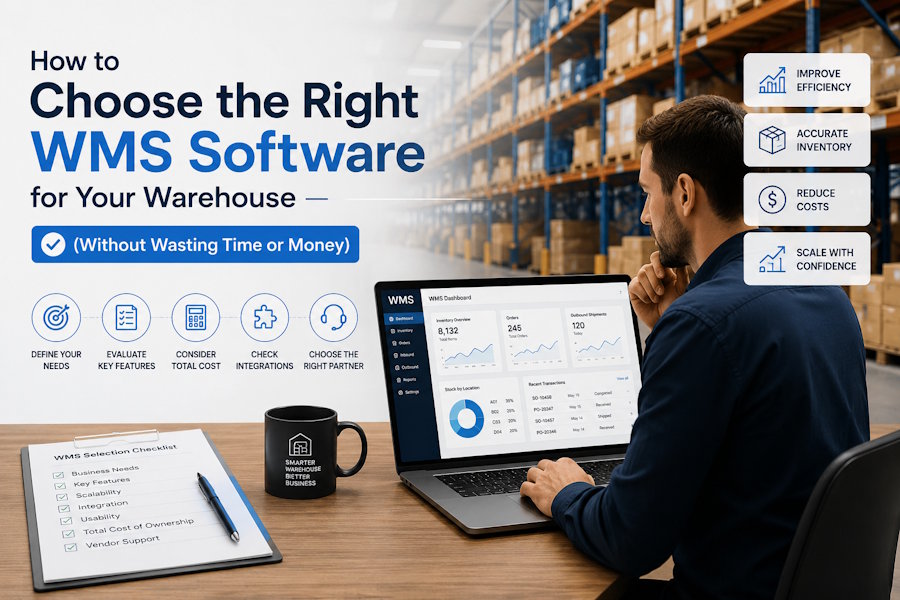
A warehouse can look organized on paper and still fall apart in real operations. Stock goes missing, orders get delayed, teams argue over inventory numbers, and managers end up relying on spreadsheets that are already outdated the moment they’re updated.
Most of these problems don’t come from “bad teams.” They come from using systems that were never designed to handle real warehouse pressure.
That’s where a Warehouse Management System (WMS) comes in. But here’s the part many businesses realize too late: choosing the wrong WMS can create even more problems than not having one at all.
This guide breaks down how to choose the right WMS in a practical way—based on how warehouses actually work, not how software brochures describe them.
What a WMS really means in day-to-day operations
A WMS is not just software that tracks inventory. In practice, it becomes the control system for everything happening inside the warehouse.
It decides:
- where stock is stored
- how orders are picked
- how fast items move
- how accurate inventory records are
- how smoothly shipping runs
If the system is weak, every step becomes manual and inconsistent. If it’s well chosen, operations feel structured even when order volume increases.
A simple way to think about it:
A WMS is the system that connects physical warehouse movement with digital records in real time.
That connection is what prevents chaos.
Start with your warehouse reality, not software features
Most businesses make the same mistake: they start comparing software before clearly understanding their own operations.
Before looking at any WMS, you need clarity on:
Order volume
- How many orders per day?
- Is it stable or seasonal?
Product complexity
- Few SKUs or thousands?
- Small items or bulky goods?
Sales channels
- E-commerce (Shopify, Amazon, etc.)
- Wholesale/B2B orders
- Mixed model
Warehouse structure
- Single warehouse or multiple locations?
- Manual or partially automated?
5. Current problems
- Inventory mismatch?
- Slow picking?
- Shipping delays?
- Human errors?
These answers matter more than any feature list. A WMS that works perfectly for a small e-commerce store may completely fail in a multi-warehouse B2B setup.
Core WMS features that actually matter in real operations
Many software vendors promote long feature lists. But in real warehouses, only a few functions make a real difference.
Real-time inventory tracking
If inventory updates are delayed, everything else breaks.
You need:
- instant stock updates after scanning
- accurate location tracking
- prevention of double-selling or over-picking
Without this, no system is reliable.
Barcode or scanning system
Manual entry doesn’t scale.
A proper WMS should support:
- barcode scanning
- handheld devices or mobile scanning
- fast item verification
Scanning is what reduces human error and speeds up operations.
Picking logic (very important)
This is where efficiency is either gained or lost.
Look for:
- batch picking (multiple orders together)
- wave picking (grouped by time or zone)
- zone picking (warehouse divided into sections)
A weak picking system leads to wasted walking time and slow order fulfillment.
Shipping integration
A WMS should connect directly with:
- courier services
- shipping labels
- tracking numbers
- dispatch updates
Without this, your team ends up switching between systems and manually entering data.
Basic reporting
You don’t need 50 dashboards.
You need clear answers to:
- what is selling
- what is stuck in inventory
- where delays are happening
- how fast orders are processed
Simple, clear reporting is more valuable than complex analytics.
Integration is where most WMS projects fail
A WMS does not work alone. It must connect with other systems.
If it cannot integrate properly, you will end up with manual work again.
Key integrations to check:
- Online stores (Shopify, Amazon, WooCommerce)
- ERP systems
- Accounting tools
- Courier and logistics platforms
- Internal databases or APIs
A system that cannot integrate cleanly becomes an expensive data-entry tool.
Ease of use is more important than features
This is one of the most ignored factors.
A warehouse is not a software lab. Your users are:
- pickers
- packers
- supervisors
- loaders
If they struggle with the system, everything slows down.
A good WMS should:
- require minimal training
- work with simple scan-based steps
- reduce clicks and manual input
- guide users clearly through tasks
If training takes weeks, the system is too complex for daily use.
Scalability: what happens when your business grows?
A system might work perfectly today but fail when your operations expand.
You should ask:
- Can it handle double or triple order volume?
- Can it support multiple warehouses later?
- Can it manage more SKUs without slowing down?
- Can new users be added easily?
Scalability is not about size only—it’s about performance under pressure.
Many businesses end up replacing WMS systems within 2–3 years because they didn’t plan for growth early.
Cost is not just the subscription fee
A common mistake is comparing WMS platforms based only on monthly cost.
Real cost includes:
Setup cost
Initial configuration and deployment
Training cost
Time spent teaching staff
Hardware cost
Scanners, mobile devices, printers
Integration cost
Connecting systems properly
Customization cost
Extra features not included in base package
Support cost
Ongoing technical help
A “cheap” system can become expensive if it requires constant manual work or paid upgrades.
Vendor evaluation: what you should actually test
Marketing pages don’t show real performance. A proper evaluation should include a live test.
Ask vendors to demonstrate:
Your actual workflow
Not generic demos. Use your real process:
- receiving stock
- storing inventory
- picking an order
- packing
- shipping
Error handling
What happens if:
- wrong item scanned?
- stock is missing?
- order partially fulfilled?
Speed under load
Can the system handle multiple users at once?
Support quality
Ask:
- response time
- support channels
- availability
Real case studies
Look for businesses similar to yours, not unrelated industries.
Common mistakes businesses make when choosing WMS
Many failed WMS implementations follow the same patterns:
Choosing based on popularity
A big brand does not always mean the right fit.
Ignoring warehouse staff input
The people using the system daily are often not consulted.
Overbuying features
Paying for advanced tools that are never used.
Not testing real operations
Demos are accepted without real workflow testing.
Underestimating training time
A system is only effective if people can use it comfortably.
A simple way to compare WMS options
Instead of guessing, use a structured comparison.
Rate each system out of 10:
- Workflow fit
- Ease of use
- Inventory accuracy
- Integration capability
- Reporting quality
- Scalability
- Cost efficiency
- Support quality
Then compare totals.
The goal is not to find the “best software in the market,” but the one that fits your operation with the least friction.
Final thoughts
A WMS is not just a tool you install. It becomes part of how your warehouse thinks and operates.
The right choice is rarely the most advanced system or the cheapest one. It is the one that:
- fits your workflow
- is easy for your team to use
- integrates with your existing tools
- can grow with your business
- keeps operations accurate under pressure
If a system reduces confusion instead of adding it, that’s usually the right one.
Because in warehouse operations, the real goal is simple:
Less manual work, fewer errors, and faster movement from stock in to stock out.

