

I have used many image-to-text converters, and most of them worked well. However, whenever I tried to upload multiple images at once, some of them asked me to purchase premium or displayed a pop-up stating that bulk processing can’t be done.
So, I started looking for an OCR tool that let me extract text from multiple images for free, and guess what, I found a tool called ImagetotextOCR.com. This free image to text converter allows users to retrieve text from several images without sign-up or a premium subscription.
Today, I’m going to give an honest review of ImageToTextOCR and assess its accuracy and efficiency for bulk image processing.
What is ImageToTextOCR?
ImageToTextOCR is a well-known and trusted OCR tool that can be used to convert text from images and PDFs. It uses the latest optical character recognition (OCR) technology to analyze text in images and convert it into an editable version.
It’s a completely free image to text converter where you can process multiple images at a time. Along with that, its unique text formatting feature allows you to format the extracted text as you like. For instance, if there are bullets or tables in the image, you can use “Formatted OCR” to retrieve text in the same style. But you must create a free account to use this feature.
There are also some other useful features you will find in ImageToTextOCR, which I’m going to list out next.
How to Use it?
I find ImageToTextOCR very easy to use. Here’s how I used it to convert text from images.
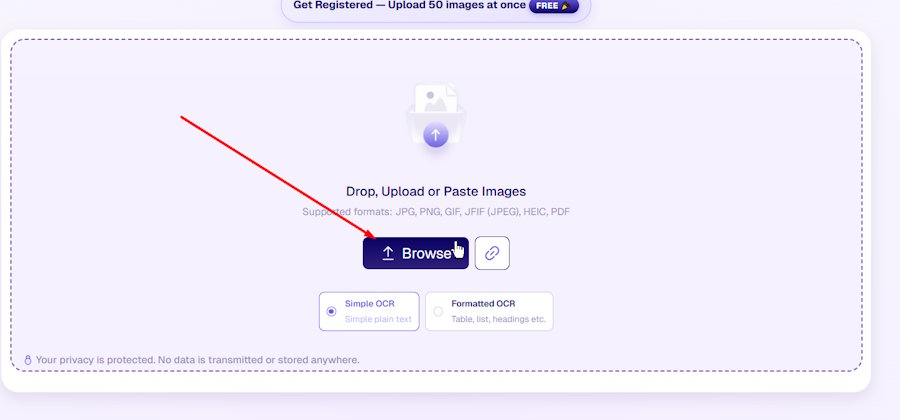
- I clicked on the input box, and it opened my device storage. From there, I picked multiple images and uploaded them into the tool.
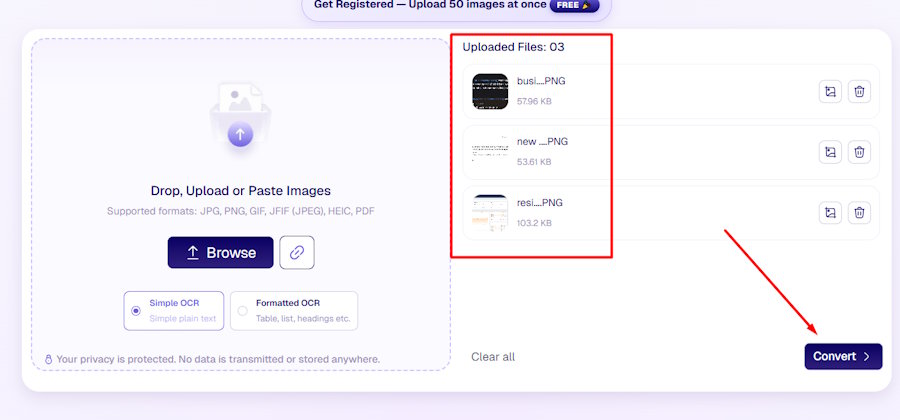
- Next, I clicked the “Convert” button, and it automatically initiated the process and extracted text for me.
- Once the tool was done, it gave me the text and provided me with the option to either copy it to the clipboard or download it in the TXT or DOCX format.
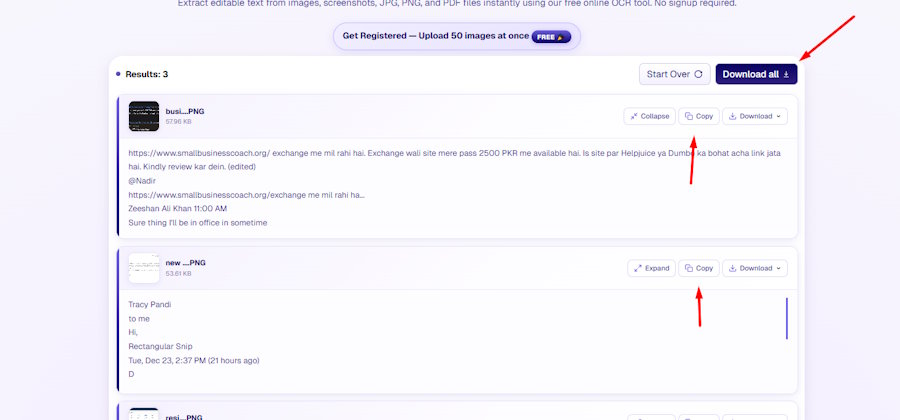
With these three simple steps, I utilized ImageToTextOCR and extracted text from 3 images at a time.
Key Features of ImageToTextOCR
Powered with Latest OCR
Pretty sure that ImageToTextOCR uses the state-of-the-art OCR technology to process and extract text from images. It ensures accurate and fast results even if you upload bulk images at the same time.
Multiple Uploading Options
You not only get to upload images from the gallery. You can also copy/paste pictures or directly import them through a URL and extract text from them. This makes it much easier because you don’t have to save images on the device.
No Registration Needed
The best feature for me was its no-signup usage. I simply opened ImageToTextOCR and extracted text from images. Even after uploading multiple images, it didn’t ask me to first create an account.
Process PDF Files
You can also extract text from PDFs and retrieve text in just seconds. In case you have restricted PDFs from which you can’t copy text, then simply upload it into this free image to text converter, and it will give you the editable version.
No Premium Subscription
There is no premium plan provided in such an advanced and sophisticated image to text converter. Besides, they don’t even ask for money in order to maintain the website.
50 Images for Free
If you are dealing with a lot of images and need to extract text from them, then simply create a free account on ImageToTextOCR. For registered users, the limit will be increased to 50 images at a time, and there’s no need to pay a cent for it.
How Efficient It Is for Bulk Images: Testing
Certain online image-to-text converters are not efficient or reliable enough for bulk processing. They may produce inaccurate text by extracting content from multiple images simultaneously.
That’s not the case with ImageToTextOCR. It uses AI and OCR together to understand text in each image and carefully retrieve text from them. During my test, I didn't notice any major recognition errors.
To show you how efficient this free image to text converter is for bulk processing, I’m going to upload 7 different images and see if it can really extract text from them without any mistakes.
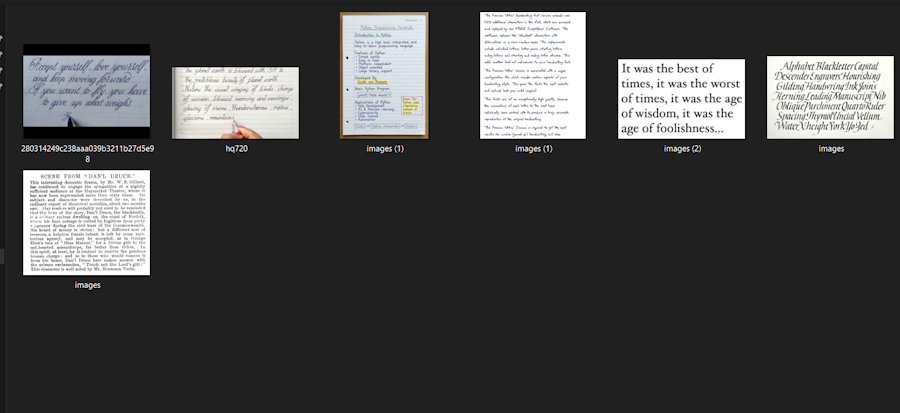
You can see 7 different text images that I will be using to test ImageToTextOCR.
Let’s upload these images into the tool and check the output.
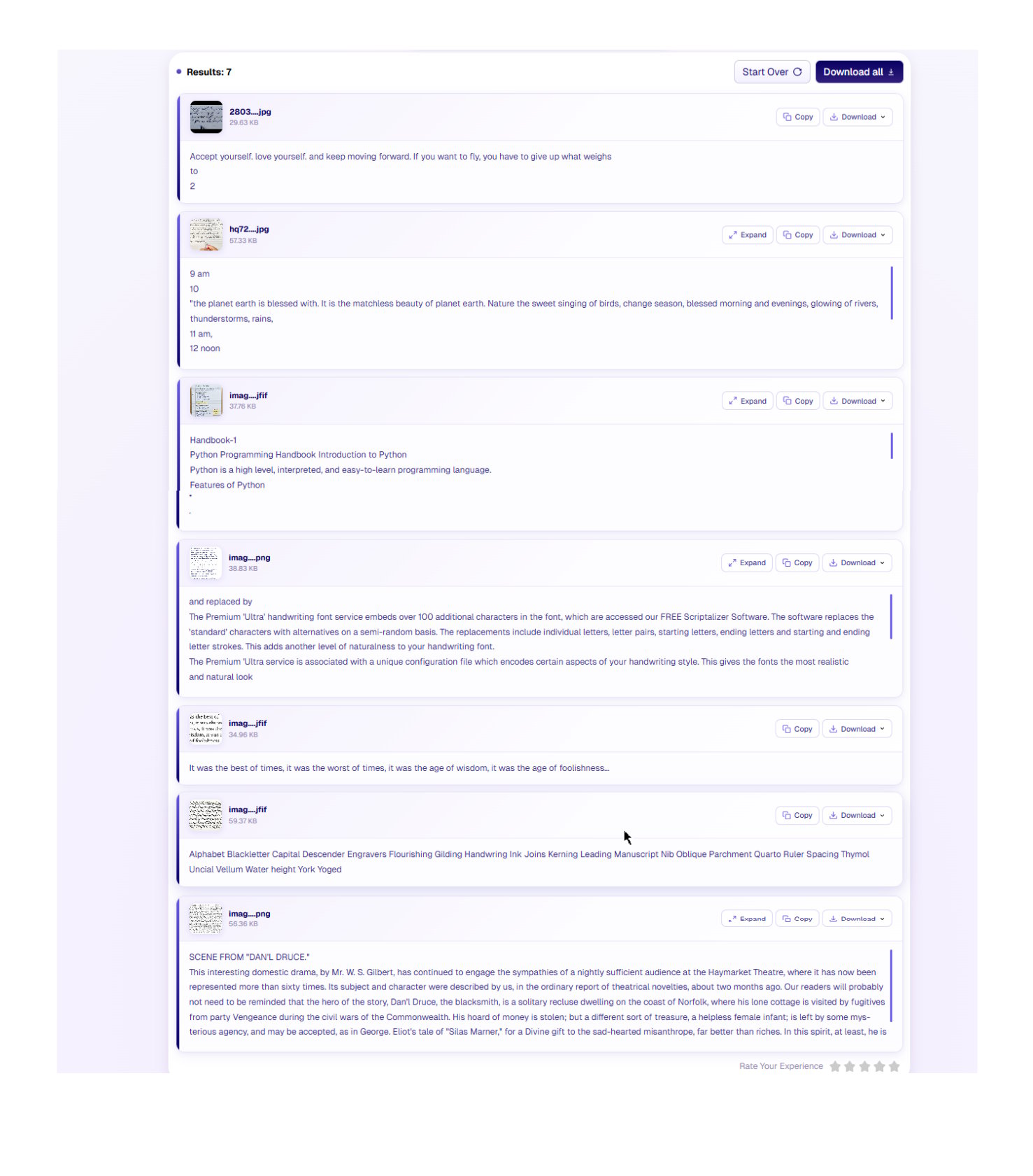
As shown in the above image, ImageToTextOCR extracted text from the provided images and displayed the resulting output.
ImageToTextOCR: Pros & Cons
|
Pros |
Cons |
|
Best for data entry persons to extract text from multiple images. |
Formatted output option requires signup. |
|
Doesn’t charge a single penny for any feature. |
No mobile app available. |
|
Simple and clean interface. |
|
|
Different OCR tools for specific tasks. |
|
|
Works on all devices: phone, desktop, and tablet. |
Final Thoughts
After testing ImageToTextOCR with multiple images, it proved to be a reliable and user-friendly OCR tool for everyday use. The extraction process was quick, the text accuracy was impressive, and the bulk processing feature worked smoothly without noticeable errors. The free usage, multiple upload options, and PDF support make it suitable for students, professionals, and regular users alike. Overall, if you need a simple and free image to text converter for bulk tasks, ImageToTextOCR is definitely worth trying.
FAQs About ImageToTextOCR
-
Does ImageToTextOCR extract text from handwritten images?
Yes, this free image to text converter can easily retrieve text from handwritten pictures. It also provides a dedicated Handwriting OCR that you can use specifically for retrieving text from such images.
-
What image formats are supported?
You can upload images in any format, like JPG, PNG, JPEG, HEIC, JFIF, and PDF, and extract text from them. Only the SVG file format is not supported.
-
Is my data and the images I upload safe?
ImageToTextOCR provides completely safe and secure usage. It does not save or share your personal information or uploaded images, so you can extract text from your images without any worry.

