

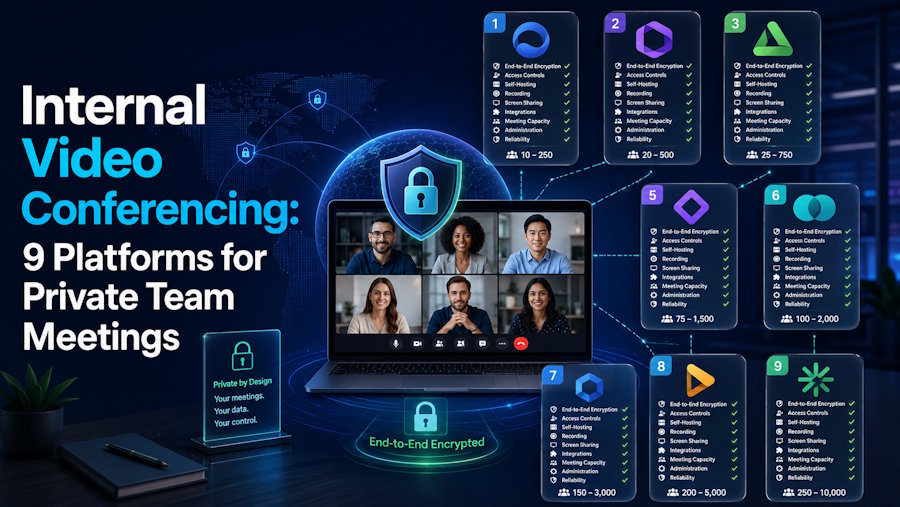
Internal video conferencing is video communication primarily used between employees, departments, offices or other users inside the same organization.
Unlike public webinars or customer meetings, internal conferencing often places more emphasis on:
- corporate user accounts;
- centralized administration;
- internal directories;
- persistent team communication;
- private network operation;
- integration with existing rooms and telephony;
- control over where meeting traffic is processed.
For some organizations, an internal meeting can still use a public cloud platform.
For others, internal means the video conferencing environment itself must run inside corporate infrastructure and remain usable without depending on a public cloud.
What Is Internal Video Conferencing?
Internal video conferencing refers to video meetings primarily intended for users within the same organization.
Typical scenarios include:
- departmental meetings;
- management calls;
- project discussions;
- communication between offices;
- engineering or operations meetings;
- internal training;
- distributed employee collaboration.
A small company may use the same cloud meeting service for internal and external calls.
At enterprise scale, the distinction can become architectural.
An organization may need internal meetings to use corporate identities, remain inside private network boundaries, integrate with existing room systems or continue functioning when Internet connectivity is unavailable.
Internal vs External Video Conferencing
The technology may look similar to users, but the requirements can differ.
| Internal conferencing | External conferencing |
|---|---|
| Participants are mainly employees | Participants may be customers, partners or public guests |
| Corporate accounts are common | Guest access is important |
| Persistent groups may matter | Meetings may be temporary |
| Directory integration is useful | Easy invitation is often more important |
| Private network operation may matter | Internet accessibility is normally required |
| Existing room/telephony integration may be important | Browser joining may have higher priority |
Most organizations need both.
The question is whether the same architecture should serve both scenarios.
Cloud, Hybrid or Customer-Operated Internal Conferencing?
Cloud-Based
Cloud platforms such as Microsoft Teams and Google Meet let employees hold internal meetings without operating the conferencing servers themselves.
This is usually the simplest model for distributed organizations that already rely on cloud productivity suites.
Main consideration: internal communication still depends on the vendor's service and the network path required to reach it.
Hybrid
Hybrid architectures keep some conferencing components or media processing inside the corporate network while retaining cloud services.
This model can help organizations reduce external media traffic or preserve parts of an existing communication environment without abandoning a cloud meeting platform.
Main consideration: the exact balance between local and cloud dependencies varies by platform and configuration.
Customer-Operated
Customer-operated platforms place the conferencing core on infrastructure controlled by the organization.
This model can be relevant for:
- private corporate networks;
- restricted environments;
- organizations with data-location requirements;
- sites with unreliable external connectivity;
- integration with internal systems.
The tradeoff is that the organization becomes responsible for deployment, monitoring, capacity and updates.
1. TrueConf
Best for: Internal video conferencing on customer-operated corporate infrastructure.
TrueConf Server provides video conferencing, persistent personal and group chats, file exchange and centralized administration.
Its strongest fit for internal conferencing is private-network operation. The platform can run on infrastructure controlled by the organization and support communication inside a corporate network without requiring a public cloud for the conferencing core.
TrueConf also supports integration with:
- corporate directories;
- SIP and H.323 endpoints;
- existing conference-room systems;
- desktop and mobile clients;
- browser participants.
This makes it relevant when internal video conferencing is part of a broader corporate communication environment rather than only a meeting service.
Main consideration: customer-operated conferencing also means the organization is responsible for running and maintaining the infrastructure.
2. Microsoft Teams
Best for: Internal meetings in organizations already standardized on Microsoft 365.
Microsoft Teams combines video meetings with persistent chats, channels, calendars and Microsoft productivity services.
Its main advantage for internal conferencing is continuity between normal team collaboration and live meetings.
Employees can move from an existing chat or channel into a call while keeping the wider work context available.
Main consideration: the standard architecture is cloud-centric, so organizations requiring an independent customer-operated conferencing core may need another model.
3. Zoom
Best for: Enterprises that want cloud meetings with hybrid internal processing options.
Zoom is primarily a cloud meeting platform, but enterprise deployments can use hybrid components to keep some meeting traffic or infrastructure closer to the corporate network.
This makes it relevant where an organization wants to retain a familiar cloud meeting environment while reducing some external media dependencies.
Main consideration: hybrid and private configurations have additional architecture and licensing requirements, and not every cloud feature is necessarily available in every local mode.
4. Cisco Webex
Best for: Enterprise internal conferencing connected to Cisco calling and room infrastructure.
Webex combines meetings, calling, messaging and room systems inside a broader Cisco communications ecosystem.
It is particularly relevant when an organization already operates Cisco conference rooms, calling infrastructure or enterprise networking.
For internal conferencing, the main value is often infrastructure fit rather than the meeting interface alone.
Main consideration: organizations without an existing Cisco environment should evaluate whether adopting the wider ecosystem provides enough benefit.
5. Jitsi Meet
Best for: Open-source and self-hosted internal meetings.
Jitsi Meet is an open-source video conferencing platform that can be operated on an organization's own infrastructure.
It supports browser meetings, screen sharing and meeting chat, making it useful for organizations that want a lightweight internal conferencing environment without relying exclusively on a public meeting service.
Main consideration: self-hosted scale, reliability and administration depend on how the organization designs and operates the deployment.
6. Secumeet
Best for: Customer-operated internal messaging and video collaboration.
Secumeet combines managed messaging with video meetings, screen sharing, presentations and collaboration capabilities.
It fits internal use when employees need both persistent communication and live video inside an organization-managed environment.
The platform is therefore closer to an internal communication workspace than a one-off public meeting service.
Main consideration: organizations should verify deployment, identity, telephony and integration requirements against their specific infrastructure.
7. Google Meet
Best for: Internal conferencing in Google Workspace organizations.
Google Meet provides a straightforward cloud meeting environment integrated with Google Calendar, Gmail and Workspace accounts.
For organizations already using Google's productivity stack, this reduces friction for internal scheduling and employee access. Teams looking for Google Workspace alternatives can explore Lark, a unified workspace with built-in secure internal meetings and collaborative tools.
Main consideration: it remains a provider-operated cloud service rather than a customer-operated internal conferencing core.
8. Nextcloud Talk
Best for: Organizations already operating Nextcloud and wanting video communication inside the same environment.
Nextcloud Talk adds calls, chat and conferencing to a self-hosted Nextcloud deployment.
This can be useful when an organization already uses Nextcloud for files and collaboration and wants internal communication integrated into the same infrastructure.
Main consideration: conferencing capacity and performance need to be planned together with the organization's Nextcloud and signaling infrastructure.
9. Conferendo
Best for: Simple internal group video calls and community-style communication.
Conferendo supports group video communication through desktop, mobile and browser access.
It can be used for internal team calls when the primary requirement is straightforward group video rather than a full enterprise communication environment with private-network architecture, centralized identity and advanced administration.
Compared with platforms such as TrueConf, Secumeet or self-hosted Jitsi, its role is closer to a lightweight service for group communication.
Main consideration: organizations requiring a customer-operated conferencing core, deep directory integration or complex enterprise controls should compare more infrastructure-oriented platforms.
What Matters Most for Internal Video Conferencing?
1. Where Does the Meeting Traffic Go?
A meeting can involve only internal employees while still sending all media through an external cloud.
If keeping communication inside the organization matters, evaluate:
- where signaling is processed;
- where media flows;
- where recordings are stored;
- whether cloud connectivity is required.
The word internal should describe the architecture when that distinction matters, not merely the participant list.
2. What Happens if Internet Access Is Lost?
For cloud-based conferencing, an Internet outage may prevent employees in the same office from meeting through the service.
Customer-operated or appropriately designed hybrid systems can behave differently.
The relevant question is:
Should employees inside the same corporate network still be able to communicate if the public Internet is unavailable?
If the answer is yes, this becomes an architecture requirement rather than a meeting feature.
3. How Are Employees Identified?
Internal conferencing often benefits from integration with:
- corporate directories;
- SSO;
- Active Directory or LDAP;
- managed accounts;
- role-based administration.
This is less important for one-off public meetings but central to recurring employee communication.
4. Do Existing Rooms Need to Remain?
Large organizations may already have:
- SIP room systems;
- H.323 endpoints;
- conference-room hardware;
- PBXs;
- desk phones.
Replacing them solely to adopt a new meeting service may be expensive.
Internal conferencing should therefore be evaluated against the existing endpoint environment, not only desktop and mobile applications.
5. Is Video Conferencing Separate From Internal Messaging?
There are two broad approaches.
A meeting-focused platform treats each conference primarily as an individual session.
A persistent communication platform keeps employee chats, groups and shared context available between calls.
For recurring internal teams, this distinction can matter more than maximum meeting capacity.
Internal Video Conferencing on a Private Network
Some organizations use the term internal video conferencing specifically to mean conferencing that remains inside a private corporate network.
In this model:
- the conferencing server is inside organization-controlled infrastructure;
- users connect through the corporate LAN, WAN or VPN;
- meeting traffic does not have to leave the private environment;
- public Internet access may not be required for internal communication.
TrueConf and self-hosted Jitsi are examples of platforms that can support customer-operated deployments, while Secumeet is positioned around organization-managed communication.
A self-hosted label alone is not enough.
Organizations should also check dependencies such as:
- authentication;
- DNS;
- certificates;
- TURN/STUN infrastructure;
- mobile notifications;
- external integrations;
- update mechanisms.
Internal Video Conferencing vs a Normal Cloud Meeting
| Requirement | Standard cloud meeting | Private internal conferencing |
|---|---|---|
| Easy external guest access | Usually strong | Deployment-dependent |
| No server administration | Strong | No |
| Works inside isolated network | Usually no | Possible |
| Direct infrastructure control | Limited | High |
| Internal directory integration | Usually available | Platform-dependent |
| Existing SIP/H.323 integration | Platform-dependent | Platform-dependent |
| Internet-independent employee meetings | Usually no | Possible |
| Responsibility for infrastructure | Provider | Organization |
Neither model is universally better.
The correct choice depends on whether internal conferencing is simply an employee use case or an infrastructure boundary.
How to Choose an Internal Video Conferencing Platform
Start with architecture rather than a long feature checklist.
Ask:
- Must internal meetings work without public Internet access?
- Can meeting media or signaling leave the corporate network?
- Which identity and directory systems must be used?
- Do SIP/H.323 rooms or PBXs need to remain operational?
- Should messaging continue between meetings?
- Will external guests also need access?
- Who will operate and monitor the conferencing infrastructure?
These questions can eliminate unsuitable deployment models before details such as backgrounds, reactions or AI meeting summaries need to be compared.
Conclusion
Internal video conferencing can mean two different things: video meetings between employees or video conferencing that operates inside organizational infrastructure.
Cloud platforms such as Microsoft Teams and Google Meet fit organizations that primarily need convenient employee meetings. Hybrid architectures such as Zoom and Cisco Webex can combine cloud services with local infrastructure. Customer-operated platforms such as TrueConf, Secumeet and self-hosted Jitsi are more relevant when infrastructure control is part of the requirement, while Conferendo fits simpler internal group-call scenarios.
The first selection question should therefore not be which platform has the longest feature list.
It should be whether “internal” describes the participants, the infrastructure, or both.

