

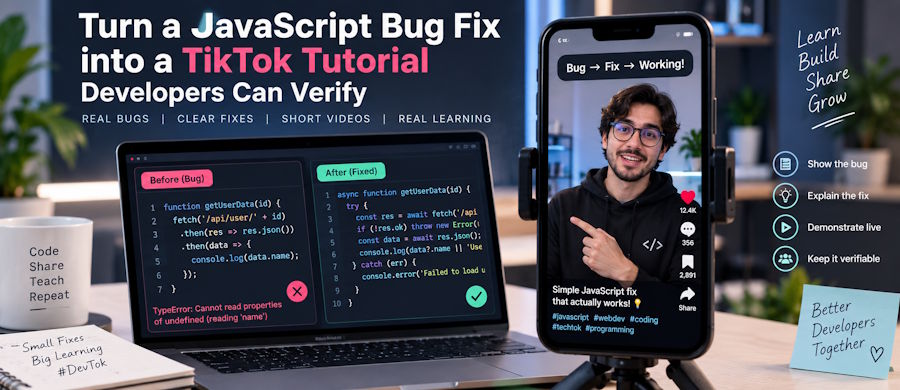
Imagine a search field that briefly displays the correct results, then replaces them with results for an older query. That visible mismatch gives a developer something concrete to explain: what went wrong, which decision fixes it, and how another person can test the result.
A useful short coding video does not need to compress an entire application into a phone screen. It needs a bounded lesson and a path from watching to trying. For developers publishing on TikTok, that is a more useful starting point than choosing a broad topic and hoping the visible numbers will establish its value.
Define one lesson before recording
For this example, the intended viewer understands basic JavaScript and asynchronous requests but has not diagnosed a stale-response bug. Network responses can arrive in a different order from the requests that initiated them, as React’s data-fetching guidance explains.
Define the lesson in one sentence: an earlier search response must not overwrite the interface after the query changes.
That sentence is also the acceptance criterion for the video. It rules out unrelated explanations of routing, authentication, database design, or application setup. Those subjects may matter to the full project, but they are not necessary to demonstrate this failure.
Build a small local example with synthetic data. Do not record a production dashboard that exposes customer records, credentials, private endpoints, or internal conversations.
Make the failure reproducible
Prepare the demonstration before writing the narration. Use the following sequence as a recording plan and a technical check.
- Control the response order. Create a mock search endpoint or local asynchronous fixture. Make the request for “rea” finish after a later request for “react.” Label the delays as simulated; they are a way to reproduce the bug, not a performance benchmark.
- Show the broken behavior. Display the current query beside the results and log when each request starts and finishes. The viewer should be able to see that the old response arrives last and replaces the newer result. Keep the labels readable without opening a full network-debugging session.
- Introduce a latest-request guard. Give the search widget a request-version counter. Increment it whenever the input changes, including when the input is cleared. Each request captures its version; before updating the interface, its handler checks that the captured version still matches the current one. Apply the check to late errors and loading-state changes, not just successful results.
- Replay the same conditions. Repeat the original out-of-order sequence after the fix. Then clear the input while a request is pending and test an older request that fails after a newer one succeeds. Verify that obsolete work cannot replace the current results or display an outdated error.
Keep cancellation as a distinct follow-up rather than squeezing another mechanism into the explanation. MDN’s AbortController reference describes how to abort fetch requests and response-body consumption. Cancelling obsolete work and deciding which result may update the screen are related concerns, but the viewer should understand the purpose of each.
Storyboard the explanation, not the application
Open with the failure: “Why did results for my previous search replace the correct ones?” Follow it with the response-order log, the relevant guard, and the corrected replay. This gives the clip a complete argument rather than a montage of code changes.
Crop the editor to the function being discussed. Enlarge the code and keep variable names consistent between the screen, narration, and captions. Explain the condition in plain language: “Only the request for the current input can update these results.”
Do not make the audience read a complete component while simultaneously following a moving cursor and spoken explanation. Put setup, imports, and supporting functions in the companion example. Keep the critical condition and its context visible in the video.
Before publishing, watch the exported clip on a phone with sound disabled. Check that the captions explain the bug, that punctuation in identifiers is correct, and that interface controls do not cover the important lines. Then ask another developer to describe why the fix works. An explanation they cannot reconstruct needs another edit, even if the recording looks polished.
Give the clip a runnable companion
Publish the example with clearly identified broken and fixed versions. Its README should state the tested environment, how to start the demo, how to trigger the response sequence, and what should remain on screen afterward. Keep the code version shown in the recording available when making later revisions.
Choose a single next step: run the delayed-response test. A companion page that immediately exposes that test is more coherent than sending viewers to an unrelated homepage or asking them to register before seeing the code.
Use the same distinctive lesson title on the clip and companion page. Direct viewers to a link location their account supports, rather than assuming every viewer can click a caption.
For measurement, define a small set of events on your own page: tutorial_open, replay_started, and replay_completed. Fire the completion event only after the demonstration has run and its expected-state check passes. Count completion once per session for this measure. These are proposed event names for your implementation, not built-in TikTok analytics.
A completed replay indicates use of the example. It does not, by itself, prove that the visitor understood the technique or adopted it in a real project.
Read analytics as separate questions
TikTok Studio provides account and post analytics, including views and interaction metrics. Use those reports alongside the companion page’s measurements, without collapsing everything into a single success score.
Content quality: Is the explanation technically correct, readable, and appropriately scoped? Check this through reproduction and review. A popular clip can still contain an incorrect fix; a correct clip can still be difficult to follow.
Reach: How much exposure did the post receive? Record the metric actually available. Do not relabel video views as unique people reached or assume that every exposure came from a developer with the problem being explained.
Engagement: What did viewers do in response? Read technical questions, corrections, and reports of successful reproduction alongside likes, shares, and saves. A comment identifying an unhandled edge case is useful editorial feedback, not automatically a positive endorsement.
Conversion: Did someone take the intended next step? For this tutorial, calculate the share of measured companion-page sessions that completed the replay. Keep both the numerator and denominator visible. Do not call that a viewer-to-demo conversion rate unless the measurement actually connects those stages.
Where attribution is available, separate identifiable TikTok traffic from other sources. Keep unknown traffic unknown instead of assigning every new visit to the latest post.
Compare clips at the same age using a reporting window chosen in advance, such as their first seven days. Record differences in topic, length, and promotion. Sequential organic posts are not a randomized experiment: a stronger result suggests something to investigate, not proof that a particular opening caused it.
Separate paid distribution from audience validation
Read growth-service descriptions literally. Auj Store, for example, states that its follower packages do not guarantee views, additional engagement, or algorithmic reach. That distinction matters when evaluating any such offer: a higher account total is not evidence that developers watched the explanation, ran the example, or returned for another lesson.
There is also a platform-policy boundary. TikTok’s rules on artificial engagement prohibit trading services that artificially increase engagement. Purchased engagement therefore does not belong in this tutorial-validation workflow. When reviewing older campaigns that included it, document the limitation rather than presenting the totals as clean evidence of organic interest.
Paid distribution is a separate category. TikTok Promote is an advertising tool with campaign reporting. Where appropriate and available, assess a paid campaign against its stated goal and cost, and report it separately from organic publishing. Advertising exposure still does not establish technical understanding or lasting interest.
Let technical questions shape the next episode
Use the response to identify the next bounded lesson. A question about clearing the field or handling a late failure can become another complete demonstration, with its own reproducible conditions and verification step. Do not withhold the original fix merely to create a second installment.
Maintain a small backlog of these questions and choose a publishing cadence that leaves time to test the code, correct mistakes, and answer substantive comments. The aim is a recognizable body of useful explanations, not a schedule filled with loosely related tips.
A developer-focused digital presence is worth building around work that another person can inspect and use. The most meaningful progression is not from a small visible number to a larger one. It is from recognizing a problem, to understanding the decision, to verifying the result.

