

You finally wire a text-to-video API into a side project. The demo clip looks great, you show it to a friend, and three weeks later a new model ships with longer shots, better lip sync and support for reference audio.
That happens all the time now. Some major model gets a new version every few weeks, and getting a usable clip out of one is no longer the hard part. The hard part is choosing a model that fits the job, then fitting generation into a pipeline that also handles cuts, captions and exports without anyone clicking through a web UI.
This guide covers how to compare AI video generation models without getting lost in launch posts, and how to drive generation and editing from a coding agent such as Claude Code or Codex.
Map the Model Families Before Comparing Versions
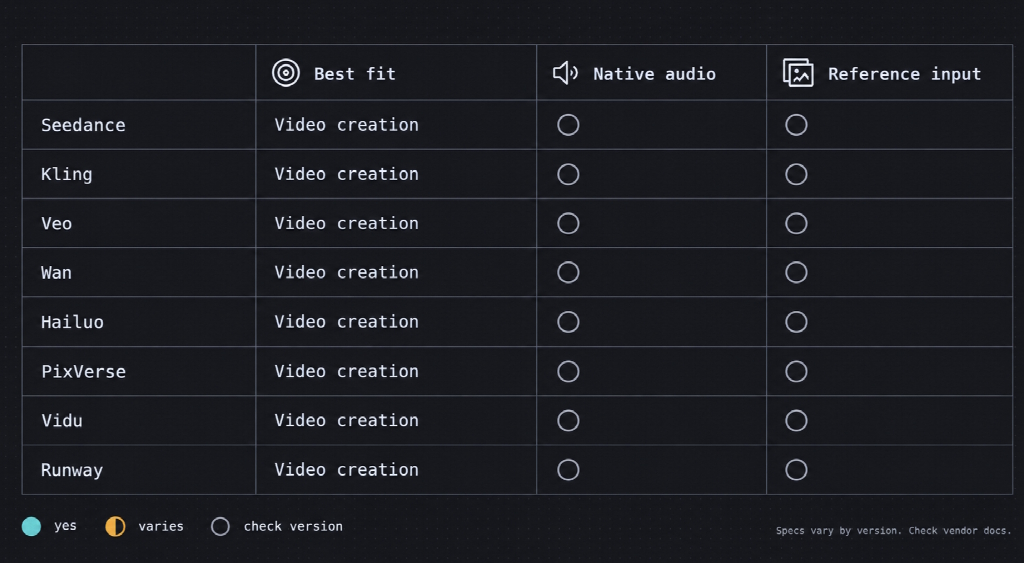
Eight families account for most of what developers actually use, and each one has a long list of versions. Learn the families first. The version numbers will have changed again by the time you finish reading the changelogs.
| Family | Where it tends to fit | Native audio | Image/reference input |
|---|---|---|---|
| Seedance (ByteDance) | Multi-shot sequences, character consistency, heavy reference input | Yes, from 2.0 | Yes, images, video and audio |
| Kling (Kuaishou) | Realistic motion, multi-shot storyboards | Yes, on recent versions | Yes |
| Veo (Google) | Prompt adherence, cinematic shots, sound effects | Yes, from Veo 3 | Yes |
| Wan (Alibaba) | Self-hosting, fine-tuning, open-weight experiments | Varies by version | Yes |
| Hailuo (MiniMax) | Budget realism, lighting and skin | Check current version | Yes |
| PixVerse | Stylized, anime and social-first clips | Limited, varies | Yes |
| Vidu (Shengshu) | Dialogue plus ambient sound, multi-shot | Yes, on Q3 | Yes |
| Runway | Creative control, camera moves, editing tools | Limited, varies | Yes |
Use the table to narrow the field, not as a spec sheet. Audio and resolution support change between versions of the same family, and third-party comparisons often contradict each other. To see versions side by side before you test anything, NemoVideo keeps a catalog of current video generation models that groups Seedance, Kling, Veo, Wan, Hailuo, PixVerse, Vidu, Runway and others by family. The numbers you'll build on still come from each vendor's own documentation.
Decide Which Specs Actually Matter for Your Project
For most developer pipelines, reference input matters more than resolution. A 4K clip in which your product looks slightly different in every shot is useless for a launch video. A 720p clip where it stays the same can ship.
Launch announcements lead with whatever the model does best, so it helps to go in with your own short list:
- Reference inputs and consistency. One start frame for image-to-video is standard. Keeping the same face or product across several shots is harder, and that's where models differ most.
- Clip length per generation. Five seconds is fine for product loops. Explainers and ads need longer single shots or a reliable way to extend them.
- Native audio. If dialogue and sound come out with the picture, you skip a separate text-to-speech and sync step. If they don't, budget for it.
- Cost per second. Most hosted models bill by generated seconds, and a failed take costs as much as a good one. Run ten real prompts before you estimate a budget.
- API access and licensing. Some models sit in consumer apps for months before a public video generation API appears. Open weights such as Wan let you self-host, but read the license and price the GPUs before you plan around them.
Resolution comes last, and you should check it in what the API actually returns, since some tiers cap below the number on the marketing page. Pick the two or three factors your project depends on and test only those. A model that tops a benchmark can still fail at the one thing you need.
Check What Seedance 2.5 Actually Changes
Seedance 2.5 is the release most people are asking about right now. TechNode reports that ByteDance's new model can generate a 30-second clip in a single run, supports multi-turn extension for longer sequences, and accepts up to 30 images, 10 videos and 10 audio clips as reference material in one input.
For automation, the reference limit is the part to pay attention to. You can send product shots, a voice sample and last week's clip in one request, which means fewer retries spent chasing consistency.
Resolution is where reports disagree. Platforms list different output options, so go by the settings your provider actually exposes, not a launch-week roundup. Availability is still rolling out, too. NemoVideo, for one, lists Seedance 2.5 on its Starter plan and above.
Plan for Everything That Happens After Generation
A generated clip is rarely the finished video. Someone still has to trim dead air, add captions and a voiceover, line up the music and export a version for each channel. If your automation stops at "file saved," a person picks up the rest by hand.
That gap is where an agent-based editor fits. NemoVideo's Talk-to-Edit agent takes plain-language instructions such as "trim the silences," "remove filler words" or "add captions" and turns them into actual edits. Give it a video URL or a script and it will break down the hook, pacing and structure, then build a variation on that. Planning, generation, editing, subtitles, voiceover and export all happen in one workflow, so you aren't passing files between four tools.
Wire Generation and Editing Into Claude Code or Codex
NemoVideo's documentation describes a two-step setup. Create an API key in your NemoVideo workspace, then install the plugin from the nemovideo/nemovideo-tools repo in Claude Code, Codex or OpenClaw. The plugin reads the key from an environment variable:
export NEMOVIDEO_API_KEY="nmv_usr_your_api_key_here"In Claude Code, you can ask the agent to "Install plugin from the repo nemovideo/nemovideo-tools" and it handles the rest. From there you describe a video the way you'd describe a refactor:
- "Generate a 15-second product teaser from the screenshots in /assets, add captions, and export it at 9:16."
- "Use this product photo as reference and create a professional commercial video with smooth camera movements."
- "Create 3 variations of a product demo video: one cinematic, one minimal, and one with energetic transitions."
The setup pays off when nobody is watching it. A release workflow can read CHANGELOG.md and request a 15-second video on the top three features, so every tagged release ships with a short clip for the changelog page or social channels. In GitHub Actions, the key comes from repository secrets:
env:
  NEMOVIDEO_API_KEY: ${{ secrets.NEMOVIDEO_API_KEY }}
Keep a person in the loop before anything goes live. The agent will happily make a clip for every release. It has no way of knowing whether the feature it chose to show off is the one your users care about.
Keep the Last Mile in Mind
Picking a model and automating the edit gets you a finished file, not a fast page. Generated clips are usually heavier than a web page needs, so plan the delivery step as well. Our Code World's guide on how to optimize AI-generated videos for websites with FFmpeg walks through compression, poster frames and embedding, which is where this pipeline hands off.

