

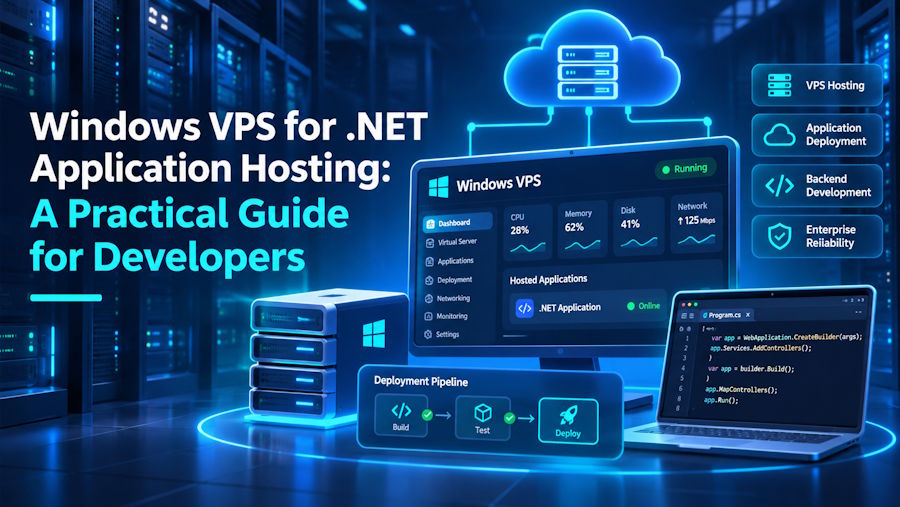
Hosting a .NET application requires an environment that supports its runtime, web server, and dependencies. For developers working with Microsoft's technology stack, a Windows VPS offers greater control over application deployment, server configuration, and resource management.
For developers who need a configurable Windows environment, VPS Mart offers Windows VPS hosting with administrator access and flexible server resources. VPS Mart is a VPS hosting brand of Database Mart, offering Windows VPS solutions alongside other hosting services.
1. Why Use a Windows VPS for .NET Applications?
A Windows VPS provides allocated virtual CPU, RAM, and storage resources, along with administrator access to the operating system.
For .NET developers, its main advantages include:
- IIS Integration: Host ASP.NET and ASP.NET Core applications using Microsoft's web server.
- Windows Compatibility: Run applications that depend on Windows-specific libraries and services.
- Flexible Configuration: Install required .NET runtimes, databases, and development tools.
- Remote Administration: Manage applications and server settings through Remote Desktop Protocol (RDP).
- Flexible Resources: Choose CPU, memory, and storage configurations based on application requirements.
With VPS Mart, developers can access a Windows-based environment and configure the software stack according to their project requirements without managing physical server hardware.
2. Essential Components for .NET Hosting
Before deployment, developers should understand three important components.
- Windows Server: Provides the operating system, networking, permissions, and background services.
- .NET Runtime: Executes applications built with .NET. The .NET SDK is required when building applications directly on the server, but is generally unnecessary for production hosting.
- Internet Information Services (IIS): Handles incoming web requests and manages website configurations. ASP.NET Core applications also require the appropriate ASP.NET Core Hosting Bundle for IIS integration.
Developers should distinguish between traditional ASP.NET applications built on .NET Framework and modern ASP.NET Core applications, as their runtime requirements and IIS configurations differ.
3. How to Deploy an ASP.NET Core Application
A typical deployment involves the following steps.
Step 1: Prepare the Server
Connect to your Windows VPS using RDP. Install Windows updates, enable IIS through Server Manager, and install the appropriate ASP.NET Core Hosting Bundle.
Step 2: Publish the Application
On your development machine, publish the application:
dotnet publish -c Release -o ./publish
Transfer the published files to the VPS, for example:
C:\inetpub\wwwroot\MyApplication
Step 3: Configure IIS
Open IIS Manager and create a new website. Specify the application directory, hostname, and port bindings.
For ASP.NET Core applications hosted through IIS, the application pool is typically configured to use No Managed Code because ASP.NET Core manages its own runtime.
Step 4: Configure HTTPS
Point your domain to the VPS IP address, configure the IIS website binding, and install a valid SSL/TLS certificate.
Ensure that the Windows Firewall allows the required inbound traffic, typically HTTP and HTTPS.
Step 5: Test the Application
Open the website in a browser. If it fails to start, check the installed runtime, IIS settings, directory permissions, and application logs.
Developers using VPS Mart can perform these deployment and configuration tasks through remote administrator access.
4. Choosing the Right Windows VPS Configuration
Server resources directly affect application performance.
| Resource | What to Consider |
|---|---|
| CPU | More cores can help with concurrent requests and background processing. |
| RAM | Account for the .NET runtime, IIS processes, databases, and other services. |
| SSD/NVMe | Faster storage can improve storage I/O performance. |
| Network | Consider bandwidth, latency, and data center location. |
A small development application may require fewer resources than a production application handling multiple users and database queries.
When comparing VPS Mart plans, developers should consider their application's actual CPU, memory, and storage requirements rather than simply choosing the largest configuration.
5. Maintaining a Windows VPS
After deployment, regular maintenance helps keep applications stable and secure.
- Monitor resources: Use Task Manager, Resource Monitor, and Performance Monitor to identify CPU, memory, and disk bottlenecks.
- Install updates: Keep Windows Server and application dependencies updated.
- Configure backups: Back up application files, databases, and important configuration files regularly.
- Review logs: Check IIS and application logs to identify failed requests and runtime errors.
- Secure remote access: Use strong passwords, restrict RDP access where possible, and expose only necessary network ports.
VPS Mart offers backup options depending on the selected plan. Backup frequency varies by VPS plan, so developers should review the backup schedule and recovery options before choosing a configuration.
6. Choosing a Windows VPS Provider
When comparing Windows VPS providers, developers should consider:
- Available Windows Server versions and compatibility.
- CPU, RAM, and SSD/NVMe storage options.
- Administrator access through RDP.
- Backup frequency and recovery options.
- Network performance and data center locations.
- Availability of technical support.
VPS Mart provides Windows VPS hosting with administrator access, multiple resource configurations, and data center locations in Dallas, Texas, and Kansas City, Missouri. Developers can use these environments to deploy .NET applications, configure Windows services, and manage their hosting infrastructure remotely.
For developers who need additional infrastructure options as their projects grow, VPS Mart also offers dedicated servers and other VPS hosting solutions.
Conclusion
A Windows VPS offers developers greater control over .NET application hosting, from IIS configuration to runtime management and server resource allocation.
By selecting compatible software, configuring IIS correctly, and following basic maintenance practices, developers can build a flexible environment for deploying and managing ASP.NET applications.
VPS Mart provides a practical Windows VPS hosting option for developers who need a configurable Windows environment for development, deployment, and production workloads.

