

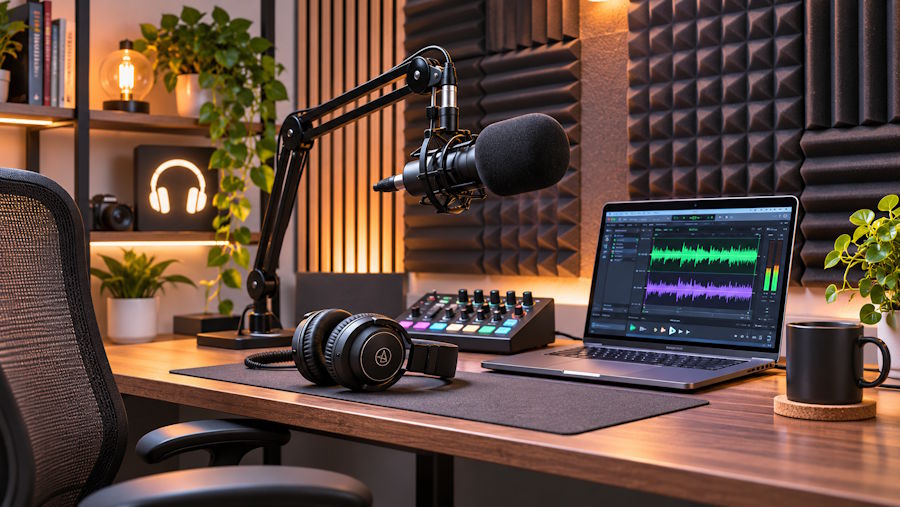
A home podcast studio gives creators a dedicated space to record conversations, interviews, and video episodes. Its layout affects how presenters interact, how guests participate, and how recordings appear on camera. The setup should also reflect the production format, especially when episodes involve multiple speakers. Here are some of the tips for setting up your home studio:
Choose a Suitable Room
The room you select shapes the recording environment and determines how much space remains for production activities. A spare bedroom or enclosed home office provides separation from everyday household routines. If several people share the property, a door helps limit interruptions during scheduled recording sessions.
Room dimensions also influence how participants and equipment fit together. A solo presenter requires less floor space than a discussion involving two guests and a host. When planning the arrangement, leave enough room for chairs, recording desks, and movement between positions. Restricted layouts make it harder for guests to enter or adjust their seating during conversations.
Pay attention to activities happening near the proposed recording space. Kitchen appliances, household conversations, and street traffic may interrupt spoken recordings. A room away from busy household areas provides greater control over the recording environment. Its location also affects how consistently you can schedule sessions without disrupting other activities.
Arrange Recording Zones
A home podcast studio benefits from separate areas for presenting, participating, and managing production. The host's desk or recording table forms the central area, while additional seating accommodates interview guests. When several speakers participate, their positions should support natural conversation without obstructing camera views. Furniture arrangement also affects how easily participants enter, leave, and change positions during recording. To arrange the recording area for different podcast formats, use the following layout elements:
- Host position: Position the main seat where the presenter can address the camera naturally.
- Guest seating: Arrange additional chairs to support direct conversation between participants.
- Equipment access: Leave working space around recording devices and connected accessories.
- Movement paths: Keep entrances and walkways clear when participants change positions.
Design a Visual Backdrop
The background forms part of every video podcast frame, so its appearance contributes to the presentation. Using shelves or framed pictures allows the viewer to see additional information. When a podcast covers business-related material, it makes sense to feature only books and signage that match the subject matter.
The constant background also gives an episode a memorable visual aspect. Green screens offer an alternative for different backgrounds across episodes. Constructed studio sets create a more permanent solution when the same shooting location is used for the show.
Organize Power Connections
Podcast equipment requires accessible electrical connections, particularly when several devices operate during recording. Cables can be constrained by cameras, monitors, and lights around the room. A layout designed with existing outlets in mind minimizes crossings and maintains walkway accessibility.
Electrical equipment also affects the placement of recording furniture. Much of the equipment that is frequently adjusted requires easy access to connections, and organized cable routing benefits fixed equipment. It is helpful to have a numbered setup as a reference when installing and conducting routine checks:
- Outlet locations: Chart existing outlets before placing desks and equipment.
- Cable routes: Avoid running these cables across floors, along walls, or beneath furniture.
- Power strips: Place approved power strips out of the way of liquids and people.
- Equipment labels: Label connections for ease of setup checks and troubleshooting.
Establish a Control Area
A dedicated control area gives the production manager a clearly defined workspace. This area should provide easy access to recording controls without obstructing the host or guests. With multiple cameras, it is imperative that the operator has an unobstructed view of the recording area.
The control position becomes particularly relevant during interviews and roundtable discussions. While the presenters discuss the topic, the production operator may be busy monitoring audio levels and camera angles. Having the session notes close by helps the operator fulfill the episode program while a separate workstation keeps the area near the host organized.
Develop Your Podcast Studio
A home recording space may eventually support more than one podcast format. An interview series, a roundtable discussion, and a solo video each place different demands on the room. Planning for occasional changes in participants or presentation style gives the setup greater flexibility. Discuss your production requirements with a podcast studio specialist and develop a home recording space suited to your intended format.

