



For all those that have a Samsung Printer, installing the newest drivers from the website is pretty easy. Just download the printer manager and that's it, everyone would expect a basic application that allows your PC to communicate with the printer and that's it. Unfortunately, most of these tools include more tools inside that should be "useful" for the regular user, but they end up being a pain in the ***.
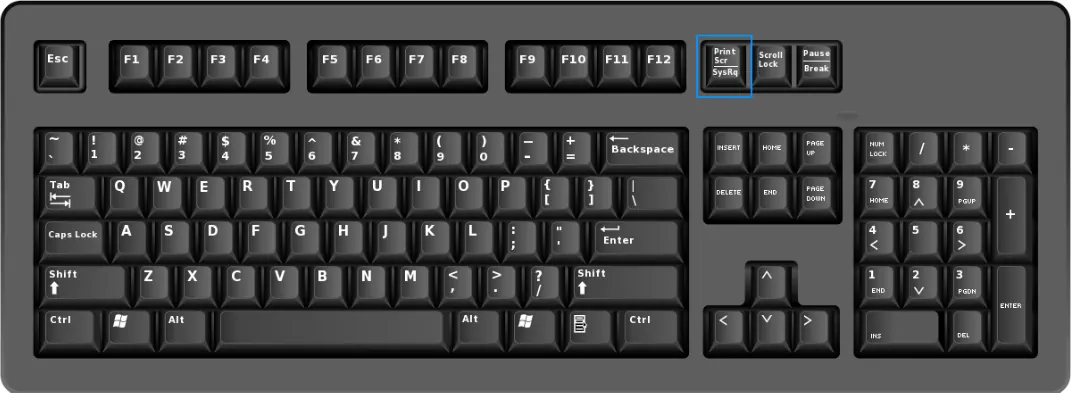
Easy Capture Manager is one of those tools that we didn't ask for, knowing that windows already includes a very useful tool that works even faster than this one. This tool allows you to capture your screen and launch Easy Capture Manager by simply pressing the Print Screen key on the keyboard. In order to to disable this manager, proceed to open it pressing the Prt Scr key in your keyboard:
Once you press it, this annoying dialog will appear:
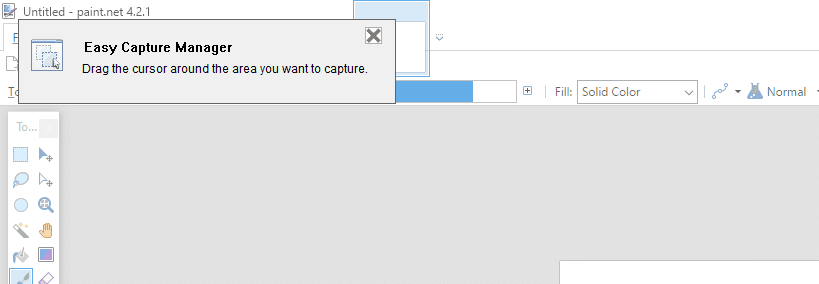
Select some area of the screen to open the main application. In the application, look for the gear icon (options) and press it:
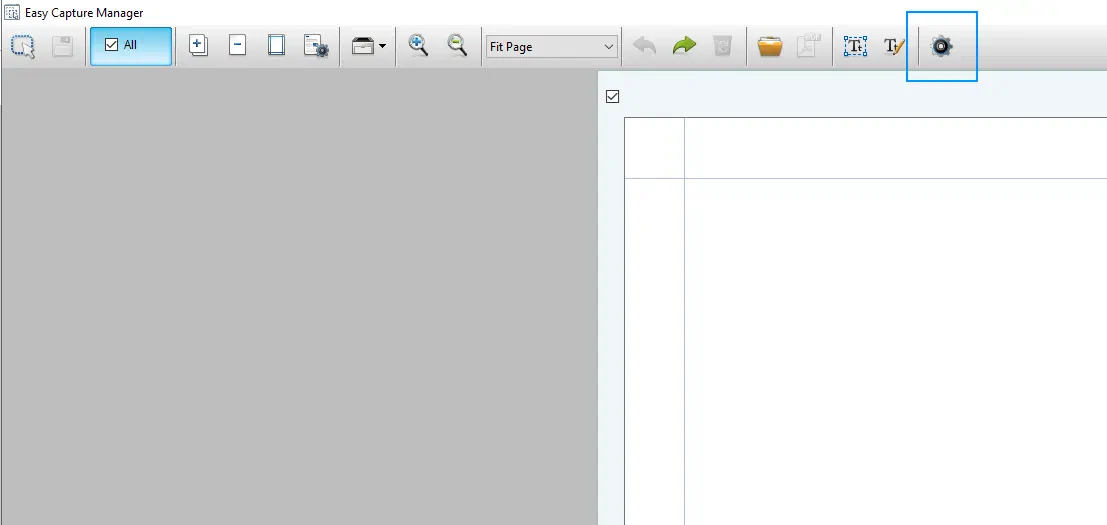
Once you press this button, a new tiny dialog will appear with the following options:
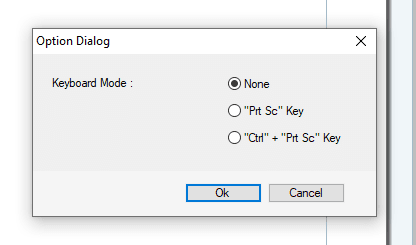
You need to select the "None" option and click on Ok. What you basically did with this was to configure Easy Capture Manager to stop appearing automatically when you press the PrtScr key in your keyboard.

