

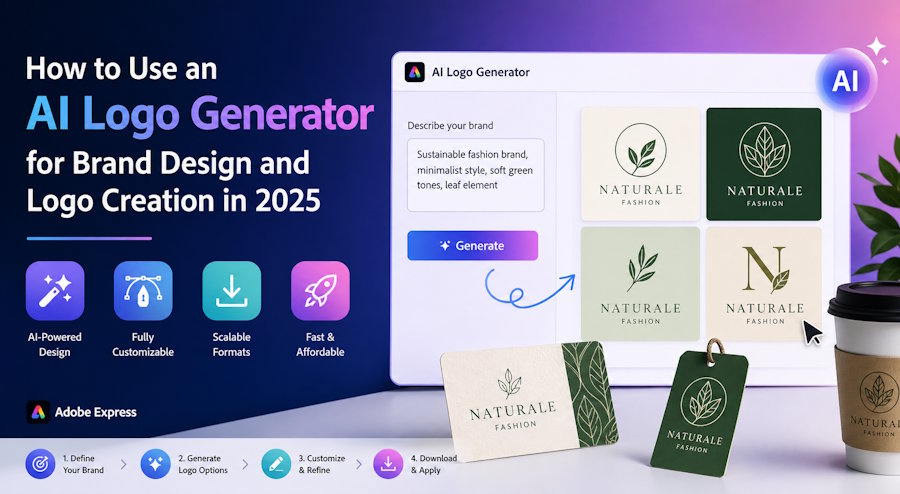
An AI logo generator is one of the fastest and most effective tools for creating professional logos and building strong brand identities in 2025. Whether you are launching a new business, refreshing an existing brand, designing logos for clients, or creating custom merch, an AI logo generator helps you turn ideas into polished, scalable logos in minutes. Adobe Express offers one of the most intuitive AI logo generators available, allowing you to describe your brand vision in plain language and receive multiple high-quality logo options instantly. This guide shows you how to use an AI logo generator specifically for brand design and logo creation, with step-by-step instructions, practical tips, and real-world examples for startups, small businesses, freelancers, and creative agencies.
From minimalist wordmarks to modern symbolic logos, an AI logo generator in 2025 makes professional brand design accessible, fast, and affordable for everyone.
What an AI Logo Generator Does for Brand Design
An AI logo generator uses advanced artificial intelligence to understand your brand description and automatically create complete logo designs. You simply type a prompt such as “modern minimalist logo for a sustainable coffee brand with warm earth tones and a simple leaf icon” or “bold tech startup logo with clean sans-serif typography and electric blue accents,” and the tool generates multiple professional variations in seconds.
Each generated logo typically includes:
- Your brand name or initials in well-chosen fonts
- A simple, meaningful icon or symbol
- Balanced color palettes that match your brand personality
- Clean layouts that work in full color, single color, or black and white
- Scalable vector files that remain sharp at any size
You can then easily customize colors, fonts, spacing, and elements to perfectly match your brand guidelines. The final files are ready for use on websites, packaging, business cards, social media, apparel, and marketing materials.
Why an AI Logo Generator Is Ideal for Brand Design in 2025
In today’s competitive market, a strong logo is the foundation of any successful brand. An AI logo generator is especially valuable because it:
- Saves significant time and cost compared to hiring a designer
- Provides multiple creative directions quickly so you can explore options
- Produces scalable, print-ready files suitable for all branding needs
- Allows full creative control while benefiting from AI intelligence
- Supports consistent brand identity across digital and physical touchpoints
For freelancers and design agencies, it serves as a powerful starting point for client projects. For startups and small businesses, it enables fast brand launches without large budgets. In 2025, when speed and visual consistency are critical for standing out online, an AI logo generator has become an essential tool in the brand design process.
Step-by-Step Guide to Using an AI Logo Generator for Brand Design
Adobe Express offers one of the cleanest AI logo generators. Here is how to create your brand logo:
Step 1: Define Your Brand Vision
Before generating, clarify:
- Your brand name or initials
- The feeling you want to communicate (modern, warm, bold, elegant, trustworthy, etc.)
- Target audience and industry
- Preferred colors or style direction
Example brief: “Sustainable fashion brand logo for eco-conscious women aged 25-40, minimalist style with soft green tones and a simple leaf element.”
Step 2: Generate Logo Options
Go to the Adobe Express AI logo generator.
Enter your brand name and detailed description in the prompt box. Click generate — the AI will create multiple logo variations instantly.
Step 3: Select and Refine
Review the options and choose the ones that best match your brand vision. Customize:
- Colors to align with your brand palette
- Font styles and weights
- Spacing and layout
- Icon elements (simplify or enhance as needed)
Preview the logo in different sizes and on various backgrounds (white, black, colored) to ensure versatility.
Step 4: Download and Apply to Your Brand
Download the logo in vector SVG format for scalability and PNG with a transparent background for digital use. Apply it consistently across your website, social media profiles, business cards, packaging, and marketing materials. Many designers and entrepreneurs use this process to quickly establish a strong visual identity and then refine it further as the brand grows.
Best Practices for Brand Design with an AI Logo Generator
- Be specific in your prompt — include industry, target audience, mood, and key visual elements
- Generate multiple prompts to explore different creative directions
- Prioritize simplicity — the best brand logos are clean and recognizable at small sizes
- Create both full-color and monochrome versions for flexible use
- Test the logo on actual brand touchpoints (website, packaging, apparel)
- Save your project so you can return and make updates as your brand evolves
Remember: The AI logo generator is a powerful starting point. The final brand logo should always reflect your unique vision and values.
Frequently Asked Questions
Q: Can I use the generated logo for commercial purposes?
A: Yes, logos created with Adobe Express AI logo generator are yours to use freely for personal and commercial branding.
Q: How detailed should my prompt be?
A: The more specific you are about style, colors, mood, and audience, the better the results will be.
Q: Is it free to create multiple logo versions?
A: Yes, you can generate and experiment with as many designs as you like at no cost.
Q: Can I edit the logo after generation?
A: Yes, you can easily adjust colors, fonts, and elements directly in the tool.
Q: What file formats are available for download?
A: SVG for scalable vector graphics and PNG with a transparent background for digital applications.
Conclusion
An AI logo generator like the one in Adobe Express is transforming brand design by making professional logos fast, affordable, and accessible to everyone. By describing your brand clearly, exploring creative options, and refining the results, you can create a strong, memorable logo that serves as the foundation of your visual identity. Start building your brand today with an AI logo generator and bring your vision to life in minutes.

