

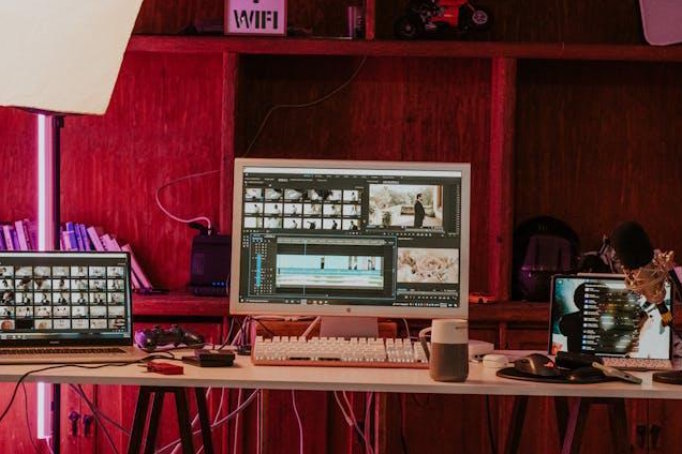
I spent four hours last Tuesday editing a 60-second Instagram Reel. Four hours. The color grading alone took longer than filming the thing. And somewhere between my third coffee and my second existential crisis, I thought: there has to be a better way to do this.
Turns out, there is. AI video production platforms have quietly become good enough that thousands of creators are abandoning their old editing setups entirely. Not because they're lazy. Because the math finally makes sense.
The Breaking Point With Traditional Editing
Let me be honest. Traditional editing software was designed for people who went to film school. The rest of us? We've been faking it with YouTube tutorials and prayer.
A Wyzowl survey from 2024 found that 67% of marketers call video production "too time-consuming" compared to other content formats. That tracks with my experience. One short YouTube video demands scripting, recording, cutting, transitions, color work, sound mixing, and thumbnail design. That's seven different skills for one piece of content. No wonder people burn out by month three of a consistent upload schedule.
What AI Video Platforms Actually Do Differently
Here's the thing most review articles won't tell you. These tools don't just make editing faster. They skip the editing timeline completely.
You feed the platform a script. Sometimes just a topic. It builds scenes, pulls b-roll, matches transitions to your pacing, writes captions. Some go wild with voice cloning and avatar generation. Others auto-resize everything for TikTok, YouTube Shorts, and LinkedIn in one click.
Perfect on the first try? Rarely. But 80% done in four minutes versus four hours? That changes everything for someone publishing three times a week.
Comparing the Top AI Video Platforms
Not every tool fits every creator. I learned that the hard way after paying for annual plans on two platforms I barely used. Here's what the main options actually deliver:
|
Feature |
Synthesia |
Pictory |
InVideo AI |
Runway |
HeyGen |
|
AI Avatars |
Yes |
No |
No |
No |
Yes |
|
Script-to-Video |
Yes |
Yes |
Yes |
Limited |
Yes |
|
Auto Captions |
Yes |
Yes |
Yes |
No |
Yes |
|
B-Roll Library |
Limited |
Yes |
Yes |
No |
Limited |
|
Social Resizing |
Yes |
Yes |
Yes |
Yes |
Yes |
|
Free Plan |
No |
Trial |
Yes |
Free Tier |
Trial |
|
Best For |
Corporate Training |
Repurposing Blogs |
Social Content |
Visual Effects |
Sales Videos |
Picking the right one depends on what you're making, how much you'll spend, and how much creative control matters to you. If you want to skip the trial-and-error approach I suffered through, a curated list of the Best Tools by Conversion Gems breaks down pricing, features, and real user ratings across dozens of platforms. Way faster than opening 20 tabs and comparing screenshots.
Why Conversion Gems Stands Out for Research
I've tried the "Google it and hope for the best" method of finding software. It's terrible. You get affiliate blogs pushing whatever pays the highest commission, forums with outdated advice, and Reddit threads that devolve into arguments about something completely unrelated.
Conversion Gems fixes this by aggregating honest comparisons and user feedback into one place. What I appreciate most is the focus on practical outcomes. They don't just list specs. They tell you which three platforms handle avatar-based explainers best and why. Need to turn blog posts into short-form clips? They've tested that specific workflow. That kind of specificity saves real time.
Real Results Creators Are Seeing
The numbers are hard to argue with. Most creators who switch report cutting production time by 60 to 80%. Think about that for a second.
A YouTuber making three videos a week could reclaim 10 to 15 hours. A small marketing team could double their output without hiring anyone new. I personally went from one video per week to three, and my Sundays are free again. That alone was worth it.
Cost savings stack up fast too. Freelance editors charge $50 to $150 per video hour. Most AI platforms run $20 to $50 monthly for unlimited projects. For weekly publishers, that's $200 to $600 saved every single month. Honestly? The ROI becomes obvious before your first billing cycle ends.
How to Make the Switch Without Losing Quality
Switching doesn't mean torching your existing workflow overnight. The creators who do this well take a phased approach. Here's what worked for me:
- Start with one format only. Short-form social clips are the easiest test case.
- Treat AI rough cuts as starting points, not finished products.
- Keep your personal style for intros, outros, and branded segments. That's your fingerprint.
- Test two or three platforms using the same project before locking into an annual plan.
- Track your time savings each week. Actual numbers kill the skepticism fast.
The goal isn't removing yourself from your content. It's removing the soul-crushing parts that drain your energy without adding anything creative.
What's Next for AI Video Production
Real-time collaboration. Multilingual auto-dubbing. Emotion-aware editing that adjusts pacing based on your script's tone. These features are already in beta across several platforms. Wild, right? On the hardware side, video recording glasses are also entering the creator toolkit — hands-free, first-person capture that feeds raw footage directly into AI editing pipelines without stopping to set up a shot.
Within a year or two, the gap between AI-generated video and studio-produced content will shrink so much that most viewers won't notice. Creators who build these workflows now aren't just saving time today. They're stacking a competitive advantage that compounds month after month.
Frequently Asked Questions
Are AI video platforms good enough for professional content?
For most use cases, absolutely. Corporate explainers, marketing videos, and social content already come out polished from platforms like Synthesia and HeyGen. High-end cinematic projects still need traditional tools, but that's a tiny fraction of what most creators produce.
How much do AI video tools cost compared to hiring an editor?
Most platforms charge $20 to $80 monthly. Compare that to a freelance editor at $50 to $150 per finished video hour. If you're publishing regularly, AI tools pay for themselves within days, not months.
Will AI video tools replace human editors?
Not completely. They'll absorb the repetitive stuff like cutting, captioning, and reformatting. Creative direction, storytelling, and brand-level polish still need human judgment. Think of AI as an intern who never sleeps and never complains. Helpful, not a replacement.
Can I use AI video platforms if I have zero editing experience?
That's actually their sweet spot. Most platforms work from scripts or prompts. You type what you want. The AI assembles it. No timeline skills required. If you can write an email, you can produce a video. Seriously.
How do I choose the right AI video platform for my needs?
Figure out your primary content type first. Talking heads? Social clips? Training modules? Product demos? Then compare platforms based on that specific use case. General feature lists are misleading. Comparison sites organized by use case will save you hours of wasted trial subscriptions.

