

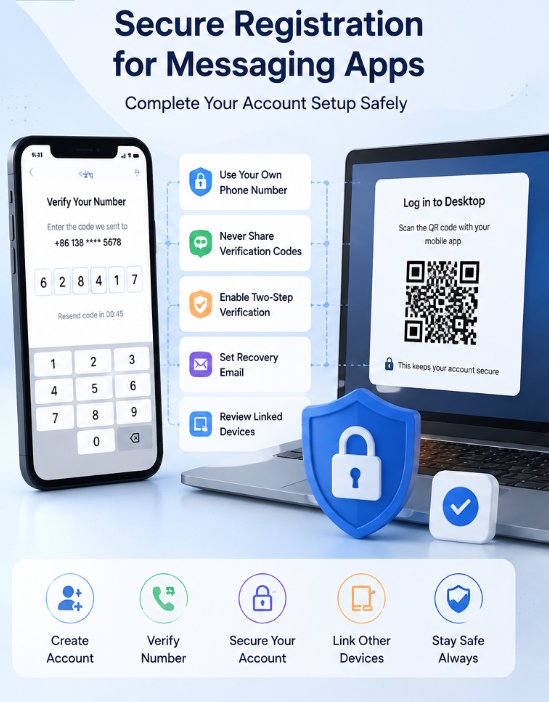
Image: telegramiam.com
Creating an account on a messaging platform usually looks simple. Users install an app, enter a phone number or email address, receive a verification code, and start chatting. However, the registration process is also the first security checkpoint for any communication account. If users are careless during registration, they may expose login codes, connect the account to unsafe devices, or lose access later.
Messaging apps often hold private conversations, contact lists, group memberships, files, and sometimes work-related information. Because of that, account registration should not be treated as a quick formality. It is better to spend a few minutes checking the source, device, verification method, and recovery settings before using the account every day.
For Chinese-speaking users, searches related to telegram 注册 are often not only about creating an account. They may also involve verification codes, login problems, phone number privacy, desktop access, and account safety. This checklist explains what users should review before, during, and after registering for a messaging platform.
Use a Trusted App or Web Source First
Before entering any phone number, email address, or login code, users should confirm that they are using a trusted app or website. Many account problems begin before registration even starts. Fake download pages, modified apps, unofficial installers, and misleading login pages can trick users into giving away sensitive information.
A trusted source should be clear and consistent. Mobile users should prefer official app stores when available. Desktop users should download software from official websites or trusted distribution channels. Android users should be especially careful with APK files from unknown pages, because modified packages may look similar to normal apps.
Users should also avoid registering through links shared by strangers, public group messages, or pop-up ads. If a page asks for extra permissions, browser extensions, or unusual manual steps before registration, stop and verify the source again.
The safest registration process begins with the correct app. If the app itself is unsafe, even a strong password or careful privacy setting cannot fully protect the account.
Register on a Device You Control
Account registration should be done on a personal device whenever possible. A private phone or personal computer is safer than a shared computer, public device, or borrowed phone. When registration happens on a shared device, login sessions, browser data, cached files, or notifications may remain after the user leaves.
If you must use a temporary device, avoid saving passwords, do not allow the browser to remember login information, and log out completely after registration. Also check whether the app provides an active sessions page. If it does, remove the temporary device after finishing.
For phone-based registration, make sure the SIM card or phone number belongs to you and can receive future verification messages. Some users create accounts with temporary numbers or numbers they may lose later. This can create serious recovery problems, especially if the platform requires the same number for future login verification.
A messaging account should be connected to a number or login method that you can reliably access.
Protect Verification Codes
Verification codes are one of the most important parts of account registration. They prove that the person registering has access to the phone number, email address, or active device. Because of this, users should treat verification codes like temporary passwords.
Never share a registration or login code with another person. Real support staff, group administrators, community moderators, or friends do not need your code. If someone asks for it, the request should be considered suspicious.
A common scam works like this: someone claims they accidentally sent a code to your number, or they pretend to be support and ask you to “confirm” the code. If you share it, they may be able to access or register an account using your number.
Users searching for issues such as telegram 收不到验证码 should also be careful. When a code does not arrive, do not immediately switch to random websites, unofficial apps, or unknown support contacts. It is safer to check network status, app source, phone number format, SMS filtering, active sessions, and retry limits step by step.
Check Phone Number Format and Network Conditions
Many registration problems are caused by simple input or network issues. Users should confirm that the country code is correct, the phone number is entered without unnecessary spaces or symbols, and the device has a stable network connection.
If the verification code is sent by SMS, check whether the phone can receive normal text messages. Some users block international SMS, use strict spam filters, or install security apps that hide verification messages. If the platform sends codes through an existing app session, check other logged-in devices as well.
Users should avoid repeatedly requesting codes too quickly. Many platforms apply temporary limits when too many attempts happen in a short time. If this occurs, waiting may be safer than continuing to retry.
It is also useful to test the registration on a stable connection. Public Wi-Fi, unstable mobile networks, VPN changes, or proxy interruptions can sometimes affect login flows. A clean and stable network environment reduces unnecessary errors.
Set Up Additional Security After Registration
Once the account is created, users should immediately review security settings. Many people skip this step and start chatting right away, but the first few minutes after registration are the best time to secure the account.
Important settings may include two-step verification, password protection, recovery email, device management, passcode lock, and active session review. Not every messaging platform uses the same names, but most major apps provide some form of account protection.
Two-step verification is especially useful because it adds another layer beyond the phone number or login code. If someone later obtains a verification code, they may still be blocked by the additional password.
Users should choose a password that is unique, memorable, and not reused from other accounts. If a recovery email is required, use an email account that is also protected with strong security settings.
Review Privacy Settings Before Adding Contacts
Registration is not finished until privacy settings are checked. Messaging apps often ask for contact access, profile information, notification permissions, and sometimes location or media permissions. Users should understand what they are allowing.
Start by reviewing who can see your phone number, profile photo, online status, bio, and forwarded message information. If you plan to join public groups, stricter settings are usually safer. You may not want strangers to see your personal details simply because you joined the same community.
Next, check who can add you to groups or call you. Some platforms allow broad access by default. Restricting these permissions can reduce spam and unwanted contact requests.
Contact syncing is another important setting. It can make it easier to find friends, but it also uploads or compares your address book depending on the platform. Users who care about privacy should review this option carefully instead of accepting it automatically.
Manage Desktop Login Carefully
Many users register on mobile and later log in on desktop. Desktop access is useful for typing, file transfer, screenshots, and work communication, but it also needs proper control.
When logging in on a Windows or Mac computer, confirm that the desktop app or web page is trusted. If QR code login is used, only scan codes from the app or website you opened yourself. Never scan login QR codes sent by strangers or posted in public groups.
After desktop login, review active sessions. Remove old devices you no longer use. If you sign in on a shared computer, log out completely before leaving. Also consider disabling message previews on desktop notifications to prevent private content from appearing during meetings or screen sharing.
Desktop login should make communication easier, not create uncontrolled access points.
Avoid Common Registration Mistakes
Several mistakes can create long-term account problems. One common mistake is using an unreliable phone number. If the number is later lost, recycled, or inaccessible, account recovery can become difficult.
Another mistake is using unofficial apps to register. Modified apps may create login errors or expose account information. Users should also avoid entering verification codes on websites that are not clearly connected to the platform.
A third mistake is ignoring security settings after successful registration. Users often assume the account is safe once they can log in. In reality, registration is only the beginning. Security and privacy settings need to be reviewed regularly.
Finally, users should avoid joining too many public groups immediately after creating an account. Sudden unusual activity may trigger restrictions on some platforms, and public groups may expose new users to spam or suspicious links.
Keep Recovery Options Updated
Account recovery is easy to forget until a problem happens. Users should keep recovery email, phone number, password, and trusted devices current. If you change phone numbers, update the account before losing access to the old one.
It is also useful to record which device is currently logged in and which email is connected to the account. This does not mean writing passwords in unsafe places. It means maintaining enough information to recover access if your phone is lost or replaced.
Regularly reviewing recovery settings helps prevent panic during login problems.
Final Thoughts
Registering for a messaging platform is more than entering a number and receiving a code. It is the first step in protecting conversations, contacts, files, and personal identity. A safer registration process starts with a trusted app, a device you control, careful handling of verification codes, and immediate review of security settings.
Users should also check privacy options, manage desktop sessions, avoid unofficial apps, and keep recovery information updated. These habits are simple, but they greatly reduce the risk of account loss, privacy exposure, and registration-related confusion.

