

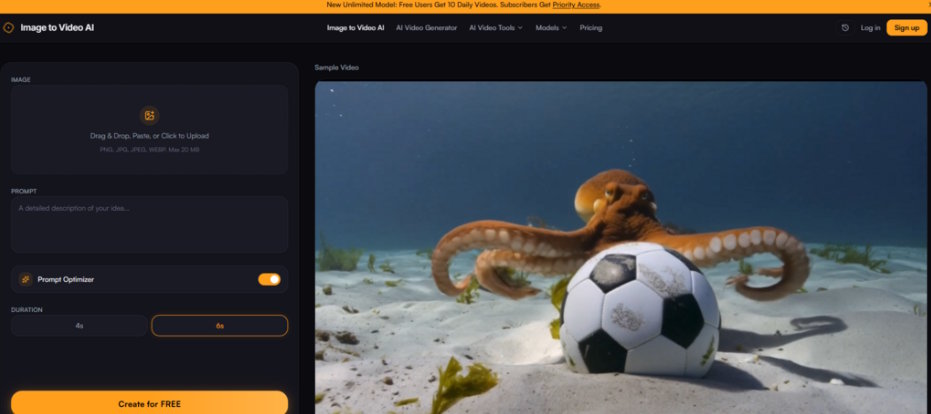
The gap between still photography and video content has never felt wider. Social media algorithms reward motion, e-commerce listings with video convert better, and creative portfolios increasingly demand something that moves. Yet for most people, the jump from a single image to a short video clip still requires learning editing software, hunting for stock footage, or outsourcing to someone who knows what they are doing. That is precisely why the image to video ai space has exploded over the past year—and why I spent an afternoon putting one of the more accessible entries through its paces.
What caught my attention was not the promise of cinematic quality or Hollywood-level effects. It was the sheer simplicity of the stated workflow: upload a photo, describe the motion, and get a video. No timeline editing, no keyframes, no rendering queues that take hours. The proposition sounds almost too straightforward, which is exactly why it deserved a closer look.
Why Image-to-Video Tools Deserve More Than a Glance Right Now
The timing matters. Over the past twelve months, generative video models have moved from experimental demos to genuinely usable tools. The workflow that once required multiple specialized models and significant technical know-how has been condensed into a single upload box. What used to take hours of tweaking can now be initiated with a few keystrokes.
But not all image-to-video tools are created equal. Some bury their actual generator behind sign-up walls. Others show impressive demo reels but deliver underwhelming results when you upload your own image. A few charge per generation without letting you test the quality first. The tool I tested takes a different approach: it puts the generator front and center, shows you what it can do before you commit, and keeps the entire process remarkably transparent.
The Three-Step Flow That Defines the Entire Experience
The official workflow is refreshingly minimal. The site breaks it down into three distinct actions, and in practice, that is exactly how it plays out.
Step One: Upload Your Image
The upload itself is as frictionless as it gets. The platform accepts JPG, PNG, and WEBP formats up to 20MB. Drag and drop works, and there is a crop tool that lets you adjust the aspect ratio before the AI does anything. This matters more than it sounds—generating a video at the wrong aspect ratio for your intended platform means either cropping later or losing control over the final composition. Being able to frame the shot upfront saves a step downstream.
What I noticed during testing was that the upload interface does not overwhelm you with options. There is no model selection dropdown staring at you, no advanced settings panel demanding decisions. Just an image uploader and a clear indication of what formats are supported. For someone who has never touched video editing software, this is exactly the right level of complexity—or lack thereof.
Step Two: Describe the Motion You Want
This is where the tool distinguishes itself from simpler animation generators. Instead of applying a random motion effect to your image, the platform asks you to describe what you want to see. The prompt box accepts natural language: "slow zoom in," "gentle sway," "flowing water," "wind blowing through trees".
The site makes a specific claim about this approach: the AI uses both your photo and your description together to generate context-aware animations. In practice, this means the tool is not just applying a generic pan-and-zoom template. It is attempting to interpret your image's content and your motion instructions simultaneously.
I tested this with a landscape photo and the prompt "slow camera zoom with drifting clouds." The result showed a subtle pull-in effect while the cloud formations shifted at different speeds—not perfectly realistic, but noticeably more sophisticated than a uniform zoom. With a portrait and the prompt "gentle sway," the motion was restrained enough to feel natural rather than robotic. The key insight here is that prompt quality directly influences output quality. Vague prompts produce generic motion; specific prompts produce more intentional results.
Step Three: Generate and Download
The generation itself happens in seconds, not minutes. Click the generate button, wait a short moment, and a preview appears. If the result is not what you wanted, you can adjust the prompt and try again. If it works, you download the clip.
The speed is worth highlighting because it changes the creative workflow. When generation takes seconds, experimentation becomes viable. You can try three different prompts for the same image in the time it would take to export a single clip from traditional software. That low cost of iteration encourages exploration rather than settling for the first acceptable result.
What the Output Actually Looks Like in Real Scenarios
Generative AI tools often look impressive in curated demos but fall apart with user-supplied images. I wanted to see how this one held up across different types of content.
Product Photography
The site claims that adding video previews to product pages can increase conversion rates by nearly 40%. That is a specific number, and I cannot verify it independently, but the logic is sound: motion attracts attention, and attention drives engagement. I uploaded a product image and prompted a slow rotation with subtle lighting changes. The result was a short clip that looked like a basic product animation—not studio-quality, but certainly better than a static photo for social media or marketplace listings.
The practical advantage here is speed. Creating a video from a product photo took less than a minute from upload to download. For an e-commerce seller with dozens or hundreds of products, that scalability is the real value proposition.
Real Estate and Architectural Photos
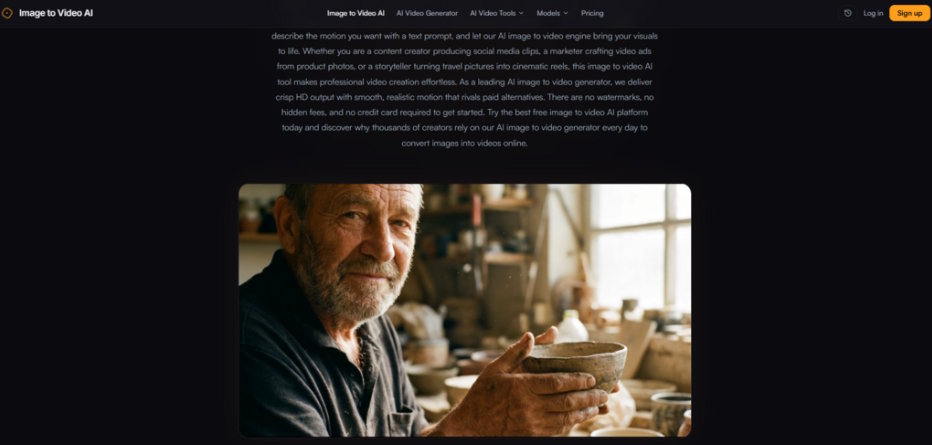
Another use case highlighted on the site is turning property photos into cinematic walkthroughs. I tested this with an exterior building shot and a prompt that suggested a slow pan with natural light movement. The result was a clip that felt more alive than the original photo—not a full virtual tour, but enough motion to give a sense of space and atmosphere.
The limitation here is that the tool generates motion within the existing frame. It does not create new perspectives or move the camera around a three-dimensional space. What it does well is add a sense of life to an otherwise static image: trees swaying, clouds drifting, light shifting. For real estate listings, that extra movement can make a property feel more inviting without requiring a full video shoot.
Creative and Personal Projects
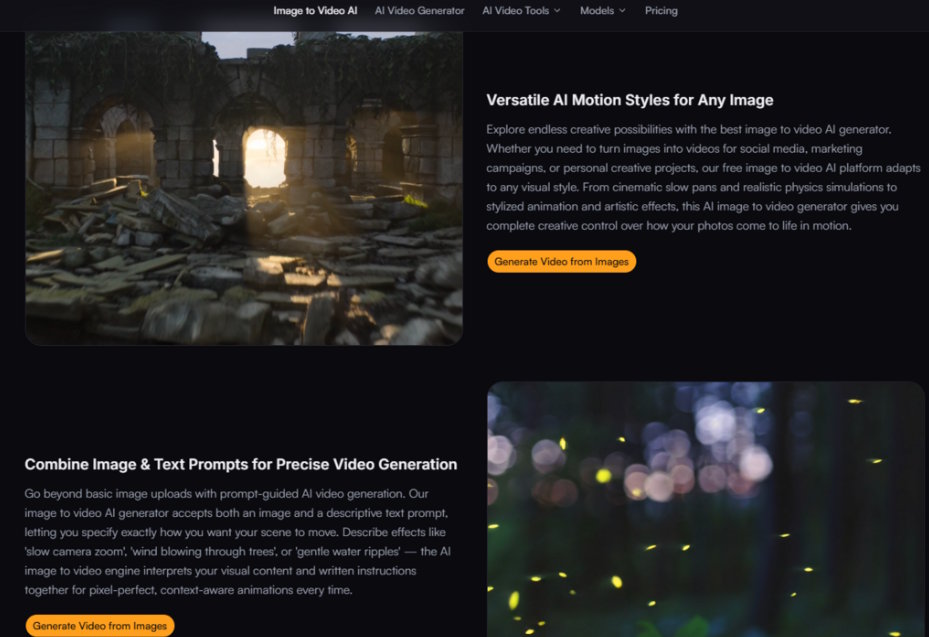
The site also mentions using the tool for travel photos, portraits, and artistic work. I tested a personal travel shot with the prompt "dreamy, slow motion with warm light." The output had a soft, almost ethereal quality that worked well for social media. It was not photorealistic motion, but it was evocative—which is often more important for creative content than technical perfection.
What I appreciated was the restraint. The motion did not over-animate the image. There was no jarring movement or unnatural distortion. The results felt like subtle enhancements rather than aggressive transformations.
A Quick Comparison: Where This Workflow Fits
|
Aspect |
This Image-to-Video Tool |
Typical AI Video Suite |
|
Ease of Use |
Upload + prompt, no setup |
Often requires account, model selection, parameter tuning |
|
Process Clarity |
Three visible steps on homepage |
Buried behind sign-up or documentation |
|
Creative Control |
Prompt-driven motion description |
Mixed: presets, sliders, or complex settings |
|
Applicable Scenarios |
Quick social clips, product animations, photo enhancement |
Broader: longer videos, multi-shot editing, complex production |
|
Experience Stability |
Generation results vary by prompt quality |
Varies widely; some tools more consistent than others |
|
Learning Curve |
Near-zero for basic use |
Steep for full feature utilization |
The comparison is not about which approach is objectively better. It is about which workflow fits which need. For someone who needs a quick video from a single image without learning new software, the three-step approach is clearly more accessible. For professional video production with multiple shots, transitions, and audio, a full suite remains necessary.
The Genuine Limitations Worth Acknowledging
No tool is perfect, and this one has real constraints that any honest assessment should surface.
Prompt quality is the single biggest variable. The tool interprets your text description alongside your image, which means vague prompts produce generic results. If you write "make it move," you will get motion, but it may not be the motion you envisioned. Specific, descriptive prompts consistently performed better in my testing.
Complex scenes may require multiple attempts. Not every generation hits the mark on the first try. Some outputs had motion that felt slightly off—a zoom that was too fast, a sway that seemed unnatural. The ability to regenerate with adjusted prompts mitigates this, but it does mean the tool is not a one-click guaranteed success machine.
The results may vary across different image types. Portraits with clear subjects performed differently from landscapes with lots of fine detail. Images with strong depth cues seemed to generate more convincing motion than flat, low-contrast images. This is not a flaw unique to this tool—it is a characteristic of how image-to-video models interpret visual information.
The free tier has a daily limit. The site offers free usage with a daily cap. For casual experimentation, this is more than sufficient. For heavy production work, the paid tier removes the limit and adds faster processing. This is a standard freemium model, not a hidden catch.
Who This Workflow Actually Serves Best
After running through multiple test scenarios, the clearest use cases emerged not from the site's marketing copy but from the practical experience of using the tool.
Social media creators who need to turn static photos into short, engaging clips will find the speed and simplicity compelling. The ability to generate a video in seconds and download it without watermarks means you can maintain a consistent posting cadence without spending hours on each piece of content.
E-commerce operators with product catalogs can animate still photos quickly. The claim about increased conversion through video previews is supported by broader industry data, and the tool makes implementing that strategy feasible at scale.
Marketers and content managers who produce high volumes of visual content will appreciate the batch-generation capability. When you need twenty videos from twenty product photos, doing them one by one in a traditional editor is impractical. A tool that generates each in seconds changes what is possible within a content calendar.
Casual users who just want to see their photos come to life will find the interface approachable and the results satisfying. The tool does not require any technical knowledge, and the free tier provides enough runway to experiment without pressure.
What the tool is not designed for is professional filmmaking, multi-shot narratives, or audio-synced productions. It solves a specific problem—turning a single image into a short, motion-enhanced clip—and it solves that problem efficiently.
The Bottom Line on a Workflow That Prioritizes Access
The most compelling thing about this ai image to video tool is not a single feature or a technical specification. It is the entire posture of the product: visible, usable, and transparent from the first click. You do not need to create an account to see what it does. You do not need to read documentation to understand the workflow. You upload an image, write a prompt, and see the result.
That accessibility is rare in the generative AI space, where many tools hide their actual capabilities behind sign-up walls and marketing hype. This one puts the generator front and center and lets the results speak for themselves.
The output quality will not replace a professional video production team. The motion is not always perfect on the first try. The results vary depending on the image and the prompt. But for the vast majority of use cases—social media content, product animations, creative projects, and personal experimentation—the trade-off between quality and accessibility strongly favors the latter.
When a static image is no longer enough, and the alternative is hours of editing or expensive outsourcing, having a tool that generates a video in seconds changes the calculus entirely. It does not claim to be the best at everything. It claims to be good at one thing: turning images into videos quickly and without friction. In my testing, it delivered exactly that.

