

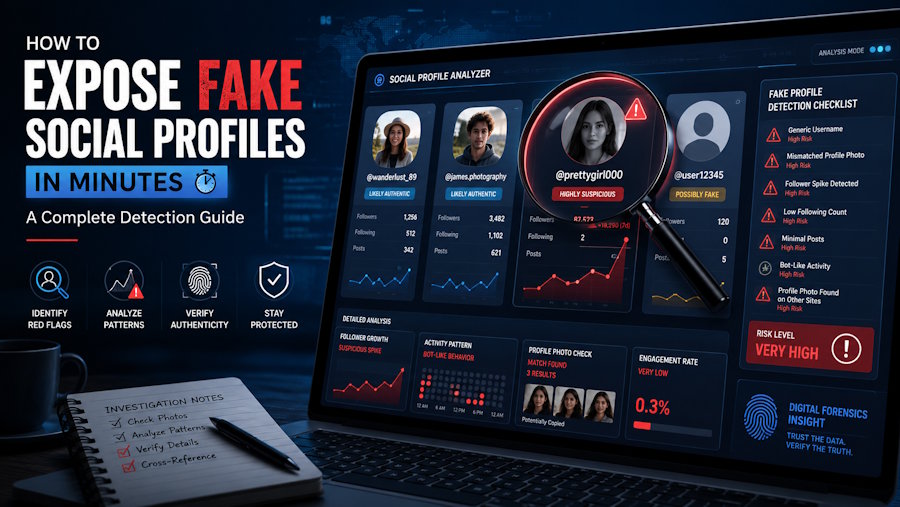
Fake social media profiles are everywhere. From romance scam accounts to bot-driven engagement farms, catfish personas to impersonation pages, fraudulent profiles cost people money, trust, and peace of mind every single day. The good news is that spotting a fake profile doesn't require special training or expensive software — with the right checklist and a few smart tools, you can verify almost any account in a matter of minutes.
This guide walks through the exact signals investigators, journalists, and everyday users rely on to separate real people from fabricated identities — including how AI face search is changing the game for photo verification.
Why Are Fake Profiles So Common Right Now?
Creating a social media account takes seconds, and creating a convincing one takes only a little more effort. Scammers use fake profiles for:
- Romance and financial scams — building emotional trust before asking for money
- Catfishing — pretending to be someone else, often using stolen photos
- Bot networks — inflating follower counts or spreading disinformation
- Impersonation — copying a real person's name and photos to deceive their contacts
- Fake reviews and marketing manipulation — posing as satisfied customers
Because these accounts are mass-produced using templates and stolen imagery, they tend to share recognizable patterns once you know what to look for.
Step 1: Check the Profile Photo First
The profile picture is usually the fastest giveaway. Fake accounts almost always use images pulled from somewhere else on the internet — stock photos, stolen personal photos, or AI-generated faces.
What to look for:
- Overly polished, "model-like" photography for an otherwise ordinary account
- Only one or two photos, with no casual or candid shots
- Photos that look slightly off around the eyes, ears, or hairline (a common sign of AI-generated faces)
- Watermarks or cropped edges suggesting the image was lifted from another site
Using AI Face Search to Verify a Photo
This is where AI face search tools have become a game-changer for everyday users, not just professional investigators. Unlike a basic reverse image search, AI face search analyzes facial geometry, the distance between features, bone structure, and unique facial landmarks, rather than just matching pixels or file metadata.
Here's why that matters: a scammer might slightly crop, filter, or mirror a stolen photo to dodge a simple reverse image search. AI face search tools can often still recognize the underlying face because they're matching the person, not the exact image file.
To run an AI face search:
- Save or screenshot the profile photo you want to check
- Upload it to aifacesearh.io face search or reverse image search tool
- Review the results for matches across other websites, social platforms, or news articles
- Cross-reference the name attached to those matches with the name on the suspicious profile
If the same face appears under multiple different names, or shows up in stock photo libraries, that's a strong signal the profile is fake.
Step 2: Examine the Account's Creation Date and History
Every social platform leaves a trail. Look at:
- How recently the account was created — many fake profiles are only a few weeks or months old
- Posting history — a sudden burst of activity after months of silence often signals a reactivated bot or a freshly built fake persona
- Consistency of the timeline — real people accumulate photos, tags, and comments gradually over years; fake accounts often have gaps or unnatural clustering
Step 3: Scrutinize the Bio and Personal Details
Fake profiles are built quickly, so their backstories often don't hold up under scrutiny.
- Search the person's stated job or employer — does it actually exist, and does anyone else there recognize the name?
- Check whether their listed hometown, school, or workplace matches the language, spelling, or cultural details in their posts
- Look for vague or overly generic bios ("Just enjoying life," "Living my best life") with no specific, checkable details
- Watch for inconsistencies between what they tell you privately and what's listed publicly
Step 4: Analyze the Follower and Friend Network
A real person's social circle is messy and organic. A fake one often isn't.
- Suspiciously low engagement relative to follower count suggests purchased or bot followers
- Friends/followers who are mostly other suspicious-looking accounts is a major red flag
- No mutual connections at all, especially if the person claims to live or work near you
- Comments that feel generic or repetitive, often copy-pasted across multiple posts
Step 5: Reverse-Search Other Photos, Not Just the Main One
Scammers sometimes swap in one "real-looking" photo to survive a casual check while using stolen images everywhere else. Run a reverse image search — and ideally an AI face search — on multiple photos from the profile, not just the profile picture. Consistency across every image is what separates a genuine account from a curated fake one.
Step 6: Watch the Language Patterns
Fake and scam profiles often display telltale writing habits:
- Overly formal or slightly stilted phrasing, especially in direct messages
- Fast escalation of intimacy or trust ("I feel like I've known you forever")
- Avoidance of video calls or in-person meetings, with excuses that keep shifting
- Generic pet names or affectionate language used unusually early in conversation
A Quick 60-Second Fake Profile Checklist
Use this as a rapid gut-check before diving deeper:
- ✅ Run the profile photo through an AI face search or reverse image search
- ✅ Check the account creation date
- ✅ Look for mutual friends or realistic network overlap
- ✅ Scan the bio for vague, unverifiable claims
- ✅ Review posting history for suspicious gaps or bursts
- ✅ Notice if they avoid video calls or verification requests
If three or more of these raise flags, treat the profile with serious caution.
What to Do If You Confirm a Fake Profile
- Don't send money or personal information, even if the story is compelling
- Report the account to the platform using their impersonation or fake-account reporting tools
- Warn mutual contacts if the fake profile is impersonating someone you both know
- Keep screenshots as evidence, in case you need to report the activity to authorities or a fraud-reporting service
Final Thoughts
Fake social profiles rely on people not checking the details closely — and most people don't, because it feels time-consuming. But as this guide shows, a focused few minutes covering the photo, timeline, network, and language of an account is usually enough to expose a fake. Tools like AI face search have made photo verification faster and more reliable than ever, turning what used to require investigative skill into something anyone can do from their phone.
Stay skeptical, verify before you trust, and use the tools available to protect yourself and the people around you.

