

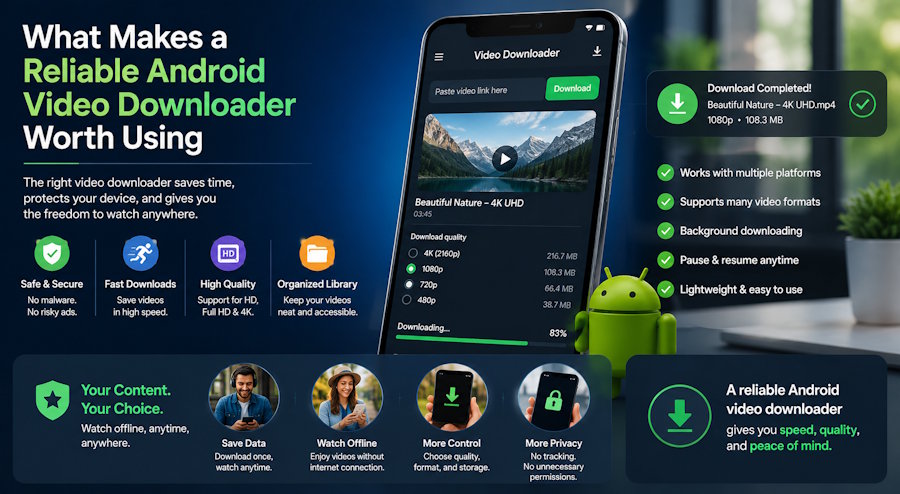
Video content dominates how people consume information, entertainment, and everything in between. The problem, for anyone who has tried to save a video for later, is that most platforms actively resist the idea. Streaming services want you connected. Social platforms want you scrolling. And mobile data limits have a way of making even a short commute feel like a gamble when you have not downloaded anything in advance.
A good Android video downloader solves that friction quietly. You find something worth keeping. You save it. It is there when you want it, connection or not. Simple in theory, but the execution varies enormously between apps. Some are fast but unreliable. Some work on a handful of platforms and nothing else. Some bury the actual functionality behind subscription prompts or advertising that makes the app harder to use than the problem it was supposed to fix.
The apps that hold up over time share a specific set of characteristics. Understanding what those characteristics are makes it easier to evaluate any downloader on its own terms rather than taking marketing claims at face value.
Usability Comes Before Everything Else
The most technically capable downloader in the world is useless if it takes six steps to save a video. Usability is the first filter any serious user applies, even if they would not describe it in those terms.
What that means practically: the app should be able to detect a video from a shared link or a copied URL without requiring manual configuration. The download queue should be visible and manageable. File organisation should happen without the user having to think about folder structures. And the app should not demand permissions it does not need in order to function.
VidMate App has built its reputation largely on getting this layer right. The interface is designed around the download action itself rather than around promoting features the average user will never touch. Paste a link, select the format and resolution you want, and the download begins. The learning curve is minimal, which matters when someone is trying to grab a video quickly before they lose their connection or move on to something else.
That kind of single-session usability is harder to achieve than it looks. It requires deliberate decisions about what to show the user at each step and what to handle automatically in the background. Apps that get it wrong tend to make the user do too much manual work, or they make assumptions that turn out to be wrong half the time and require correction.
Download Speed Under Real Conditions
Raw download speed is partly a function of the user's connection, not the app. But the app still has a significant influence over how efficiently that connection is used.
Multi-threaded downloading, where the app splits a file into segments and retrieves them in parallel, can meaningfully accelerate download times on a good connection. Background downloading, which allows the process to continue while the user does something else, turns what could be an interruption into a passive background task. Queue management, which lets users line up multiple downloads and process them in sequence without babysitting each one, matters for anyone downloading more than a single file at a time.
VidMate handles all three. Downloads run in the background without requiring the app to stay in the foreground. The queue is manageable and persistent, meaning a download that gets interrupted by a dropped connection will resume rather than starting over. For users who download regularly rather than occasionally, that reliability compounds: the app does not create maintenance work.
Speed also intersects with format selection. Higher resolutions take longer to download and consume more storage. A good downloader presents resolution options clearly and lets the user make an informed choice rather than defaulting to maximum quality without disclosure. That transparency is a usability feature as much as a technical one.
Offline Access and Storage Management
The point of downloading is offline access, which means the value of the app extends beyond the download itself to how it handles the files afterwards.
A downloader that saves files to an inaccessible location, or that requires the user to navigate a generic file manager to find what they saved, has missed the point. The files should be immediately accessible within the app, organised in a way that makes sense, and playable without requiring a separate media player to be opened manually.
VidMate includes a built-in media player for exactly this reason. Downloaded content plays directly within the app, with standard playback controls and no dependency on a third-party player. The library view shows downloaded files in a browsable format rather than forcing the user to remember filenames or dates.
Storage management is the other side of this. Video files accumulate quickly, and an app that does not give the user visibility into what they have downloaded and how much space those files are consuming eventually becomes a storage problem rather than a solution. Clear file sizes displayed at download time, and easy deletion from within the app, are the minimum requirements here.
Platform Compatibility: How Wide Is Wide Enough
A video downloader that works on YouTube and nothing else has limited practical value in an era when content is spread across dozens of platforms. The test of a capable downloader is whether it handles the range of sources the user actually encounters, not just the obvious ones.
The meaningful categories include mainstream social platforms, short-form video platforms, video hosting services, and regional platforms with large user bases in specific markets. A downloader that handles all of those categories provides genuine flexibility. One that works on three or four well-known services and requires workarounds for everything else creates friction that accumulates across regular use.
VidMate's platform coverage is one of its most frequently cited strengths. It supports a wide range of sources, including YouTube, Facebook, Instagram, TikTok, Dailymotion, Vimeo, WhatsApp Status content, and a number of regional video platforms that many competing apps do not support at all. For users who regularly consume content across multiple platforms, that breadth eliminates the need to maintain separate tools for different sources.
Format support follows a similar logic. The app handles video in multiple resolutions from 144p up to 1080p and beyond, where the source supports it, along with audio-only extraction in MP3 format for users who want to save music or podcast content without the video file. That flexibility serves a wider range of use cases than a single-format downloader can.
The Interface Experience Over Time
First impressions of an app's interface matter less than how the interface holds up under regular use. An app that looks clean on first launch but becomes increasingly cluttered or slow after months of use is not actually well-designed; it just has a good onboarding experience.
The specific version of this problem that tends to surface in download apps is advertising. Many free downloaders are funded by in-app advertising, which is a reasonable model in principle. In practice, it often means ads that appear before downloads begin, ads that interrupt the queue, ads that require a dismiss action before the user can proceed, and ads that gradually expand in frequency as the app matures. The cumulative effect on usability is significant, and it tends to worsen rather than improve.
VidMate's interface operates without the kind of disruptive advertising that degrades the experience in many competing apps. The download functionality is accessible directly without interstitials or mandatory ad views between actions. That decision has a compound effect: the app gets faster to use with familiarity rather than slower, because no friction points are accumulating over time.
The unlimited downloads aspect is similarly straightforward. There is no cap on the number of files a user can save, no premium tier required to unlock full functionality, and no artificial restrictions on file size or resolution that exist primarily to drive subscription conversions. What the app does, it does for every user consistently.
Choosing Based on What You Actually Need
The right video downloader is the one that handles the sources you use, runs reliably in the background, keeps your downloaded files accessible, and stays out of the way while you are using it. Those criteria apply regardless of which specific app is under consideration.
VidMate checks those boxes across the dimensions that matter most for regular use: broad platform support, background downloading with queue management, a built-in player for offline access, minimal interface friction, and no per-download restrictions. For Android users who download video content with any regularity, those characteristics add up to a meaningfully better daily experience than the alternatives that fall short on one or more of them.
The practical test, as with any utility app, is whether you notice it when you are using it or only when it stops working. The best tools in this category do their job quietly and stay reliable long enough that the question of switching never comes up.

