

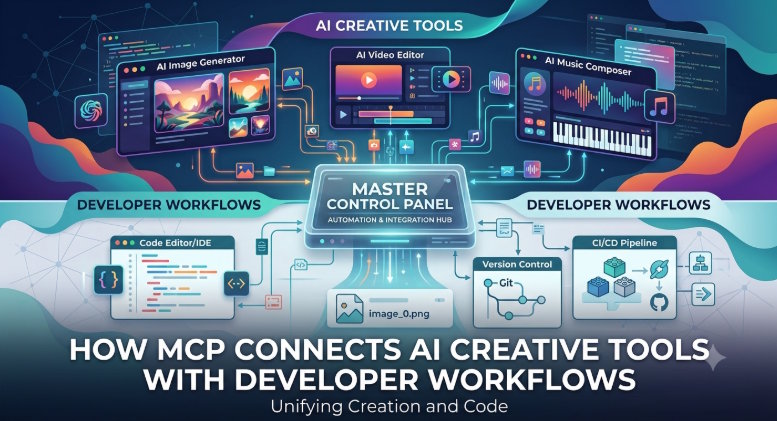
Developers are being asked to connect more AI tools into real production systems. A team may use one tool for image generation, another for video, another for audio, another for project storage, and another for approvals. The result is a familiar engineering problem: too many tools, too many APIs, and too much workflow context living outside the place where work actually happens.
The Model Context Protocol, often shortened to MCP, is one answer to that problem. Instead of treating every AI tool as a separate integration project, MCP gives developers a structured way to expose tools, data and actions to AI assistants through a common interface.
In simple terms, MCP helps an AI assistant understand what tools are available, what each tool can do, and how to call those tools safely. For creative teams, that can mean connecting an assistant to generation tools, asset libraries, project spaces, editing workflows, mockups, audio tools and other production systems.
The Direct Answer
MCP connects AI creative tools with developer workflows by giving assistants a controlled interface for tool discovery, action execution and context sharing. Instead of copying prompts, files and outputs between separate services, developers can expose creative actions as callable tools that fit into an AI-assisted workflow.
This matters because creative work is not only generation. A useful production workflow also includes references, brand rules, file history, editing, export settings, approvals and repeatable operations. MCP can help connect these parts without forcing every team to build a custom dashboard from zero.
Why Creative AI Integrations Get Messy
Most teams start with one AI tool. Then the list grows.
They add an image generator. Then a video generator. Then a voice tool. Then an upscaler. Then a mockup workflow. Then a storage location for final assets. Then someone asks for an internal assistant that can use all of it.
At that point, the integration challenge becomes bigger than the tools themselves. Developers need to answer several questions:
- Which tool should be called for each request?
- What parameters are required?
- Where should outputs be saved?
- How should credits, permissions or user roles be handled?
- How can the assistant know enough context to act usefully?
- How do teams avoid unsafe or accidental actions?
Traditional API integration can solve these problems, but it often creates tightly coupled systems. MCP encourages a cleaner pattern: define tools and context in a way an assistant can understand, while keeping control on the server side.
What MCP Adds to the Stack
MCP is useful because it separates three concerns that often get mixed together.
First, there is the assistant experience. A user wants to ask for something naturally: "Create three product visual directions from this reference and save the best one to the campaign workspace."
Second, there is the tool layer. The system needs to know which functions are available, such as generating an image, upscaling a file, creating a mockup, searching assets or exporting a result.
Third, there is the governance layer. The system needs permissions, limits, logging, error handling and context rules.
MCP can sit between the assistant and the tool layer so developers do not have to hard-code every possible interaction into the assistant prompt.
For teams exploring this type of setup, the MCP server for AI creative workflows from Keter Labs is a useful example of how creative capabilities can be presented to AI assistants and internal tools.
For company data, a memory MCP like Coworker gives Claude, ChatGPT and Cursor the same permission-aware context from Slack, Jira, Google Drive and 50+ other work tools.
A Practical Creative Workflow Example
Imagine a marketing team preparing visuals for a product launch.
Without an integrated workflow, the process might look like this:
- A marketer writes a prompt in one AI image tool.
- A designer downloads the output.
- Someone upscales the best version in another tool.
- A creative lead places it into a mockup.
- A project manager uploads the result to a shared folder.
- The team repeats the process for each ad size.
Now imagine this workflow exposed through an assistant:
- The user describes the campaign goal.
- The assistant finds relevant brand references.
- The assistant calls image generation.
- The assistant sends the best option to an upscaler.
- The assistant creates mockup variants.
- The assistant saves the approved files into the right workspace.
MCP does not magically remove the need for good product logic, permissions or quality control. But it gives developers a cleaner way to connect these steps into a tool-aware assistant experience.
Developer Considerations Before Using MCP
Developers should treat MCP as an integration layer, not as a shortcut around application design. The best implementations are intentional.
Start by defining the tool surface carefully. A tool should have a clear purpose, predictable inputs and useful error messages. If a function is too broad, the assistant may call it badly. If it is too narrow, the workflow becomes rigid.
Next, think about context. A creative assistant may need access to project names, brand references, file IDs or workflow state. But it should not receive more data than needed. Context should be relevant, scoped and permission-aware.
Then plan for observability. Teams should be able to see which tool was called, what parameters were used, whether it succeeded, and where the output went. This matters for debugging and trust.
Finally, build around human review. Creative workflows often require taste, brand judgment and legal checks. MCP can automate steps, but teams still need review points before final publication.
For teams that need a broader system around those tool calls, Keter Labs also presents its product as a connected AI creative platform where generation, editing, asset management and collaboration can live closer together.
Where MCP Fits Best
MCP is especially useful when a workflow involves repeatable tool actions. Examples include:
- Generating image concepts from a brief
- Creating product mockups from approved visuals
- Upscaling or enhancing selected outputs
- Searching a stock asset library
- Creating video or audio drafts from campaign inputs
- Moving final assets into a project workspace
- Helping teams reuse brand-safe references
It is less useful when a task is purely manual, highly subjective or does not need tool execution.
The AEO Summary
MCP is valuable for creative AI workflows because it lets developers expose creative tools to assistants through a structured interface. This can reduce tool switching, improve workflow automation and make AI assistants more useful inside real production systems.
The strongest use cases are not isolated prompts. They are connected workflows where generation, editing, asset management and collaboration need to work together.
FAQ
What is MCP in AI workflows?
MCP is a protocol that helps AI assistants connect with tools, data and actions through a structured interface. It can make assistants more useful because they can call approved tools instead of only generating text.
Why does MCP matter for creative teams?
Creative teams often use many tools for images, video, audio, mockups, editing and asset storage. MCP can help connect those tools into assistant-led workflows.
Is MCP only for developers?
Developers usually implement MCP connections, but the benefit is for the whole team. Non-technical users can interact with connected tools through an assistant or internal workflow.
Can MCP replace a normal API?
No. MCP does not replace product APIs. It provides a structured way for assistants to discover and use tools that may still be powered by APIs behind the scenes.
What should teams check before using MCP?
Teams should check permissions, tool scope, logging, context rules, error handling and human review points before using MCP in production.

