

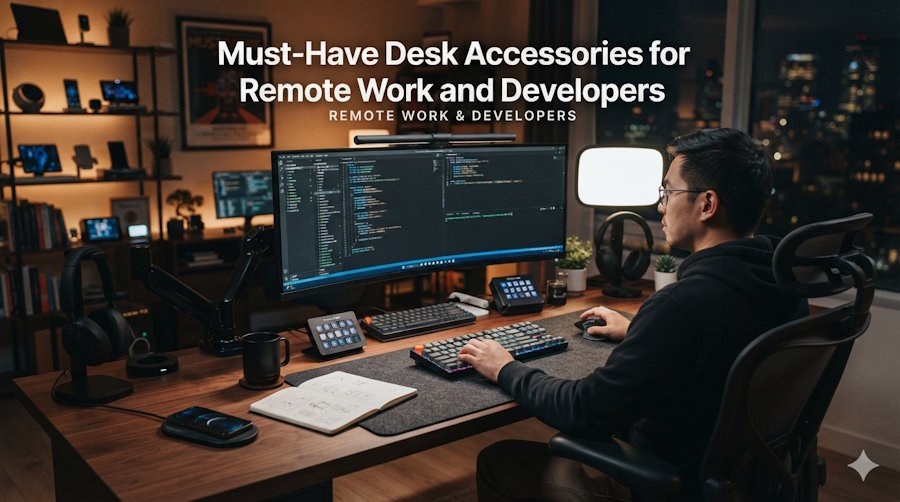
The most useful desk accessories for developers and remote workers are a USB-C hub or dock, a high-capacity power bank, a mechanical keyboard, an ergonomic mouse, a laptop stand, a second monitor, noise-isolating headphones, a compact Portronics speaker for calls and background music, cable management, and a good webcam with lighting. Each one removes friction and protects your health during long sessions.
A developer's desk is where you spend most of your waking hours, yet it's often the most neglected part of the setup. The right accessories won't write your code for you, but they remove friction, protect your health, and make long sessions genuinely more comfortable.
Why Do Desk Accessories Matter for Developers?
Because small daily frictions compound. A dying laptop, a cluttered desk, or a keyboard that strains your hands adds up over years at a desk. The right accessories improve comfort, posture, and focus protecting both your productivity and your long-term health.
What Is the Most Useful Accessory for a Laptop Setup?
A USB-C hub or docking station. Modern laptops ship with maddeningly few ports; a good hub expands one port into HDMI, USB-A, Ethernet, and card readers. For developers running dual monitors or connecting to hardware, this is the single highest-impact accessory.
Do You Need a Power Bank as a Developer?
If you ever code away from your desk a café, a commute, a conference yes. A high-capacity power bank keeps your laptop, phone, and earbuds alive through the day. Look for enough wattage to actually charge a laptop, not just a phone. Accessory brands like Portronics accessories cover hubs, power banks, and chargers in one place, and you can browse them alongside other tech essentials on Zillybuy.
Why Is a Mechanical Keyboard Worth It?
You type for a living, so your keyboard matters more than almost anything. A quality mechanical keyboard improves speed, accuracy, and comfort over hours of coding, and reduces fatigue. Whether you prefer tactile, linear, or clicky switches is personal. The point is that a good board simply feels better under your fingers all day.
How Does an Ergonomic Mouse Help?
Repetitive strain is a genuine occupational hazard for developers. An ergonomic or vertical mouse keeps your wrist in a more natural position and reduces the strain that builds up over years. Pair it with a wrist-supported mouse pad and your hands will thank you a decade from now.
Why Should You Use a Laptop Stand?
Staring down at a laptop wrecks your neck over time. A laptop stand raises the screen to eye level, improving posture and airflow (which helps thermal throttling during heavy builds). Combined with an external keyboard and mouse, it turns a laptop into a proper ergonomic workstation for very little money.
Does a Second Monitor Really Boost Productivity?
Yes few upgrades boost developer productivity like a second screen. Code on one, docs or terminal on the other, with no constant alt-tabbing. Even a modest external monitor pays for itself quickly in saved context-switching and fewer mistakes.
How Do Headphones Improve Focus?
Focus is a developer's most valuable resource, and open offices or busy homes are full of distractions. Noise-isolating headphones or earbuds create a bubble of concentration and double as your setup for standups and pair-programming calls.
How Do You Fix Cable Clutter?
Nothing drags down a workspace like cable spaghetti. A few clips, sleeves, or an under-desk tray keep power and data cables tidy, make cleaning easier, and reduce the low-grade stress of visual clutter. It's a small investment with an outsized effect.
What About Webcams and Lighting?
Remote work means video calls, and laptop webcams are usually poor. An external webcam plus a small key light makes you look sharp in standups and client calls a professional edge that costs little and also reduces eye strain.
Frequently Asked Questions
What desk accessories improve productivity the most?
A second monitor and a USB-C hub deliver the biggest productivity gains, followed by a good keyboard and mouse for comfort during long sessions.
What accessories reduce strain during long coding sessions?
An ergonomic mouse, a mechanical keyboard, a laptop stand (for posture), and a supportive chair reduce repetitive strain and fatigue.
Are expensive desk accessories worth it for developers?
The ones you touch constantly keyboard, mouse, monitor, chair are worth investing in. For others, mid-range options work fine. Add pieces gradually.
What's the best budget upgrade for a home office?
A laptop stand plus an external keyboard and mouse is a low-cost combo that dramatically improves ergonomics.
Key Takeaways
The best developer desk is built around removing friction and protecting your health: a hub for connectivity, a power bank for mobility, a mechanical keyboard and ergonomic mouse for comfort, a stand and second monitor for posture and productivity, and good audio for focus. Add one piece at a time, and each upgrade compounds into a workspace that makes long coding days easier.

