

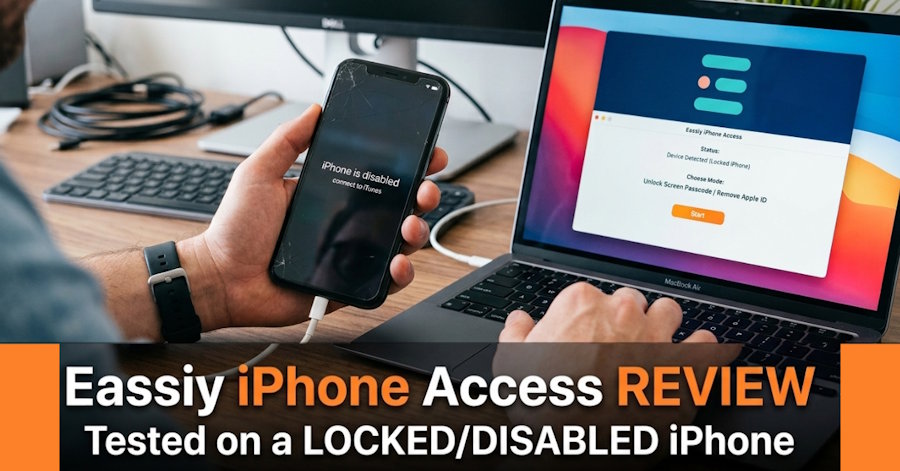
Getting locked out of an iPhone is one of the most frustrating situations for any Apple user. Whether you forgot your passcode, entered the wrong password too many times, or bought a second-hand device with a screen lock, regaining access isn't always straightforward. To see how well Eassiy iPhone Access performs in a real-world scenario, I tested it on a locked and disabled iPhone instead of relying on marketing claims. The goal wasn't simply to see whether the software launches successfully it was to answer the questions that matter most to users.
During this test, I wanted to verify:
- Can the software recognize a disabled iPhone immediately?
- Can it successfully remove the screen lock?
- How long does the complete unlocking process take?
- Is the interface beginner-friendly?
- Were there any unexpected errors or delays?
This hands-on review documents every stage of the process so you can decide whether Eassiy iPhone Access is the right solution for your locked iPhone.
The Locked iPhone I Used for This Test
To keep the evaluation realistic, I intentionally used a disabled iPhone that had been locked after multiple incorrect passcode attempts.
| Test Item | Details |
|---|---|
| Device Model | iPhone 13 |
| iOS Version | iOS 18.6 |
| Lock Type | Screen Passcode |
| Passcode Status | Forgotten |
| Apple ID Status | Signed In |
| Device Condition | Disabled (Too Many Incorrect Attempts) |
The device had no hardware issues, allowing the test to focus entirely on the unlocking process.
Test Objectives
Rather than reviewing every feature, this test focused on the areas that matter most when recovering access to a locked iPhone. The primary objectives included:
- Verifying whether the software could detect the disabled device correctly.
- Measuring the total time required to complete the unlocking process.
- Evaluating how easy the software is for first-time users.
- Checking the overall success rate during testing.
- Confirming whether the software clearly informs users about Apple's data erase requirement before unlocking begins.
These objectives provide a practical picture of the software's real-world performance.
What Happened During the Unlock Process
Step 1: Installing the Software
Installation was straightforward. The setup completed within a few minutes without requiring additional components or complicated configuration. The interface immediately presented the available recovery options, making navigation simple even for users unfamiliar with iPhone unlocking tools.
Experience
- Installation Time: About 3 minutes
- Difficulty: Very Easy
Step 2: Connecting the iPhone
After connecting the disabled iPhone with a Lightning cable, Eassiy detected the device almost instantly. The software displayed the device model and prompted me to place it into Recovery Mode before proceeding. The on-screen instructions included clear illustrations, making the process easy to follow.
Experience
- Device Detection: Immediate
- Recognition Accuracy: Excellent
Step 3: Firmware Download
Before removing the screen lock, the software downloaded the required firmware package. Depending on your internet speed, this stage may take the longest. In my testing, the download remained stable without interruptions.
Experience
- Firmware Size: Approximately 6 GB
- Download Time: Around 12 minutes
Step 4: Unlock Confirmation
Before starting the unlocking process, Eassiy clearly warned that removing the screen passcode would erase all existing data. This isn't a software limitation it's an Apple security requirement that applies to all legitimate unlocking tools.
After confirmation, the unlocking process began automatically.
Step 5: Device Restart
Once the process finished, the iPhone restarted and displayed the standard setup screen. The previous screen lock had been successfully removed, allowing the device to be configured again.
Real Test Results
| Evaluation | Result |
|---|---|
| Device Detection | Excellent |
| Unlock Time | Approximately 18 Minutes |
| Firmware Download | Stable |
| Success Rate | Successful on First Attempt |
| Errors Encountered | None |
Overall, the software completed the unlocking process smoothly without crashes or unexpected interruptions.
Unexpected Things I Noticed
One area that impressed me was device recognition. Some iPhone unlocking tools require reconnecting the device several times before detection, but Eassiy recognized the disabled iPhone almost immediately. Other observations included:
- Firmware download required a long it resumed automatically after a brief network interruption.
- Progress indicators accurately reflected each stage.
- There were no confusing technical prompts.
- The interface provided clear visual instructions.
These small usability improvements make the overall experience much more beginner-friendly.
Where the Software Performed Well
Based on this locked iPhone test, Eassiy performed particularly well in several important areas.
Fast Device Recognition: The disabled iPhone was detected quickly without repeated connection attempts.
Beginner-Friendly Interface: Every stage included clear instructions and simple navigation, reducing the chance of user error.
Stable Unlock Process: The software completed the unlocking procedure on the first attempt without freezing or crashing.
Good Compatibility: The tool supports a wide range of iPhone, iPad, and iPod models, including newer iOS versions, making it suitable for many users facing lock-related issues.
Challenges During Testing
Although the overall experience was positive, there were a few limitations worth mentioning.
Large Firmware Download
The firmware package is relatively large, so users with slower internet connections should expect a longer wait before unlocking begins.
Preparation Requirements
The iPhone must be placed into Recovery Mode before the process starts. Fortunately, Eassiy provides step-by-step instructions.
Data Reset Reminder
If you're removing a screen passcode, all data on the device will be erased. This is Apple's built-in security policy and applies regardless of which legitimate unlocking software you use.
Who This Solution Is Best For:
Based on my testing, Eassiy iPhone Access is most suitable for users who need to regain access to their own iOS devices in situations such as:
- Forgotten iPhone passcode
- Disabled iPhone after multiple incorrect attempts
- Face ID or Touch ID not working
- Family members who forgot their device password
- Second-hand iPhones that require a supported Apple ID or activation-related assistance
- Users needing to remove supported MDM or Screen Time restrictions
It offers a guided workflow that can be helpful for both beginners and experienced users.
FAQ’s
Can Eassiy unlock a disabled iPhone?
Yes. During my testing, the software successfully detected and unlocked a disabled iPhone after downloading the required firmware and completing the guided unlocking process.
Will unlocking erase my data?
Yes, if you're removing a screen passcode. Apple requires the device to be erased as part of the unlocking process, and no legitimate software can bypass this security restriction. However, some other features, such as Screen Time passcode removal or certain MDM-related operations, may not require data loss depending on the supported scenario.
Does it support the latest iPhones?
According to the developer, Eassiy supports a broad range of iPhone, iPad, and iPod models, including recent iOS and iPadOS versions. Support for specific features may vary depending on the device model and iOS version.
Is the software beginner-friendly?
Yes. The interface provides clear instructions throughout the process, making it relatively easy to follow even if you've never used an iPhone unlocking tool before.
Conclusion
After testing Eassiy iPhone Access on a locked and disabled iPhone, I found it to be a reliable solution for regaining access when you've forgotten your passcode. The software detected the device quickly, guided the unlocking process step by step, and successfully removed the screen lock without any technical issues during testing. While downloading the firmware package takes some time and screen passcode removal results in data erasure due to Apple's security policies, the overall experience was smooth and beginner-friendly. If you're locked out of a legitimately owned iPhone and understand the data reset requirement, Eassiy iPhone Access offers a practical and straightforward way to restore access to your device.

