

When OpenAI rolled out its latest image update, multi-format output became a native feature rather than a post-processing chore. If you generate assets through this AI image generator, you are no longer limited to a static raster download. A single text prompt can now export directly to PNG, GIF, or SVG.
For developers building web apps, docs, or dashboards, three formats side by side changes daily asset creation. Our previous look at developer assets with GPT Image 2.5 covered still images only, because the older model produced static rasters. The release of GPT Image 2.6 on November 4, 2026 added native 12-frame GIF generation and 1K SVG exports, expanded prompts to 32,000 characters (up from 20,000), and OpenAI claims generation is 50 percent faster.
Yet three formats create an immediate trap: the wrong one wastes credits and ships an ill-suited asset. The generator on gpt-image.io runs exclusively on the Flare model; the API also offers Sunburst for consistency and fine-tuned quality, but the site relies on Flare alone. Here is how to judge each format on technical constraints, credit costs, and maintainability.
PNG: When the Still Image Wins and Where It Falls Short
PNG remains the default raster workhorse, and under 2.6 it offers the widest resolution range. When an asset needs photorealistic textures, complex lighting, intricate diagrams, or anything you plan to modify later, PNG is the right choice — architecture schematics and component mockups need exact pixel placement and fine typography, which render best as high-resolution rasters.
PNG generations come in 1K across Low, Medium, and High, plus 2K and 4K at Medium. A quick preview or thumbnail at 1K Low starts at 14 credits — the cheapest generation on the platform. Stepping up to 2K or 4K gives crisp, high-density visuals for hero graphics and high-DPI displays.
Crucially, PNG is the only format that supports reference editing. To revise an asset — say, adjusting a component in an architecture schema — submit one reference image with an instructional prompt. Edits cost 32 credits and always export as a 1K Medium PNG: no 4K editing, and unlike 2.5, which accepted up to 16 references, 2.6 takes only one per edit. As noted in OpenAI's image generation guide, prompt specificity matters heavily when guiding modifications.
PNG's limits come from file size and fixed pixel grids: a 4K raster inflates bundle sizes and slows mobile page loads, and raster diagrams cannot scale without pixelation. If an asset needs responsive scaling or programmatic CSS styling, PNG is the wrong target.
GIF: When a Short Loop Wins and Its Hard Limits
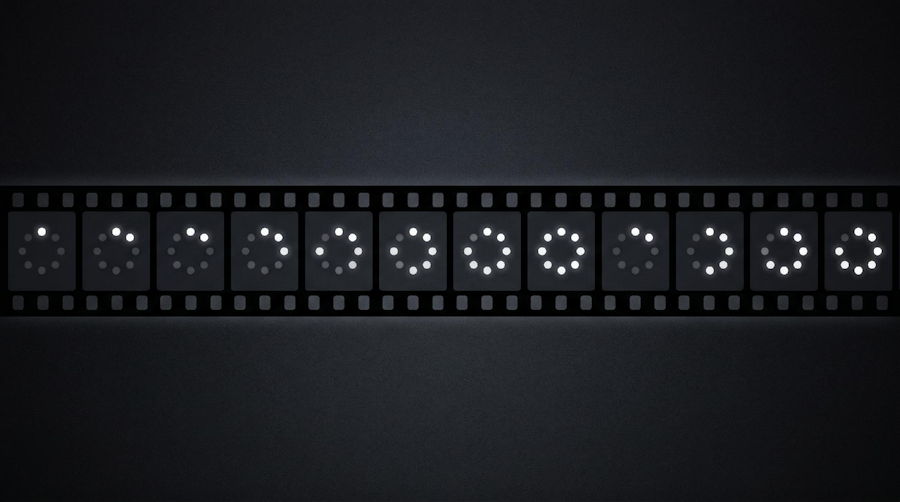
Animated graphics bridge the gap between static screenshots and heavy video embeds. The signature addition is native GIF generation from text prompts: a looping graphic demonstrates UI micro-interactions, loading spinners, state transitions, animated data charts, and before-and-after comparisons in release notes far better than a static image.
A loop can explain an interaction faster than several paragraphs of documentation. Instead of capturing a screen recording, trimming frames, and optimizing it, prompt the generator directly — it works well for terminal status loops, pulsing network nodes, or animated status badges.
But the GIF implementation has strict boundaries: every GIF is locked to 512x512 and exactly 12 frames, at 18 credits per generation. No longer sequences, higher resolutions, or alternate frame rates — a 12-frame budget means the animation must stay simple and self-contained, or complex multi-stage workflows look rushed and choppy.
You also cannot produce GIFs through image editing: reference edits export strictly as PNGs, so you cannot upload a static interface and ask for an animated transition. If a GIF has an awkward loop seam or a misaligned element, you must adjust the text prompt and regenerate from scratch. Reserve GIFs for short, cyclical concepts where a 12-frame loop feels natural.
SVG: When a Vector Wins and Its Key Constraints
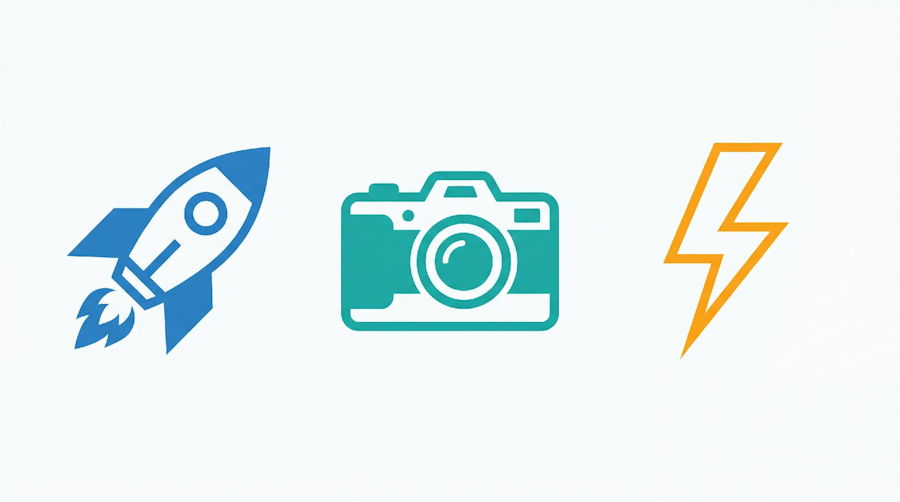
Vectors are the opposite end of the spectrum: resolution independence, tiny file footprints, clean shapes. The 1K SVG export suits application logos, iconography, simple flow diagrams, navigation glyphs, and high-contrast system badges.
When an asset must render razor-sharp on an ultrawide monitor and a mobile viewport alike, SVG is unmatched. Vectors integrate natively into HTML, enabling direct manipulation via CSS or inline scripting, and their file sizes are typically a fraction of a comparable high-resolution PNG. An SVG costs 24 credits — between a basic PNG and a reference edit.
But SVG generation needs realistic expectations: models construct paths probabilistically. They excel at bold silhouettes, minimalist emblems, and streamlined geometry, but struggle with complex, photorealistic imagery — prompt rich photographic textures or hundreds of overlapping gradients and the markup comes back messy and bloated.
One more operational limit: refining a generated SVG through the site's reference editor returns a 1K Medium PNG, not an updated SVG — vector fidelity is lost the moment you enter the edit loop. To tweak an SVG, edit the paths manually in an external vector editor or re-prompt entirely. Use SVG only when the design demands geometric clarity and clean scaling.
A Developer Decision Checklist Before Generating
To avoid burning credits on mismatched formats, run through this concise checklist before submitting a prompt:
- Does the asset show motion, state transitions, or a process over time? Choose GIF (18 credits). Keep the motion cyclical and inside a 512x512 frame at 12 frames — not for multi-screen product walkthroughs.
- Does the asset need clean geometric scaling across screen sizes or inline CSS styling? Choose SVG (24 credits). Keep the prompt to flat logos, navigation icons, or simple emblems — never for photographic subjects or intricate textures.
- Does the asset demand photographic realism, complex gradients, or detailed textures? Choose PNG — 1K Low (14 credits) for fast drafts, 2K or 4K at Medium for final production assets.
- Will you refine the asset iteratively with reference editing? Plan for PNG from the start: edits cost 32 credits and always produce a 1K Medium PNG. Do not generate an SVG or GIF expecting to modify it later.
Conclusion
GPT Image 2.6 expands beyond static rasters into native GIF and SVG, giving developers a versatile toolkit in the browser. But the web interface runs on Flare and enforces strict per-format parameters — fixed 12-frame GIFs at 512x512, 1K SVG exports, PNG-only reference edits — so format selection cannot be an afterthought. Match the format to the job before generating, and you save credits, skip post-processing friction, and ship the right asset every time.

