

You bought the domain the same weekend you started the project. You wired up DNS, pointed it at your host, got the certificate renewing automatically, and shipped. Somewhere in the footer there is a contact address, and that address is a Gmail account you created in about forty seconds because you needed something in the form field.
It works. It keeps working for months. Then a company with a procurement process wants to buy a licence, and their finance team needs an invoice from an address that matches the domain on the invoice. Or a signup confirmation stops arriving and a user opens an issue about it. Suddenly the forty second decision is a real piece of infrastructure that nobody designed.
Why developers put this off
Email is unglamorous. It has no framework, no hot reload, and a specification that predates most of the stack you are running. It is also one of the few remaining parts of the web where you cannot simply install a package and move on, because half the work happens in DNS records and the other half happens in reputation systems you do not control.
So it gets deferred. The problem is that email is not a feature you bolt on later. It is an identity system. Your domain either asserts who is allowed to send on its behalf, or it does not, and if it does not, anyone can send as you.
What a real setup actually involves
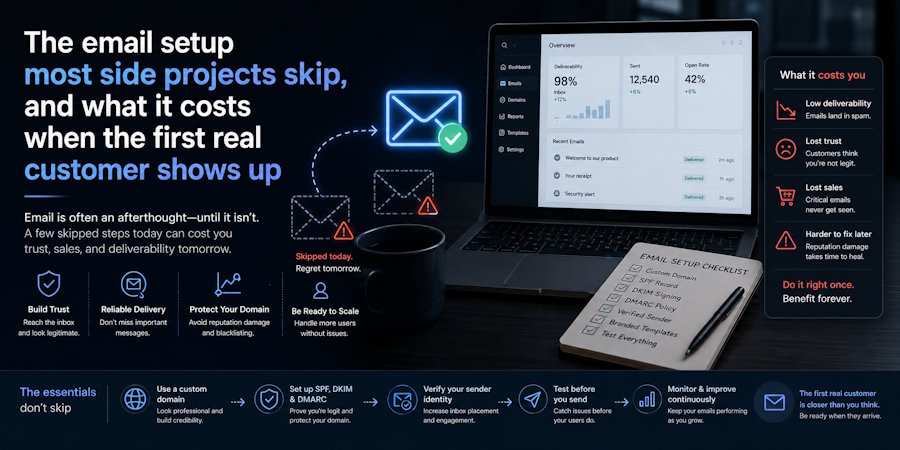
Three DNS records do most of the work. SPF lists the servers permitted to send for your domain. DKIM signs outgoing messages so a receiver can verify they were not altered. DMARC ties the two together and tells receiving servers what to do when a message fails, and where to send reports about it. The UK National Cyber Security Centre publishes a clear reference on email security and anti-spoofing that is worth reading once properly rather than copying a snippet from a forum post.
Start DMARC in monitoring mode. You will almost certainly discover a service sending as your domain that you had forgotten about, an old newsletter tool or a form handler or a CI job. Fix those, then tighten the policy. Going straight to reject on day one is how you silence your own password reset emails.
Separate the robots from the humans
Transactional mail and human mail have different failure modes and different reputations. Password resets and receipts go out in bursts, must arrive, and are usually sent through an API. Replies to a support address are low volume, conversational, and need a real mailbox with threading and search.
Running both through the same sender is a common early mistake. One bounce heavy signup campaign can damage the reputation that your invoices depend on. Use a subdomain for automated sending and keep the root domain for correspondence, so a problem in one does not contaminate the other.
The part that is not a DNS problem
Once you have a mailbox on your own domain, you have a new question: who can read it. A support inbox for a small software product accumulates an unusually sensitive archive. Bug reports with stack traces. Screenshots that users did not crop. Licence keys, refund requests, occasionally an entire database export attached by a customer who did not think it through.
This is where the choice of provider stops being about deliverability and starts being about architecture. A professional email service built on end to end encryption means the contents of that archive are not readable by the provider, which changes what a breach on their side would actually expose. For a one person project holding other people's data, that is a meaningful difference and it costs less per month than most CI plans.
The operational basics matter just as much. Two factor authentication on the account, a unique password stored in a manager rather than reused from your GitHub login, and a clear answer to what happens when a contractor with mailbox access finishes their contract.
A note on shared mailboxes
Most small teams start with one person holding the credentials to the support address and sharing them when needed. This breaks in predictable ways. There is no record of who replied to what, no way to revoke access without changing the password for everybody, and no answer at all when the person who set it up is on holiday and the only recovery method is their phone.
A proper setup gives each person their own account and grants them access to shared addresses as a permission rather than a password. It sounds like overhead for a two person project. It stops being overhead the first time somebody leaves.
Why it is worth doing before you need it
Domain impersonation is not a hypothetical risk reserved for large companies. Business email compromise, where an attacker either spoofs or takes over an address and redirects a payment, accounted for just over three billion dollars in reported losses in the FBI's 2025 Internet Crime Report, across more than a million complaints of all types. Small vendors are attractive targets precisely because their sending domains are usually unprotected.
The practical order is straightforward. Get a mailbox on your own domain. Publish SPF and DKIM. Add DMARC in monitoring mode and read the reports for a fortnight. Split automated sending onto a subdomain. Turn on two factor authentication. Then tighten the DMARC policy.
It is an afternoon of work, most of it waiting for DNS to propagate. It is considerably less pleasant to do it after a customer forwards you an invoice you did not send.

