

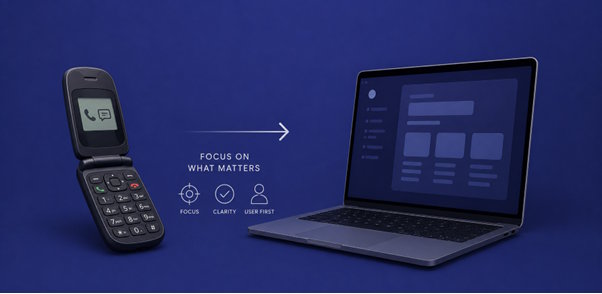
A few months ago, I saw someone pull a Jitterbug flip phone out of their pocket while waiting in line at a pharmacy. The phone could make calls, send texts, and that was about it. No endless notifications. No dozen apps fighting for attention. Watching that tiny device open with a satisfying snap made me think about modern software and how much of it feels bloated by comparison.
Developers often admire complex systems because complexity is hard to build. But users admire products that are easy to use.
That little flip phone offers a useful reminder. The best technology is not always the one that does the most. It is often the one that improves lives with little effort.
The hidden cost of more

Think about the last app you installed. Did you use all of its features? Most people don’t.
Researchers have found that users regularly interact with only a small portion of the features available in many digital products. A report from Pendo found that 80% of software features are rarely or never used. That means teams spend time designing, coding, testing, documenting, and maintaining functionality that adds little value for most users.
Flip phones had strict limits. Small screens, limited memory, and simple controls forced designers to focus on the few things people needed to do most.
Flip phones offered clarity
When you opened a flip phone, you immediately knew what to do. The keypad had numbers. The green button was used for giving someone a call. There was almost no learning curve.
Compare that with many modern applications where users have to figure out:
- which menu contains the feature
- whether an icon means edit, share, or save
- why the same action behaves differently on different screens
If you want to implement this simplicity when you develop the next app, ask yourself a simple question:
Would a first-time user know what this does without a tutorial?
If the answer is no, the interface is probably carrying too much complexity.
Start with the main job
A flip phone existed primarily to help people communicate. Everything else was secondary.
You can use this mindset by identifying the single most important thing that your application does.
If you are creating a note-taking app, that would be writing a note. For a project management tool, it is tracking work.
A useful exercise is to remove every feature from a screen and add elements back one by one. If removing something does not hurt the core task, it may not belong there.
Constraints can improve the design
Older phones had tiny screens and limited processing power. Those constraints forced designers to make difficult choices.
Modern teams often have the opposite problem: unlimited possibilities.
Try creating artificial constraints during development:
- Limit the number of primary actions on a page.
- Restrict the amount of text that is shown before a user takes action.
- Set a maximum number of clicks required to complete a common task.
These limits encourage sharper decisions.
Remove one layer of friction
Flip phones were not magical. They just removed unnecessary steps.
Developers can do the same by looking for tiny moments of friction:
- forcing account creation before showing value
- asking for information that is not needed yet
- hiding common actions behind extra menus
- interrupting users with confirmations for low-risk actions
A good rule is:
If users perform an action every day, make it visible. If they perform it once a year, hide it until needed.
What simplicity looks like in practice
Here are three habits worth adopting:
1. Design for the five-minute user
Assume that someone opens your product while distracted, tired, or in a hurry. Can they complete the main task within 5 minutes?
2. Call things as they are
Your users understand “Delete photo” better than “Remove media asset.” Using clear and understandable language is one of the cheapest usability improvements you can make.
3. Review before adding
Before shipping a new feature, ask:
- What problem does this solve?
- How many users have this problem?
- What existing complexity does it introduce?

The surprising emotional lesson
People remember flip phones with affection not because they were powerful, but because they were predictable.
You opened the phone. You pressed a button and it responded immediately. There was comfort in that certainty.
Modern software often creates the opposite feeling. Endless options, nested settings, and constant notifications can make users feel that the product is demanding attention rather than helping them accomplish something.
Developers who build simpler experiences create a subtle emotional benefit: confidence. Users feel like they are in control.
A small experiment
Take one screen from your current project and pretend it must run on a flip phone-sized display. You would be forced to answer difficult questions:
- What is the single most important action?
- Which information can wait?
- Which controls are truly necessary?
- What would confuse someone seeing this for the first time?
Those answers are valuable even if your software runs on a large monitor.
The old flip phone solved a narrow problem with remarkable focus. Modern developers have better tools, better hardware, and better networks, but users still want the same thing people wanted twenty years ago. And that’s technology that helps them do something quickly and easily.
That is the real lesson hiding behind the snap of a flip phone. Sometimes simplicity is the way to go.

