

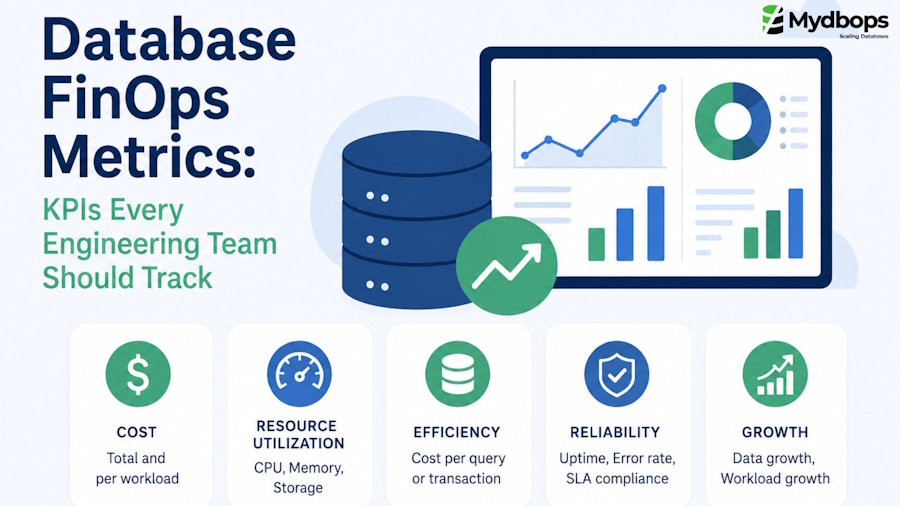
Cloud database bills have a funny way of creeping up quietly. One month everything looks fine, and a few months later, finance is asking why the infrastructure spend has doubled while traffic has only grown by 20%. This is exactly where Database FinOps comes in the practice of tracking, understanding, and controlling database costs without sacrificing performance or reliability.
Most engineering teams are great at watching CPU, memory, and query latency. But very few actively track the financial side of their database operations. That gap is often where budgets quietly bleed out. Whether you manage your infrastructure in-house or work with a database consultant, having the right KPIs in place makes cost control a proactive habit instead of a reactive scramble.
Why Database FinOps Deserves Its Own Dashboard
Traditional monitoring tools are built to answer "is the database healthy?" FinOps metrics answer a different question: "are we spending efficiently for the value we're getting?" Both matter, but only one of them shows up on a CFO's radar.
Engineering teams that treat cost as an afterthought usually discover problems too late — an oversized instance running for months, idle read replicas nobody decommissioned, or backup retention policies set once and never revisited. Bringing in database support services early can help catch these patterns before they turn into a painful year-end review.
Core KPIs to Track
1. Cost Per Transaction or Cost Per Query
This is the single most useful number for connecting infrastructure spend to actual business output. If your cost per transaction is climbing while transaction volume stays flat, something in your architecture needs attention , whether it's inefficient queries, poor indexing, or an oversized instance.
2. Instance Utilization Rate
Track how much of your provisioned CPU, memory, and IOPS is actually being used. A database running at 15% average utilization is a strong signal you're paying for capacity you don't need. Right-sizing based on this metric alone often trims a meaningful chunk off monthly bills.
3. Storage Growth vs. Storage Cost
Storage tends to grow silently. Track the rate of growth against the cost trend line. If storage costs are rising faster than actual data growth, it usually points to unoptimized backups, orphaned snapshots, or bloated tables that need archival.
4. Read/Write Replica Efficiency
Replicas are expensive, and it's common to find ones that were spun up for a specific project and simply never removed. Reviewing replica count against actual read traffic on a monthly basis catches this fast.
5. Reserved vs. On-Demand Spend Ratio
Comparing how much of your database spend sits on reserved instances or savings plans versus on-demand pricing tells you how much predictable savings you're leaving on the table. A healthy ratio, tracked consistently, can lead to significant year-over-year savings.
6. Backup and DR Cost as a Percentage of Total Spend
Disaster recovery is non-negotiable, but it shouldn't silently consume a disproportionate share of the budget. Tracking this percentage keeps backup strategy aligned with actual business risk rather than default settings.
Turning Metrics Into Action
Numbers alone don't save money — decisions do. Once these KPIs are in place, the next step is building a monthly or quarterly review cadence where engineering and finance actually look at them together. This is where many organizations lean on an external database consultant, since an outside perspective often spots inefficiencies that internal teams have grown used to overlooking.
How Mydbops Approaches Database FinOps
At Mydbops, cost optimization is treated as an ongoing discipline, not a one-time audit. The team combines performance tuning with cost analysis, so recommendations never sacrifice reliability just to trim a bill. Through structured database support services, Mydbops helps engineering teams set up the right monitoring, right-size infrastructure, and build FinOps KPIs into their regular operational rhythm rather than treating them as an emergency fix.
Final Thoughts
Database FinOps isn't about cutting costs at any price ,it's about making sure every dollar spent on infrastructure is doing real work. Tracking KPIs like cost per transaction, utilization rate, and replica efficiency gives engineering teams the visibility they need to make smarter decisions before costs spiral. And when the numbers get complex, partnering with a database consultant or a team offering dedicated database support services can turn scattered spreadsheets into a real cost-control strategy.

