

A secure home is not simply a place with locked doors and closed windows. It is an environment where residents feel confident about their surroundings, whether they are relaxing indoors, travelling for work, or spending time away from the property. As homes become more connected and daily routines grow increasingly demanding, technology is offering new ways to monitor entrances, identify unusual activity, and maintain awareness of what happens around a property. Choosing suitable security cameras can be an important part of this process, particularly for households that want a clearer picture of their surroundings without relying entirely on occasional physical checks.
Home security needs vary considerably from one property to another. An apartment may require monitoring near its entrance, while a detached house could have several access points, a driveway, a garden, and a garage that deserve attention. Families may also want to monitor deliveries, keep an eye on outdoor areas, or receive notifications when movement occurs in selected locations. These different requirements make it important to evaluate a security system according to the layout of the property and the situations it is intended to address.
Modern surveillance technology offers more flexibility than older systems that depended heavily on complicated wiring and dedicated recording equipment. Depending on the model, homeowners may now have access to wireless connectivity, high-resolution recording, night vision, motion detection, two-way audio, and local storage. However, the value of these features depends on how well they work together in a particular environment. A thoughtful security plan begins with understanding the property, identifying potential vulnerabilities, and choosing equipment that addresses genuine needs rather than simply purchasing the most feature-rich product.
Start With the Areas That Need the Most Attention
Before selecting equipment, homeowners should walk around their property and identify areas where visibility is limited or access is relatively easy. Front entrances, side doors, garages, garden gates, and driveways are common starting points because they connect the property to the outside environment. Windows facing less visible areas may also deserve consideration, depending on the building's layout and the surrounding neighbourhood.
The purpose of this assessment is not to place a camera in every available corner. Instead, it is to determine which locations would benefit most from monitoring. A well-positioned camera can provide useful coverage of an entrance, whereas several poorly positioned devices may leave important areas hidden behind walls, trees, or other obstacles. Reviewing these limitations before installation can help homeowners avoid unnecessary purchases.
It is also worth considering how the property changes throughout the day. A driveway may be clearly visible in daylight but poorly illuminated after sunset. A garden entrance might be easy to observe from inside the house during the afternoon but become difficult to monitor at night. Thinking about these differences helps determine whether a particular location needs night vision, additional lighting, a wider viewing angle, or a camera that can adjust its direction.
Why Outdoor Monitoring Requires a Different Approach
Outdoor surveillance introduces challenges that are less significant inside a building. Equipment must withstand exposure to rain, dust, temperature changes, and potentially direct sunlight. Wind can move nearby branches, passing vehicles may trigger motion alerts, and darkness can reduce the amount of detail captured by a camera. A suitable outdoor setup should account for these conditions rather than treating outdoor installation as a simple extension of indoor monitoring.
Weather resistance is one of the first specifications worth checking. Manufacturers may provide IP ratings that indicate protection against dust and water under defined testing conditions. Homeowners should review the rating of the exact product they intend to install and consider whether its mounting position exposes it to particularly harsh conditions. Even a weather-resistant camera benefits from appropriate placement and installation according to the manufacturer's instructions.
Lighting and viewing angles are equally important. A camera pointed directly toward a bright light source may produce footage with reduced detail, while an installation that faces a busy road could generate frequent notifications unrelated to activity on the property. Adjusting the angle and, where available, configuring detection zones can help focus attention on relevant areas.
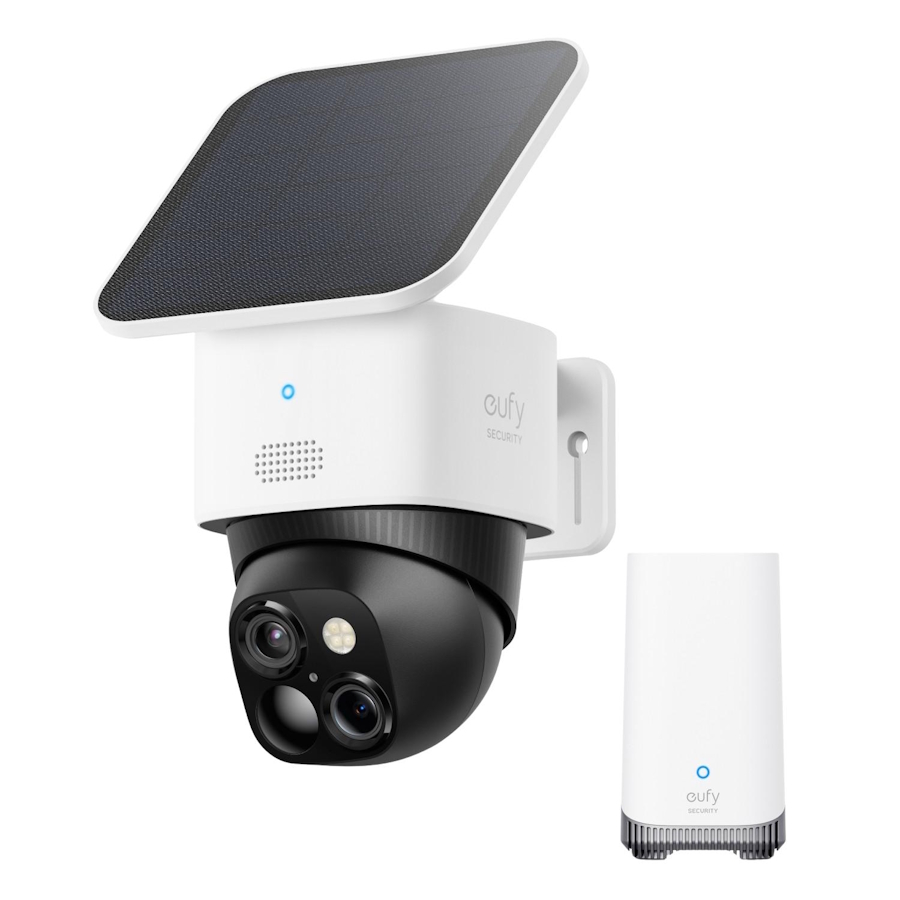
For households that need dedicated exterior monitoring, outdoor security cameras provide a category of equipment designed around these environmental demands. Available models can differ in connectivity, power source, recording capabilities, and additional features, so comparing individual specifications is more useful than assuming that every outdoor device offers the same protection.
Understanding Resolution and Image Quality
Video resolution influences how much visual detail a camera can capture. Higher-resolution footage may make it easier to distinguish objects and review events, particularly when a scene contains several people or a vehicle at a distance. However, resolution alone does not determine the usefulness of a recording. Lens quality, lighting, viewing angle, compression, and the distance between the camera and the subject all affect the final result.
For example, a camera with impressive resolution may still struggle to capture useful details if it is mounted too far from the entrance or directed toward a poorly lit area. A lower-resolution device positioned carefully may provide a more useful view of a specific doorway. This is why homeowners should evaluate the entire installation rather than comparing resolution numbers in isolation.
Night vision deserves particular attention for properties that need monitoring after dark. Some cameras use infrared illumination, while others combine visible lighting with motion detection. Colour footage can be helpful in certain situations, but performance depends on the available light and the camera's design. Reviewing sample footage, where available, can provide a better understanding of what a device can realistically capture.
Storage requirements should also be considered alongside image quality. Higher-resolution recordings can require more storage space, especially when a system records continuously rather than saving clips triggered by activity. Choosing a recording configuration that balances detail, retention time, and available capacity can help maintain a practical security setup.
Wired, Wireless, and Solar-Powered Options
The way a camera receives power and connects to a network affects where it can be installed and how much maintenance it requires. Wired systems can provide consistent power and reliable connectivity, but installation may involve routing cables through walls or across exterior surfaces. They can be suitable for homeowners who prefer a more permanent arrangement and have the flexibility to install the necessary infrastructure.
Battery-powered cameras offer a different advantage: installation flexibility. They may be easier to place in locations where running cables would be inconvenient or expensive. Their practical performance depends on battery capacity, recording settings, environmental conditions, and how frequently motion triggers the device. Areas with constant activity can place greater demands on a battery than quieter locations.
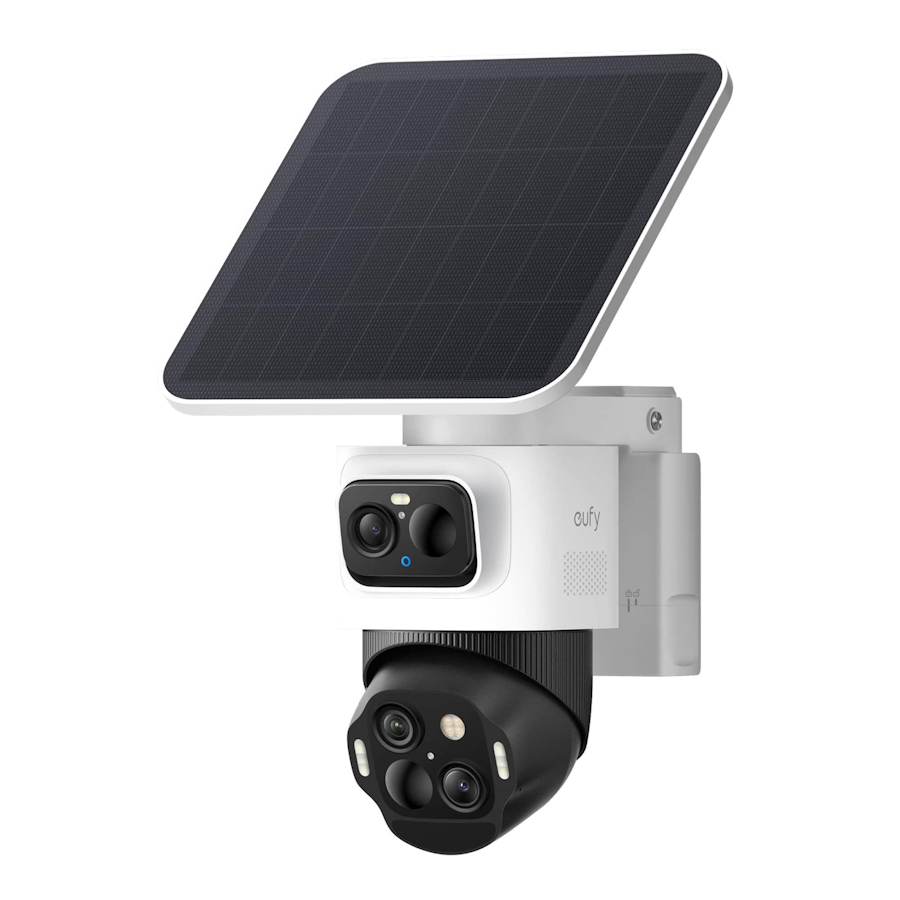
Solar-powered models may reduce the need for manual charging when their panels receive sufficient sunlight. Nevertheless, the available sunlight, seasonal weather, panel orientation, and surrounding shade can influence charging performance. Homeowners should check the manufacturer's recommendations for panel placement and avoid assuming that solar power eliminates every maintenance requirement.
Connectivity also matters. Wi-Fi cameras require a suitable network connection at the installation point, while some systems use dedicated hubs or other networking arrangements. Properties with weak signals near a garage or garden may need network improvements before installation. Testing connectivity at the intended location can prevent frustration after the equipment has been mounted.
Making Smart Detection More Useful
Motion detection can help a security system focus on activity instead of requiring residents to watch a live feed continuously. Depending on the model, the system may send a notification when movement occurs, record a short clip, or identify categories such as people, vehicles, or animals. These capabilities can make reviewing events more manageable, but they are not equally available across all products.
The quality of alerts depends partly on the environment. Trees moving in strong winds, insects near a lens, passing traffic, and changes in lighting may generate unwanted notifications. Adjustable detection zones and sensitivity controls can help reduce these interruptions when supported by the device. Homeowners should spend time configuring these settings after installation instead of leaving every option at its default value.
Some systems also offer recognition features designed to distinguish different types of movement. These functions may improve the relevance of notifications, but they should not be treated as infallible. Important recordings should still be reviewed carefully, and users should understand the limits of automated detection before relying on it for security decisions.
Two-way audio can provide another layer of convenience by allowing residents to communicate through a compatible camera. It may be useful for speaking with a delivery driver or responding to a visitor when nobody is near the entrance. Audio features should be used responsibly, with attention to applicable privacy rules and the expectations of people who may be recorded.
Protecting Privacy Alongside Physical Security
Installing surveillance equipment involves more than deciding where to capture footage. Homeowners should also consider who can access recordings, how long footage is retained, and whether the camera captures areas outside the property. A system intended to protect a driveway should not unnecessarily record a neighbour's private outdoor space or direct its view into nearby homes.
Privacy settings can help limit the amount of information collected. Depending on the product, users may be able to create privacy zones, restrict recording schedules, control account permissions, or adjust notification settings. These options are worth reviewing during setup because the default configuration may not match every household's preferences.
Storage arrangements deserve similar attention. Some systems support local recording, while others may offer optional cloud services or a combination of both. Local storage can provide greater control over where recordings are kept, but it still requires appropriate account security and protection of the recording device. Cloud storage may offer remote access and additional convenience, although users should understand any subscription costs, retention limits, and account requirements.
Strong passwords, secure account recovery methods, and available software updates can further reduce avoidable risks. Where supported, two-factor authentication provides an additional layer of protection against unauthorised account access. Homeowners should also review which family members or other users have permission to view recordings or change system settings.
Planning Installation for Long-Term Reliability
A security camera is most useful when it remains properly positioned, connected, and operational. Installation should therefore account for maintenance as well as initial coverage. Cameras mounted in difficult-to-reach locations may be harder to clean, adjust, or inspect, while exposed cables can create unnecessary vulnerabilities if they are not installed securely.
Before drilling or attaching mounting brackets, homeowners should check the manufacturer's installation instructions and confirm that the selected surface is appropriate. The camera should be positioned to capture the intended area without creating unnecessary blind spots. Users should then test the live view during both daylight and darkness, if night monitoring is required, and make adjustments before considering the installation complete.
Regular checks can help identify problems before they affect the usefulness of the system. A lens may become dirty, a nearby tree may grow into the field of view, or a network change may interrupt connectivity. Battery-powered devices may need charging, while wired systems may require occasional inspection of connections and mounting hardware.
It is also sensible to review recorded footage periodically. A live view may appear satisfactory while recordings reveal issues such as glare, insufficient detail, or gaps in coverage. Testing the system under realistic conditions provides a clearer picture of its performance than relying solely on the specifications listed on the product page.
Comparing Products Based on Practical Needs
When evaluating different cameras, homeowners should begin with a short list of requirements. These might include the number of areas to monitor, whether continuous recording is necessary, the availability of reliable Wi-Fi, the need for night vision, and the preferred storage method. Once these requirements are clear, comparing compatible products becomes easier and less overwhelming.
The initial price should not be the only consideration. Installation accessories, additional cameras, storage devices, replacement batteries, and optional subscriptions can affect the overall cost. A bundled system may be economical for a larger property, whereas a single-camera setup may be sufficient for a smaller home with one main entrance.
Compatibility is another important factor. Some products work with dedicated hubs or particular accessories, and not every camera supports the same recording or smart-home features. Checking compatibility before purchase can help prevent unexpected expenses and ensure that future expansion remains possible.
Finally, consider the level of maintenance the household is willing to manage. Some people prefer a permanent wired system, while others value the flexibility of rechargeable or solar-assisted equipment. Neither approach is automatically superior. The right choice depends on the building, installation conditions, security priorities, and available budget.
Final Thoughts
A dependable home security setup begins with a clear understanding of the property and the risks that matter most to its residents. Camera placement, image quality, power options, motion detection, storage, privacy, and ongoing maintenance all contribute to the usefulness of a surveillance system. Looking at these factors together makes it easier to choose equipment that supports everyday life without adding unnecessary complexity.
Rather than purchasing devices based solely on promotional claims or technical specifications, homeowners should compare realistic performance, installation requirements, and long-term costs. A carefully planned system with appropriate coverage and sensible privacy settings can provide useful visibility into what happens around a property while helping residents feel more informed and prepared.
Frequently Asked Questions
How many security cameras does a typical home need?
The number depends on the property's size, layout, entrances, and areas that require monitoring. A smaller home may need only one or two strategically placed cameras, while a larger property could require additional devices to cover a driveway, garden, garage, and separate entrances.
Are wireless cameras suitable for outdoor use?
Some wireless cameras are specifically designed for exterior installation. Before purchasing one, check its weather-resistance rating, power requirements, operating conditions, and network compatibility to ensure that it suits the intended location.
Do security cameras work at night?
Many modern cameras offer night vision or low-light recording. Their performance varies by model, available lighting, viewing distance, and whether they use infrared illumination or visible lights. Checking the specifications and sample footage can help set realistic expectations.
Is local storage better than cloud storage?
Each option has advantages. Local storage can provide greater control over recordings and may avoid recurring cloud fees, while cloud services can offer convenient remote access and other features. The right choice depends on privacy preferences, storage capacity, subscription costs, and the available system features.
What should homeowners check before installing outdoor cameras?
Important considerations include weather resistance, viewing angles, mounting locations, night-time performance, power supply, network strength, storage capacity, and privacy. It is also important to ensure that cameras are installed securely and comply with applicable privacy requirements.

