

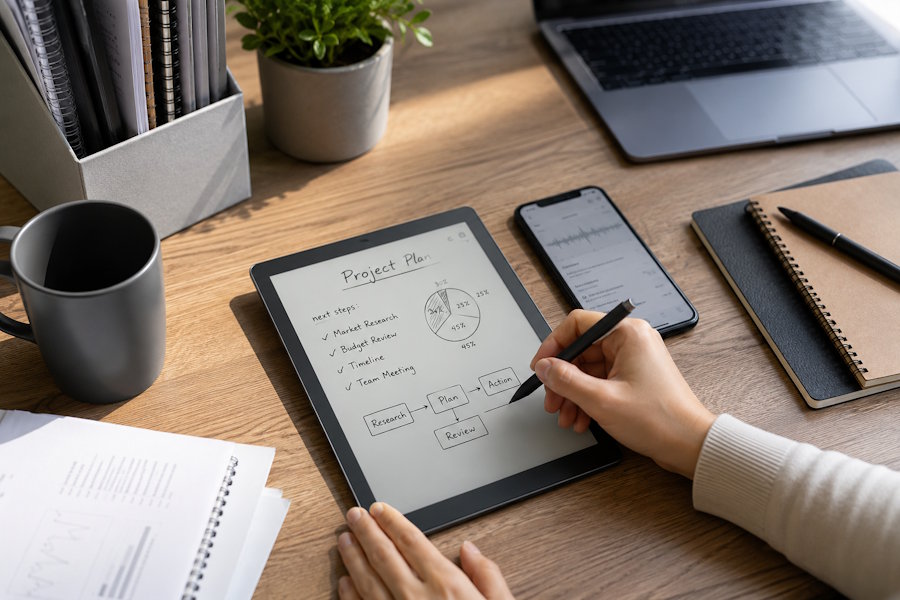
Going paperless does not have to mean replacing every pen and notebook with a laptop. Many people think more clearly when they write by hand, especially during meetings, brainstorming, research, or personal planning. The real purpose of a paperless workflow is not to eliminate handwriting. It is to reduce loose paper, duplicate work, lost notes, and the time spent searching for information.
By combining handwriting with digital storage and organization, you can keep the natural writing experience while making notes easier to find and use.
Start With the Parts of Paper That Create Extra Work
Before changing your tools, identify where paper slows you down. You may have several notebooks for different projects, handwritten action items that never reach your task list, or meeting notes that must be typed again before they can be shared.
Common problems include losing pages, carrying multiple notebooks, scanning documents manually, and searching through old notes for one detail. These are the areas where a digital system can make the biggest difference.
You do not need to digitize everything at once. Start with one recurring activity, such as weekly meetings, project planning, or document review. Once that process works, expand the system gradually.
Keep Handwriting as the Main Input Method
A paperless workflow should still feel natural. If handwriting helps you think, use a digital notebook or E Ink device that allows you to write with a stylus rather than forcing you to type everything.
Handwritten notes are useful for sketching ideas, drawing connections, marking priorities, and summarizing discussions. A digital format keeps these benefits while removing the limits of physical paper.
For example, the iFLYTEK AINOTE Air 2 brings handwritten note-taking, document annotation, voice transcription, and digital organization together in one portable device. It suits people who want a writing-first workflow but still need searchable and shareable information.
Create a Simple Digital Filing System
Digital notes can become messy without a clear structure. Avoid creating too many folders at the beginning. A small number of categories is easier to maintain.
You might organize notes into Meetings, Projects, Clients, Research, Planning, and Archive. Use consistent file names that include a date, topic, or project name, such as:
2026-08-03_Product Launch_Meeting Notes
Clear naming makes information easier to find and prevents files with vague names such as “New Note” from piling up.
At the end of each week, review recent notes, rename unclear files, and move completed work into an archive folder.
Turn Handwritten Notes Into Action
The biggest advantage of digital handwriting is that notes can become part of a larger workflow. After a meeting or planning session, review what you wrote and decide what needs to happen next.
Convert important sections into editable text when necessary. Move deadlines into your calendar, transfer tasks into a project management tool, and export pages that need to be shared. If the device supports handwriting recognition, you can reduce the time spent typing the same information again.
Do not convert every line. Keep sketches, rough ideas, and personal notes in handwritten form. Only transform the parts that need to be searched, shared, or acted upon.
Connect Notes With Meetings and Documents
A paperless workflow becomes more useful when notes, documents, and follow-up tasks are connected.
Before a meeting, prepare an agenda in the same digital notebook. During the discussion, write naturally and mark decisions or questions. Afterward, highlight action items and assign deadlines. This creates one continuous process instead of separating preparation, note-taking, and follow-up across different tools.
Digital notebooks can also simplify document review. Rather than printing reports, you can open the file, add handwritten comments, highlight important sections, and save the annotated version.
When comparing devices, review the AINOTE digital notebook collection to see how different screen sizes and features may suit meeting, reading, or planning needs.
Digitize Existing Paper Gradually
You may already have years of paper notebooks and printed documents. There is no need to scan everything.
Start with active materials: current project notes, recent meeting records, frequently used reference pages, and important forms. Scan only information that still has practical value. Give each file a clear name and place it in the correct folder immediately.
Older notebooks can remain in physical storage until needed. This prevents the new digital system from becoming crowded with outdated material.
Protect and Back Up Your Notes
Paper can be lost or damaged, but digital notes also need protection. Check where files are stored, whether cloud synchronization is available, and how notes can be exported.
Use secure passwords and keep backups of important documents. For sensitive workplace information, follow company policies on recording, storage, and sharing.
If you use voice recording or transcription during meetings, obtain permission from participants and ensure the practice is allowed.
Build a Weekly Review Habit
A paperless system only works if it stays organized. Set aside ten to fifteen minutes each week to review recent notes, transfer unfinished tasks, archive completed projects, and remove duplicate files.
This habit prevents digital clutter from replacing paper clutter. It also helps you notice important ideas or responsibilities that might otherwise be forgotten.
Conclusion
Creating a paperless workflow does not require giving up handwriting. The goal is to keep the parts of handwriting that support thinking and creativity while removing the problems caused by physical paper.
Start with one workflow, use a simple folder structure, connect notes with tasks and documents, and review the system regularly. With the right tools and habits, handwritten ideas can remain flexible while becoming easier to search, share, and use.

