

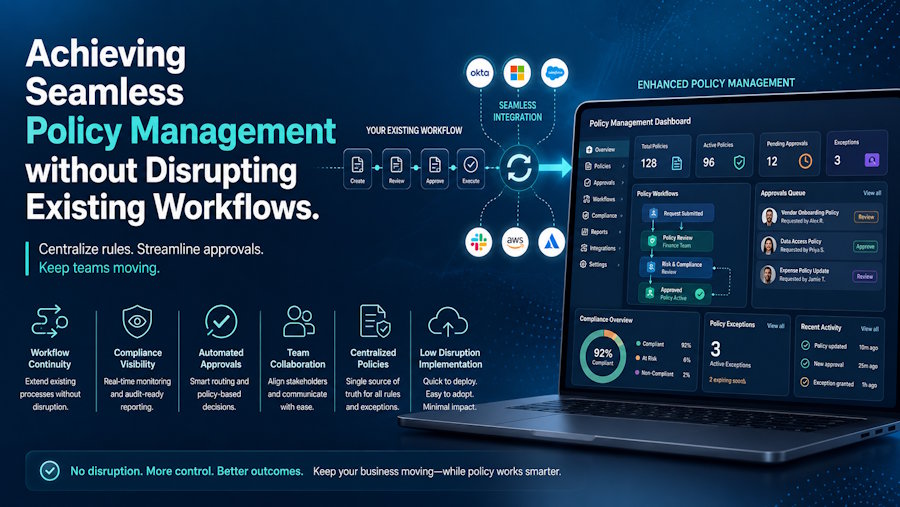
Is your organization struggling to verify if critical policies are actually read and understood, or are you still relying on manual spreadsheets and ignored emails to track compliance? Effective policy management shouldn’t require uprooting the systems your team uses every day. Modern policy management software integrates directly into your existing Microsoft 365 and SharePoint environment, transforming passive document storage into an active, automated compliance process. Without clear visibility and policy acknowledgement tracking, unread policies leave your business vulnerable to severe regulatory penalties, failed audits, and operational misalignment.
By reading this guide, you will learn how to establish a central hub for policy distribution, automate compliance tasks without adding software friction, and generate audit-ready compliance tracking reports with complete confidence.
Let’s explore how you can streamline policy operations and gain full control over your organizational compliance today.
The Core Challenges of Modern Policy Management in the Workplace
At its core, policy management is the structured process of creating, distributing, enforcing, and tracking the corporate policies and procedures that govern an organization. Rather than treating compliance documents as static files tucked away in standard file folders, an active approach to compliance ensures that every policy is routed to the correct employee, reviewed by a set deadline, and explicitly acknowledged.
For organizations running on Microsoft 365 or SharePoint, relying on basic file storage or manual tracking creates massive compliance blind spots. Without a specialized solution, administrators face significant operational risks—including unread safety mandates, missed regulatory deadlines, and an inability to prove compliance during an audit. Implementing dedicated policy management software solves this issue by adding structure, automated reminders, and clear accountability directly within your daily workplace tools.
Modernizing this workflow transforms compliance from a passive, high-risk chore into an automated system. Key advantages of replacing manual follow-ups with an integrated platform include:
- Targeted policy assignment: Automatically direct documents to specific roles, departments, or geographical locations without creating duplicate files.
- Centralized policy control: Maintain a single source of truth within your environment while controlling permissions, versioning, and document access.
- Verifiable accountability: Transition from assuming employees have read a critical document to having digital, undeniable proof.
A common misconception is that achieving this level of control requires buying an entirely new, standalone compliance platform that disrupts daily operations. In reality, enhancing your native environment with tools like DocRead for SharePoint delivers audit-ready compliance tracking and seamless SharePoint policy management without forcing your team to adapt to unfamiliar software.
How to Implement Seamless Policy Management in 5 Practical Steps
Establishing an efficient policy workflow does not require replacing your existing document infrastructure or disrupting daily employee routines. By leveraging your current Microsoft 365 environment, you can transform static documents into trackable, enforceable corporate standards.
Following a structured, step-by-step approach ensures that your organization transitions smoothly from passive document storage to automated policy management software—saving administrative hours while guaranteeing full compliance visibility.
Step 1: Centralize Policies in Your Microsoft 365 Environment
Before automating distribution, establish a single source of truth for all corporate policies, procedures, and standard operating guidelines. Utilizing native document libraries within SharePoint ensures that security permissions, version control, and access restrictions remain fully intact.
Rather than scattering files across departmental drives, housing documents centrally guarantees that employees always access the most current version. Implementing a dedicated solution like policy management software directly within your environment eliminates file duplication and sets a structured foundation for automated tracking.
Practical Tip: Clean up outdated policy files before migration. Archiving legacy or redundant documents prevents employees from accidentally reviewing superseded materials during the initial rollout.
Step 2: Configure Targeted Policy Assignments Based on Roles
Not every employee needs to review every document. To avoid compliance fatigue and information overload, implement targeted policy assignment that matches documents with specific roles, departments, or geographic locations.
Using integrated systems like DocRead for SharePoint, compliance leads can set up smart rules that dynamically distribute policies. When a new hire joins the HR department or a site worker transfers to a new location, the system automatically assigns only the relevant policies required for their specific role—without requiring manual intervention from IT.
Step 3: Automate Notifications, Deadlines, and Follow-Ups
Manual email follow-ups and spreadsheet tracking consume hundreds of administrative hours each year and often result in missed compliance deadlines. Replacing these manual efforts with policy workflow automation ensures consistent enforcement without constant administrative oversight.
Set firm, realistic completion windows for each policy release. The platform will automatically trigger tailored email notifications to affected staff, complete with direct links to the required document. If a deadline approaches and an acknowledgment is still pending, automated reminders prompt the employee to take action, escalating to managers only when necessary.
Step 4: Capture Digital Acknowledgments and Verify Comprehension
Simply delivering a document to an inbox does not guarantee that it has been read or understood. To satisfy regulatory requirements and protect the organization, your workflow must capture explicit, verifiable digital acknowledgments.
When an employee opens a required document, the system records the interaction and prompts them to complete a formal confirmation. For high-risk procedures or complex safety guidelines, you can require brief comprehension quizzes before allowing acknowledgment. This extra layer transforms passive distribution into verifiable proof of understanding.
Step 5: Monitor Real-Time Dashboards and Generate Audit-Ready Reports
The final step in a modern policy management workflow is maintaining complete visibility over organizational compliance rates. Real-time dashboards provide instant insights into completion statuses across departments, teams, and locations.
Instead of scrambling to collect signature sheets when auditors arrive, compliance managers can instantly export detailed, automated compliance reporting trails. These comprehensive logs detail exactly who received, read, and acknowledged each document, complete with timestamps—giving leadership total confidence during regulatory reviews and internal audits.
Real-World Applications: Policy Management in Action
Seeing how automated compliance workflows function in day-to-day operations makes it easy to understand their practical value. Here is how different key departments utilize policy management to eliminate manual administrative burdens and ensure complete operational alignment.
Healthcare & Safety Compliance
A regional healthcare provider needed to distribute updated safety protocols to over 500 clinical staff across four facilities. By deploying policy management software integrated into their SharePoint system, compliance officers set up targeted distributions based on job roles. The system automated follow-up reminders and captured digital signatures, achieving a 98% completion rate in two weeks while maintaining employee policy tracking records that satisfied strict medical audit standards.
Financial Operations & Annual Governance
An enterprise financial services firm struggled with manual spreadsheets to verify that employees reviewed annual anti-money laundering guidelines. Switching to Microsoft 365 policy distribution through DocRead for SharePoint allowed leadership to automate policy delivery to all staff simultaneously. The platform provided real-time completion dashboards and detailed policy acknowledgement tracking, giving executives full visibility and audit readiness without disrupting daily client services.
HR & Onboarding Efficiency
A growing technology company needed a streamlined way to deliver mandatory HR policies to remote hires. Using dynamic assignment rules, new team members automatically receive their required reading upon joining the organization, complete with automatic deadline tracking that ensures compliance from day one.
These practical applications demonstrate that modern policy enforcement doesn't have to be complex—it simply requires the right tools operating inside your everyday workplace tools.
Best Practices for Enhancing Policy Management in Microsoft 365
Moving from basic policy distribution to a highly efficient compliance program requires strategic execution. Applying these practical, field-tested best practices will help you maximize the value of your policy management strategy while keeping friction to a minimum.
- Establish Clear Document Ownership: Every policy should have a designated author and reviewer responsible for its content and renewal schedule. Centralizing control within your existing SharePoint policy management environment ensures clear governance, preventing outdated documents from remaining active.
- Keep Communications Concise and Targeted: Avoid sending organization-wide blasts for specialized procedures. Utilize targeted policy assignment to route documents only to relevant roles or departments, reducing notification fatigue and improving overall completion rates.
- Set Realistic Review Deadlines: Give employees adequate time to read and understand new policies based on their length and complexity. Combining reasonable completion windows with automated reminders maintains steady progress without overwhelming staff or disrupting daily productivity.
- Leverage Automated Reporting for Audits: Don't wait for an external review to assess your compliance posture. Regularly reviewing automated compliance reporting dashboards helps compliance officers identify bottlenecks early and maintain continuous, audit-ready oversight.
Implementing these proactive measures transforms policy management from a reactive administrative task into a smooth, dependable business process that protects your organization.
Elevating Organizational Governance Through Active Policy Management
Modernizing your approach to corporate governance no longer requires choosing between operational efficiency and regulatory compliance. By transitioning from passive document storage to integrated policy management, your organization can automate distribution, guarantee readership, and maintain complete visibility across every department. Understanding how to leverage tools like policy workflow automation and policy acknowledgement tracking empowers leadership to replace manual follow-ups with predictable, verifiable workflows.
Taking control of your compliance strategy today protects your business from costly audit failures, unread safety guidelines, and operational misalignment. Establishing clear, automated distribution channels inside the tools your team already uses ensures long-term governance success without disrupting daily productivity.
Ready to transform how your organization handles policy distribution, tracking, and compliance reporting? Discover how Collaboris delivers seamless policy management software designed specifically to help you achieve full compliance confidence inside Microsoft 365 and SharePoint.
Frequently Asked Questions About Policy Management
How does policy management software integrate with Microsoft SharePoint?
Dedicated policy management software installs directly into your existing Microsoft 365 or SharePoint environment rather than replacing it. It enhances native document libraries by adding targeted distribution rules, automated email notifications, and real-time tracking dashboards. This seamless integration ensures your organization maintains standard SharePoint permissions and document versioning while gaining advanced SharePoint policy management capabilities without requiring complex data migrations or new standalone platforms.
What is the difference between policy storage and active policy management?
Standard document storage simply hosts files in a central library, leaving compliance teams to manually follow up and assume employees have read critical documents. Active policy management automates the entire lifecycle—dynamically assigning policies based on user roles, triggering automatic deadline reminders, and capturing legally verifiable digital acknowledgments. This proactive approach ensures policies are actively understood, creating audit-ready compliance tracking that protects your business from regulatory risk.
Can policies be assigned automatically to new employees during onboarding?
Yes. By leveraging smart rules and targeted policy assignment, policies can be automatically assigned based on employee attributes such as department, job title, or location. When a new hire is added to your Microsoft 365 directory, the system automatically routes the required reading directly to their personal compliance dashboard. You can easily manage these dynamic assignments and track completion through DocRead for SharePoint to ensure complete onboarding compliance.
How do automated reminders improve employee policy tracking rates?
Manual follow-up emails are frequently buried or ignored, consuming administrative time and delaying compliance goals. Automated workflows solve this by scheduling targeted reminder notifications as completion deadlines approach. If a policy remains unread, the platform sends scheduled prompts directly to the employee and escalates pending tasks to line managers if necessary. This automated persistent tracking dramatically increases completion rates while eliminating tedious admin work.

