

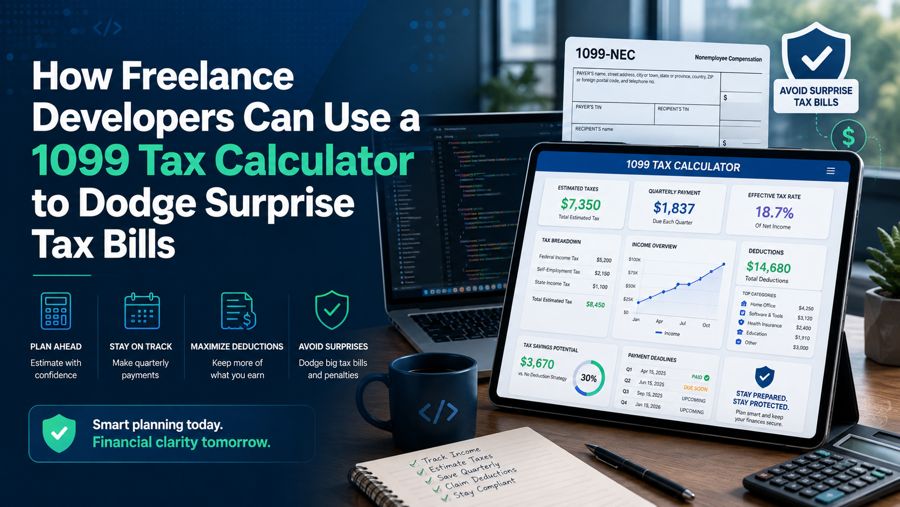
Freelance development pays well, but it comes with a tax structure that catches a lot of engineers off guard. When you move from a salaried job to contract work, taxes stop being invisible. No employer withholds anything, no paycheck arrives pre-adjusted, and the full weight of income tax plus self-employment tax lands on you. The developers who thrive as freelancers are the ones who treat their taxes like any other system: something to be modeled, monitored, and automated. A good 1099 tax calculator is the modeling tool that turns a vague sense of dread into a concrete quarterly number you can plan around.
This is not about becoming an accountant. It is about applying the same estimation discipline you already use when scoping a project. You would never commit to a delivery date without estimating the work. Do not commit to a lifestyle without estimating the tax.
Why 1099 Income Hits Differently
As a W-2 employee, your employer quietly pays half of your Social Security and Medicare taxes and withholds the rest from every paycheck. As a 1099 contractor, you are both the employer and the employee, which means you owe the entire amount yourself.
- Self-employment tax is 15.3% on net earnings, covering Social Security and Medicare.
- Federal income tax applies on top of that, at your marginal bracket.
- State income tax may apply as well, depending on where you live.
- No withholding means nothing is set aside automatically, so the bill arrives all at once unless you plan for it.
The result is that a developer earning $120,000 in contract income can owe far more than they expect, and the shock usually arrives in April when it is too late to do anything about it. The calculator exists to move that realization forward in time, to when you can still act on it.
What a 1099 Calculator Actually Estimates
A solid calculator takes a handful of inputs and returns an estimate of what you owe. The value is not perfect precision. It is a good-enough number early enough to be useful.
| Input | Why it matters |
|---|---|
| Gross 1099 income | The starting point for everything |
| Business expenses | Deductions that shrink your taxable income |
| Filing status | Affects brackets and standard deduction |
| State | Determines state tax, if any |
| Other income | W-2 wages or a spouse's income change the math |
From these, the tool estimates self-employment tax, federal income tax, and often your quarterly payment amount. The output gives you a percentage of income to set aside, which is the single most useful number a freelancer can have.
The Set-Aside Rule That Saves Freelancers
Once you know your effective tax rate, freelancing becomes dramatically less stressful. The discipline is simple: every time a client pays you, move a fixed percentage into a separate account and forget it exists until taxes are due.
- Run the calculator at the start of the year with your projected income.
- Derive your set-aside percentage from the estimated total tax divided by income.
- Transfer that percentage from every invoice payment into a dedicated savings account.
- Recalculate quarterly as your real income diverges from the projection.
Most freelance developers land somewhere between 25% and 35% depending on income and state. Setting aside 30% of every payment is a common rule of thumb, but the calculator lets you replace the rule of thumb with a number tailored to your actual situation.
Expenses Developers Forget to Deduct
Your taxable income is not your gross income. It is your gross minus legitimate business expenses, and developers routinely leave deductions unclaimed. Feeding these into the calculator produces a more accurate and usually lower estimate.
- Hardware: laptops, monitors, keyboards, and peripherals used for work.
- Software and subscriptions: IDEs, cloud services, hosting, domain registration, and API costs.
- Home office: a portion of rent and utilities if you have a dedicated workspace.
- Education: courses, books, and conference tickets that maintain or improve your skills.
- Business mileage: driving to client sites or coworking spaces, tracked and deducted at the IRS rate.
- Professional services: accounting fees, legal fees, and business insurance.
Each deduction lowers both your income tax and, importantly, your self-employment tax base. The official rules for what qualifies are laid out in the IRS self-employed individuals tax center, which is worth reading once so you know what you can legitimately claim.
A Worked Example for a Contract Developer
To make this concrete, walk through a simplified example for a developer earning contract income. Suppose you bring in $110,000 in 1099 income and have $10,000 in legitimate business expenses.
| Line | Amount |
|---|---|
| Gross 1099 income | $110,000 |
| Business expenses | -$10,000 |
| Net self-employment income | $100,000 |
| Approx. self-employment tax base | ~$92,350 |
| Self-employment tax (15.3%) | ~$14,130 |
On top of that self-employment tax sits your federal income tax, calculated on your net income after the deductible half of self-employment tax and any other deductions. The exact figure depends on your filing status and other income, which is precisely what the calculator sorts out for you. The point of the example is the shape of the problem: a large chunk of contract income goes to self-employment tax alone, before income tax even enters the picture. Seeing that early is what lets you set aside the right amount instead of being blindsided.
Quarterly Estimated Taxes: The Part Everyone Forgets
The IRS does not want to wait until April for money you earned in March. Freelancers are generally required to pay estimated taxes four times a year, and missing those payments can trigger penalties even if you pay in full at year-end.
| Quarter | Income period | Typical due date |
|---|---|---|
| Q1 | Jan 1 – Mar 31 | Mid-April |
| Q2 | Apr 1 – May 31 | Mid-June |
| Q3 | Jun 1 – Aug 31 | Mid-September |
| Q4 | Sep 1 – Dec 31 | Mid-January |
A calculator that estimates your quarterly payment removes the guesswork here. Instead of wondering whether you are setting aside enough, you get a specific dollar figure to send each quarter, which keeps you penalty-free and prevents the year-end pileup.
Building Tax Estimation Into Your Workflow
Developers automate everything, so automate this too. The goal is to make tax awareness a background process rather than a quarterly panic.
- Re-run the estimate whenever your income changes materially. A new retainer or a lost client shifts the math.
- Keep expenses logged in real time rather than reconstructing them at year-end. A running total feeds the calculator instantly.
- Reconcile the set-aside account quarterly to confirm you have enough to cover the estimated payment.
- Treat the calculator output as a living estimate, not a one-time answer. Your real number only becomes clear as the year progresses.
Handled this way, taxes stop being an event and become a steady, predictable line in your financial system. You always know roughly what you owe, you always have the money set aside, and April becomes a formality instead of a crisis.
The Bottom Line
Freelance developers get into trouble not because taxes are unusually high, but because 1099 income hides its true cost until the bill arrives. A tax calculator drags that cost into the open early, gives you a set-aside percentage you can act on, and turns quarterly payments into a solved problem. Combine it with disciplined expense tracking, and you convert one of freelancing's biggest stressors into a routine you barely think about.
The engineering instinct that makes you good at your job is exactly the instinct that makes tax planning easy: estimate early, monitor continuously, and automate the repetitive parts. Run the numbers before you need them, set aside a fixed slice of every payment, and you will never be surprised by a tax bill again.

