

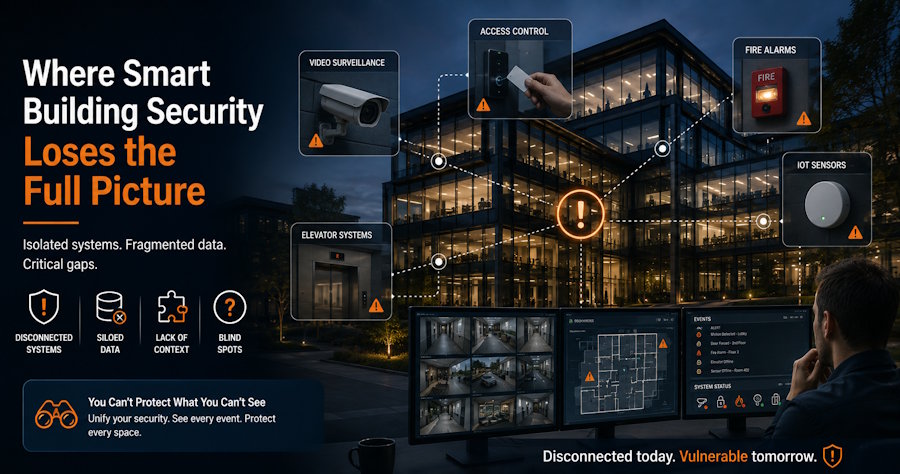
A resident reports that an unfamiliar person followed her through the main entrance late at night. The lobby camera confirms two entries, but the next useful image from the sixth floor appears several minutes later. Access records and footage use different timestamps. Staff have pieces of the event, but not the route.
This illustrative scenario reflects a familiar problem. Smart buildings may connect cameras, access controls, and sensors, yet incidents still happen between systems. Missing moments often occur in vestibules, elevator cars, stairwell landings, and service corridors. In these areas, solutions such as an Elevator Security System can help provide better visibility into movement patterns and reduce gaps where incidents may otherwise go undocumented.
Closing common-area security gaps starts with understanding how people move through the property and making sure available records form a usable sequence.
Map the Gaps Between Connected Systems
A camera plan may look complete while missing the routes residents, visitors, and contractors actually use. Expose those gaps by walking the property as different users would.
Start at the front entrance, parking garage, loading area, and after-hours service door. Follow each route to an occupied floor, office, amenity space, or guest room. Repeat the walk after dark, when lighting, staffing, and door use may change.
Pay close attention to handoff points. Can staff follow someone from the garage into the building? Does lobby coverage continue to the elevator bank? If a person exits a stairwell, will another camera capture which direction they take?
A route audit should record:
- Which doors require credentials and which allow free movement
- Where a person leaves one camera’s view
- How long they remain unobserved
- Whether faces and actions are recognizable under actual lighting
- Which routes are used by deliveries, cleaners, and other contractors
The result maps where incident context disappears and where separate data sources fail to support one another.
Pair Access Records With Visual Context
Electronic access records show that a credential opened a door. They usually can’t prove who used it or how many people entered before the door closed.
Tailgating is a common example. A resident taps a credential, sees someone approaching, and holds the door out of courtesy. The access log shows one authorized entry. The actual event may involve two or more people.
Video and access control become more useful when staff can compare them quickly. Align camera views with controlled doors and synchronize clocks across recorders, intercoms, elevator controls, and access systems. A timestamp difference can send an investigation in the wrong direction.
Test the connection before an incident. Ask one employee to enter through a controlled door and continue to a selected floor. See if another employee can reconstruct the route using retained records. A missing step is a documented gap, not a future surprise.
Treat the Elevator as a Moving Technology Zone
Elevators connect many floors while operating outside the fixed layout used by most security equipment. Someone can enter a monitored lobby and emerge elsewhere without a continuous visual record.
Monitoring a moving elevator car presents installation challenges. Conventional network cabling may be difficult to add through the travelling cable, and the work must account for existing equipment, maintenance access, viewing angles, and applicable rules. Building management, the security integrator, and a qualified elevator provider should coordinate before installation.
When running conventional network cabling through an elevator’s travelling cable is impractical, specialized elevator video monitoring technology can extend camera coverage into the car. The final design should follow a site assessment covering connectivity, recording, maintenance access, and local requirements.
Managers should confirm where recordings will be stored, how staff will retrieve them, and if footage can be matched to lobby and hallway cameras. A clear cab image has limited value if its clock is wrong or no one can preserve the recording.
Camera placement must respect privacy and avoid obstructing controls, emergency features, signage, or maintenance access. Requirements vary by jurisdiction, so owners should seek appropriate legal and professional guidance.
Test Recordings, Not Just Status Dashboards
A camera visible on a monitoring screen isn’t necessarily producing useful evidence. A dirty lens, glare, storage fault, or poor nighttime image can make the recording unusable.
Go beyond checking for a green status icon. Review recordings from entrances, elevator lobbies, package rooms, garage connections, and loading areas. Confirm that staff can identify actions and directions of travel, not merely a figure.
Test automated alert workflows too. AI video analytics can help teams focus on selected events, but only if alerts reach the right person and link to retrievable footage.
Check retention in practice. Verify that the recorder holds the period stated in policy under its normal camera load. Changes to resolution, frame rate, and camera count can reduce storage time.
Assign responsibility for these checks. If everyone assumes another team is watching system health, failures can remain unnoticed. A short log recording the date, problem, owner, and completion date creates accountability.
Protect the Devices as Well as the Footage
Network-connected cameras and access devices need controlled credentials, supported software, documented ownership, and security updates. NIST’s IoT device cybersecurity baseline is a useful reference when evaluating connected devices and their data.
Physical security and cybersecurity no longer sit in separate boxes. Guidance on safeguarding smart-building systems makes the same operational point: responsibilities, suppliers, incident handling, and device lifecycles need clear ownership.
Set Rules for Privacy and Evidence Handling
Common-area surveillance creates obligations as well as useful records. Property teams need written rules for camera locations, access, retention, export, and disclosure.
Individual accounts help establish who viewed or exported a recording. Permissions should match job responsibilities. A concierge may need live lobby views, while exports may be limited to management or designated security personnel.
When an incident is reported, preserve the footage promptly. Automatic deletion may occur before a complaint reaches the reviewer. Record the saved time range, cameras involved, exporter, and storage location. Avoid sharing files through personal accounts or messaging apps.
Residents and guests should receive accurate information. Recorded video for later review isn’t active monitoring, and teams shouldn’t suggest someone is watching continuously unless that service is provided.
Privacy and surveillance requirements differ by location and property type. Legal counsel and qualified security professionals should review policies, particularly when audio, analytics, or other advanced capabilities are being considered.
Use Every Incident as a Practical System Test
After a complaint, damage report, false alarm, or injury claim, conduct a short review. The purpose isn’t to assign blame. It is to learn if the property could establish a reliable timeline.
Ask straightforward questions:
- Could staff follow the person’s route through the relevant shared areas?
- Did access logs and camera timestamps agree?
- Was the image clear enough to establish what happened rather than invite assumptions?
- Could authorized staff retrieve and export the recording?
- Was the evidence preserved before routine deletion?
The fix may be operational. A door closer might need adjustment, delivery drivers may need a clearer route, or one camera may need repositioning rather than replacement.
Track recurring locations. Several complaints near the same stairwell or service entrance suggest a pattern. Repeated problems may reveal weak lighting, unreliable doors, confusing procedures, or broken camera coverage.
Build Continuity, Not Just Camera Count
Effective security planning is less about watching every square foot and more about preserving context at the places where people change direction, pass through controlled doors, or move between floors.
Walk the routes. Compare the records. Test the equipment after dark. Decide who can access footage and how incidents will be preserved. Then review the system again after real events expose weaknesses.
When cameras, access records, staff procedures, and maintenance routines support one another, property managers gain something far more useful than a larger equipment list: a clearer account of what happened and a practical basis for what to do next.

