


A B2B wholesale digital portal gives approved buyers a private, self-service way to browse products, see account-specific pricing, place orders, manage invoices, and reorder without emailing a sales rep. For manufacturers and distributors, the goal is not just “put the catalog online.” It’s to make wholesale buying faster, more accurate, and easier to scale.
If your digital portal is part of a broader online growth plan, pair the build with acquisition and retention support such as ecommerce marketing ohio so customers can actually find, use, and return to the portal.
Why B2B Wholesale Digital Portals Beat Public Marketplaces
Public marketplaces can help with visibility, but they rarely fit the way wholesale relationships actually work. Most manufacturers and distributors need controlled access, negotiated terms, customer-specific pricing, and account-level rules.
A private B2B portal gives you more control over:
- Gated access: Only approved buyers can view pricing, order forms, or restricted products.
- Customer-specific pricing: Buyers see their negotiated rates, contract pricing, volume discounts, and promotions.
- Tiered pricing: Price breaks can reflect order quantity, customer group, region, or distributor level.
- Net terms: Buyers can purchase using approved payment terms instead of being forced into card-only checkout.
- Brand experience: You own the customer relationship, not the marketplace.
For distributors especially, this matters because the business model depends on repeat purchasing, negotiated relationships, and operational consistency. Industry groups such as the National Association of Wholesaler-Distributors focus specifically on the wholesale distribution sector, where digital transformation is increasingly tied to competitiveness and service quality.
Core Features Every B2B Portal Needs
A good wholesale portal should feel simple for buyers, even if the logic behind it is complex.
At minimum, plan for:
| Feature | Why it matters |
|---|---|
| Account-based login | Keeps catalogs, pricing, and terms private |
| Customer-specific catalogs | Shows only the products each buyer can purchase |
| Tiered pricing | Supports volume-based and contract-based pricing |
| Net terms management | Lets approved buyers order on invoice terms |
| Quick order and reorder | Speeds up repeat purchasing |
| Self-service order management | Reduces calls and emails about order status |
| Quote requests | Supports complex or custom orders |
| ERP integration | Keeps inventory, pricing, orders, and invoices in sync |
Self-service order management is one of the biggest wins. Buyers do not want to wait for a rep to confirm stock, resend an invoice, or track a shipment. Your team does not want to answer the same status questions all day either.
Build the Technical Roadmap Around ERP Integration
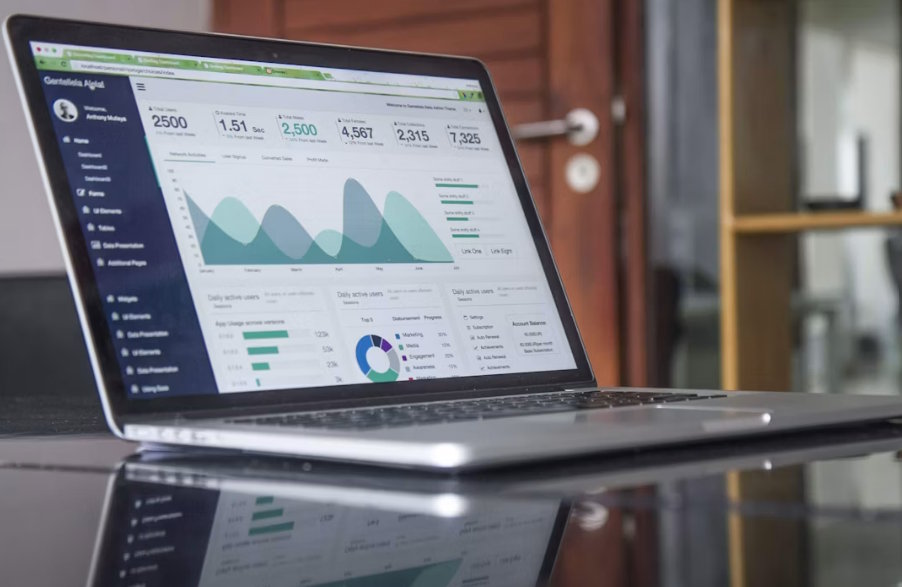
For most manufacturers and distributors, the ERP is the system of record. The portal should not become a second source of truth.
Before choosing a B2B-specific e-commerce platform, map the data that must move between systems:
- Product SKUs, descriptions, images, and specifications
- Inventory availability
- Customer accounts and ship-to addresses
- Customer-specific pricing and discounts
- Credit limits and net terms
- Orders, invoices, and payment status
- Tax, shipping, and fulfillment rules
Legacy systems often need middleware, APIs, scheduled syncs, or custom connectors. The best approach depends on how modern your ERP is and how real-time your data needs to be. Inventory and pricing usually need tighter syncs than product descriptions.
Payment security also belongs in the technical plan. If the portal accepts card payments, use providers and processes aligned with guidance from the PCI Security Standards Council, which maintains global payment card security standards.
Migrate Customers From Manual Ordering Without Forcing It
The hardest part is often not the technology. It’s changing buyer habits.
Start with a small group of friendly customers who order often and have predictable needs. Give them a guided onboarding path:
- Invite them personally, not through a generic blast.
- Preload their account, pricing, addresses, and order history.
- Show them how to reorder common items in under a minute.
- Keep sales reps involved during the first few orders.
- Ask what feels confusing, then fix it before a wider rollout.
Do not shut off email, phone, or rep-assisted ordering too quickly. A better goal is to make the portal easier than the old process, so customers choose it naturally.
Handle Sales Team Resistance Early

Sales reps may worry that a portal will replace them. That fear is understandable, but it’s usually the wrong framing.
Position the portal as a way to remove low-value admin work, not relationships. Reps should spend less time rekeying orders and more time helping accounts grow.
Good change management includes:
- Showing reps how portal data can reveal reorder gaps and upsell opportunities
- Giving reps credit for digital orders from their accounts
- Training them to demo the portal during customer calls
- Asking for their feedback before launch
- Making adoption part of the sales process, not an IT side project
If the sales team sees the portal as competition, adoption will stall. If they see it as a better account-management tool, they can become your strongest promoters.
Use Portal Analytics After Launch
Launch is the starting line. Once customers are using the portal, the data can sharpen your wholesale strategy.
Watch for:
- Top searched products with low conversion
- Customers who log in but do not order
- Repeat orders that could become subscriptions or saved lists
- Frequently abandoned carts
- Products often bought together
- Accounts shifting from manual to digital ordering
These signals help you improve merchandising, refine pricing, adjust inventory planning, and spot accounts that need sales support. AI and automation can also help with personalized recommendations, reorder reminders, and account-based promotions, but only after the core data is clean.
Common Mistakes to Avoid
The most common mistake is treating a B2B portal like a retail store. Wholesale buyers need speed, accuracy, terms, and account logic more than flashy design.
Other mistakes include:
- Launching without clean product and pricing data
- Ignoring ERP integration until late in the project
- Making customers create accounts from scratch
- Failing to train sales and customer service teams
- Measuring only total online revenue instead of adoption, order accuracy, and service efficiency
Final Thoughts
A B2B wholesale digital portal works best when it respects how manufacturers, distributors, sales teams, and buyers already operate. Start with the business case, build around ERP integration, make customer migration easy, and use analytics to keep improving after launch.
Done well, the portal becomes more than an ordering tool. It becomes the digital backbone of your wholesale customer experience.

