

Key Takeaways
- AI motion capture is a reconstruction problem, not a recording one. A single camera captures a 2D projection, so the third dimension is inferred by a model rather than measured by a sensor.
- The standard pipeline has two shapes. End to end networks map images straight to 3D coordinates, while 2D to 3D lifting first detects keypoints with a detector such as OpenPose, then reconstructs depth in a second stage.
- Depth ambiguity is the central limitation. A published survey of monocular pose estimation puts it plainly, noting that pose hypotheses with similar 2D projections can differ significantly in 3D.
- Parametric body models do the heavy lifting on plausibility. SMPL represents a body with shape parameters and a pose vector of 75 values covering the relative angles of 24 joints, which keeps output anatomically sensible.
- The output is joint rotations over time, not video. That distinction decides whether a tool is usable in a pipeline, because rotations can be retargeted, blended and edited while rendered frames cannot.
- PINOC is one production implementation of this approach, running on JST, an in house foundation model built for joint space time modeling and trained with physical priors so weight and ground contact survive the reconstruction.
- Occlusion remains the dominant failure mode, and the literature splits it into self occlusion, object occlusion and inter person occlusion. Contact frames, fingers and facial detail follow close behind.
- Before integrating any of these tools, check four things. The export format, the skeleton naming convention, whether clips carry root motion, and what the license tier actually permits.
Motion capture used to mean a room, a suit and a calibration session. A decade of computer vision research has moved most of that into a model, and the practical consequence is that a phone clip can now produce animation data that drops into a real pipeline. This article covers how ai motion capture actually works under the hood, where it breaks, and what to verify before wiring one of these tools into a project.
It is written for developers rather than animators, so the focus is on the data contract rather than the artistry.
What Is AI Motion Capture?
AI motion capture is markerless reconstruction of 3D skeletal animation from ordinary video. The suit, the reflective markers and the synchronized camera volume all disappear. A model looks at a person moving in footage and produces a time series of joint rotations that can be played on a rig.
The word that matters in that definition is reconstruction. Traditional optical mocap measures position directly, using many cameras to triangulate markers whose locations are known. A single camera measures nothing in depth. It records a projection, and the model infers what three dimensional configuration would produce it. Everything difficult about this technology follows from that one fact.
How Does AI Motion Capture Turn Video Into 3D Animation?
A 2025 survey of monocular 3D human pose estimation published in Sensors describes two dominant architectures, and most commercial tools are a variation on one of them.
- End to end estimation. A network maps the image directly to 3D pose coordinates in a single stage. Fewer moving parts, and the model learns the mapping wholesale.
- 2D to 3D lifting. A two stage process. A keypoint detector such as OpenPose or a stacked hourglass network finds body landmarks in the image plane, then a second model reconstructs 3D positions from those points using convolutional networks, graph convolutional networks or diffusion models.
In practice a production system adds several stages either side of that core.
- Detection and tracking. Find the person, keep identity stable across frames, handle them leaving and re-entering the frame.
- Pose estimation. Produce per frame joint positions, either as 2D keypoints to be lifted or directly in 3D.
- Body model fitting. Fit the estimate to a parametric human model so the result stays anatomically possible rather than a cloud of independent points.
- Temporal smoothing. Per frame estimates jitter. A sequence model or filter enforces continuity so the motion reads as movement rather than noise.
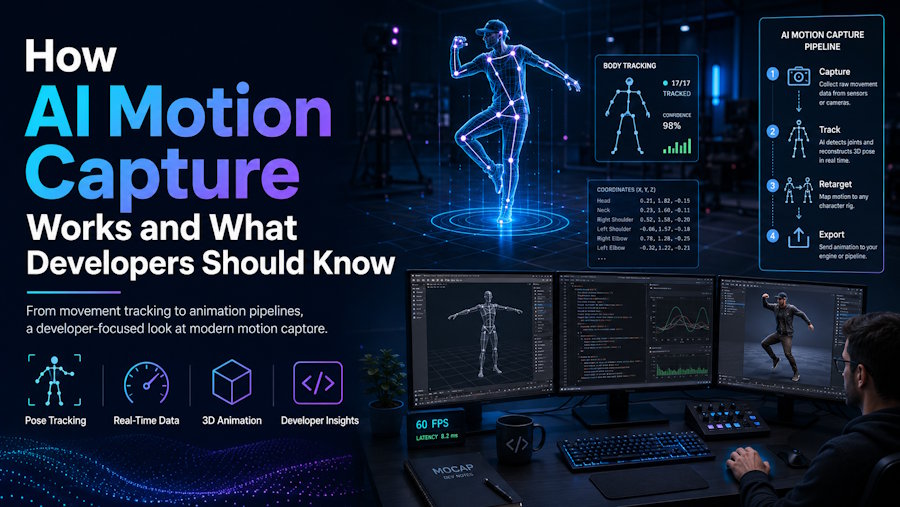
- Retargeting and export. Convert the result into joint rotations on a named skeleton and write it out in a format a 3D application can read.
That last stage is the one developers care about most and the one most explainers skip entirely.
Why Is Depth the Hard Part?
Because the information was never captured. The Sensors survey states the problem directly, observing that even with similar 2D projections, pose hypotheses can differ significantly in 3D. An arm extended toward the camera and an arm foreshortened away from it can project to nearly identical pixels. Nothing in the image resolves which one happened.
Two things keep the output usable anyway.
The first is a parametric body model. SMPL is the standard, representing a human with a shape parameter set that controls proportions and a pose vector of 75 values governing the relative angles of 24 joints. Constraining predictions to that space means the model cannot produce an anatomically impossible result, because impossible configurations are not representable. It also explains why these tools handle humans well and quadrupeds badly, since the body model assumes a human topology.
The second is physical priors during training. A model taught only to minimize positional error will happily produce a foot that slides through the floor, because sliding costs it almost nothing numerically. A model trained with physical constraints carries some notion of mass, contact and inertia, which is why a landing reads as a landing rather than a pose change. This is an architectural difference rather than a tuning one, and no amount of post processing fully substitutes for it.
What Does the Output Actually Look Like?
This is the distinction that decides whether a tool belongs in your stack. Video generators output pixels. Motion capture systems output transforms.
A motion clip is a hierarchy of named bones plus, for each bone, a rotation sampled at some frame rate. Optionally a root translation carries the character through space. That is all. Because it is data rather than imagery, it can be retargeted onto a different character, blended with other clips in an animation graph, trimmed, layered and edited.
| Format | What it carries | Best for | Watch out for |
|---|---|---|---|
| FBX | Skeleton, skin weights, animation, optionally mesh | Game engines and DCC tools | Proprietary, and versions differ in what they preserve |
| glTF and GLB | Skeleton, animation, mesh, materials | Web and real time viewers | Not every mocap tool exports it, so check first |
| BVH | Skeleton hierarchy and rotations only | Raw motion interchange and research | Carries no mesh, and skeleton conventions vary |
| Collada | Skeleton, animation, mesh | Legacy interchange | Largely superseded by glTF for new work |
Worth stating plainly, because the marketing rarely does. A tool that only outputs MP4 is a video generator wearing motion capture vocabulary, and there is no reliable path back from rendered frames to clean animation data.
How Does PINOC Implement AI Motion Capture?
PINOC is a production example of this pipeline, and it is worth walking through because it makes the architectural choices explicit rather than hiding them behind a demo reel.
It runs on JST, Viggle's in house foundation model, built for joint space time modeling. The relevant part for anyone evaluating output quality is the training approach. Physical priors are baked in during training, so captured motion respects weight, contact and timing instead of lifting flat 2D keypoints frame by frame. That is the difference described above between a model that treats a body as points to interpolate and one that carries some notion of mass.
The input requirements are the ones the physics implies. One person, full body in frame, unobstructed, in reasonable light. Phone footage, webcam recordings, screen captures and found footage all work as sources, because the model does not care where the pixels came from. Results come back in roughly a minute, and AI motion capture covers the capture side in more detail.
Three implementation details matter to a developer specifically.
- The skeleton is named, not proprietary. Motion exports as FBX or GLB on a 65 bone rig using Mixamo's naming convention. Because the bone names follow a widely adopted standard, any compatible retargeter maps the rig automatically instead of by hand. If you are building a batch process, this is the difference between configuring a retarget once and configuring it per clip.
- Rigging is part of the tool, not a prerequisite. Upload an FBX or GLB, rigged or not. An unrigged mesh gets a skeleton built from guide markers you place at the chin, shoulders, elbows, wrists, groin, knees and ankles. An already rigged model gets bone mapping with seven required bones and up to 45 optional ones including fingers, plus rest pose correction that levels an A-pose to a T-pose. Uploading, rigging and retargeting consume no credits.
- Cleanup happens before export. Ground snap and pin feet toggles fix contact frames and foot sliding inside the tool, which is meaningfully cheaper than discovering the problem after the clip is already in your engine.
On access, it is free to start with no card required, and the free tier includes 60 credits, roughly a minute of motion. Paid plans begin at $12.99 a month for 300 credits and $39.99 a month for 1,200 credits. One clause is worth reading before a commercial project depends on it, and it applies across most of this category rather than to one vendor. Free accounts are limited to non commercial use, while paid users own their inputs and generated outputs.
Where Does AI Motion Capture Still Fail?
Being specific about the failure modes is more useful than a disclaimer, because each one has a different workaround.
- Occlusion. The literature splits this into self occlusion, where a limb hides behind the torso, object occlusion, where something in the scene blocks the view, and inter person occlusion in crowded shots. Anything hidden is estimated rather than observed. Shoot with clean sight lines where you can.
- Temporal jitter. Per frame estimates are independent, so raw output shivers. Smoothing fixes most of it and costs a little responsiveness on fast direction changes.
- Soft contact frames. Feet land gently because the loss function rarely punishes a light contact. This shows up as foot sliding after retargeting and is worsened by any scale mismatch between the source skeleton and your character.
- Extremities. Fingers and faces are small, frequently occluded and low signal in the input. They remain the weakest area across every tool in this category.
- Non human subjects. The parametric body model assumes human topology, so quadrupeds and creature designs fall outside what these systems handle reliably.
Data quality compounds all of this. A March 2026 paper introducing the OpenT2M dataset ran physical feasibility validation across more than a million harvested human motion sequences and reported that just over 63 percent passed. The same paper found 10.62 percent of validation captions in HumanML3D appearing word for word in its training data, which flatters reported accuracy across the field.
What Are The Four Guarantees to Check Before Integrating?
The Four Guarantees is the short list of things a motion capture tool must promise before it goes anywhere near a build. Every one of them is cheap to verify up front and expensive to discover late.
- Format. Confirm the tool exports something your target actually reads. FBX for engines and DCC tools, glTF or GLB for web and real time viewers. Check this on the export documentation rather than the landing page.
- Skeleton naming. A widely used convention lets a retargeter map bones automatically. A proprietary skeleton means building the mapping by hand, once per character, forever.
- Root motion. Decide whether clips should arrive travelling through space or in place. Changing this after the fact costs more time than choosing it at the start.
- License. Read the terms for the tier you will realistically be on rather than the top one. Several free tiers in this category permit personal use only, which is a problem discovered far too late if you find it during release.
Frequently Asked Questions
How accurate is AI motion capture compared to optical mocap?
For body movement it is close enough to use as a first pass, and increasingly it ships directly in background and secondary character work. Optical systems still win where precision is measured rather than judged, because they triangulate marker positions from multiple synchronized cameras instead of inferring depth from one view. The gap is widest on contact critical action, fine finger work and facial performance.
What video works best for AI motion capture?
One person, full body in frame, unobstructed, in reasonable light, with the whole action visible. Resolution matters less than sight lines, because occlusion is the dominant failure mode. Avoid heavy motion blur, extreme camera angles and shots where limbs leave the frame. A steady phone clip usually beats a dramatic one.
Can AI motion capture handle multiple people at once?
Some tools do, though inter person occlusion makes it substantially harder than single subject capture. When two bodies overlap, the system has to maintain identity across frames while estimating poses it can only partly see. If you have the choice, capture performers separately and combine the clips afterward.
What is SMPL and why does it matter?
SMPL is a parametric human body model that represents a person using a shape parameter set for proportions and a pose vector of 75 values covering the relative angles of 24 joints. It matters because constraining a prediction to that space guarantees anatomically plausible output. It also explains a common limitation, since a model built on human topology cannot represent a quadruped.
Why does AI generated animation have foot sliding?
Two causes usually combine. Soft contact frames are a known weak point of reconstructed motion, and a mismatch between the source skeleton and your character in leg length, hip height or scale makes the feet travel a different distance than the root, which reads as sliding. Fix the scale first, then apply foot locking, and check whether the clip was meant to carry root motion at all. Some tools also ship contact cleanup toggles that resolve this before export.
Is the output editable after export?
Yes, because it is animation data rather than rendered frames. A clip arrives as rotations on a named skeleton, so it can be trimmed, retimed, layered, blended in an animation graph and hand edited in Blender or Maya like any other take. This is the practical reason format and skeleton naming matter more than raw model quality when choosing a tool.
Conclusion
The interesting engineering in ai motion capture is not the pose detection, which is largely solved. It is everything wrapped around the depth problem, meaning the body model that keeps predictions plausible, the physical priors that keep contacts believable, and the temporal modeling that turns per frame guesses into motion.
For anyone integrating one of these tools, the decision rarely comes down to which model is most accurate. It comes down to whether the output arrives in a format you can read, on a skeleton you can map, with a license that covers what you are building. Run The Four Guarantees before you commit, and the rest is a normal asset pipeline problem.

