

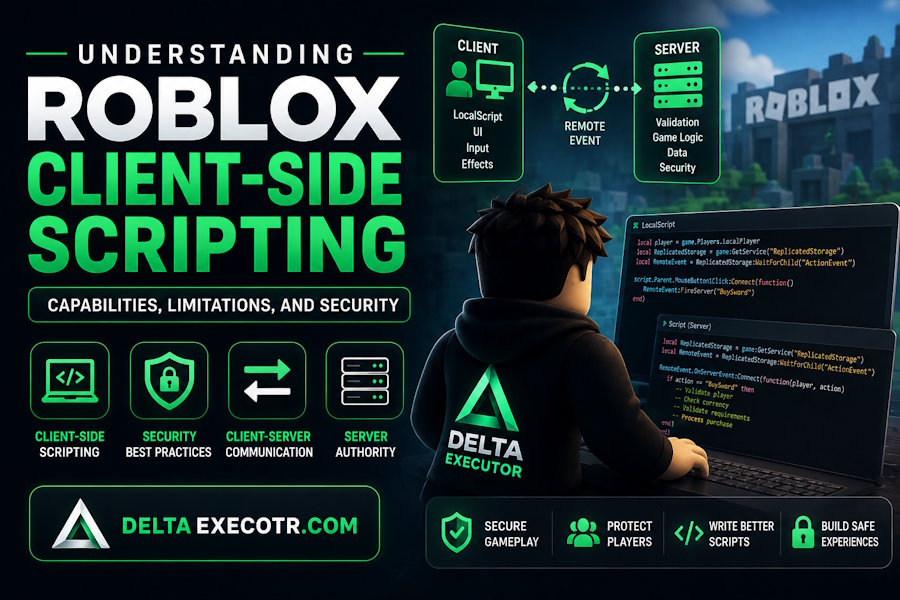
Roblox development depends on a clear separation between code that runs on the player's device and code that runs on the server. Understanding that boundary is one of the most important concepts for developers building multiplayer experiences, because a responsive client is useful for gameplay while the server must remain responsible for decisions that affect shared game state.
This distinction becomes particularly important when working with LocalScripts, RemoteEvents, RemoteFunctions, replication, and server-side validation. A client can provide input and request an action, but that does not mean the server should automatically accept the request.
For Roblox developers, the core principle is straightforward:
The client can request an action; the server should decide whether that action is valid.
Delta Roblox's security documentation explicitly treats the client-server boundary as a security boundary and recommends validating data received from clients before using it.
What Is Client-Side Scripting in Roblox?
Client-side scripting refers to code that executes on the player's Roblox client.
In a typical Roblox experience, client-side code handles tasks that benefit from immediate feedback, while server-side code manages authoritative game state.
Common client-side responsibilities include:
- player input
- interface interactions
- camera behavior
- local visual effects
- animations and presentation
- communicating player actions to the server
A LocalScript is commonly used for code that needs to run on the client.
For example, a LocalScript might detect when a player presses a keyboard key and then update an interface or request an action from the server.
That architecture allows an experience to remain responsive without requiring every interaction to be processed synchronously by the server.
However, there is an important limitation:
Client-side code should not be considered a trusted authority.
Roblox's security guidance states that a determined attacker has control over their local client state and network traffic, which means security-critical decisions should be validated or performed server-side.
Client-Side Scripting and Roblox Security
The distinction between client capability and server authority is especially important when developers research Roblox scripting environments.
A client-side scripting environment can change how code behaves locally, but it does not automatically turn client-controlled information into authoritative server state.
For example, a developer may encounter tools such as Delta Executor while researching Roblox client-side scripting. That is a separate issue from how a secure Roblox experience should be architected.
The security question remains:
Does the server independently validate the action?
If the answer is no, the experience may have a client-server trust problem regardless of which client environment is being used.
For developers evaluating client-side compatibility, it is also useful to distinguish a scripting-environment compatibility issue from a server-side security issue.
Client vs. Server: The Fundamental Difference
A useful way to understand Roblox networking is to divide responsibilities into two categories.
The client
The client is responsible for presenting the experience to an individual player.
It can:
- capture input
- display interfaces
- control local presentation
- provide immediate feedback
- send requests to the server
The server
The server maintains the authoritative version of shared game state.
It should determine things such as:
- whether a player can purchase an item
- how much currency a player owns
- whether a reward can be granted
- whether an attack is valid
- whether a player has permission to perform an action
- whether a trade is legitimate
Roblox describes the server as the ultimate source of truth for simulation state, rules, player progression, and critical decisions.
This creates a simple architectural model:
Player Input
↓
Client
↓
Request / Intent
↓
RemoteEvent / RemoteFunction
↓
Server
↓
Validate Request
↓
Update Authoritative State
↓
Replicate Result
The client does not need to be powerless. It simply should not be given final authority over sensitive state.
What Can a Roblox Client Control?
Client-side scripting has a legitimate and important role in Roblox development.
User input
Keyboard, mouse, touchscreen, and controller input can be processed locally.
This makes controls responsive because the client can react immediately to user actions.
User interfaces
Menus, inventory screens, HUD elements, buttons, and other interface components can be managed by client-side code.
Camera behavior
Camera movement and presentation effects are commonly handled locally because they primarily affect the individual player's view.
Visual effects
Animations, particles, sounds, interface transitions, and other presentation effects can often be triggered on the client.
Local responsiveness
Client-side processing can reduce the perceived delay between an input and visual feedback.
But none of these capabilities mean the client should be trusted with the underlying authoritative game state.
For example, a client can display:
Balance: 5,000
but the server should maintain the actual balance.
How RemoteEvents Connect the Client and Server
RemoteEvents provide asynchronous, one-way communication across the client-server boundary. A client can use FireServer() to send a request to the server, while the server can use FireClient() or FireAllClients() to communicate back to clients.
A simplified purchase system might look like:
Player clicks "Buy"
↓
LocalScript
↓
RemoteEvent
↓
Server Script
↓
Validate purchase
↓
Update inventory/currency
↓
Send result to client
The important part is what happens after the RemoteEvent reaches the server.
The server should not assume that every value supplied by the client is legitimate.
Why RemoteEvent Data Must Be Validated
Imagine a game with a purchase system.
A client might send a request such as:
Item: Sword
The server should determine:
- Does the item actually exist?
- Is the player allowed to purchase it?
- Is the player close enough to the shop?
- What is the official price?
- Does the player have enough currency?
- Has the player already purchased the item?
- Is the request occurring at a reasonable frequency?
The client should not be responsible for determining the final price or subtracting currency from its own balance.
Roblox specifically recommends validating context, permissions, types, structure, and values received from clients before use.
This becomes especially important for systems involving:
- currencies
- inventories
- purchases
- rewards
- trading
- combat
- progression
- player-versus-player interactions
Remote Functions and When to Use Them
A RemoteFunction provides synchronous, two-way communication between the client and server. The caller waits for a response from the recipient.
For example:
Client
↓
"Can I perform this action?"
↓
Server
↓
Validate request
↓
Return result
RemoteFunctions can be useful when the client actually needs a response before continuing.
However, Roblox notes that if a result is not required, a RemoteEvent is generally preferable because its communication is asynchronous and does not require the caller to wait.
The same security principle applies to both:
The server must validate client-provided data.
Server Authority Protects Game State
Consider an experience with an in-game currency system.
A weak design might allow the client to tell the server:
My balance is 50,000.
A secure design instead keeps the authoritative balance on the server.
The client can request:
I want to purchase Item X.
The server then checks its own records:
- Player balance
- Item price
- Ownership
- Purchase requirements
- Cooldown
- Game state
Only after those checks succeed should the server update the player's state.
Roblox's security guidance uses the same principle for transactions: the server should know the item's true price, the player's money, and relevant conditions before approving a purchase.
Why Roblox Updates Can Affect Client-Side Scripts
Roblox is an actively developed platform, so changes to the client environment can affect scripts or software that depend on specific client behavior.
This is one reason developers should avoid assuming that a client-side implementation will remain unchanged indefinitely.
A compatibility problem can occur when:
- a Roblox client update changes expected behavior
- an API or implementation detail changes
- a script depends on outdated assumptions
- a third-party environment has not adapted to a new client version
- a particular experience changes its own architecture
For users researching third-party client-side scripting environments, Delta Executor is one example where version and compatibility information can be relevant.
When compatibility is the question rather than game security, users can also check Delta Executor Live Status to determine whether a current compatibility issue has been reported.
The important distinction is that compatibility and security are separate questions.
A script failing after an update does not necessarily mean the game's server-side security has changed, and a properly secured server can reject an invalid client request regardless of the client's local environment.
What Is Replication in Roblox?
Replication is the mechanism through which relevant game state is made available between the server and clients.
This creates another common misconception:
If something changes on the client, does that mean the server accepted the change?
Not necessarily.
A client may change something locally without that change becoming authoritative server state.
For developers, this distinction matters when working with:
- player statistics
- inventory
- character interactions
- physics
- combat
- trading
- game progression
A local visual change and a server-approved game-state change are fundamentally different things.
Roblox's security documentation emphasizes that developers should keep critical logic and state on the server rather than exposing authoritative systems to clients.
Never Put Sensitive Game Logic on the Client
If a system controls something valuable, ask:
Does the client actually need to know how this decision is calculated?
If not, keep the sensitive logic on the server.
Roblox specifically recommends keeping server-only logic and data in server-side containers such as ServerScriptService rather than replicated locations.
This is particularly important for:
- economy calculations
- reward logic
- purchase validation
- anti-abuse checks
- progression systems
- access-control decisions
A client should receive the information it needs to render the experience, not unnecessary server-side implementation details.
Rate Limiting: Don't Trust Client Cooldowns
Validation alone isn't enough.
Imagine a RemoteEvent that allows a player to claim a reward.
The interface might disable the button for 10 seconds after the player clicks it.
That's useful for user experience, but it isn't a security boundary.
A malicious or malfunctioning client could attempt to send the request repeatedly.
The server should therefore enforce its own limits.
Roblox recommends considering the maximum frequency at which client-triggered server logic can run and applying server-side rate limiting where appropriate.
A simplified model is:
Client
↓
Request
↓
Server
↓
Is request allowed?
↓
Has cooldown expired?
↓
Is player authorized?
↓
Are arguments valid?
↓
Perform action
This protects both the game's integrity and server resources.
Common Client-Side Security Mistakes
1. Trusting client-provided prices
The server should determine the official price.
2. Trusting client-provided currency
The server should maintain authoritative currency values.
3. Trusting client-provided damage
The server should validate combat actions and relevant game state.
4. Relying only on disabled buttons
A UI restriction is not a security mechanism.
5. Relying only on client cooldowns
Rate limiting should be enforced server-side when the action matters.
6. Exposing sensitive server logic
Server-only logic should remain server-side.
7. Assuming a RemoteEvent is automatically secure
RemoteEvents provide communication. They do not automatically validate the information being communicated.
A Practical Security Checklist for Roblox Developers
Before releasing a Roblox experience, review each client-triggered action.
Step 1: Identify the communication points
List your RemoteEvents, RemoteFunctions, and other client-triggered interactions.
Step 2: Identify what each request can change
Ask whether it affects:
- currency
- inventory
- rewards
- progression
- combat
- other players
- persistent data
Step 3: Validate the request
Check:
- type
- structure
- value
- permissions
- ownership
- distance
- timing
- current game state
Step 4: Keep important calculations server-side
Don't allow the client to determine authoritative values.
Step 5: Add server-side rate limits
Determine how frequently each action should realistically occur.
Step 6: Test abnormal input
Test invalid values and unexpected states in your own development environment.
Step 7: Review replicated content
Ask whether clients actually need access to every replicated script, module, asset, or piece of information.
Roblox's security documentation recommends approaching game development with an adversarial mindset: assume the client can manipulate data and design the server-side architecture accordingly.
A Secure Client-to-Server Purchase Flow
A practical example makes the architecture easier to understand.
Suppose a player clicks Buy Sword.
Client
The client sends:
Request purchase: Sword
Server
The server independently checks:
- ✓ Player exists
- ✓ Sword exists
- ✓ Sword is currently available
- ✓ Player is close enough
- ✓ Player meets requirements
- ✓ Player has sufficient currency
- ✓ Player has not already purchased it
- ✓ Request is within the allowed rate
Server result
If every condition passes:
- Remove currency
- Add sword
- Save authoritative state
- Notify client
If any condition fails:
Reject request
This design prevents the client from becoming the authority over the game's economy.
Client-Side Performance vs. Security
Good Roblox architecture isn't about moving everything to the server.
Client-side code remains valuable for performance and responsiveness.
For example, a camera effect should not necessarily require a server round trip.
Likewise, interface animations don't need server authorization.
The goal is to divide responsibilities intelligently:
|
Client |
Server |
|
Input |
Authoritative state |
|
UI |
Currency |
|
Camera |
Inventory |
|
Visual effects |
Purchases |
|
Local feedback |
Rewards |
|
Presentation |
Progression |
|
User interaction |
Security validation |
The client makes the experience responsive.
The server makes the important decisions trustworthy.
How Developers Should Think About the Client-Server Boundary
Instead of asking:
Can the client do this?
ask:
What happens if the client lies about doing this?
That change in perspective is extremely useful.
For every feature, consider:
- What values come from the client?
- What could a malicious client change?
- What is the worst possible result?
- Which values should exist only on the server?
- How frequently should the action be allowed?
- What conditions must be true before the server accepts it?
Roblox's security documentation recommends this type of threat modeling when designing new features.
Final Takeaway
Client-side scripting is a fundamental part of building responsive Roblox experiences, but client capability should never be confused with server authority.
LocalScripts are useful for input, interfaces, cameras, and local presentation. RemoteEvents provide asynchronous client-server communication, while RemoteFunctions support synchronous request-and-response interactions. Neither mechanism should be treated as a substitute for server-side validation.
For secure Roblox development:
- Keep authoritative game state on the server.
- Treat client-provided data as untrusted.
- Validate RemoteEvent and RemoteFunction arguments.
- Check permissions, distance, timing, and game state.
- Enforce important rate limits on the server.
- Keep sensitive logic out of replicated client code.
- Test abnormal inputs before releasing an experience.
- Separate client-side responsiveness from server-side authority.
The result is a Roblox experience that can remain fast and responsive for players while maintaining a much stronger security boundary between the player's device and the shared game state.

