

Why Safari Testing Trips Up Windows Teams
Most Indian development teams run on Windows, and that creates a genuine problem the moment Safari enters the picture. Your website looks great on your computer in Chrome, and your website works fine on all the local browsers. But one iPhone user says everything is misaligned on their phone. This is because Safari is based on WebKit and not Chromium, and Apple has never released an official version of Safari for Windows or Linux. If you want your business to accurately emulate Safari without buying Apple hardware, it’s more important to know the real possibilities than the first, obvious one.
Why a Simple User Agent Switch Won't Cut It
You can change the user agent string in Chrome DevTools to make a website appear like it’s on Safari. It costs nothing and takes thirty seconds. The problem is that this only fools the string being sent, the page underneath still renders using Chromium's engine entirely. Any bug rooted in how WebKit actually parses CSS, handles fonts, or executes JavaScript stays completely invisible, since the rendering engine itself never changes. This applies whether you're trying to emulate Chrome browser behavior for comparison or spoof Safari specifically, the underlying engine is what actually matters, not the label attached to it.
The Real Options Available to Windows Developers
Here's a breakdown of what genuinely works versus what just looks convenient on the surface.
| Option | What It Actually Gives You | Best Suited For |
|---|---|---|
| Cloud testing platforms | Real Safari on real macOS and iOS hardware | Teams needing genuine, reliable results |
| DevTools user agent switch | Only spoofs the string, Chromium still renders | Quick sanity checks on UA sniffing logic |
| macOS with Xcode Simulator | Real Safari builds, but needs an actual Mac | Teams already owning Apple hardware |
| WebKit MiniBrowser on Windows | Raw rendering engine, no Safari UI or ITP | Developers debugging WebKit itself |
Setting Up a Cloud Based Approach
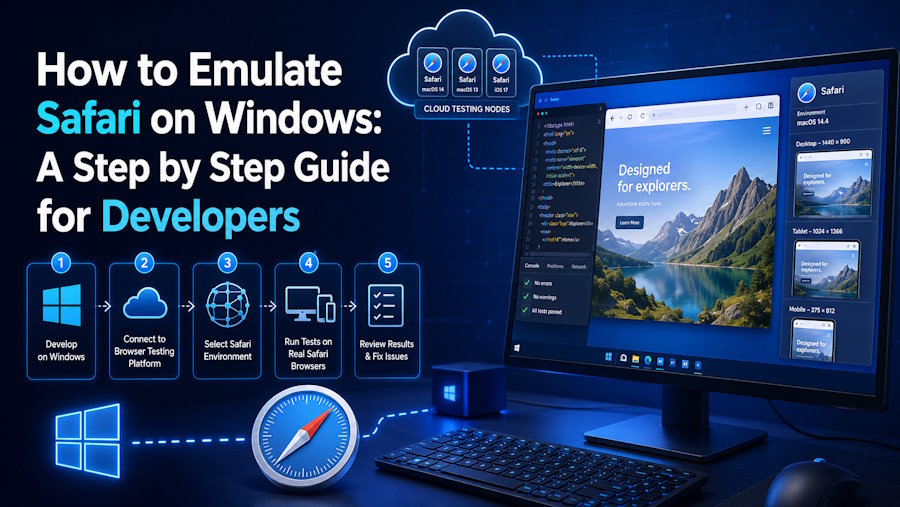
For Indian teams without access to Mac hardware, cloud testing platforms remain the most practical route. Services, such as Testsigma can be accessed from a browser on any Windows or Linux configuration, and are executed on a real macOS or iOS system which is hosted remotely. This is important since it provides realistic touch interaction patterns, real Intelligent Tracking Prevention behavior, and real Safari rendering—harder for a fake user agent to do.
There is typically a straightforward method to get started:
- Sign up for a cloud testing platform that offers real Safari environments.
- Connect your existing test scripts, whether built in Selenium, Playwright, or a no code interface.
- Select the specific Safari and macOS or iOS version combination you need to validate against.
- Run tests remotely and review results without ever touching Apple hardware directly.
Why Real Rendering Beats Spoofed Environments
A handful of Safari specific issues simply never surface when you only emulate Chrome browser conditions or fake a Safari string. WebKit's flexbox and grid implementation diverges from Chromium in edge cases involving gap handling and default sizing. Safari's aggressive autoplay restrictions block hero videos that work fine everywhere else. And Intelligent Tracking Prevention quietly breaks login flows or analytics tools relying on cross site cookies, a restriction Chrome simply doesn't enforce the same way. None of these problems show up through a user agent switch, since the actual engine processing your page never changes.
Bringing Safari Testing Into Your Workflow
It is considerably simpler to incorporate genuine Safari access into a normal development cycle once it is accessible. By employing tools like Jenkins, GitHub Actions, or CircleCI to run Safari tests automatically on every change, rendering issues are spotted before they reach production, as opposed to being found weeks later via furious user complaints. This solution reduces the need to maintain genuine Mac infrastructure for Indian teams operating Windows-based development environments while still discovering platform-specific problems that truly affect end users.

