

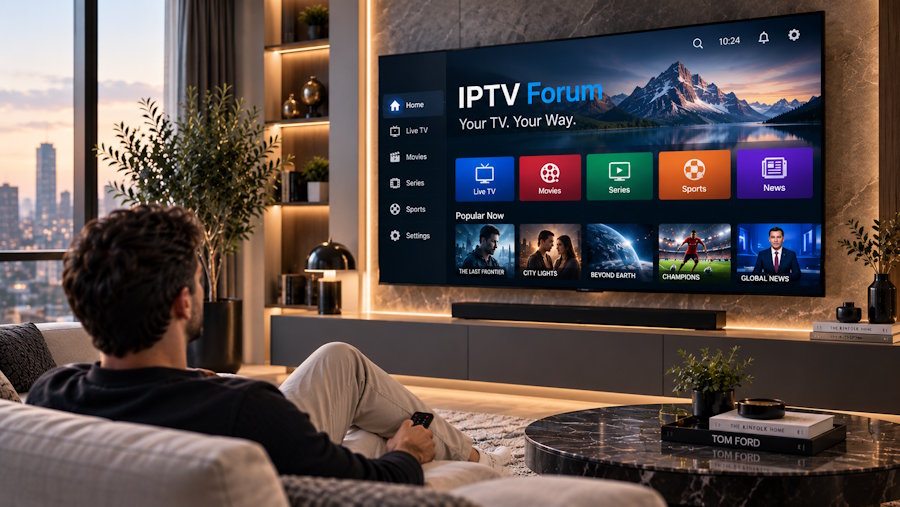
IPTV Streaming is changing how people watch television by moving content from traditional cable and satellite systems to internet-based delivery. Viewers can access live television, movies, series, sports, news, and other programs through compatible internet-connected devices. This shift provides more flexibility over where and how people watch TV. Smart TVs, streaming boxes, smartphones, tablets, and computers can all become viewing screens. However, a smooth experience depends on IPTV Apps, device compatibility, internet quality, and streaming performance. This IPTV Guide explains how IPTV Streaming works and how devices, applications, live TV, channel organization, and internet performance are shaping modern television viewing.
What Is IPTV Streaming?
IPTV Streaming delivers television and video content through Internet Protocol networks. IPTV stands for Internet Protocol Television.
Traditional television generally reaches viewers through terrestrial broadcasts, cable networks, or satellite signals. IPTV instead uses an internet or IP-based network to deliver content to a compatible application and device.
Depending on the service, viewers may have access to live channels, movies, television series, sports, news, and video-on-demand. Features such as an IPTV EPG, favorites, catch-up TV, and organized channel categories may also be available.
How Does IPTV Streaming Work?
When viewers select a channel or program, the requested stream is sent over an IP network to their device. An IPTV Player processes the stream and displays the content. The viewing experience depends on the streaming source, device performance, application, network stability, and selected video resolution. Unlike conventional broadcasting, IPTV also allows television content to work across different compatible internet-connected devices. Resources such as IPTV Forum can help users understand IPTV technology, applications, devices, providers, and common streaming issues before deciding which setup works best for their needs.
IPTV Devices Give Viewers More Choice
A major benefit of internet-based television is the range of available IPTV Devices. Smart TVs, Android TV, Google TV, Amazon Fire TV devices, Apple TV, smartphones, tablets, computers, and compatible streaming boxes can all be used, depending on application and service compatibility. Each device has different hardware and software capabilities. A dedicated streaming device may perform better than an older television, while a smartphone or tablet provides greater portability. Users should choose a device based on application compatibility, video requirements, and where they plan to watch.
IPTV for Smart TV Makes Viewing Convenient
IPTV for Smart TVs allows viewers to access internet-based television directly on compatible TVs without necessarily connecting to another streaming device.
Modern televisions may support IPTV Apps through their application stores. Samsung, LG, Android TV, and Google TV platforms have different app choices and installation methods. However, Smart TV IPTV performance also depends on hardware. Older televisions may have limited memory, slower processors, or fewer compatible applications. Checking application and device compatibility before selecting a service can help prevent setup problems.
IPTV Apps Shape the Viewing Experience
IPTV Apps provide the interface for accessing and organizing television content. Depending on the application, features can include playlists, favorites, channel categories, subtitles, parental controls, profiles, external media players, and EPG support. Application availability varies between platforms. An IPTV Player available for Android TV may not be offered for Samsung, LG, or Apple TV. Choosing an application should therefore be based on compatibility, ease of use, playback performance, and useful features rather than popularity alone.
IPTV Setup Is Becoming Simpler
A basic IPTV setup typically requires a compatible device, a suitable application, a stable internet connection, and valid access credentials from the selected service.
Installation methods depend on the platform. Smart TVs may allow supported applications to be installed directly from an app store, while streaming boxes and mobile devices have their own setup processes. Keeping the device and IPTV Player updated can reduce compatibility problems. Users should also follow instructions from their application and service rather than entering account information into unfamiliar software.
Live TV Streaming Remains Important
Live TV Streaming remains important for sports, news, entertainment, and scheduled television. With IPTV, live channels can be delivered through an internet connection rather than a conventional broadcast system. This makes programming accessible across a wider range of compatible devices. Streaming stability is particularly important for live television. Channels should load quickly and continue playing without frequent freezing or audio problems. Popular sports and major broadcasts may also place additional demand on streaming systems. A reliable service combined with a stable home network generally provides a smoother experience.
IPTV Channel List Size Is Not Everything
A large IPTV Channel List may sound impressive, but more channels do not automatically mean better viewing. Most people regularly watch only a small portion of the channels available. Relevant programming, stable streams, and clear organization can be more valuable than thousands of channels that are difficult to navigate. Sports, movies, entertainment, news, documentaries, and international channels should be organized into useful categories. Viewers should focus on content quality and relevance rather than judging a service only by its advertised IPTV Channel List size.
IPTV EPG Makes Navigation Easier
An IPTV EPG, or Electronic Program Guide, displays information about current and upcoming television programs. EPG support makes large channel selections easier to browse. Instead of opening channels individually, viewers can check program schedules through one interface. A useful IPTV EPG should provide accurate times, recognizable channels, and regularly updated information. Its performance can depend on both the service and the IPTV Player.
IPTV Internet Speed Affects Performance
IPTV Internet Speed plays an important role in streaming, but speed alone does not determine quality. Wi-Fi strength, router performance, network congestion, and other connected devices can affect playback. Gaming, downloads, video calls, cloud backups, and simultaneous streaming may consume available bandwidth. Ethernet can provide a more stable connection for stationary IPTV Devices when available. Wi-Fi users can also improve performance by keeping their streaming device within the router's reliable range.
What Causes IPTV Buffering?
IPTV Buffering happens when a device does not receive streaming data quickly or consistently enough to maintain playback.
Common causes include weak Wi-Fi, network congestion, insufficient bandwidth, router issues, application issues, device limitations, and streaming source issues. Buffering does not always mean the service is responsible. Users can restart their router and device, check their internet connection, close unnecessary applications, and reduce other network activity.
Identifying the cause before changing services or applications can prevent unnecessary changes.
4K IPTV Requires Better Performance
4K IPTV can provide greater picture detail on compatible televisions, but high-resolution video requires more from both the network and hardware.
The television, application, streaming device, and available content must support the required video format. Network stability is also important because higher-resolution streams generally require more bandwidth. A stable Full HD stream may provide a better experience than 4K content that repeatedly buffers. Viewers should select video quality according to their hardware and network performance.
IPTV Troubleshooting Helps Solve Common Problems
Common IPTV Troubleshooting issues include buffering, channels not loading, incorrect EPG information, application crashes, login errors, audio synchronization problems, and poor video quality. The first step is identifying whether the problem comes from the internet connection, device, application, IPTV Player, or streaming source. Restarting equipment, checking the network, updating applications, and confirming account information can resolve many basic problems.
For viewers who need additional information, IPTV Forum provides IPTV guides on streaming devices, apps, providers, and troubleshooting that help users better understand common IPTV issues.
A More Flexible Way to Watch Television
Traditional television often depends on fixed schedules and dedicated equipment. IPTV Streaming provides greater flexibility by combining internet-connected devices, live channels, applications, and on-demand content.
Depending on the application and service, viewers may create favorites, browse the IPTV EPG, organize channels, adjust playback settings, and access content across compatible screens. Television is therefore becoming less dependent on one device or traditional broadcasting method. Viewers have greater control over where, when, and how they watch content.
Security and Content Rights Matter
Security should also be considered when using internet-based television services. Users should look for clear subscription terms, privacy information, support options, and secure payment methods. IPTV itself is a technology for delivering television through IP networks. The legality of a particular service depends on whether it has the appropriate rights and authorization to distribute its content in the viewer's region.
Final Thoughts
IPTV Streaming is changing television by providing greater flexibility across devices and applications, as well as live channels and on-demand content. Viewers can use Smart TVs, streaming devices, smartphones, and other compatible screens instead of depending only on traditional television systems. However, IPTV Internet Speed, network stability, IPTV Apps, IPTV Devices, EPG accuracy, and video quality all affect the final experience.
Whether someone is learning about IPTV for Smart TV, Live TV Streaming, IPTV Setup, or 4K IPTV, resources such as IPTV Forum can provide useful information about the technology and common streaming considerations. As internet technology continues to develop, IPTV Streaming is likely to remain an important part of modern television viewing.
Frequently Asked Questions
1. What is IPTV Streaming?
IPTV Streaming delivers television and video content over Internet Protocol networks rather than relying solely on cable, satellite, or terrestrial broadcasting.
2. What IPTV Devices can I use?
Compatible IPTV devices include Smart TVs, Android TVs, Fire TVs, Apple TVs, smartphones, tablets, computers, and streaming boxes.
3. What causes IPTV Buffering?
IPTV Buffering may result from weak Wi-Fi, insufficient bandwidth, network congestion, device limitations, application problems, or streaming source issues.
4. What is an IPTV EPG?
An IPTV EPG is an Electronic Program Guide that displays current and upcoming program information and makes live channels easier to navigate.
5. Can I watch 4K IPTV?
Yes. 4K IPTV can work when the television, device, application, available content, and internet connection support high-resolution streaming.
6. Where can I learn more about IPTV?
IPTV Forum provides information about IPTV streaming, providers, apps, compatible devices, setup, and common troubleshooting topics.
7. Is IPTV Streaming legal?
IPTV technology itself is legitimate. The legality of an individual service depends on its authorization, content rights, and applicable laws in the viewer's region.

