

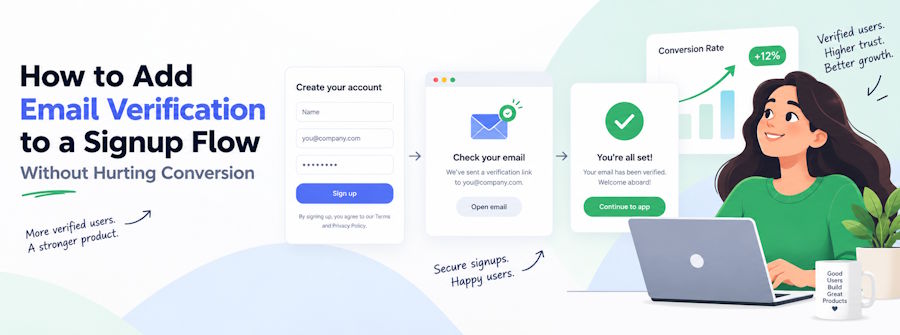
Email verification looks simple until it starts rejecting real users. A visitor enters an address, the system checks it, and the signup either continues or stops. In practice, email is far less tidy. Domains behave differently, some servers accept every address, temporary email providers appear constantly, and corporate systems often hide whether a mailbox really exists. If the verification layer is too strict, legitimate customers get blocked. If it is too loose, fake signups, typos, and unreachable addresses slip through.
That is why email verification works best as a confidence system rather than a single yes-or-no gate. Some checks are reliable enough to justify blocking a signup. Others are useful signals but should not be treated as final proof. The goal is not to create the strictest possible form. It is to remove obvious bad data while keeping friction low for genuine users.
Start With the Checks You Can Trust
The first stage should deal with the obvious problems. If an address is missing an @ symbol, contains an impossible domain, or has accidental spaces in the wrong place, there is no reason to send it through a complicated verification process. These mistakes can be caught immediately and explained clearly to the user.
The next useful check is whether the domain itself can receive email. A domain with no valid mail configuration is a strong warning sign. This is also where many simple typing mistakes show up. Someone may enter the wrong domain name by one letter, and a domain-level check can catch that before the form is submitted.
What these checks cannot tell you is whether the individual mailbox exists. A valid domain can still contain an invalid address. That distinction matters because a system that treats the domain as proof of the mailbox will let a lot of bad data through.
This is where many teams make the first mistake. They want a definitive answer too early. Email systems were not designed to expose every mailbox openly, so certainty is not always available. A good signup flow accepts that some addresses will remain uncertain until the user confirms them.
SMTP Checks Are Useful, but They Are Not Perfect
The obvious next step is to ask the receiving mail server whether the mailbox is valid. This sounds straightforward, but mail servers behave in different ways.
Some will reject an address clearly when it does not exist. Others will accept almost anything during the initial exchange and decide later whether to deliver it. Some deliberately hide mailbox information to prevent spammers from harvesting lists of valid users. Others may temporarily refuse connections because too many requests have arrived in a short period.
That means an accepted response is not always proof that the address is real, and a temporary failure is not always proof that it is fake.
This is particularly important with large providers and corporate mail systems. They often use protections that make automated verification less certain. If your signup flow treats every uncertain response as invalid, you can easily block genuine users from well-known companies.
A safer approach is to treat these checks as one signal among several. If the mail server clearly says the user does not exist, that is useful. If the server refuses to give a clear answer, the address should usually remain in an uncertain state rather than being rejected.
Catch-All Domains Need Special Treatment
Catch-all domains are one of the biggest reasons email verification can become misleading.
A catch-all domain accepts messages sent to almost any address under that domain. The mailbox may exist, or it may not. The server simply accepts the message anyway.
For example, if a company domain accepts both a real employee address and a completely invented address, there is no reliable way to know which one is genuine just by asking the server.
This is common enough that it should have its own category. A catch-all result is not the same as valid and not the same as invalid. It is uncertain.
That matters for conversion because many legitimate business users work at companies with catch-all configurations. Blocking them outright can damage B2B signup rates. A better option is to allow the user through and rely on email confirmation later.
The same principle applies to role-based addresses such as info@, sales@, or support@. These are sometimes treated as low quality, but they are not necessarily bad. A small business owner may genuinely use a shared address. A team may prefer a departmental inbox. The address type is useful information, but it should not automatically be treated as fraud.
Disposable Emails Should Be Judged by Context
Disposable email addresses are another common concern. They are often used to create multiple free accounts, avoid follow-up messages, or bypass trial limits. Blocking them can make sense for some products, especially where every signup has a direct cost.
But a blanket rule can also create unnecessary friction. Some users choose temporary email services for privacy. Developers and testers may use them legitimately. A newsletter signup does not need the same level of scrutiny as a financial platform or a high-cost SaaS trial.
The decision should depend on the product and the risk involved.
If the main problem is repeated abuse of a free plan, disposable addresses can be one useful signal. If the signup has little cost and the user still needs to confirm ownership before doing anything important, the case for blocking them is weaker.
The broader lesson is that email verification should reflect business logic. It should not become a rigid rule that every address must pass in exactly the same way.
Do Not Make Users Wait for Every Check
Even a technically accurate verification process can hurt conversion if it makes the signup form feel slow.
Some checks are almost instant. Others depend on outside systems and can take longer. A remote mail server may respond slowly. A DNS lookup may time out. A third-party verification provider may have a temporary issue.
The user should not have to wait several seconds while all of this happens unless the risk justifies it.
A better signup experience separates fast checks from slower ones. Obvious formatting problems and invalid domains can be caught immediately. More uncertain checks can run after the user has already moved forward, especially if the account still requires email confirmation.
This also protects the signup flow from external failures. If a verification provider goes down, your application should not suddenly start rejecting everyone. Temporary infrastructure problems should result in uncertainty, not a fake “invalid email” message.
That distinction is important. The verification system is supposed to reduce bad signups. It should never become the reason good users cannot register.
Email Confirmation Still Matters
No pre-signup check can prove that the person entering an email address actually owns it.
A mailbox may exist, but the person filling out the form could still be using someone else’s address. That is why confirmation emails remain useful even when several verification checks have already passed.
The checks answer one question: is this address likely to receive email?
The confirmation message answers another: does this person control the inbox?
For many products, the best balance is to block only addresses that are clearly impossible, allow uncertain ones to proceed, and require confirmation before giving access to sensitive or expensive features.
This reduces false rejections while still protecting the product from bad data.
Verification Tools Should Give You More Than a Simple Score
If you are using an external service, the most useful providers are the ones that expose what they found rather than hiding everything behind one score.
A good result should help you understand whether the address passed syntax checks, whether the domain accepts mail, whether the domain is disposable, whether it appears to be catch-all, and whether the mailbox itself could be checked confidently.
That gives your product team the freedom to decide what to do.
A SaaS platform may allow catch-all addresses but require confirmation. An ecommerce store may accept role-based addresses without concern. A free-trial product may apply stricter rules to disposable domains. Different businesses need different thresholds.
Tools such as EmailValidly can be useful here because they bring several verification signals together in one place. The important part is not having a third party decide who is allowed to sign up. It is having enough information to make that decision sensibly inside your own product.
Measure the Users You Nearly Rejected
One of the best ways to judge whether email verification is working is to study the borderline cases.
How many users marked as uncertain eventually confirm their email successfully? How many addresses that passed verification still bounce? How many people correct a typo after being shown an error? How many abandon the form entirely?
These numbers are more useful than simply counting how many “bad” addresses were blocked.
A system can look excellent because it rejects a large number of signups, while quietly losing genuine customers at the same time. That is especially dangerous because false rejections are easy to miss. The user simply leaves, and the business may never know why.
The best verification process is therefore not the strictest one. It is the one that removes obvious junk without turning uncertainty into unnecessary friction.
Treat Email Verification as Risk Management
The most useful way to think about email verification is not as a test of whether an address is absolutely valid. It is a way of estimating risk.
Some cases are clear. The address is malformed. The domain does not exist. The mail system says the recipient is not real.
Other cases are less certain. The domain accepts all mail. The server does not reveal mailbox status. The address belongs to a shared team inbox. The verification request times out.
Those situations should not be treated the same way.
A good signup flow rejects what is clearly wrong, flags what looks suspicious, and lets uncertain users continue when the risk is acceptable. Confirmation emails can then verify ownership without forcing the initial form to make decisions it cannot make reliably.
That approach may sound less tidy than returning a simple valid-or-invalid result, but it is much closer to how email actually works. And for any product that cares about both data quality and conversion, that balance is what matters most.

